Free Practice Workbook
If you have a data set with text consisting of names and email addresses that are wrapped inside a parenthesis, like:
| John ([email protected]) |
…then you can use the Text to Columns feature in Excel to take out the email addresses and put them in a separate column.
See how this is done with the following short tutorial.

Download workbookText-to-Columns-Emails.xlsx
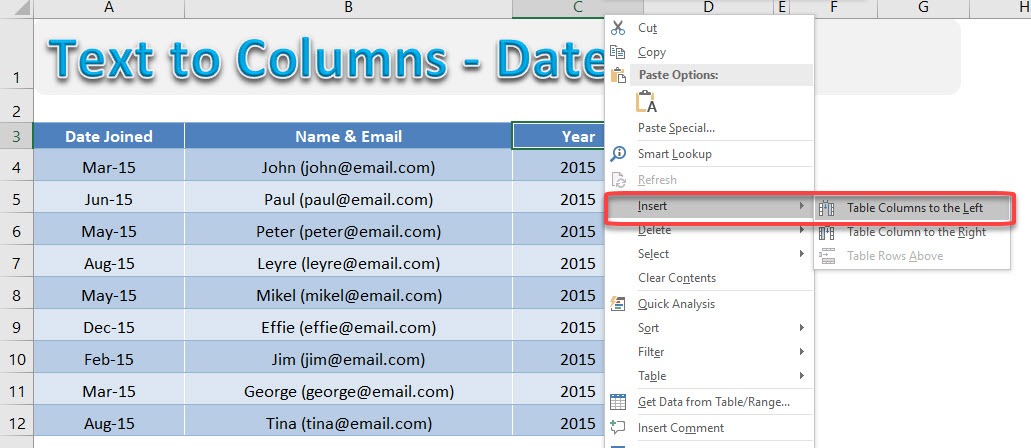
STEP 1: Let us add a new column for us to place the Email addresses in.
Right-click on the Year Column header. Go to Insert > Table Columns to the Left
Make sure to rename the new column header to Email.
STEP 2: Now we have a blank Email column. Select the values of the Name & Email column.
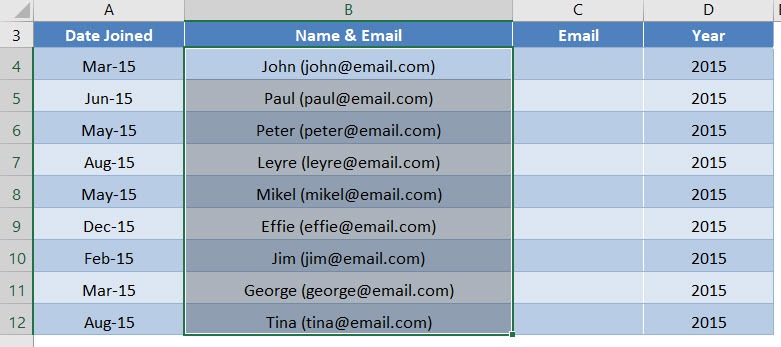
STEP 3: Go to Data > Text to Columns

STEP 4: Click Next.
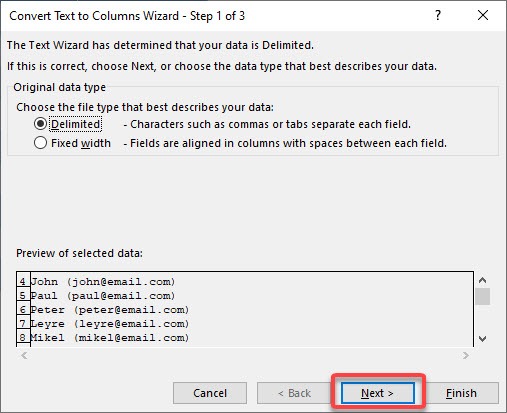
We want to split the Name & Email value by the (.
To do this select Other and populate ( inside. Click Next.
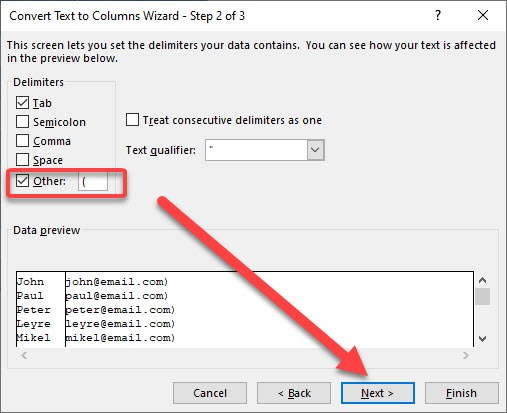
The preview of the conversion looks good. Click Finish.
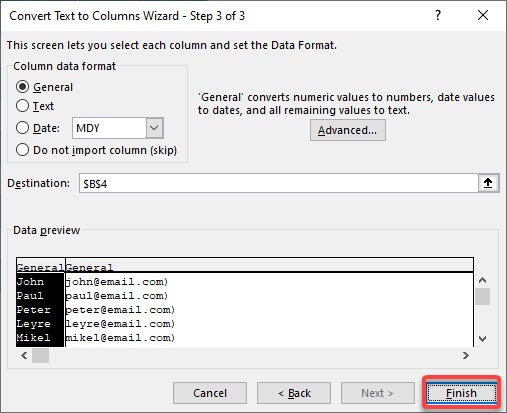
Click OK.
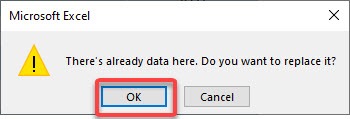
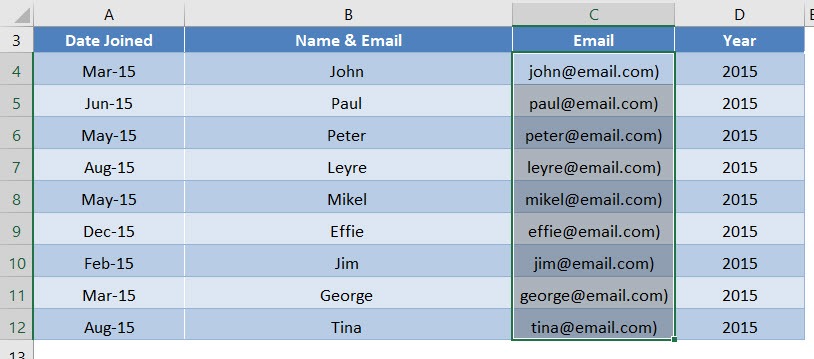
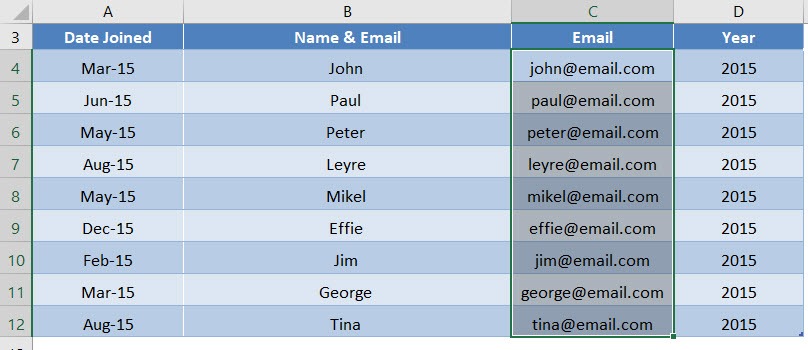
STEP 5: Now we have the Email column populated. The last step is to remove the ) at the end.
Select the values of the Email column.
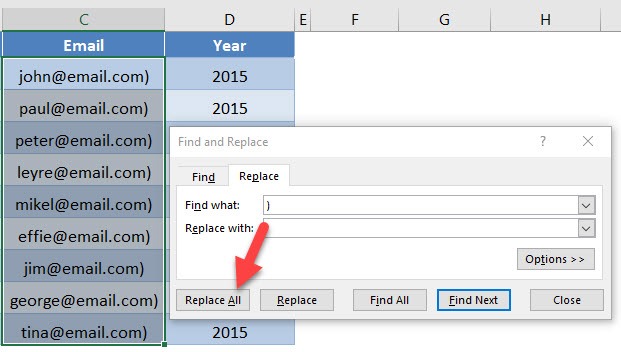
STEP 6: Let us do a replacement of the values. Press CTRL + H.
Place ) in the Find what and click Replace All. This will replace the ) with a blank value, resulting in it getting completely removed.
Now we have our names and emails separated!

John Michaloudis is a former accountant and finance analyst at General Electric, a Microsoft MVP since 2020, an Amazon #1 bestselling author of 4 Microsoft Excel books and teacher of Microsoft Excel & Office over at his flagship Academy Online Course.

 30 Days - Full Access