 Free Practice Workbook
Table of Contents
Different Techniques to Delete Sheets
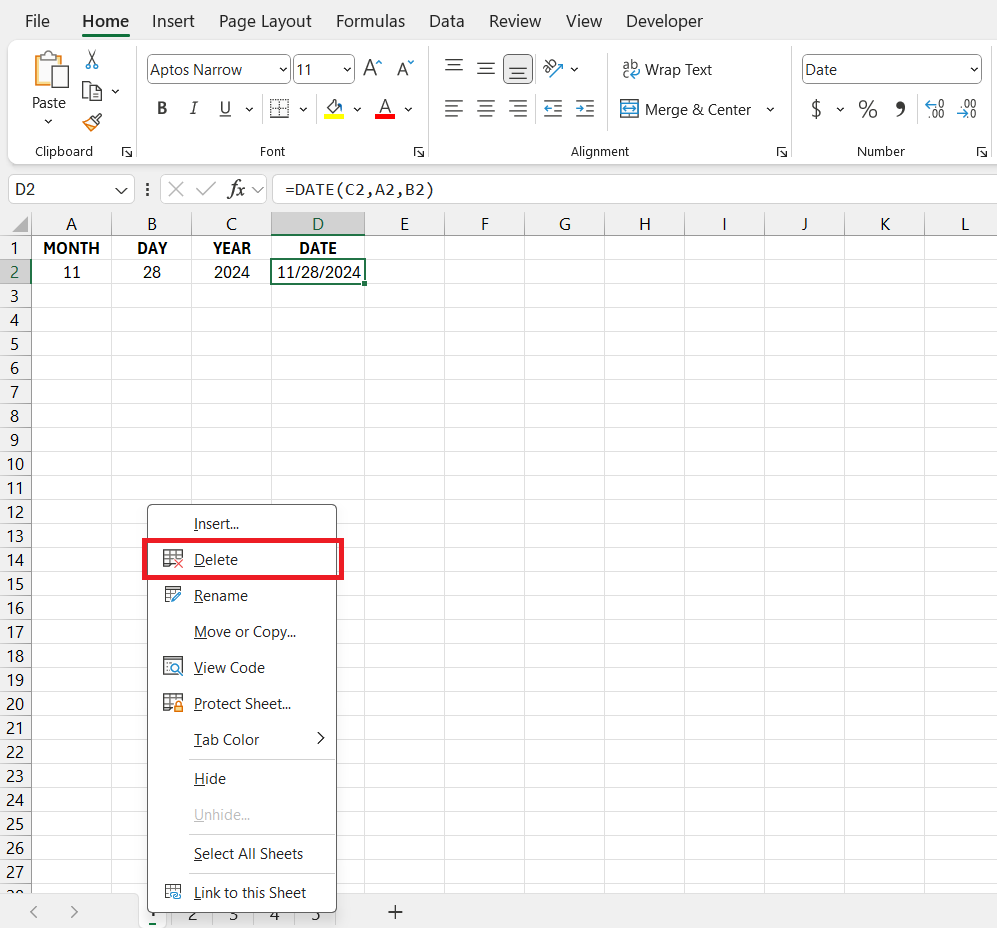
Right-Click Technique
Follow the steps below to delete a sheet:
- Select the sheet that you want to delete.
- Right-click on the sheet.
- Select Delete.
Home Tab and Ribbon Commands
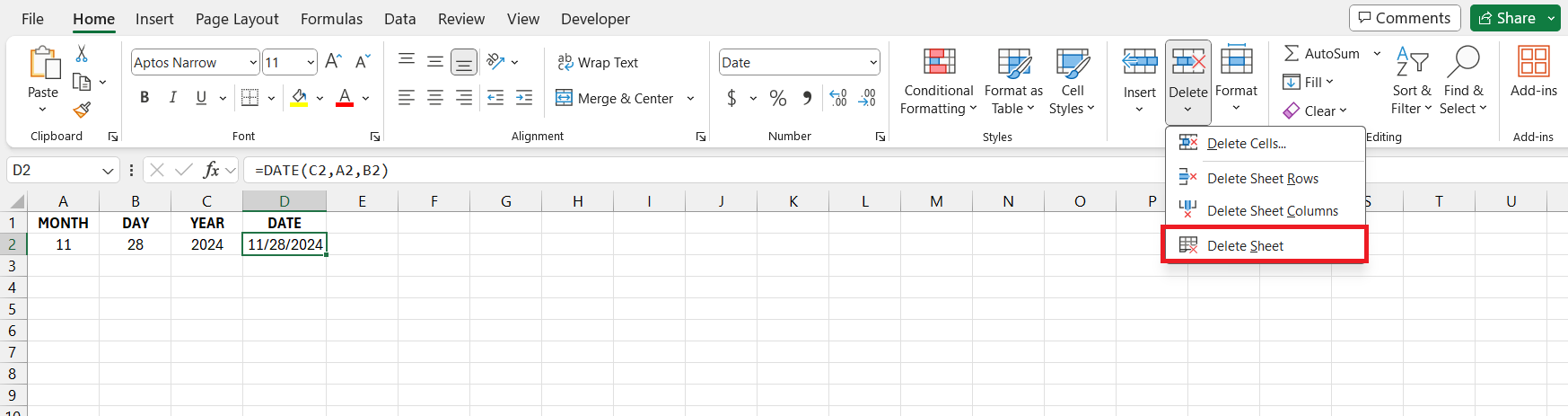
- Go to the Home tab.
- Under Cell group, select Delete.
- Select Delete Sheet from the dropdown.
Automate with VBA
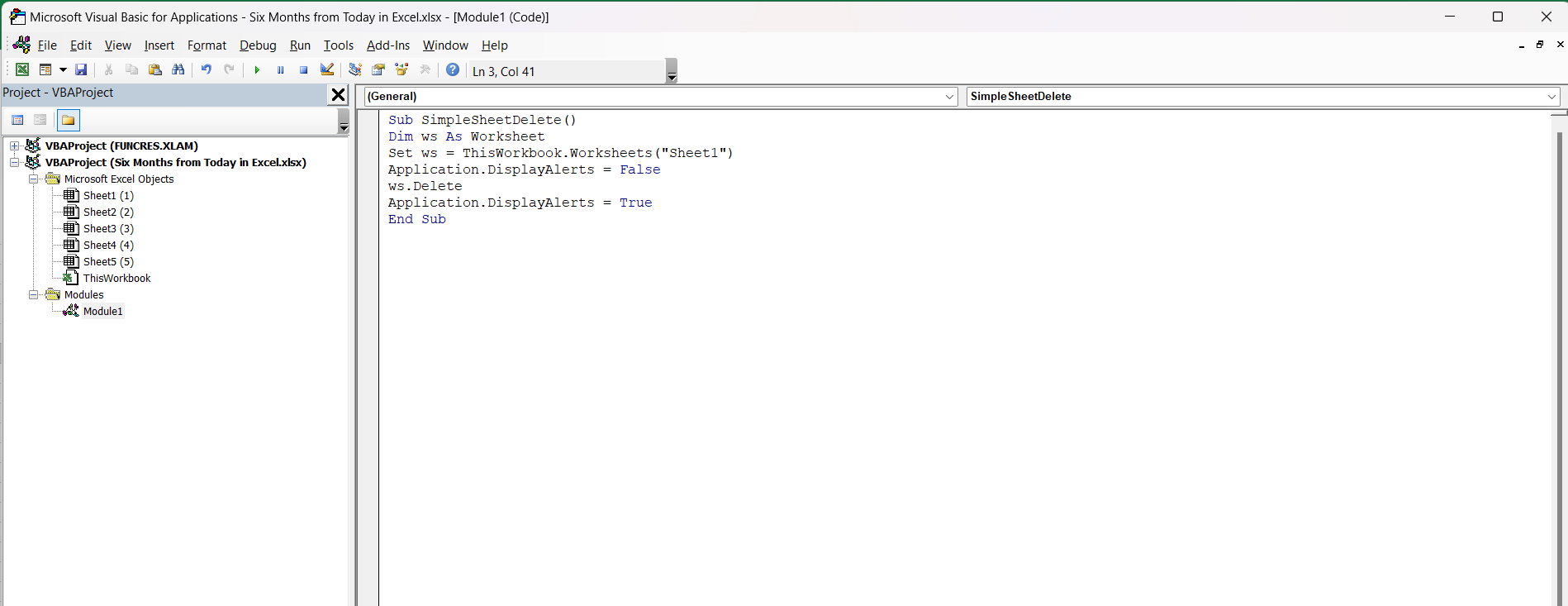
Delete a Sheet
You can use VBA code to delete a sheet with minimal effort. The code will be:
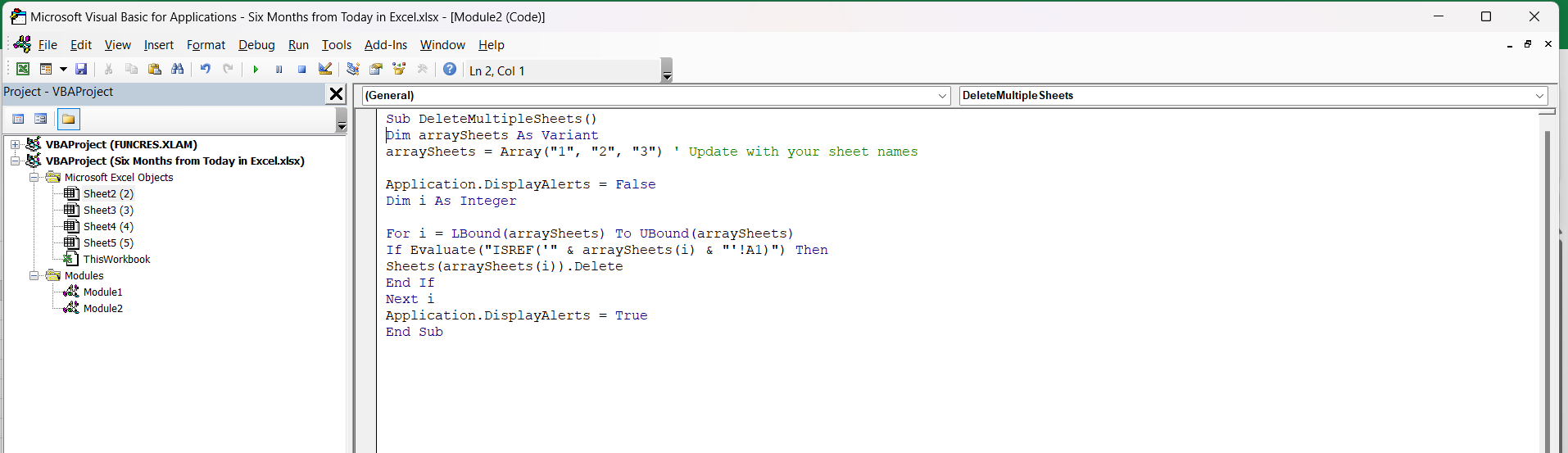
Advanced VBA Code
This code can be used to delete multiple sheets together.
Tips & Tricks
Use Shortcut Keys
Excel shortcuts can improve your efficiency and save you loads of time.
- Ctrl + Page Down to go to the next sheet.
- Ctrl + Page Up to go to the previous sheet.
Quick Access Toolbar
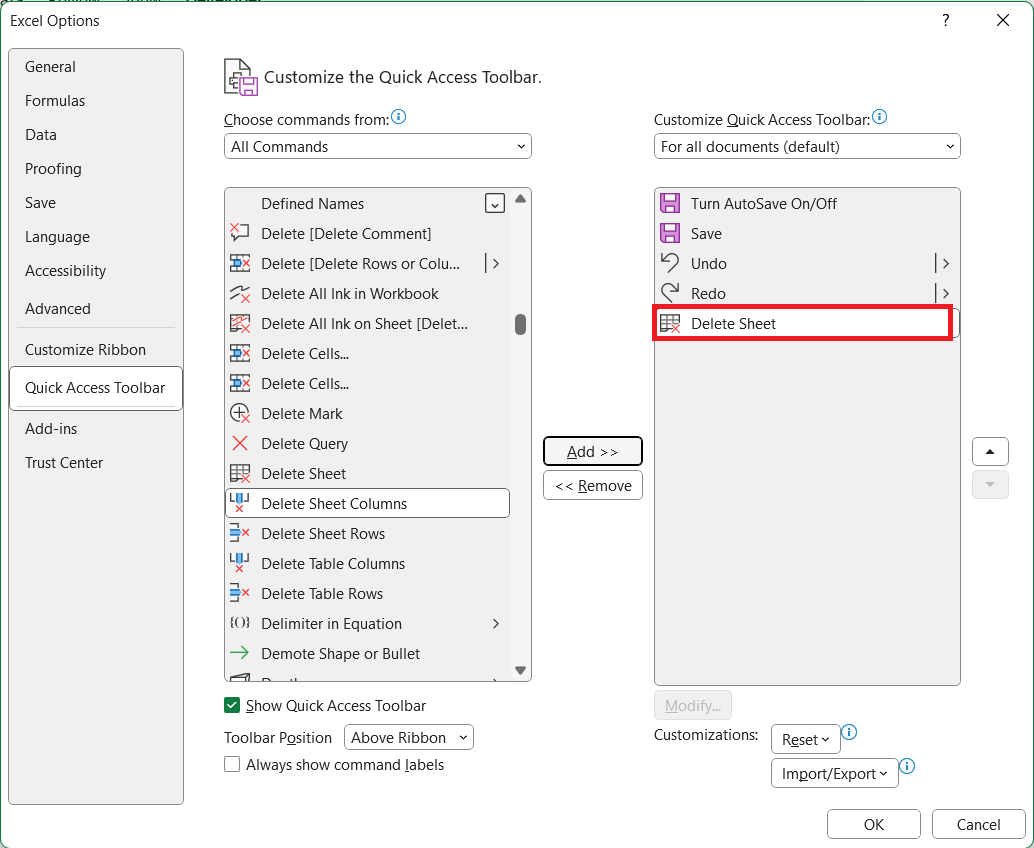
You can add the delete sheet button in the Quick Access Toolbar to be able to use it quickly.
- Click on the arrow next to QAT.
- Select More Commands
- Select Delete Sheet
- Click Add
- Click OK.
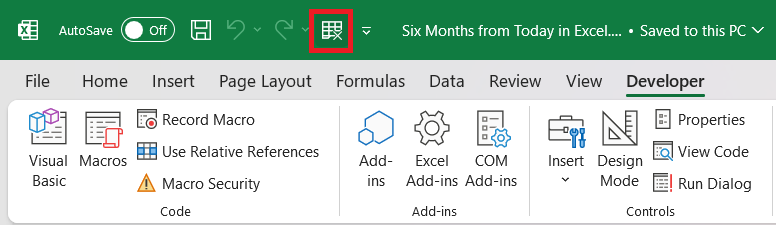
Now, with this setup, managing sheets will be swifter than ever.
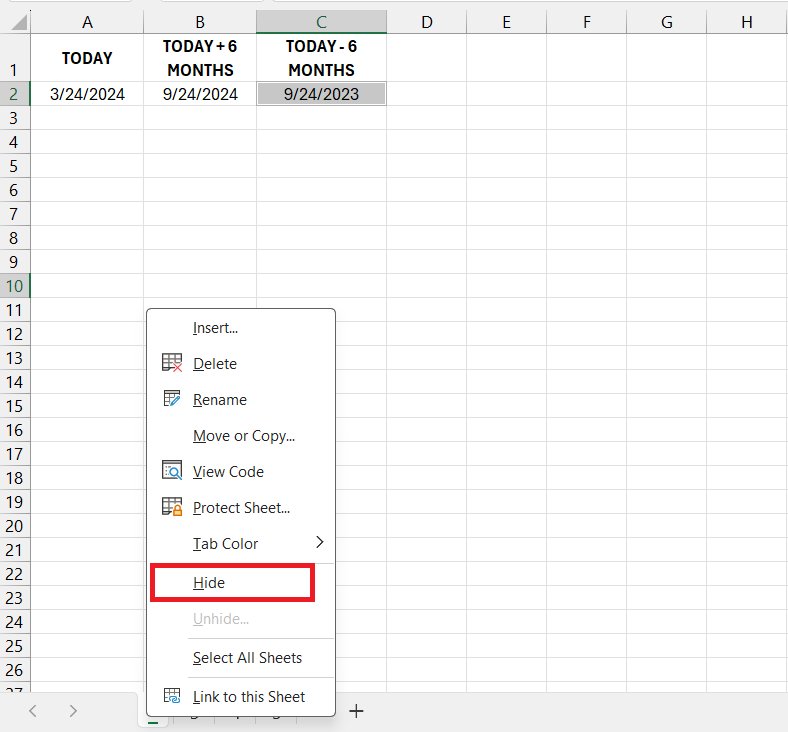
Deleting vs. Hiding Sheets
Before you proceed to delete sheet, it is important to understand the difference between deletion and hiding. Deleting removes the sheet and all its data permanently, whereas hiding a sheet will conceal the sheet and you will not be able to view it.
Remember that hiding will not reduce the file size.
Delete option Grayed Out
You can find a situation where you will see that the Delete option has been grayed out. This can happen if your worksheet is protected.
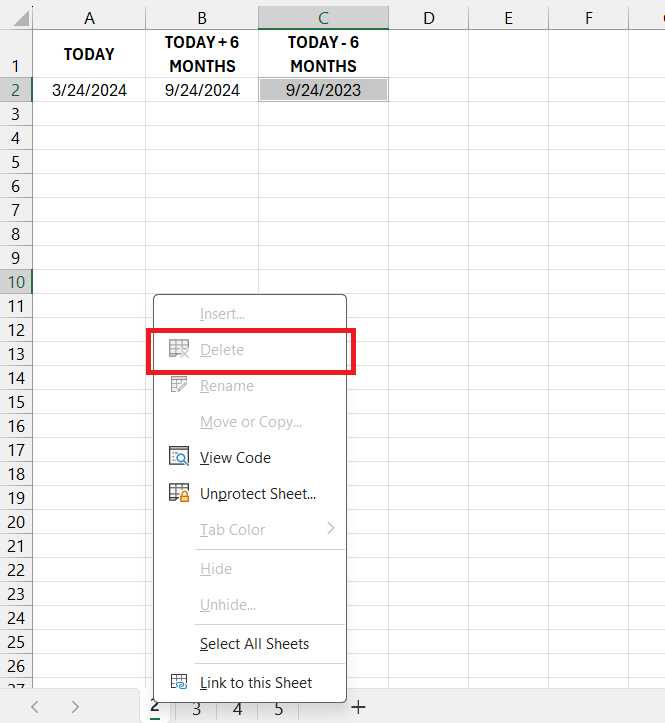
You can delete the grayed-out sheet by following these steps:
- Go to the Review Tab
- Select Unprotect Workbook.
- Right-click on the sheet
- Select Delete.
FAQs
How to Delete sheet in Excel?
Right click on the sheet and select Delete.
What is the shortcut to delete sheet?
The keyboard shortcut to delete a sheet is Alt + H + D + S. Press these keys in sequence, not simultaneously, to delete the active sheet after confirming the prompt.
How to delete multiple worksheets together?
You can hold the Ctrl key and then click in the sheets you want to delete. Right-click on one of the sheets and select Delete.
What to do if I accidentally delete a sheet?
If you have deleted a sheet by mistake, you can use either one of these methods to restore it:
- Press Ctrl + Z to restore a deleted worksheet.
- Go to the File > Info > Version History. Select the latest version and restore it.

John Michaloudis is a former accountant and finance analyst at General Electric, a Microsoft MVP since 2020, an Amazon #1 bestselling author of 4 Microsoft Excel books and teacher of Microsoft Excel & Office over at his flagship MyExcelOnline Academy Online Course.

 30 Days - Full Access









