 Free Practice Workbook
You may need to add a percentage to a number if you want to update prices or adjust data. This technique can help you streamline your data using quick calculations. In this article, you will learn how to add percentages to a number in Excel.
Key Takeaways:
- Excel stores percentages as decimals.
- Use simple addition or multiplication to add percentages in Excel.
- You can apply a percentage increase to multiple cells by using the Paste Special option.
- Use Ctrl + Shift + % to quickly convert a number to a percentage.
Table of Contents
Understand Percentages
It is important to understand that Excel treats percentages as decimals. If you enter 50% in a cell, it will be stored as 0.5 in the cell. Follow the steps below to convert number to percentage:
STEP 1: Enter the number in a cell.
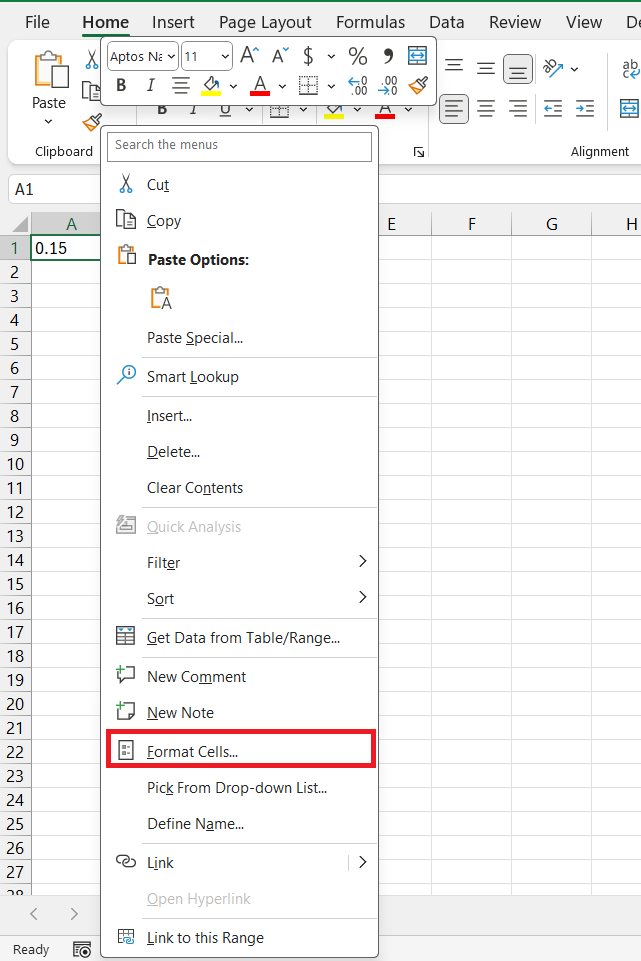
STEP 2: Right-click on the cell and select Format Cells.
STEP 3: Select Percentage.
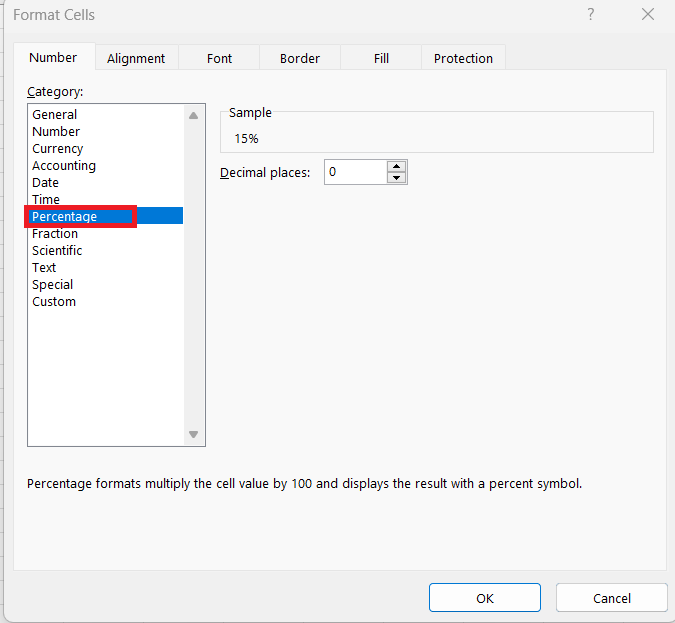
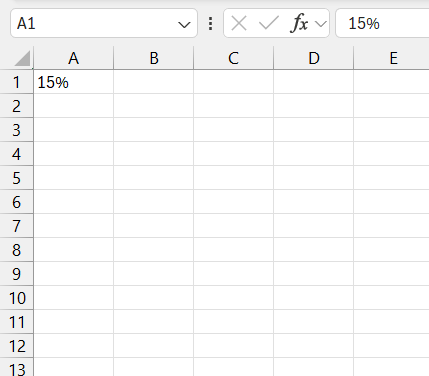
Click Ok and 0.5 will be displayed as 15%.
How to Add Percentages in Excel
Addition Technique
Follow the steps below to use the addition operator:
STEP 1: Enter the value you want to increase.
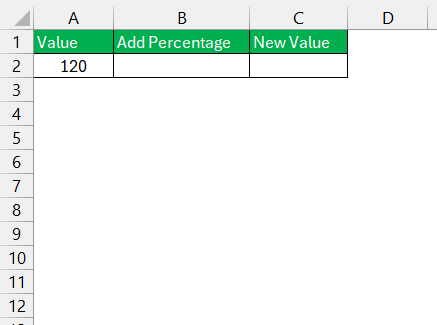
STEP 2: Enter the percentage we wish to add. If it is a 10% increase, we would type 0.10.
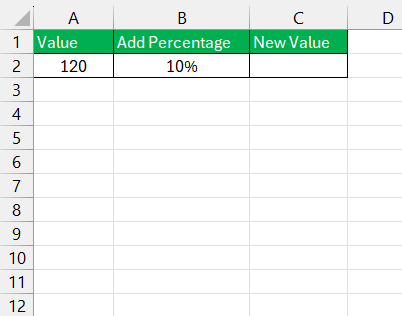
STEP 3: Enter the following formula:
= A2 + (A2 * B2).
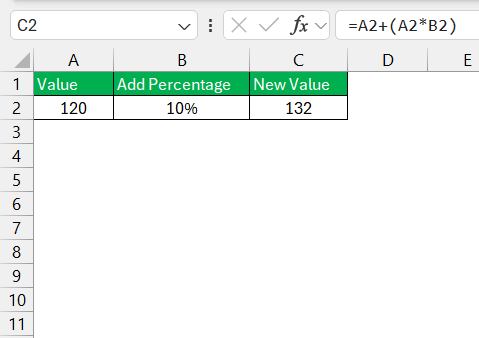
This will add 10% to the original number.
Multiplication
You can use the multiplication operator to increase a value by a percentage. For example, the price of an item is $100, and you want to increase it by 15%. You can follow the steps below to get the new price:
STEP 1: Enter the original value.
STEP 2: Enter the percentage.
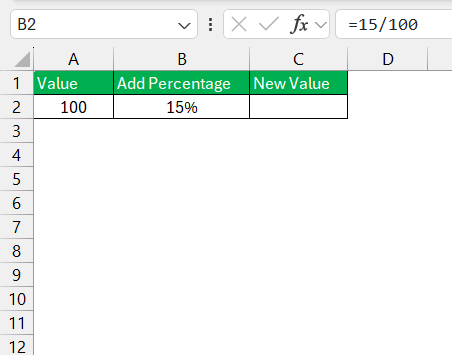
STEP 3: Enter this formula
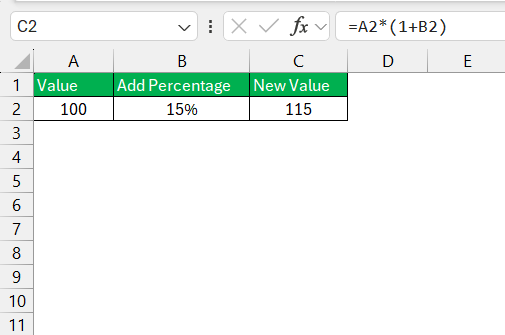
Paste Special
The Paste Special feature allows you to paste the copied value in a specific way. It lets you paste values only, format, formula, or comments. It can also let you perform calculations like addition, subtraction, multiplication or division. Follow the steps below to increase a number by a percentage using paste special:
STEP 1: Enter the percentage in decimal form. Copy it.
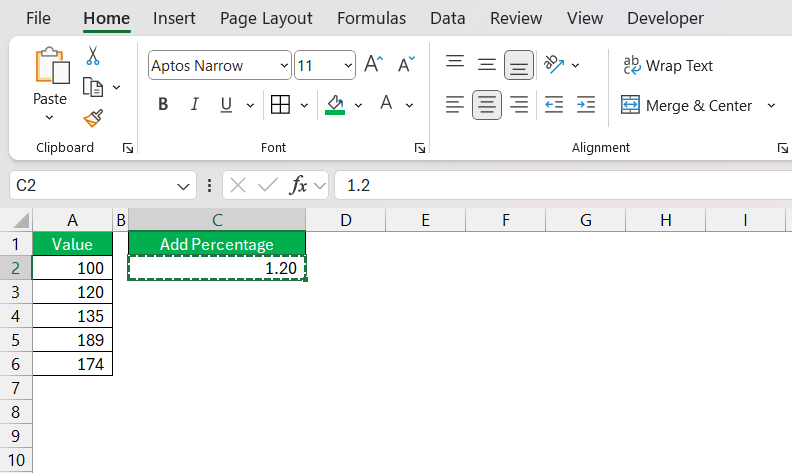
STEP 2: Select the values that you want to increase.
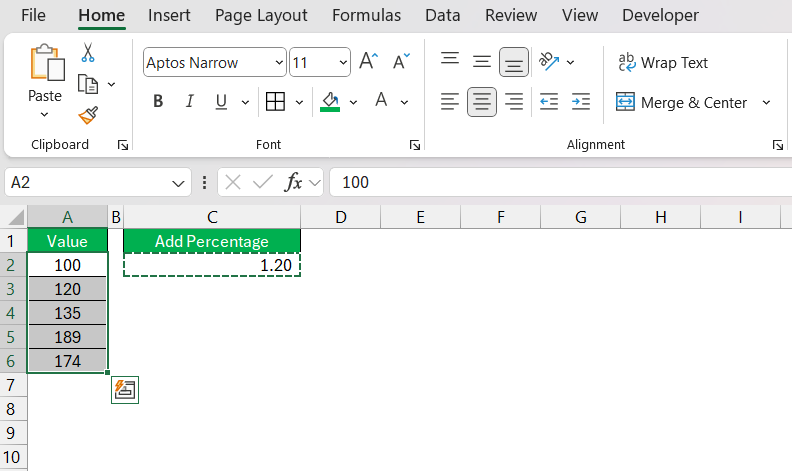
STEP 3: I then right-click the highlighted area, selecting ‘Paste Special’. A dialog box appears, and from there, I choose ‘Multiply’.
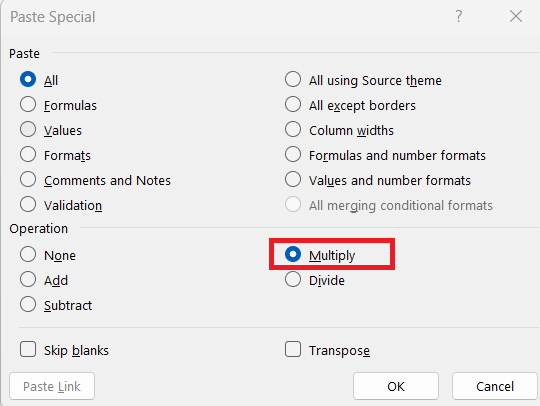
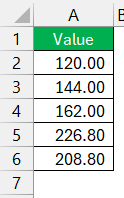
STEP 4: After clicking ‘OK’, I watch as Excel instantly increases the values in the selected cells by the specified percentage.
FAQ
How to add percentages in Excel?
Enter the original number and the percentage in decimal form in two separate cells. You can then use this formula to add a percentage:
= Number + Number * Percentage
How to Apply a Percentage Increase to Multiple Cells?
To apply a percentage increase to multiple cells simultaneously in Excel, type the percentage increase as a decimal into any cell, copy that cell, select the cells to increase, right-click on them, and choose ‘Paste Special’. In the dialog box, select ‘Multiply’ and click ‘OK’. This will increase all the selected cells by the copied percentage.
What Should I Do If My Percentage Calculation Isn’t Correct?
If your percentage calculation isn’t correct, double-check the formula for accuracy and ensure that cell references are placed correctly. Confirm that cells are formatted correctly to display percentages and that you have entered the percentage as a decimal. Use ‘Evaluate Formula’ under the Formulas tab for a step-by-step examination of the formula if the issue persists.
How do I add 20% to a price in Excel?
You can multiply the original value by 1.2 to increase the value by 20%.
What is the percentage formula in Excel?
The percentage formula in Excel is
=Part/Total,
This will return the result in decimal form. You can then multiply the result by 100 to show the value in percentage form.

John Michaloudis is a former accountant and finance analyst at General Electric, a Microsoft MVP since 2020, an Amazon #1 bestselling author of 4 Microsoft Excel books and teacher of Microsoft Excel & Office over at his flagship MyExcelOnline Academy Online Course.

 30 Days - Full Access









