 Free Practice Workbook
Excel is a great tool often used to manage data, perform calculations, and create reports. One feature that can improve your data manipulation capabilities is the use of symbols. Understanding how to use the inch symbol into Excel can lead to more accurate data presentation. In this article, you will learn how to use the inch symbol in Excel.
Key Takeaways:
- The inch symbol can improve the clarity of data.
- Use the same formatting and cell styles to prevent confusion.
- Use & symbol to combine a number with the inch symbol.
- Keyboard shortcuts and Insert Symbol menu make symbol entry easy.
- Avoid common errors like mixing text with numbers or curly quotes.
Table of Contents
Mastering the Inch Symbol in Excel
Why Use the Inch Symbol?
The inch symbol is important in Excel when dealing with measurements. It is useful in fields where precise dimensions are key. Using this symbol can improve clarity and prevent misunderstandings about the units of measure being used.
It helps improve the readability of your data and makes reports and charts more professional. By using the inch symbol, you can also use Excel’s formula capabilities to perform accurate calculations.
Best Practices
- Always double-check the configuration of your cell formats. Set them to display measurements in inches.
- When inputting data, always use the inch symbol to maintain uniformity.
- Use Excel’s data validation feature to restrict entries to numerical values with the inch symbol

- Use Excel’s functions to automatically convert units when necessary.
- Review your sheets for any discrepancies in measurement inputs and correct them.
How to Add Inch Symbol in Excel
Method 1: Formula
If I just want to show a number followed by inches, I type:
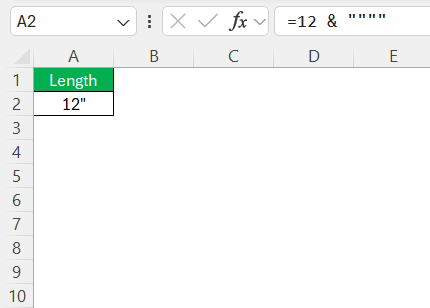
This will combine the number with the inch symbol and display the result in a cell.
Method 2: Symbol Menu
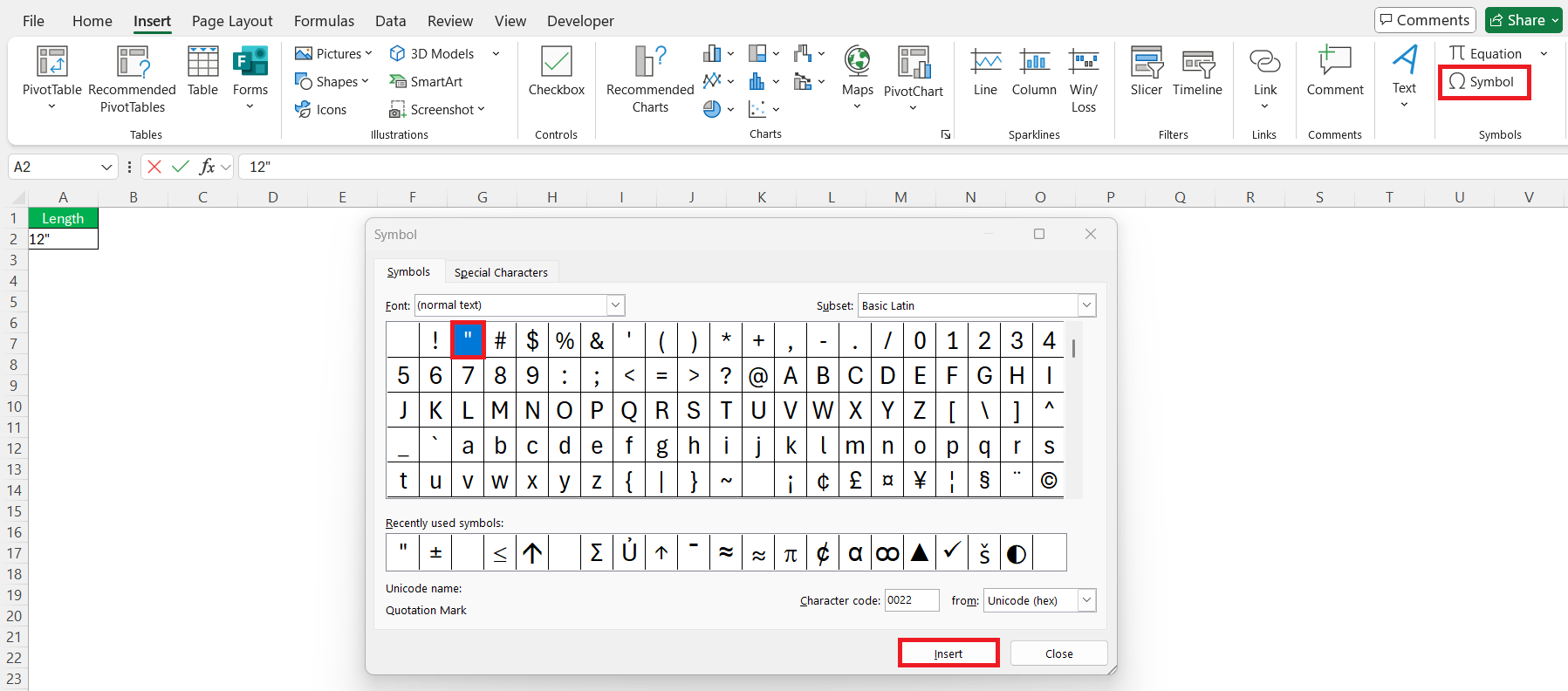
- Go to the Insert Tab.
- Click Symbol.
- Select the inch symbol from the list.
- Click Insert.
Method 3: Keyboard Shortcut
For those using keyboard shortcuts, follow these steps:
- Turn on Num Lock.
- Hold the Alt key.
- Type 034 on the numeric keypad.
Method 4: TEXT Function
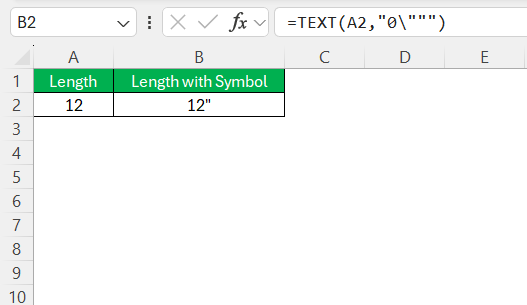
The TEXT function can be used to add inch symbol to a value. The syntax of TEXT function is:
=TEXT(value, format_text)
- value – The number or cell reference you want to format.
- format_text – The format you want to apply.
Method 5: Custom Number Format
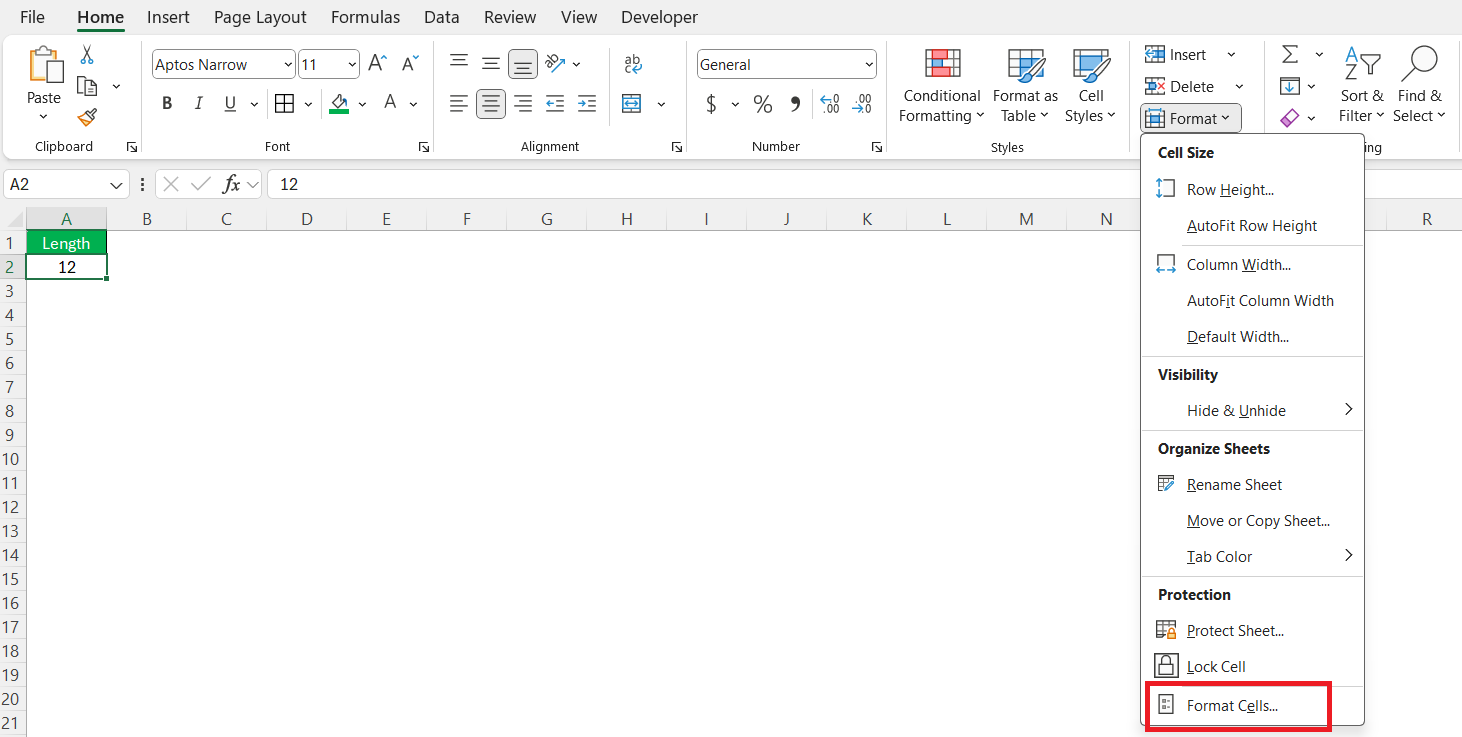
- Select the cell.
- Go to the Home tab.
- Click on the Format button and select Format Cells.
- In the Number tab, select Custom.
- Enter the format code: 0\”
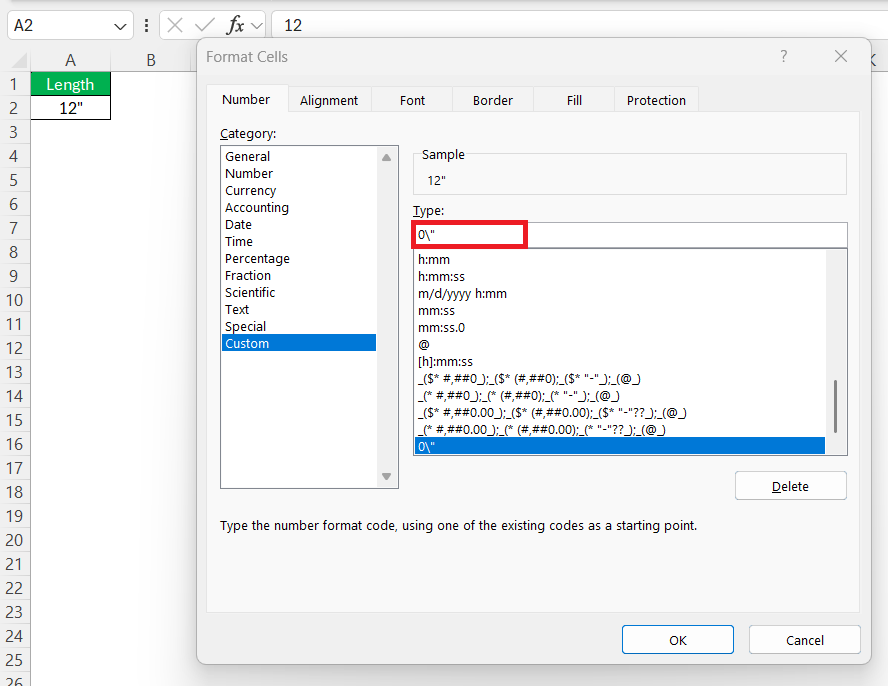
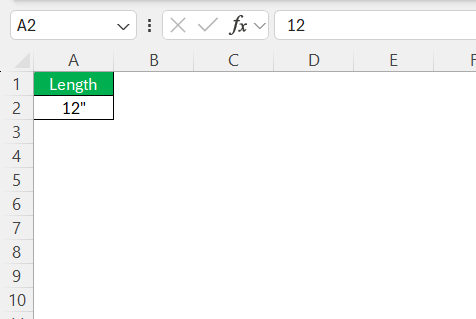
The numbers will display the inch symbol next to the number.
Common Mistakes
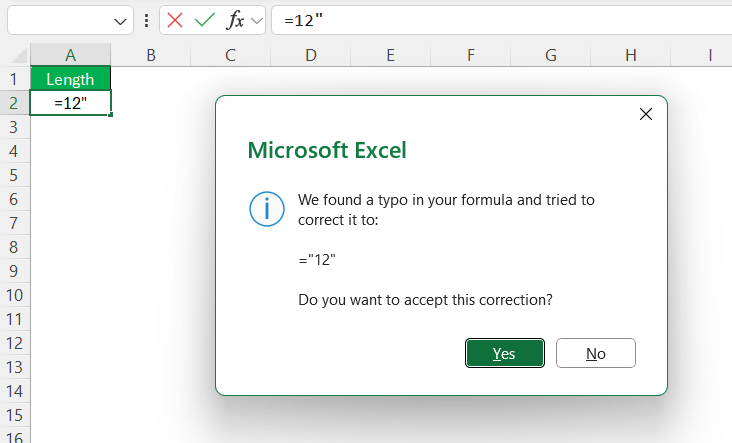
- Do not use a double quote directly in the formula. Excel will think that you’re starting a string and forgot to close it.
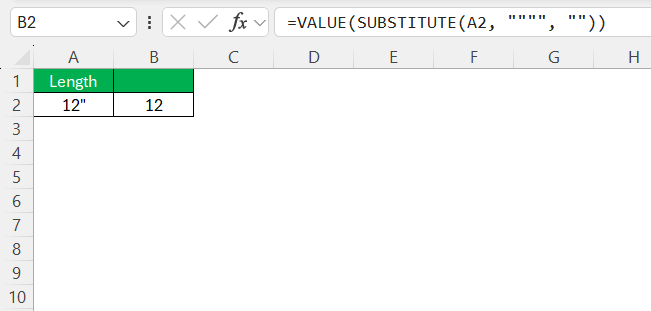
- If you type a value as text, it cannot be used in a calculation. Use the SUBSTITUE formula to remove the inch symbol.
- Sometimes the inch symbol turns into a curly quote, and Excel doesn’t recognize it in formulas. You should paste these symbols as plain text.
- If you use text instead of numbers in formulas, Excel will display a value error.

FAQs
1. How to type the inch symbol in Excel?
You can type the inch symbol by using double quotes.
=A1&”””
2. How to use the inch symbol in formulas?
You can use the & operator or the TEXT function to insert the inch symbol in formulas.
3. Why does Excel show a #VALUE! error with inches?
A Value error can be displayed in Excel when you mix numbers with text in formulas.
4. How to show inches without changing the number value?
Use Custom Number Formatting to display the inch symbol and not change the value.
- Select the cells you want to format.
- Go to the Home tab.
- Click on the Format button.
- In the Number tab, select Custom.
- Enter this format code: 0\”
5. What is the easiest way to add inches to many cells?
You can use the custom format to quickly add inches to multiple cells in Excel.

John Michaloudis is a former accountant and finance analyst at General Electric, a Microsoft MVP since 2020, an Amazon #1 bestselling author of 4 Microsoft Excel books and teacher of Microsoft Excel & Office over at his flagship MyExcelOnline Academy Online Course.

 30 Days - Full Access









