 Free Practice Workbook
A Mileage Reimbursement Calculator is a great tool to track travel expenses. It can be used to simplify the reimbursement process. In this article, you will learn how to use Excel to create a Mileage Reimbursement Calculator.
Key Takeaways:
- Excel can be used to create a Mileage Reimbursement Calculator.
- It is cost-effective tool.
- It can be easily customized.
- It has a simple interface that is easily accessible.
- It allows for easy storage, manipulation, and analysis of data.
Introduction to Reimbursement Calculator
Mileage reimbursement calculators are used to convert the distance travelled into the amount of dollars spent based on IRS standards. GPS tracks are used to account for every mile you have travelled, and Excel is used to calculate the amount of dollars you have spent.
There are numerous advantages of using Excel as a mileage reimbursement calculator:
- Cost-Effective: Excel is included in the Microsoft Office package. There is no need to incur additional expense for it.
- Customizable: Excel has different functions and features that can be used to customize the calculator.
- User-Friendly: Excel has a simple interface that can be used by anyone.
- Data Management: Excel allows for easy storage, manipulation, and analysis of data.
Steps to Create a Mileage Reimbursement Calculator
Follow the steps below to create a mileage reimbursement calculator in Excel –
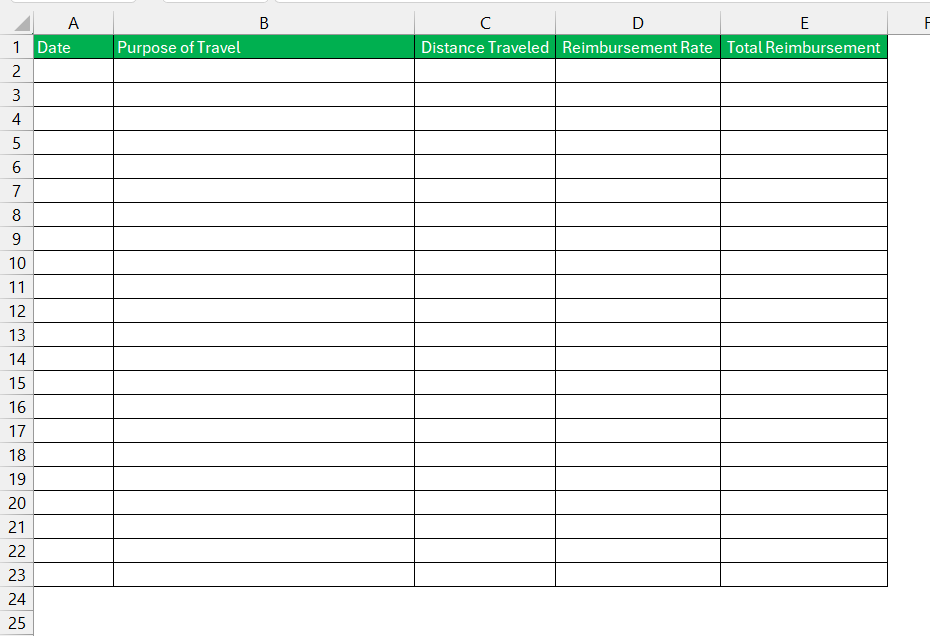
STEP 1: Create a table with the following columns:
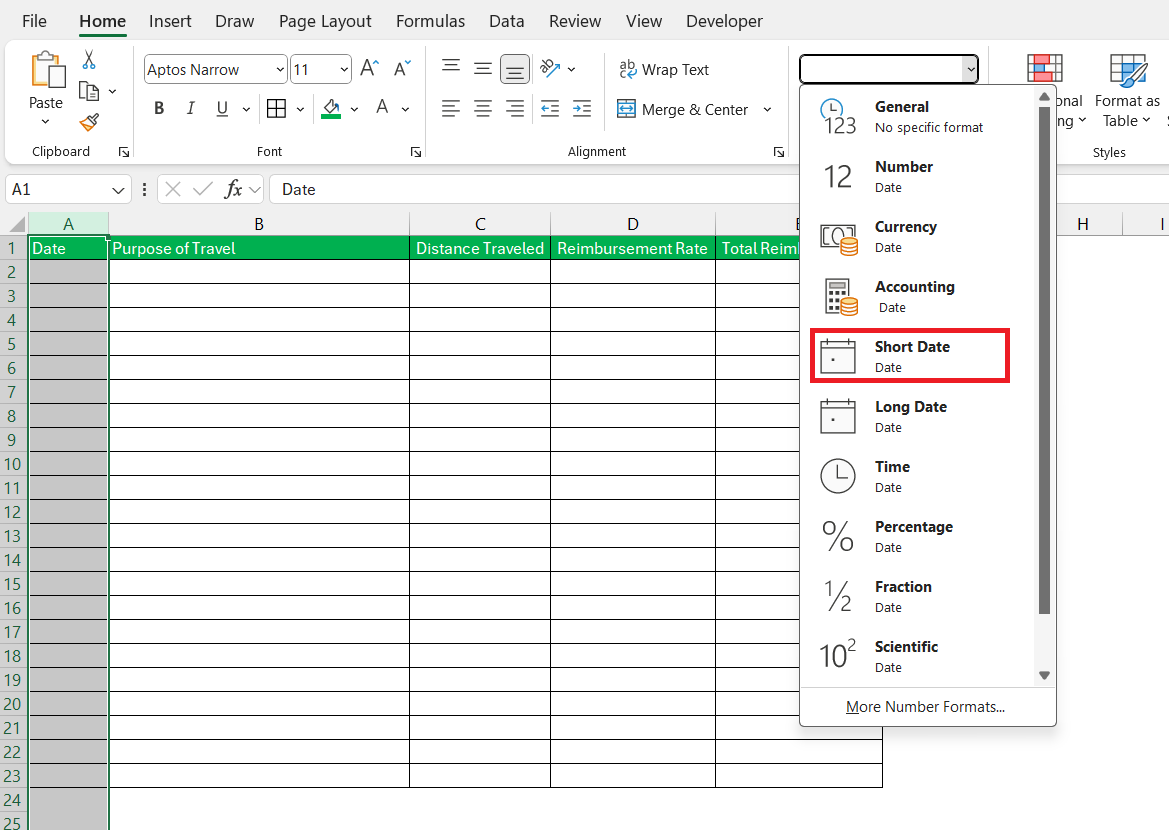
STEP 2: Format the Date column to ensure proper date entries.
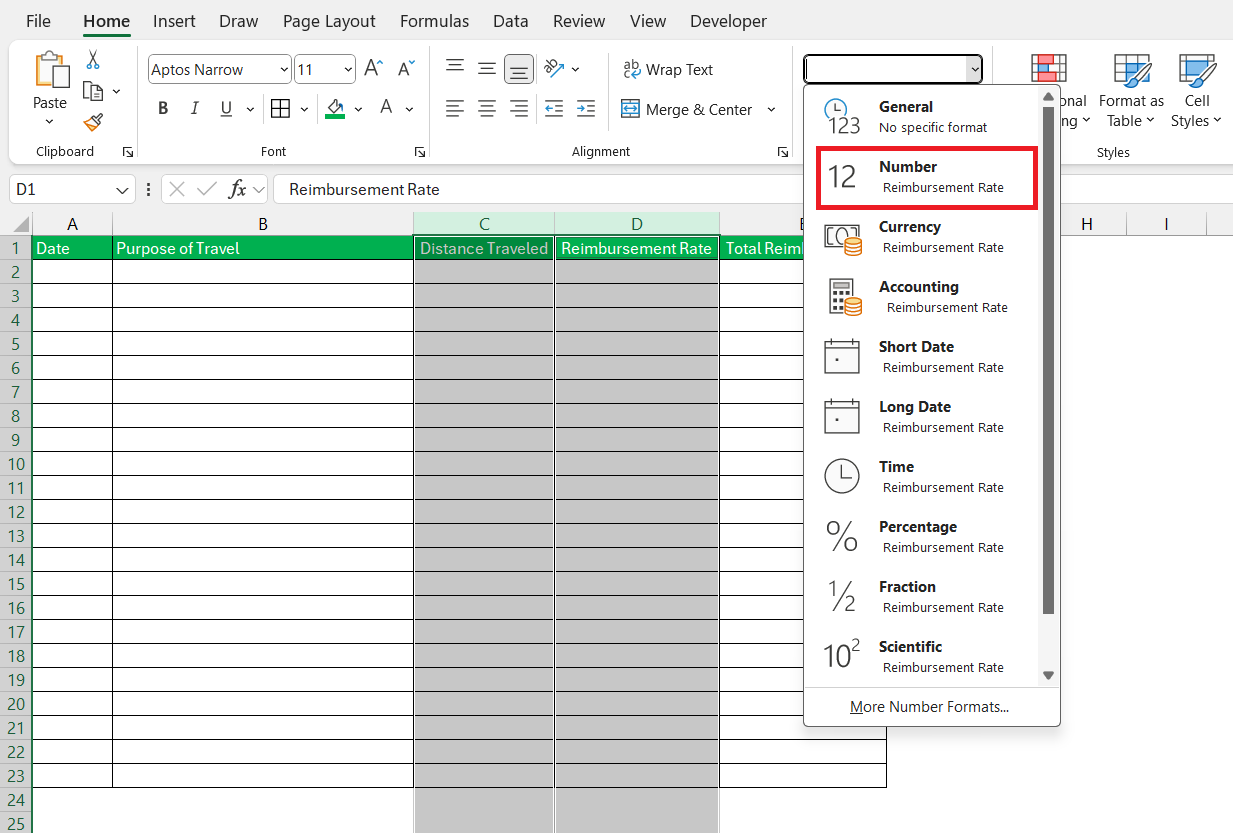
Format the Distance Traveled and Reimbursement Rate columns as numbers.
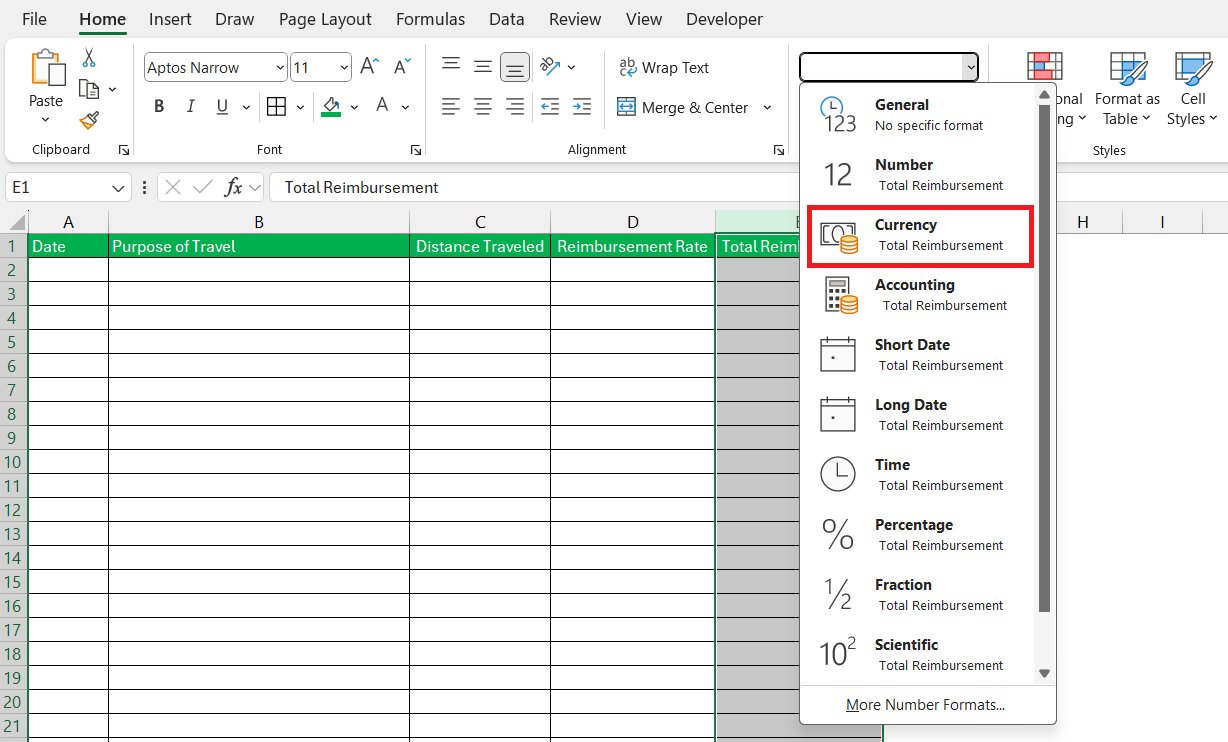
Format the Total Reimbursement column as currency.
STEP 3: Enter the dates of travel, the reason for the trip, the distance for each trip, and the reimbursement rate.
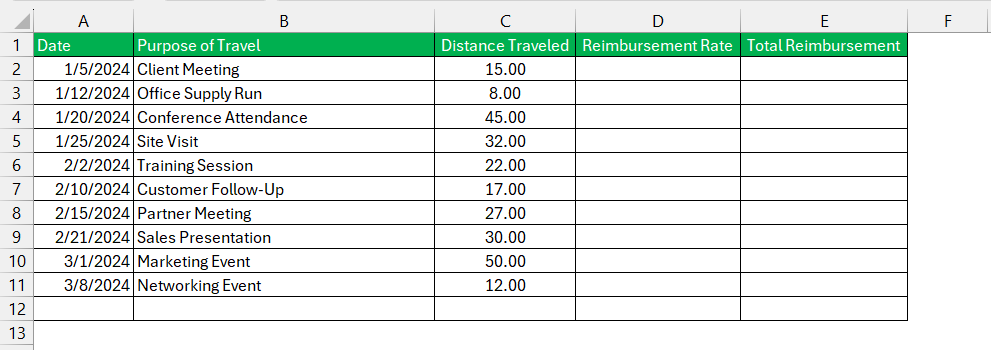
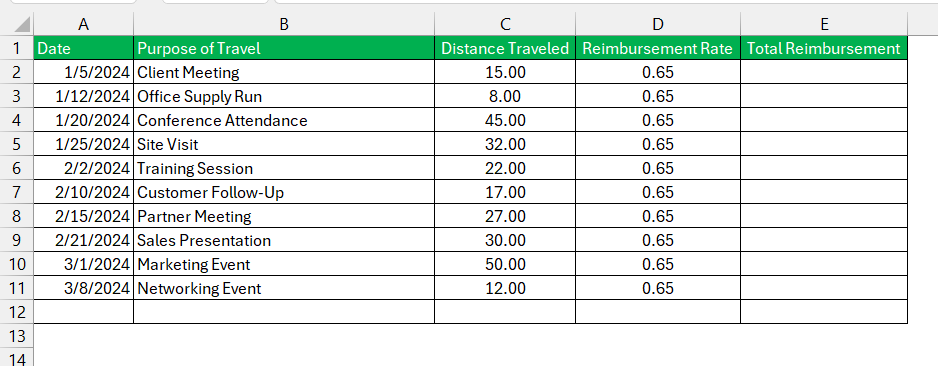
STEP 4: Enter the reimbursement rate per kilometer or mile in columnD.
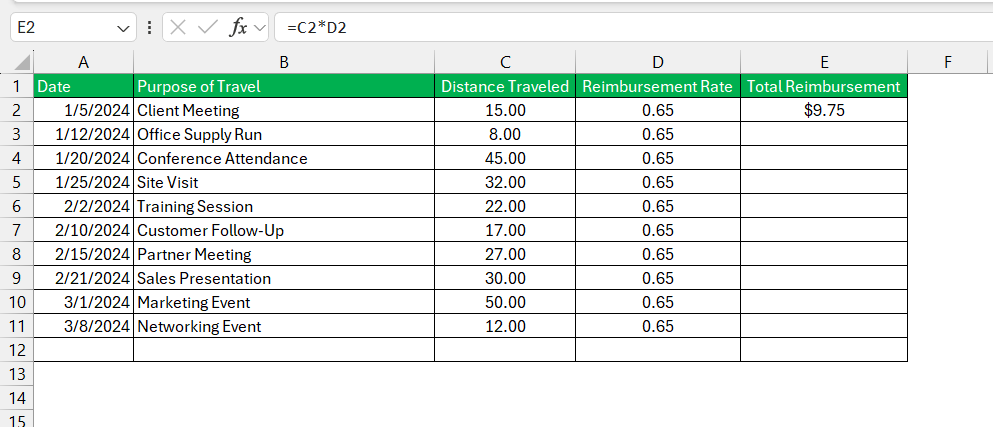
STEP 5: Enter the formula for total reimbursement. This is calculated by multiplying the distance travelled by the reimbursement rate.
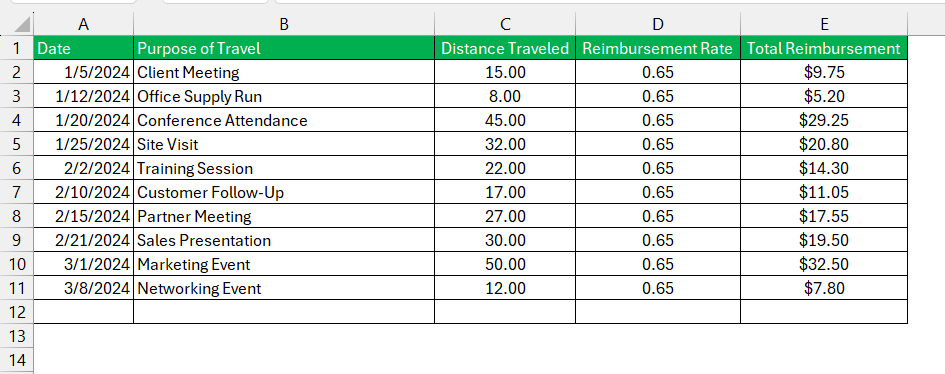
STEP 6: Drag the formula down.
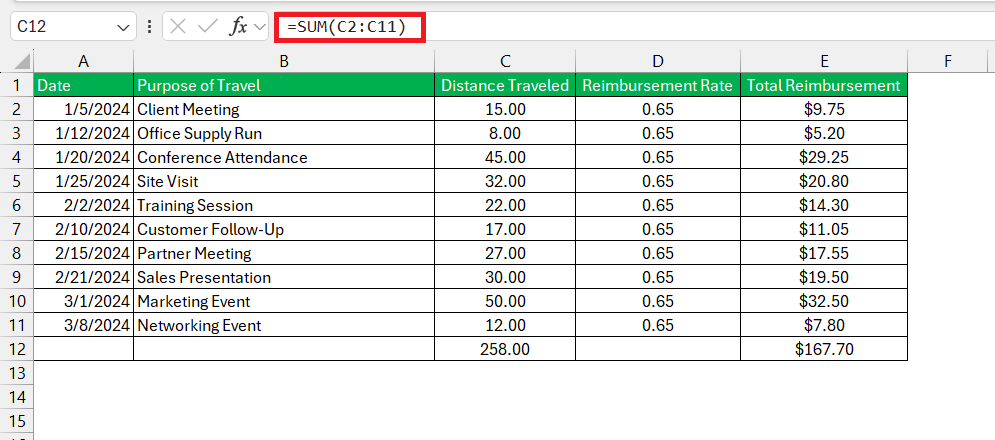
STEP 7: Calculate the total distance travelled and total reimbursement amount by using the SUM function.
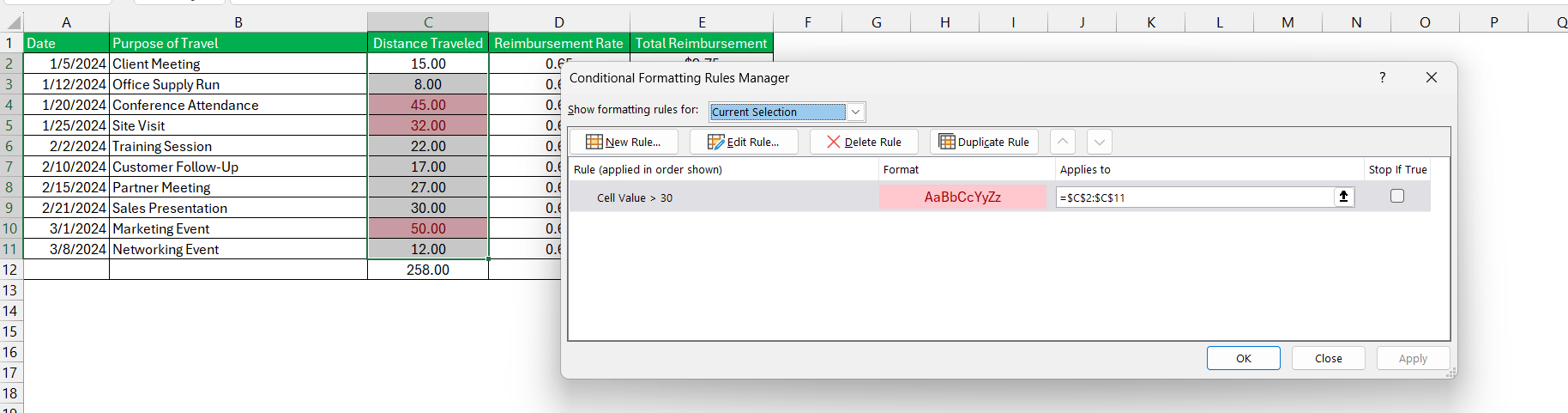
STEP 8: Apply conditional formatting to keep a check on the distance travelled. If the distance is more than a standard value, it will be marked in a different color.
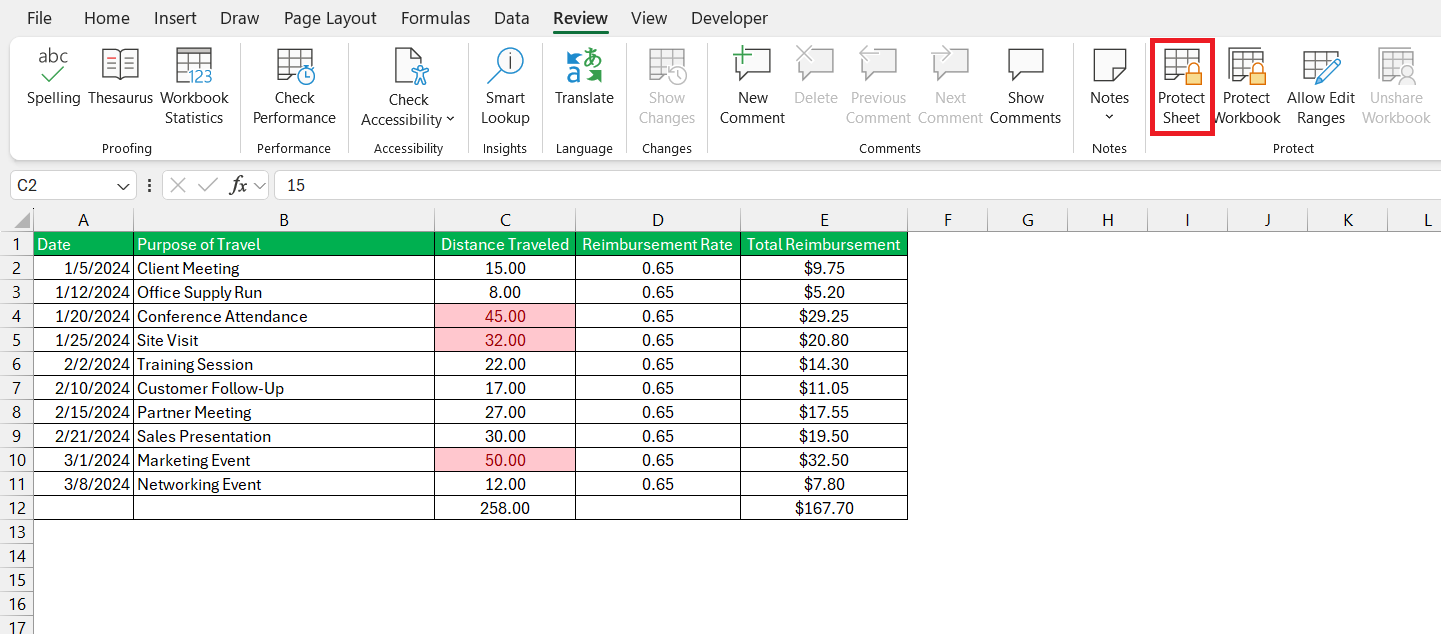
STEP 9: Go to the Review tab and select Protect Sheet.
Conclusion
Creating a mileage reimbursement calculator in Excel is a great solution for managing travel expenses. Its flexibility, cost-effectiveness, and ease of use make it an optimal choice for businesses aiming to streamline their reimbursement processes. By following the steps outlined in this guide, you can develop a reliable tool that enhances accuracy, efficiency, and transparency in handling mileage reimbursements.
Table of Contents
FAQs
What Is a Mileage Reimbursement Calculator?
A Mileage Reimbursement Calculator is a tool that calculates the amount one can claim for the expense incurred when using a personal vehicle for work. This calculation is based on IRS rates. It is helpful for calculating compensation for work-related travel expenses.
Why use a mileage reimbursement calculator instead of manual methods?
Using a mileage reimbursement calculator has several benefits:
- It reduces the chance of error that can occur in manual calculations.
- Reimbursement rates are precise and as per standard.
- It saves time.
What are the key columns in the mileage reimbursement calculator?
Essential features include columns for
- Date
- Purpose of Travel
- Distance Traveled
- Reimbursement Rate
- Total Reimbursement
What are the Benefits of using Excel for a mileage calculator?
The benefits of using an Excel-based mileage calculator are:
- Ability to record the distance travelled.
- Templates are easily customisable.
- It saves time and reduces the chance of error.
- Easily downloadable if required,
- Easily accessible
- Cost-effective tool
Are mileage reimbursement calculator compliant with IRS regulations?
Yes, mileage reimbursement calculators adhere to IRS standards for reimbursement rates.

John Michaloudis is a former accountant and finance analyst at General Electric, a Microsoft MVP since 2020, an Amazon #1 bestselling author of 4 Microsoft Excel books and teacher of Microsoft Excel & Office over at his flagship MyExcelOnline Academy Online Course.

 30 Days - Full Access









