 Free Practice Workbook
Using Excel, I can set up a straightforward formula to calculate the weight loss percentage. I will show you how to set this up quickly in your own workbook.
Key Takeaways:
- Use the formula =(Starting Weight – Current Weight) / Starting Weight * 100 provides an accurate weight loss percentage.
- Organize data with columns for “Starting Weight,” “Current Weight,” and “Weight Loss Percentage” to keep track of measurements.
- Formatting results as percentages with appropriate decimal points makes it easier to read.
Table of Contents
Calculate Weight Loss Percentage in Excel
Setting Up the Spreadsheet
First, I start by creating a simple layout in Excel with columns for “Starting Weight,” “Current Weight,” and “Weight Loss Percentage.” Here’s how I set up the cells:
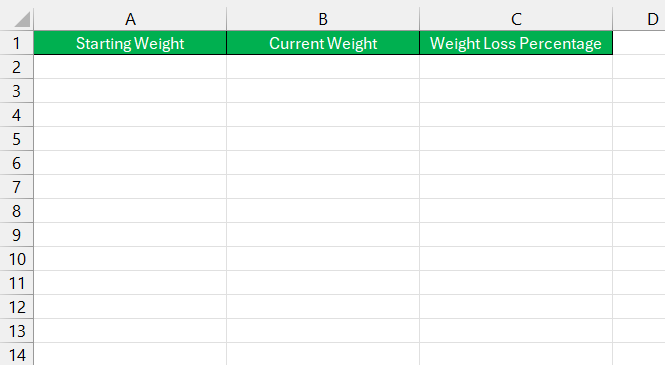
- Starting Weight is my initial weight at the start of my weight loss journey.
- Current Weight is my weight at a given point in time that I want to compare to my starting weight.
- Weight Loss Percentage will display the percentage of weight I’ve lost from my starting weight.
I typically enter these labels in cells A1, B1, and C1, respectively, and then begin entering data in the rows below.
Entering Starting and Current Weight
Next, I input my weights:
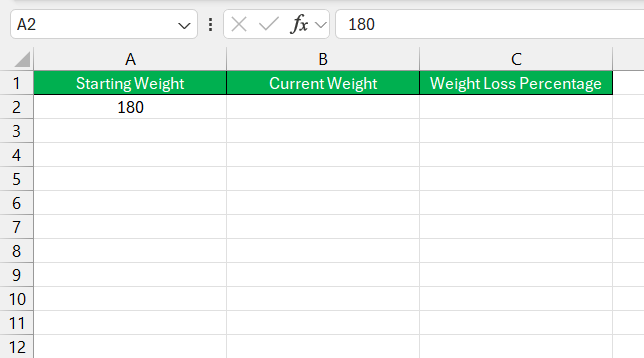
In cell A2, I enter my starting weight. For example, if I started at 180 pounds, I type 180 in cell A2.
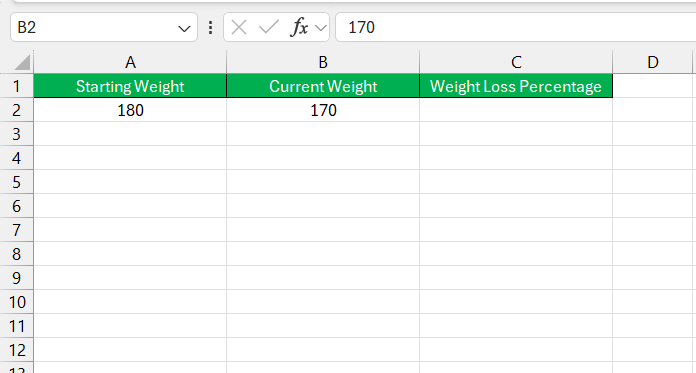
In cell B2, I enter my current weight. Suppose I now weigh 170 pounds; I enter 170 in cell B2.
Applying the Weight Loss Percentage Formula
Now, I need to calculate the percentage of weight I’ve lost. Here’s the formula I use:
Weight Loss Percentage = (Starting Weight−Current Weight)/Starting Weight×100
STEP 1: Click on cell C2 (where I want the percentage to display).
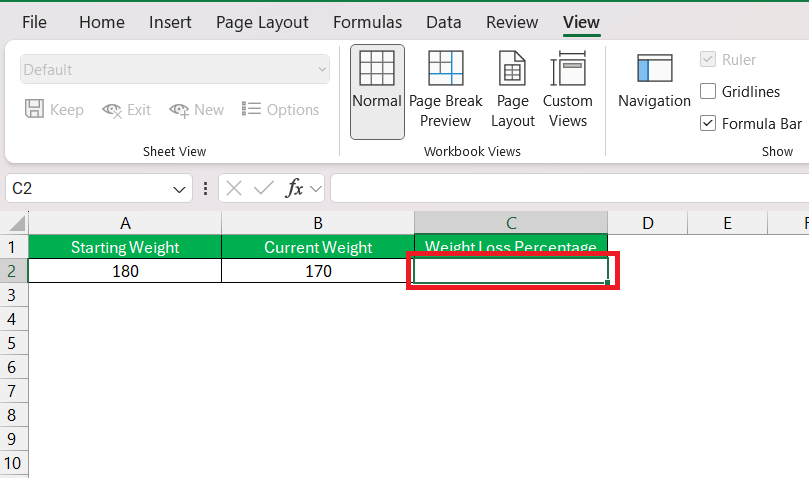
STEP 2: Type in the formula:
=(A2 – B2) / A2 * 100
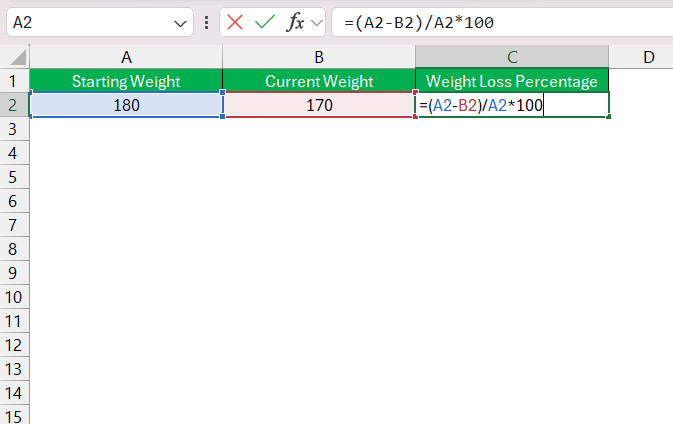
STEP 3: Press Enter.
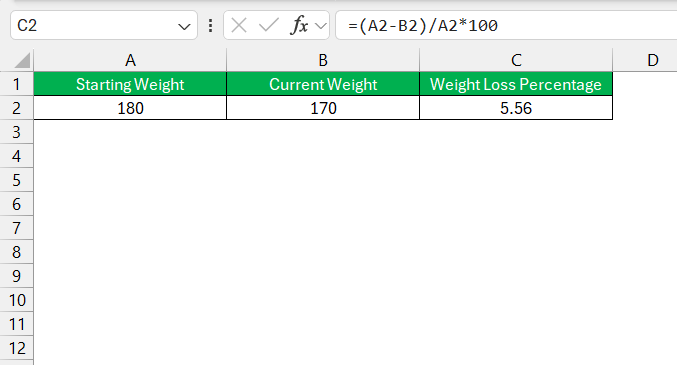
This shows that I’ve lost 5.56% of my starting weight.
Formatting the Percentage
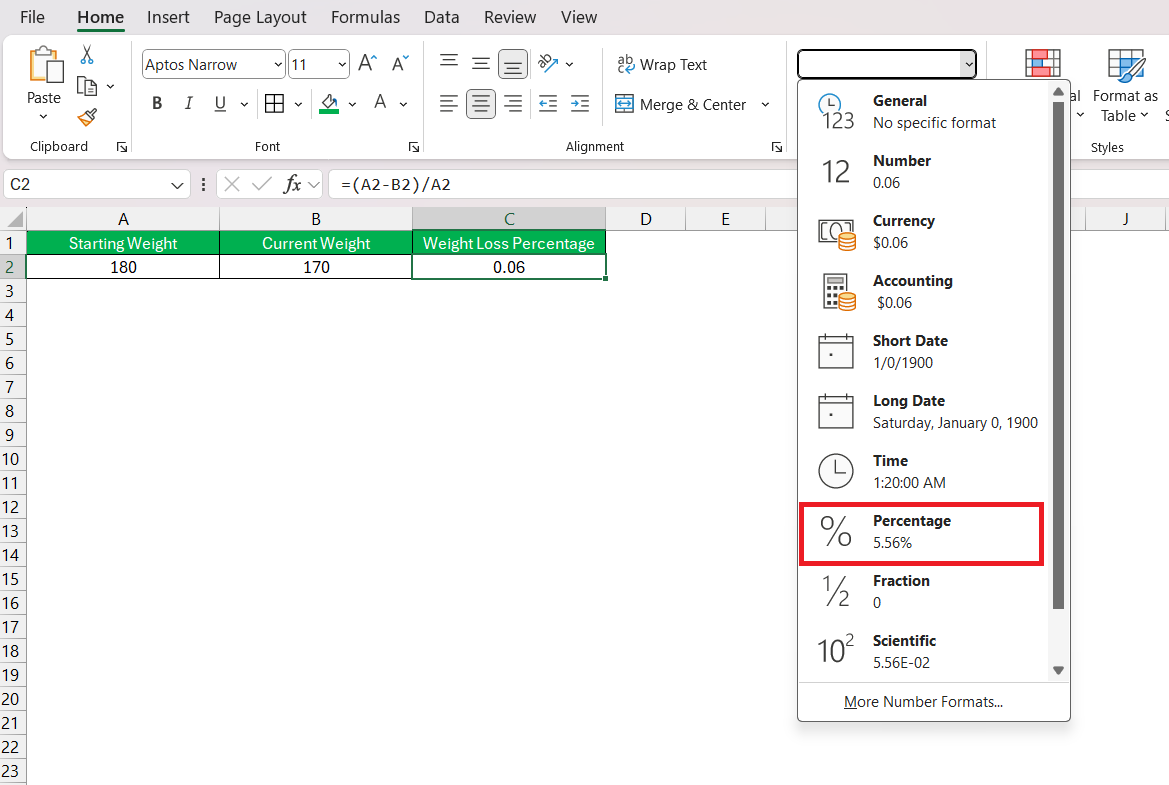
STEP 1: Go to the Home tab on the Excel ribbon. In the Number group, I click on the Percentage icon.
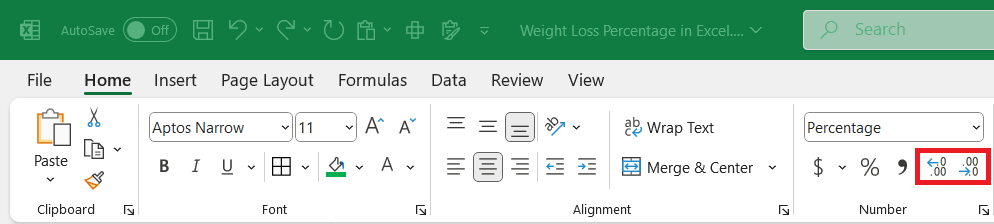
STEP 2: I may adjust the decimal points by clicking the Increase Decimal or Decrease Decimal icons to show the percentage to my preferred precision.
FAQs
What is a healthy weight loss percentage to aim for?
Aiming for a weight loss of about 1 to 2 pounds per week is usually considered healthy, which translates to approximately a 1% loss of your total body weight each week.
What is the formula for weight loss percentage?
The formula for weight loss percentage is =(Original Weight - Current Weight) / Original Weight * 100. It calculates the amount of weight lost and expresses it as a percentage of the original weight.

John Michaloudis is a former accountant and finance analyst at General Electric, a Microsoft MVP since 2020, an Amazon #1 bestselling author of 4 Microsoft Excel books and teacher of Microsoft Excel & Office over at his flagship MyExcelOnline Academy Online Course.

 30 Days - Full Access









