 Free Practice Workbook
When working with data containing symbols and characters, Excel can be a great tool. There are various methods available in Excel that can help you to easily insert symbols. In this article, you will learn about the different methods to add an alpha symbol in Excel.
Key Takeaways:
- Alpha symbol can be used to provide clarity to your data.
- Insert the alpha symbol by using either keyboard shortcuts or the symbols dialog box.
- The CHAR function is used to add symbols using a numeric code.
- Use AutoCorrect to instantly convert a custom text to an alpha symbol.
Table of Contents
What is Alpha Symbol?
The Alpha symbol is not just a Greek letter. It is a universal symbol in science, mathematics, and finance.
- In uppercase, it looks like the letter A.
- In lowercase, it looks like this – α.
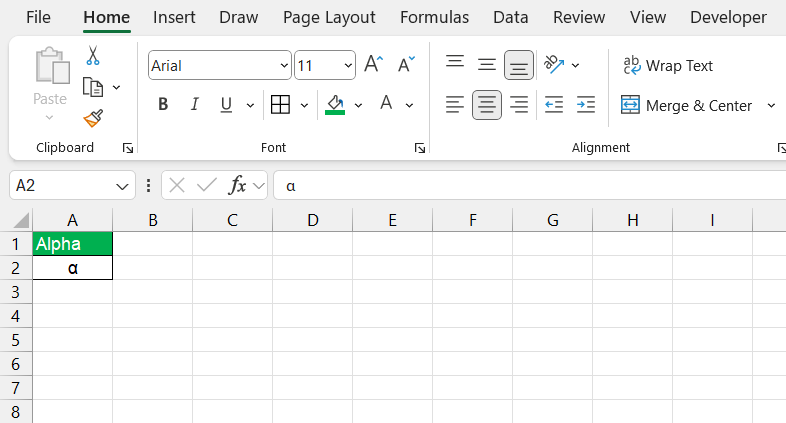
How to Insert Alpha Symbol
Keyboard Shortcuts
To insert the Alpha symbol in Excel, follow the steps below:
- Press and hold the Alt key.
- Type 224 on the numeric keypad.
- Release the Alt key.
If you do not have the numeric keypad, you can activate the Num Lock. This will allow us to insert the symbol without using the numeric keypad.
Symbols Dialog Box
The symbols dialog box in Excel is another quick method to add an alpha symbol.
- Go to the Insert tab and select Symbol.

- Go to the Character code box and type 03B1.
- The alpha symbol will appear in the dialog box.
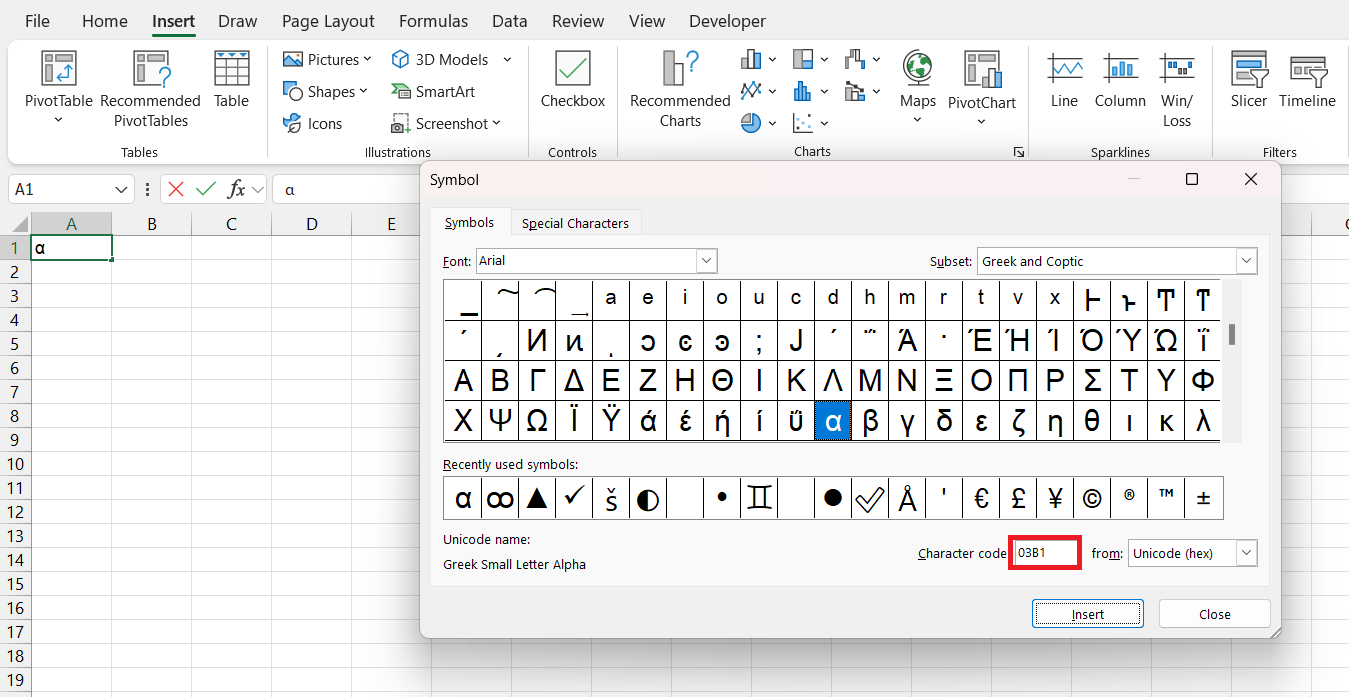
- Select Insert to add it to your spreadsheet.
CHAR Function
The CHAR function is used to return a symbol based on the numeric code you provide. The formula of the CHAR function is:
=CHAR(number)
The number for the alpha symbol is 945. You can enter this number in the argument of the CHAR function to get the alpha symbol in Excel.
FAQs
How to insert the alpha symbol using the keyboard?
Follow the steps below to add an alpha symbol in Excel:
- Press and hold the Alt key.
- Type 224 on the numeric keypad.
- Release the Alt key.
The α symbol will appear.
How to add a shortcut for Greek symbols?
You can create a shortcut for Greek symbols by using the AutoCorrect feature. You can set the rule that if you type a text such as greeka, it will automatically get converted to the alpha symbol
What to do when the alpha symbol does not display correctly?
First, check if the font you are using supports Greek characters. You can use fonts like Arial or Times New Roman. If the issue does not get resolved, you should verify that your Excel version is up to date.
What is the most used symbol in the symbol dialog box?
To find mostly used symbols in Excel’s Symbol dialog box, scroll through the list or use the ‘Recently used symbols’ section which appears at the beginning of the list. For more efficiency, remember the symbol’s Unicode or character code and enter it directly in the ‘Character code’ box to locate it quickly.

John Michaloudis is a former accountant and finance analyst at General Electric, a Microsoft MVP since 2020, an Amazon #1 bestselling author of 4 Microsoft Excel books and teacher of Microsoft Excel & Office over at his flagship MyExcelOnline Academy Online Course.

 30 Days - Full Access









