 Free Practice Workbook
Table of Contents
Introduction to Certificates of Deposit
Understanding Interest
The Certificate of Deposit will provide a fixed interest amount upon the completion of the term. The interest earned can be calculated as follows:
Simple Interest Formula: A = P * (1 + r*t)
Here:
- A = Final amount
- P = Principal amount
- r = Annual interest rate (in decimal form)
- t = Time in years
Compound Interest Formula: A = P * (1+r/n)^nt
where:
- n = Number of compounding per year
Interest Compounding Frequencies
The frequency at which interest on a CD is compounded is a vital factor in determining the total return on investment. Compounding can happen at different intervals: annually, semi-annually, quarterly, or monthly, and in some rare instances, even daily. To put it simply, the more frequently interest is compounded, the more earnings you’ll realize.
- For annual compounding, the interest portion is added to the principal amount at the end of the year.
- For monthly compounding, the interest amount is added to the principal at the end of each month. So, every month the principal amount increases, thus increasing the total amount at the end of the year.
In the short run, the difference may seem very little, but with time it becomes a substantial amount.
How to Calculate CD Interest
Simple Interest
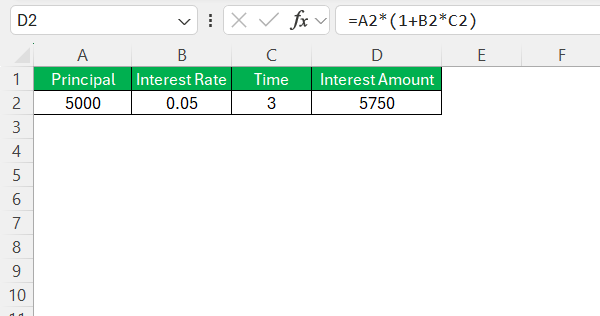
To calculate simple interest in Excel, I use a basic formula:
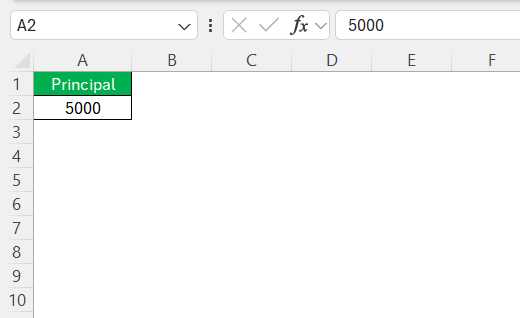
STEP 1: Enter the principal amount in cell A2.
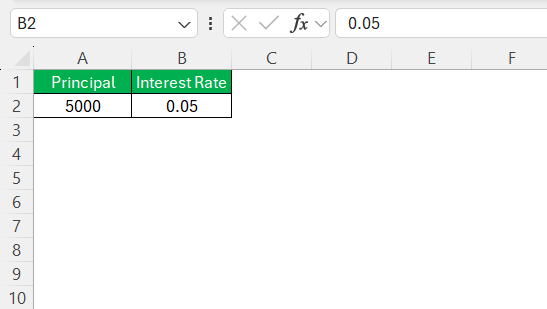
STEP 2: Enter the interest rate in the form of a decimal.
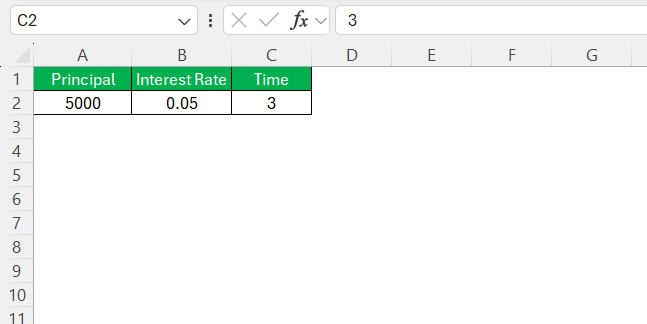
STEP 3: Enter the term of deposit.
STEP 4: Use this formula to calculate the final amount:
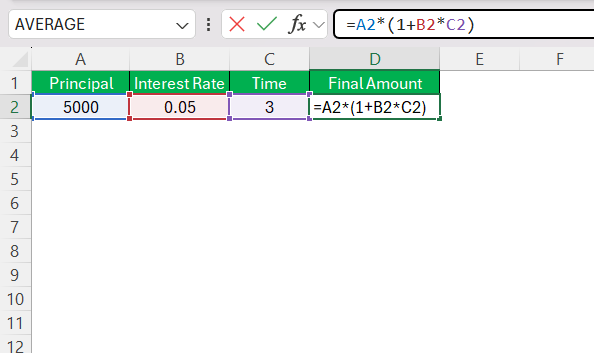
STEP 5: Hit Enter.
Compound Interest
The compound interest amount can be calculated as follows:
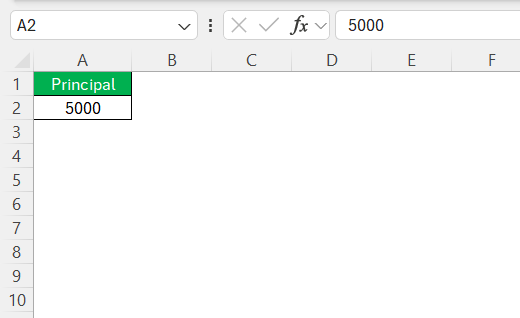
STEP 1: Enter the principal amount.
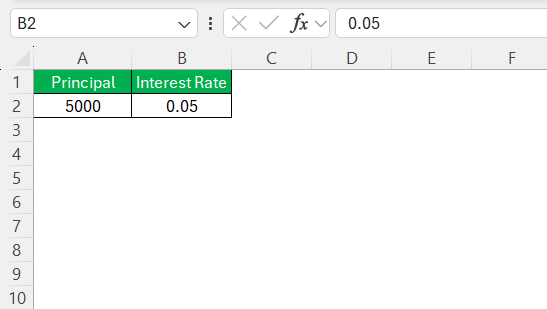
STEP 2: Enter the annual interest rate in the form of a decimal.
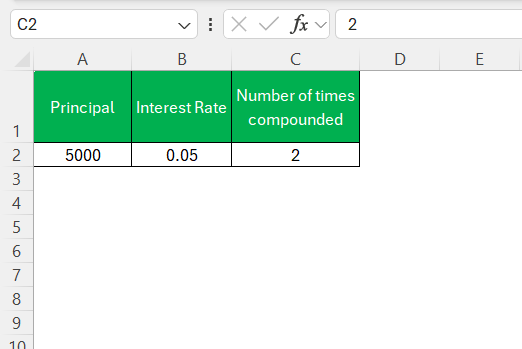
STEP 3: Enter the number of compounding periods per year.
STEP 4: Enter the term of the investment.
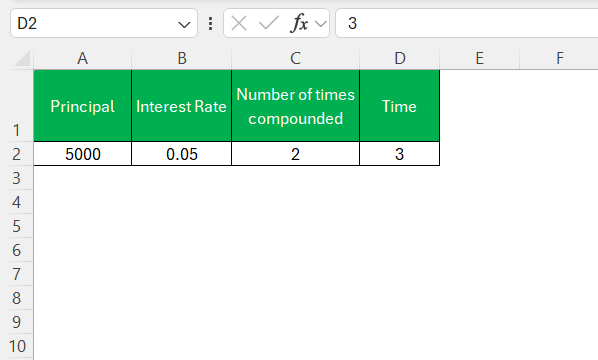
STEP 5: Use this formula to calculate the final amount:
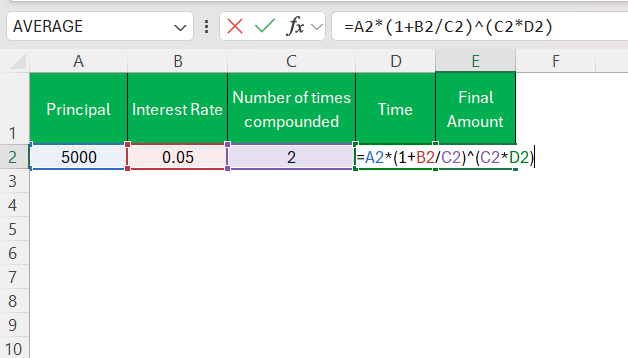
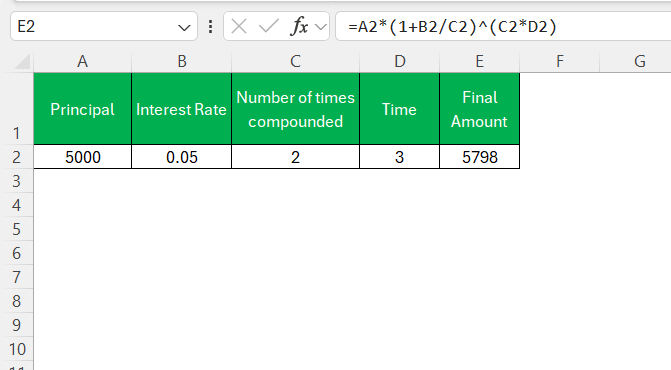
STEP 6: Press Enter.
FV Function
Define FV Function
The FV function is used to calculate the future value of the Certificate of Deposit. It allows you to determine the value of an investment at the end of the term, based on a fixed interest rate. The syntax for the FV function is:
=FV(rate, nper, pmt, [pv], [type])
where:
- rate – interest rate per period
- nper – total number of periods
- pmt – payment per period
- pv – present value
- type – when payment is due
Example: If I invest $5,000 in a CD at a 4% annual interest rate, compounded quarterly for 3 years, I would use:
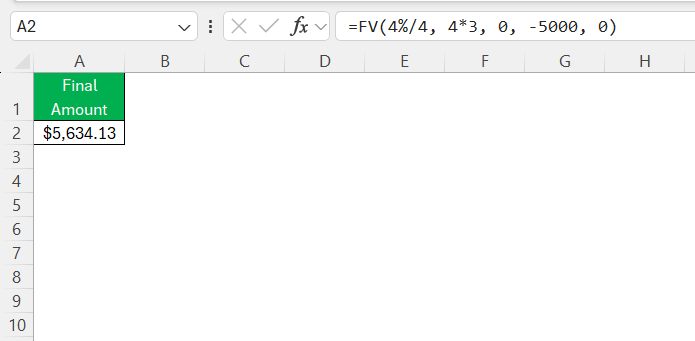
The final amount after 3 years will be displayed.
Create an Interest Calculator
Follow the steps below to create an interest calculator in Excel:
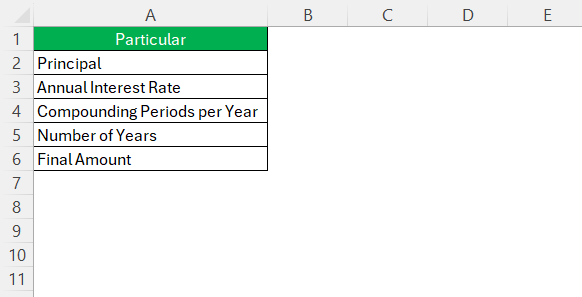
STEP 1: Label the following cells: Principal, Annual Interest Rate, Compounding Periods per Year, Number of Years, and Final Amount.
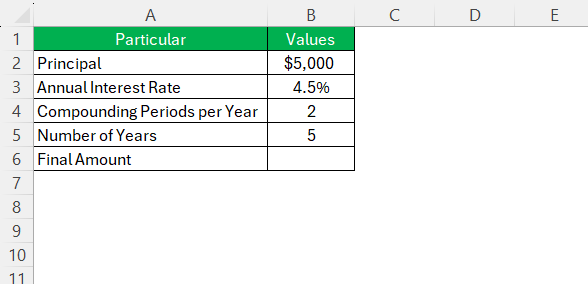
STEP 2: Enter input values in the corresponding cells.
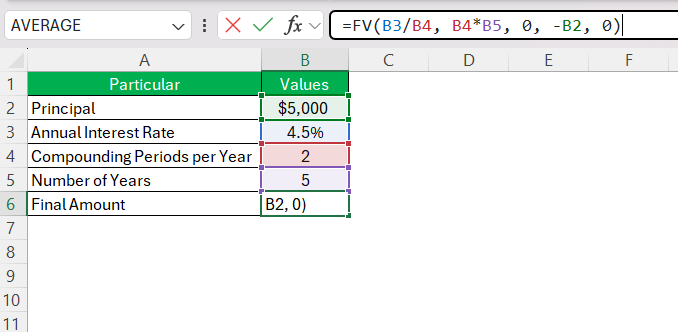
STEP 3: Enter the FV formula.
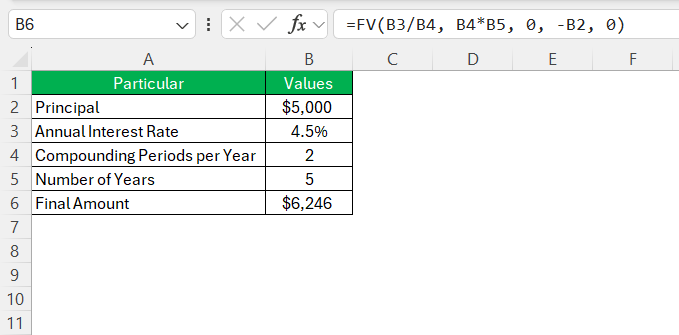
STEP 4: Hit Enter.
Visualizing Your Growth with Excel Charts
Charts help you understand the data clearly. For example, a line chart can show the growth of interest and how the deposit increases over time.
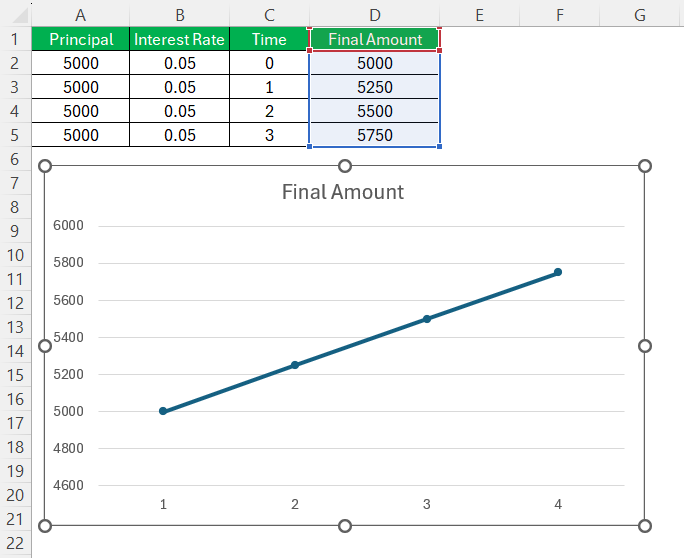
The well created graph can clear things up in interest calculation. It helps you spot trends and compare different investment strategies.
FAQs
How can interest be calculated using Excel?
You can use the FV function to calculate the interest amount in Excel. The formula of FV function is:
=FV(rate, nper, pmt, pv, type)
Explain how compounding affects CD interest.
If the frequency of compounding is higher, the interest amount will also be greater. This amount will add up to the principal amount.
How is Tax accounted for in CD Interest Calculations?
To account for taxes, you need to use this formula:
After tax interest = Interest – (Interest * Tax Rate)
How to visualize interest growth in Excel?
You can visualize the growth of your CD by plotting the values in a graph. A line or bar chart can easily help you track the compounding effect for different CD investments.

John Michaloudis is a former accountant and finance analyst at General Electric, a Microsoft MVP since 2020, an Amazon #1 bestselling author of 4 Microsoft Excel books and teacher of Microsoft Excel & Office over at his flagship MyExcelOnline Academy Online Course.

 30 Days - Full Access









