 Free Practice Workbook
When working with large datasets in Excel, knowing how to compare two cells can be an important task. Excel offers multiple ways to compare two cells for matching values or comparing data. In this article, you will learn how to compare two cells in Excel.
Key Takeaways:
- Comparing two cells in Excel is important for data accuracy and integrity.
- Use the equals operator for quick comparison.
- The EXACT function can also be used to compare cells.
- Conditional Formatting visually highlights differences or matches in large datasets.
- The IF function allows for complex comparisons and customized responses.
Table of Contents
How to Compare Two Cells
Use Equal Operator
When I need to compare two cells quickly, the equals operator becomes my go-to tool. It’s straightforward: by entering =A2=B2 into a cell, Excel evaluates whether the contents of cell A2 and B2 are exactly the same.
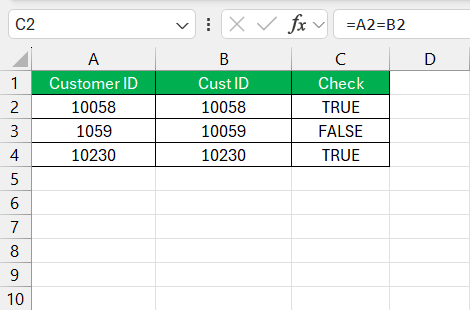
A “TRUE” signifies a match; a “FALSE” means they differ. This direct comparison is perfect when reviewing lists or when my objective is a simple binary result indicating data uniformity or discrepancy.
EXACT Function
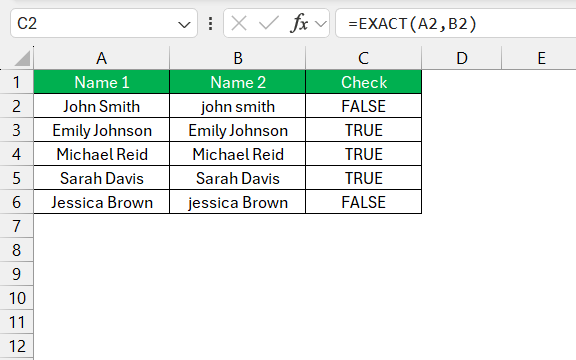
The EXACT function is used when case sensitivity is important in the data. This function differentiates between Apple and apple. The syntax of this functions is:
=EXACT(A2,B2)
If the values in the two cells match in every ascept, including their case:
- It will return TRUE
- Else, FALSE
IF Condition
The IF statement is a versatile tool that allows me to perform complex comparisons. It’s particularly powerful when the comparison criteria involve more than a simple yes or no.
By using IF conditions, I can specify different outcomes based on whether the comparison is true or false. For instance, =IF(A2=B2, "Match", "No Match") will display “Match” if the cells are equivalent or “No Match” if they’re not.
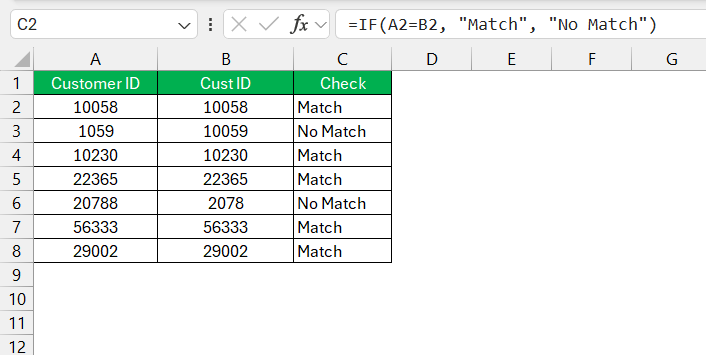
This allows for clear, immediate interpretations of data relationships and conditions, all within a cell’s grim confines.
- Great for applying specific actions or labels to data based on the results of the comparison.
- It allows you to set up customized responses that go beyond typical true or false outcomes.
Visual Aids for Cell Comparison
Conditional Formatting
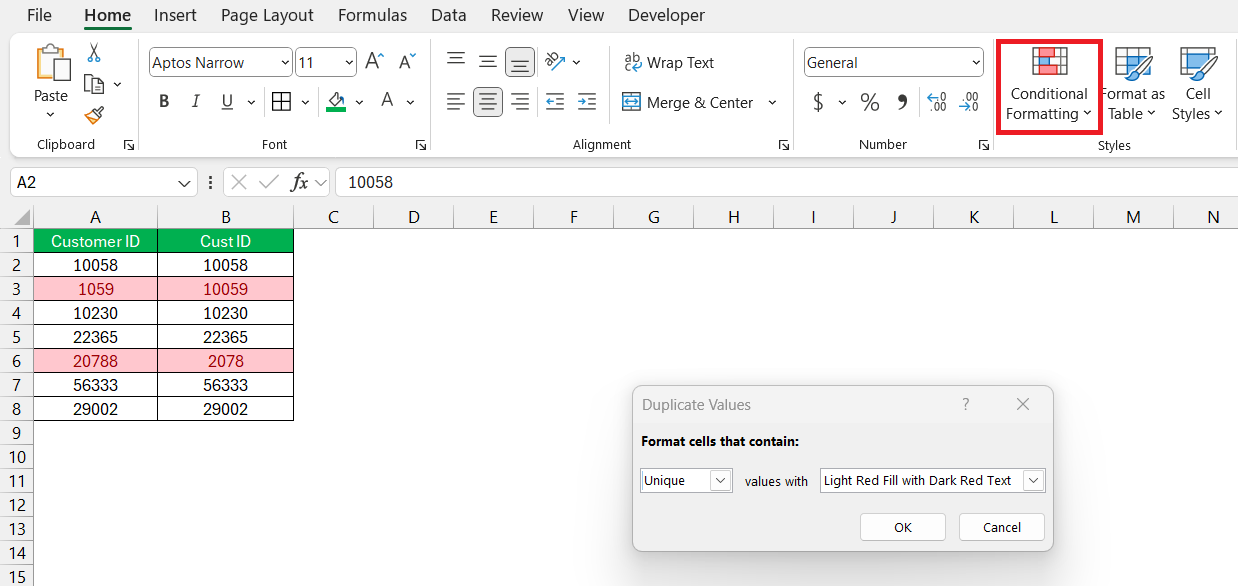
I’ve found conditional formatting invaluable for its ability to instantly highlight differences or matches in Excel. You can use color coding or other formats to spot what we’re looking.
- Select the range of cells.
- Go to the Home tab > Conditional Formatting.
- Choose New Rule.
- Select Use a formula to determine which cells to format.
- Enter the formula: =$A1<>$B1
- Click Format
- Choose a color to highlight mismatches
- Click OK.
- Click OK again to apply the rule.
Data Visualization Tools
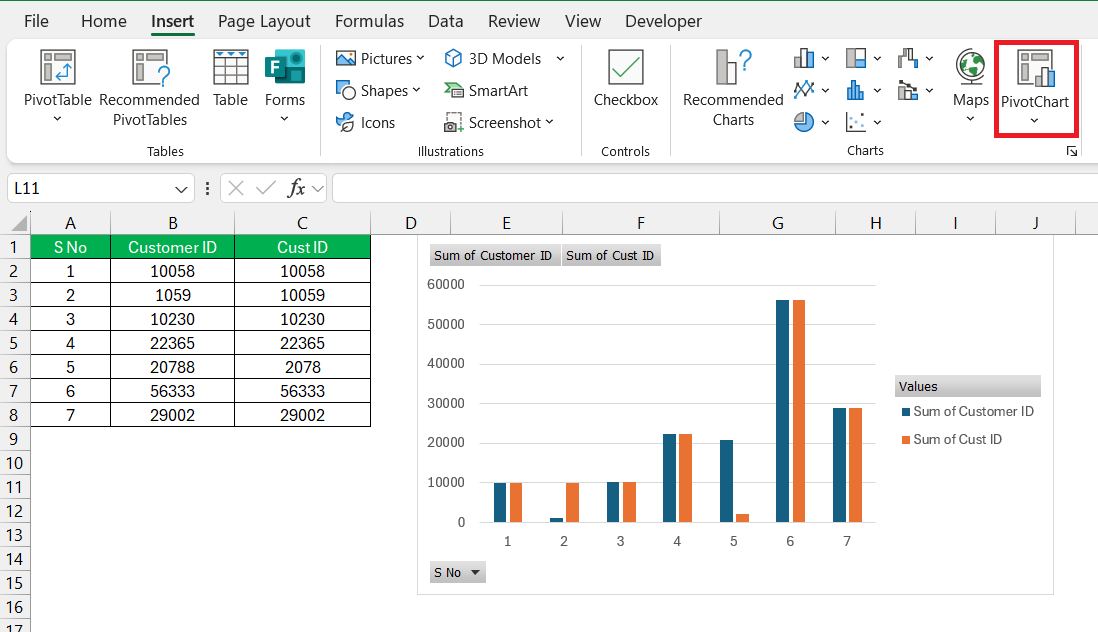
Data visualization tools in Excel, such as charts and graphs, serve as my lenses to discern patterns and anomalies. A PivotChart can help me compare large volumes of data. It can be used to detect trends, outliers, and correlations within comparative data analyses.
FAQs
How to compare columns in Excel without using formulas?
You can use the conditional formatting feature to compare columns in Excel. It can be used to highlight differences or matches.
How to highlight mismatches after comparing two cells?
To highlight mismatches in Excel, follow the steps below:
- Select the range of cells.
- Go to the Home tab > Conditional Formatting.
- Choose New Rule.
- Select Use a formula to determine which cells to format.
- Enter the formula: =$A1<>$B1
- Click Format
- Choose a color to highlight mismatches
- Click OK.
- Click OK again to apply the rule.
How to automate cell comparison?
You can automate cell comparison for recurring reports by creating macros.
Why is it useful to compare two columns in Excel?
Comparing two columns in Excel is useful for identifying common information, pinpointing inconsistencies, validating data, cleaning and formatting data sets, and revealing relationships between different sets of data, which altogether serve to enhance the accuracy and usefulness of your data analysis efforts.

John Michaloudis is a former accountant and finance analyst at General Electric, a Microsoft MVP since 2020, an Amazon #1 bestselling author of 4 Microsoft Excel books and teacher of Microsoft Excel & Office over at his flagship MyExcelOnline Academy Online Course.

 30 Days - Full Access









