Table of Contents
Excel Scroll Lock Feature
Scroll Lock is a feature that lets you control how the arrow keys work. Normally, when you press an arrow key, the selection will move from one cell to another. But, when Scroll Lock is turned on, the arrow keys will scroll the entire worksheet, and the selected cell stays in place.
It allows you to scroll through the spreadsheet without losing your place. It is particularly useful when dealing with sizable amounts of data.
Check if Scroll Lock is On or Off
There are two ways in which you can identify if the scroll lock is on or off:
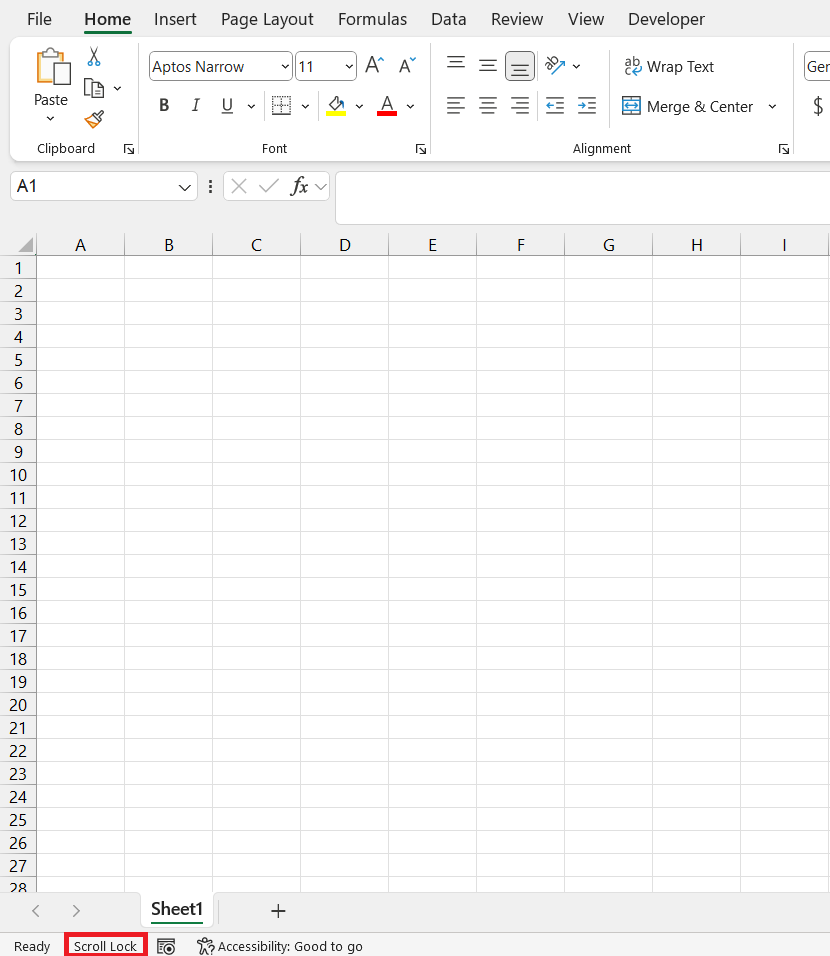
- Status Bar – At the bottom of the worksheet, you will see the text ‘Scroll Lock’. This means that the Scroll Lock is turned on.
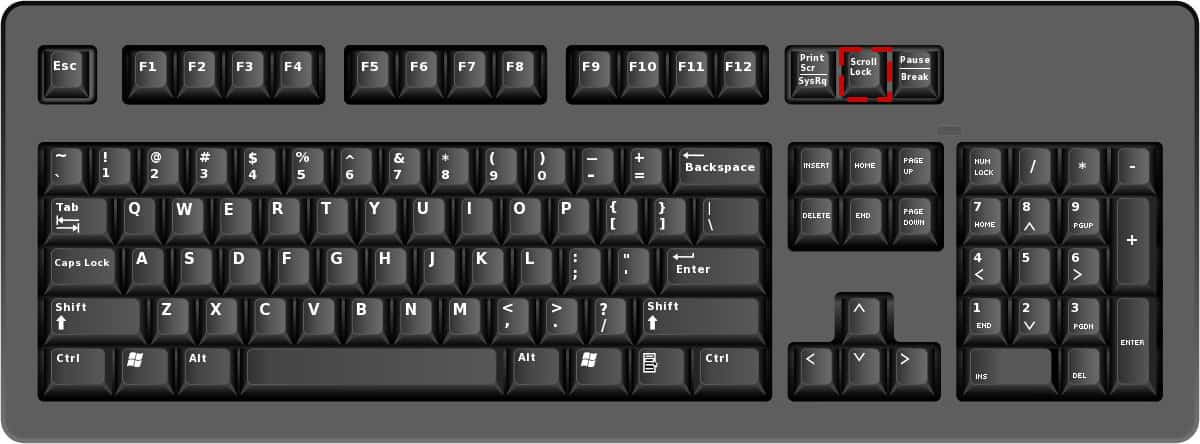
- Keyboard – The scroll lock key will show a light if it is turned on.
How to Turn Off Scroll Lock
Keyboard Shortcuts
Press the ScrLk key to turn off Scroll Lock in Excel. If this button is not present on the keyboard, you can press Fn + C, Fn + K, or Fn + S, depending on the laptop model.
On-Screen Keyboard
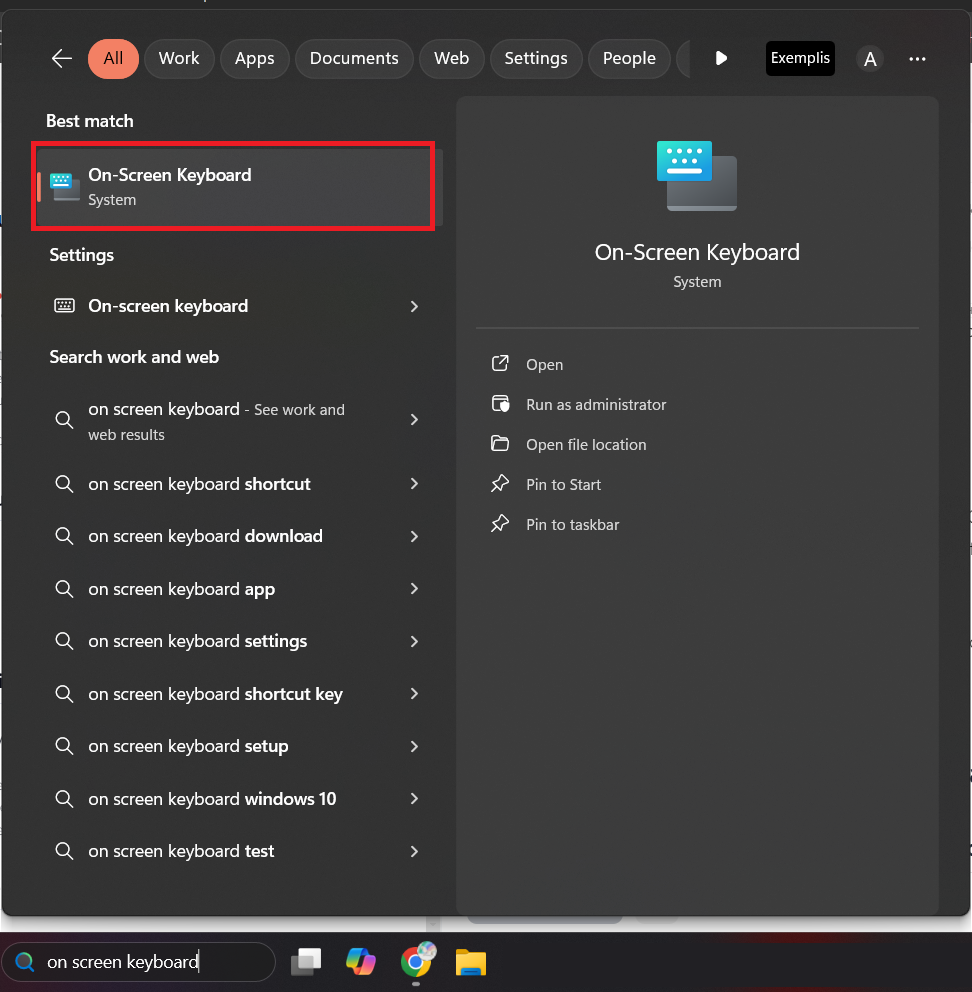
When the physical keyboard does not have a key for Scroll Lock, you can use on screen keyboard.
- Press Windows + R on the keyboard.
- Type ‘on screen keyboard’.
- Select it from the search result.
Find ‘ScrLk’ button on this on-screen keyboard and click on it.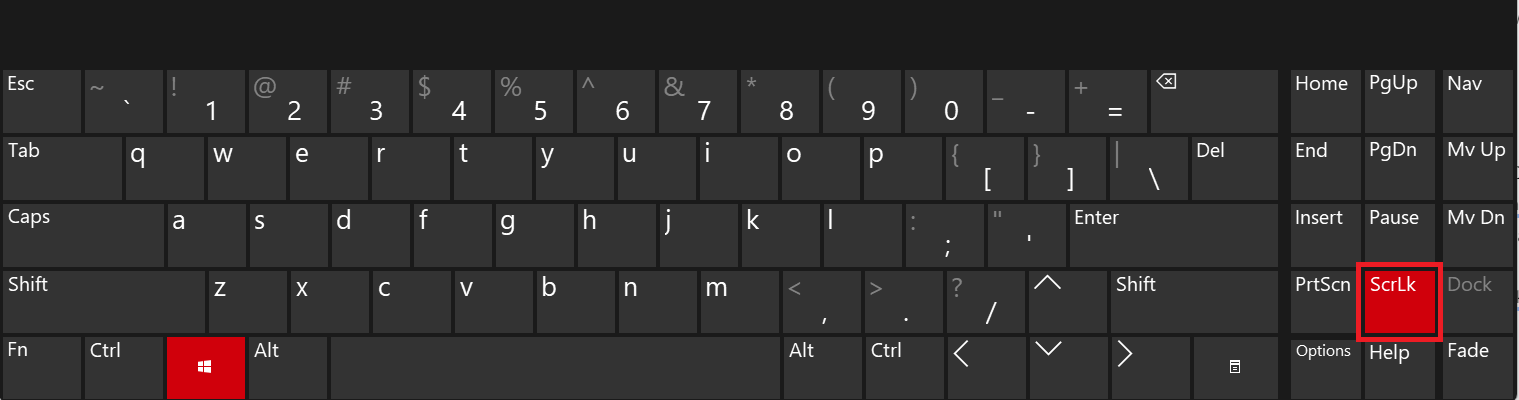
By using this method, you can control the scroll lock in Excel no matter which device you are using.
Additional Tips
- Use Ctrl + arrow keys to swiftly jump to the edge of the data range.
- Use Freeze panes to lock rows and columns when viewing a large dataset. This will allow you to keep an eye on the header information at all times.
- Split screen will let you compare two sections of the same workbook.
- The Name Box lets you jump to a specific cell or range by typing its address.
FAQs
Q1: How to turn off Scroll Lock?
To turn off Scroll Lock in Excel, simply press the ScLk key on your keyboard.
Q2: What is the shortcut key to use Scroll Lock?
The shortcut key for Scroll Lock is to use the combination of the Fn and C keys or the Fn and K keys.
Q3: How to use the virtual keyboard to turn off Scroll Lock?
To turn off scroll lock using a virtual keyboard, follow the steps below:
- Press Windows + R on the keyboard.
- Type ‘osk’.
- Press Enter.
- The on-screen keyboard will be displayed.
- Click on ScrLk key to turn off Scroll Lock.
Q4: What are the signs that the Scroll Lock is activated?
When Scroll Lock is activated, the arrow keys scroll through the worksheet instead of moving through cells.
Q5: How to manage Scroll Lock settings in Windows 10?
To manage Scroll Lock in Windows 10, you can toggle it using the On-Screen Keyboard. Access it by typing ‘On-Screen Keyboard’ in the Start menu, then click the ‘ScrLk’ key within the app to turn Scroll Lock on or off.

John Michaloudis is a former accountant and finance analyst at General Electric, a Microsoft MVP since 2020, an Amazon #1 bestselling author of 4 Microsoft Excel books and teacher of Microsoft Excel & Office over at his flagship MyExcelOnline Academy Online Course.

 30 Days - Full Access









