What Does Hiding a Chat Entail?
You can choose to hide chats in Microsoft Teams if you want to tuck them away from immediate view. It is like when you put a file in a cabinet instead of placing it on your desk. Hidden chats are not deleted or removed, they are just not displayed in the main messaging window. It is useful to declutter your digital workspace or keep conversations out of sight.
Key Takeaways
- The hidden chat option is important to declutter your digital workspace.
- Hidden chats are temporarily removed from the main messaging window.
- Hidden chats are not deleted or removed.
- Use the three dots next to the specific conversation to hide or unhide chats.
- Regularly review hidden chats so that you don’t miss out on any important updates.
How to Hide Chats in Teams
Follow the steps below to hide a chat in Teams:
STEP 1: Click on the Chat tab to see the chat list.
STEP 2: Find the chat you wish to hide.
STEP 3: Select the three dots next to the chat.
STEP 4: Select Hide from the dropdown.
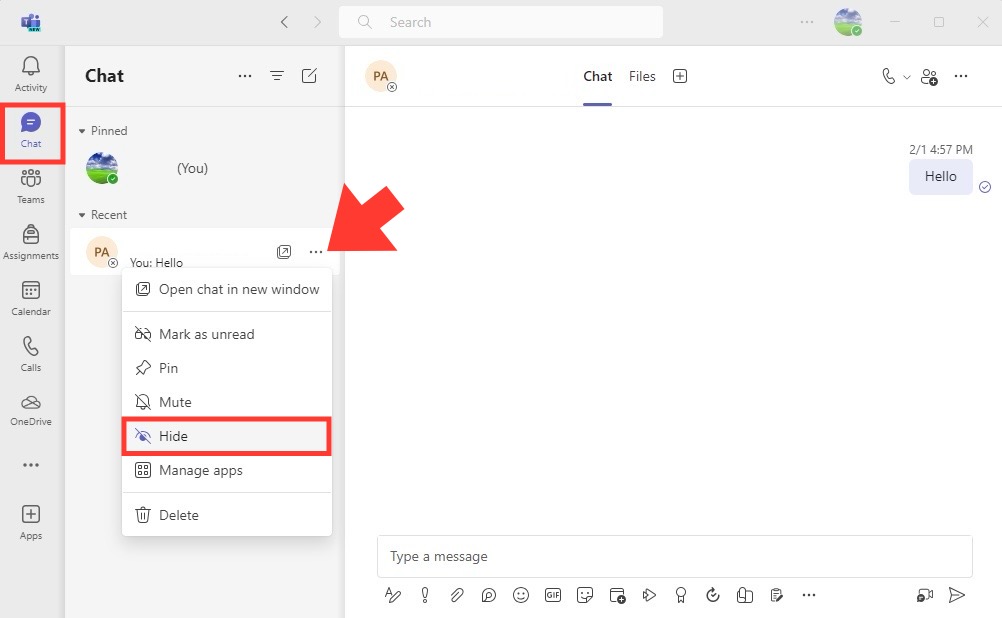 The chat will be removed from your main chat list.
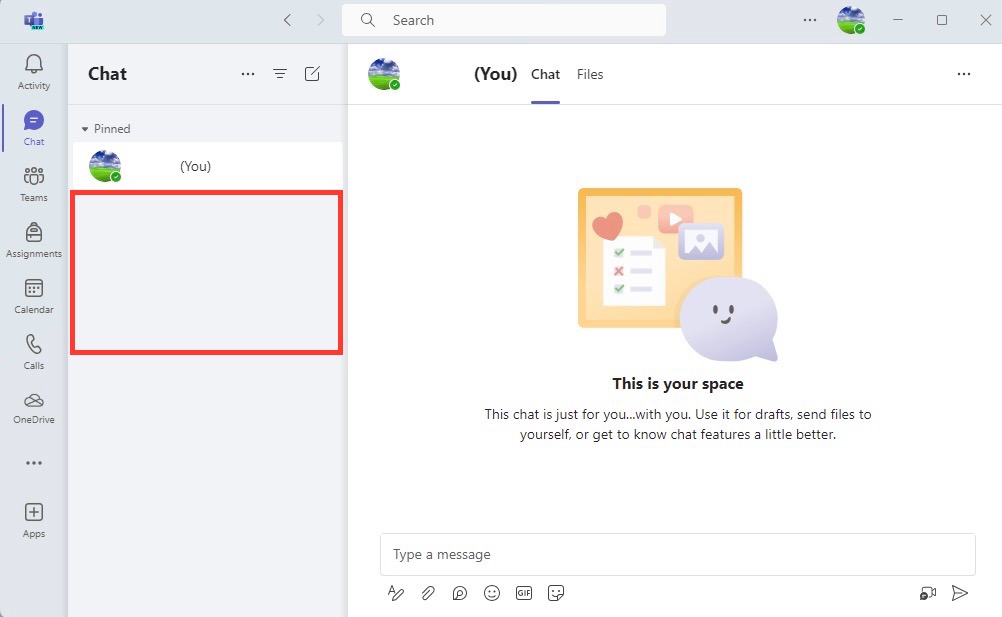
Table of Contents
Access Hidden Conversations
How Hidden Chats Can Be Managed
Hidden chats can easily be managed by following these steps:
- Regularly review your hidden chats so that you don’t miss any important updates.
- Use the ‘Pin’ feature for conversations that are important and need to stand out.
- Utilize the ‘Tag’ function to categorize chats; this way, even when hidden, they maintain a degree of organization.
- Adjust notification settings for each chat so that you receive an alert for new activity in a hidden conversation.
- Use the search bar to find hidden chats by keywords or participant’s name.
How to Unhide Chats in Teams
Follow the steps below to unhide hidden chats in Teams:
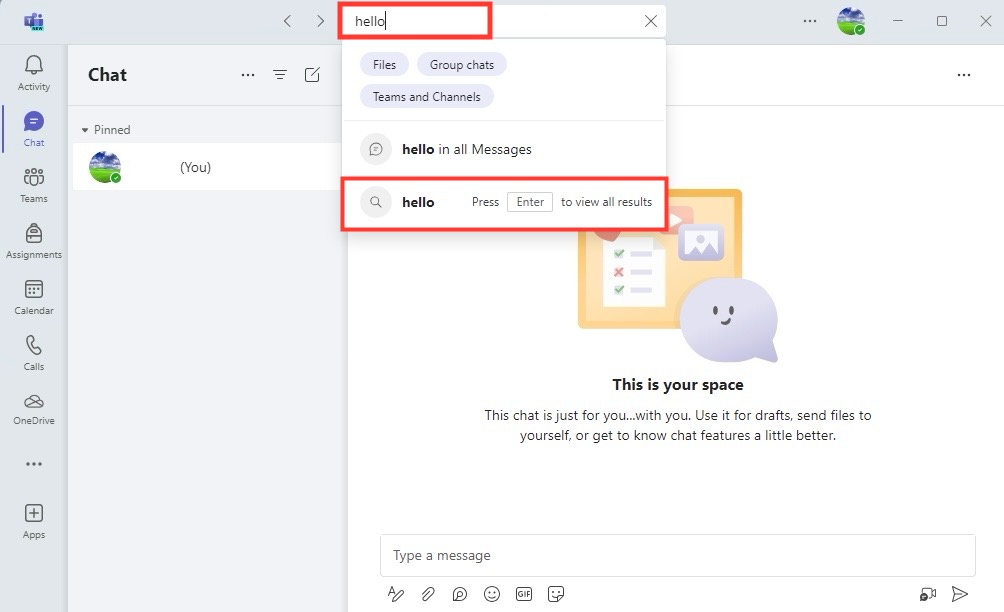
STEP 1: Type the name or a keyword from the hidden chat into the search bar at the top.
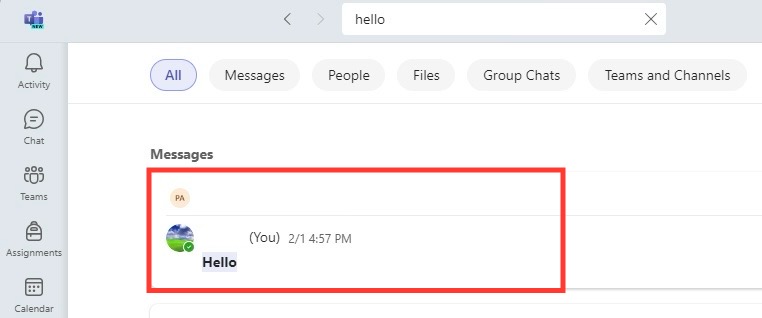
STEP 2: Click on the conversation from the search results.
STEP 3:Click the three-dot icon in the chat window and select Unhide.
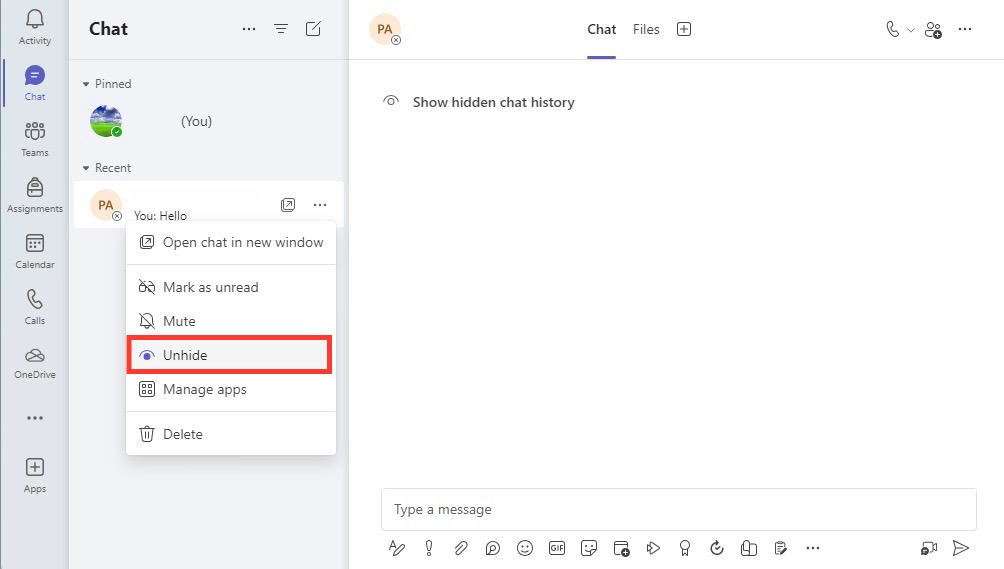
The chat will now reappear in your regular chat list.
Privacy vs. Accessibility
Benefits of Hiding Chats in Teams
Hiding chats in Teams offers several advantages:
- Hiding less pertinent chats can help you focus on current and important conversations.
- It can be used to hide inactive or overwhelming chats and create a cleaner workspace.
- It is used when you want to hide sensitive discussions from passing glances or screen sharing.
- Keep your chat list manageable and avoid the stress of an overflowing inbox.
- Store conversations without permanently losing their content—ideal for future reference.
Embracing these benefits can significantly improve your Teams experience, making it a more effective tool for collaboration.
Possible Limitations
There are certain drawbacks and limitations when you hide chats in Teams:
- Out of Sight, Out of Mind: It is easy to forget about hidden chats, and you may overlook important messages.
- Finding Hidden Chats: Locating a specific hidden chat can be challenging, especially if it hasn’t been accessed in a while.
- Security Concerns: If a chat is protected by a password and that password isn’t kept secure, there’s a potential for unauthorized access.
FAQs
Can You Hide Individual Chats and Channels in Teams?
Yes, both chats and channels can be hidden in Microsoft Teams. Click on the three dots next to the chat or channel and select hide.
How to Make Hidden Chats Permanently Invisible to Others?
Hiding chats in Teams will not make them permanently invisible to others. It only removes the chat from your own view. Participants still have access and visibility.
What’s the Difference Between Deleting and Hiding Chats in Teams?
The fundamental difference between hiding and deleting chats is:
- Hiding is temporary and reversible. It is removed from the main messaging window but kept intact in the system. It is used to declutter the workspace.
- Deleting a chat is permanent. It is removed from the chat histories of all participants. It is used to completely erase a conversation.
What are the Risks associated with Hiding Chats in Microsoft Teams?
The common risks involved when hiding chats in Teams are:
- You might miss important updates if the chats are hidden.
- Finding hidden chats can be difficult.
- If the password of any hidden chat is not secure, it can lead to unauthorized access.

John Michaloudis is a former accountant and finance analyst at General Electric, a Microsoft MVP since 2020, an Amazon #1 bestselling author of 4 Microsoft Excel books and teacher of Microsoft Excel & Office over at his flagship MyExcelOnline Academy Online Course.

 30 Days - Full Access









