 Free Practice Workbook
Location mapping in land surveys, GIS work is usually done using Easting Northing coordinates, while Google Maps uses Latitude Longitude format. So, converting Easting Northing coordinates to Latitude Longitude format becomes a vital task.
Excel is a perfect tool that can be used for this conversion. Since there are no built-in functions, you can easily create a custom VBA function to handle these conversions easily.
Key Takeaways:
- Northing Easting, and Latitude Longitude use different coordinate systems.
- Conversion of Northing Easting is essential for location mapping on different platforms.
- Create custom VBA functions to convert between these two formats.
- Make sure that the data is correct and is in consistent units.
- Proper preparation enables easy management of huge datasets using the outlined steps.
Table of Contents
Preparing the Data
Collecting Data
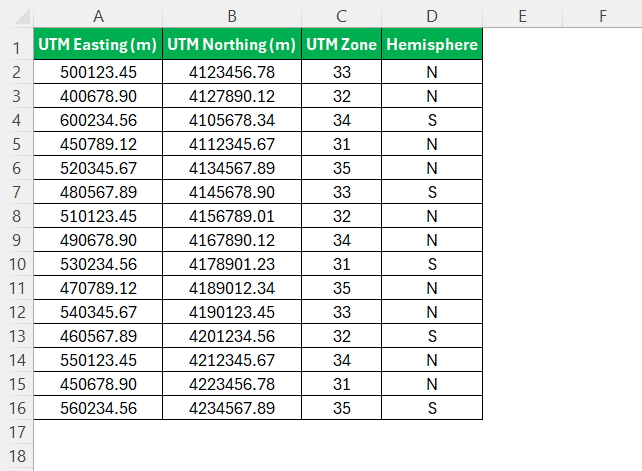
The first step should be to export the data from any software or databases in Easting and Northing format. After that, input these data in two different columns – one for Easting and one for Northing. Make sure that each column is properly labelled in Excel.
Formatting the Data
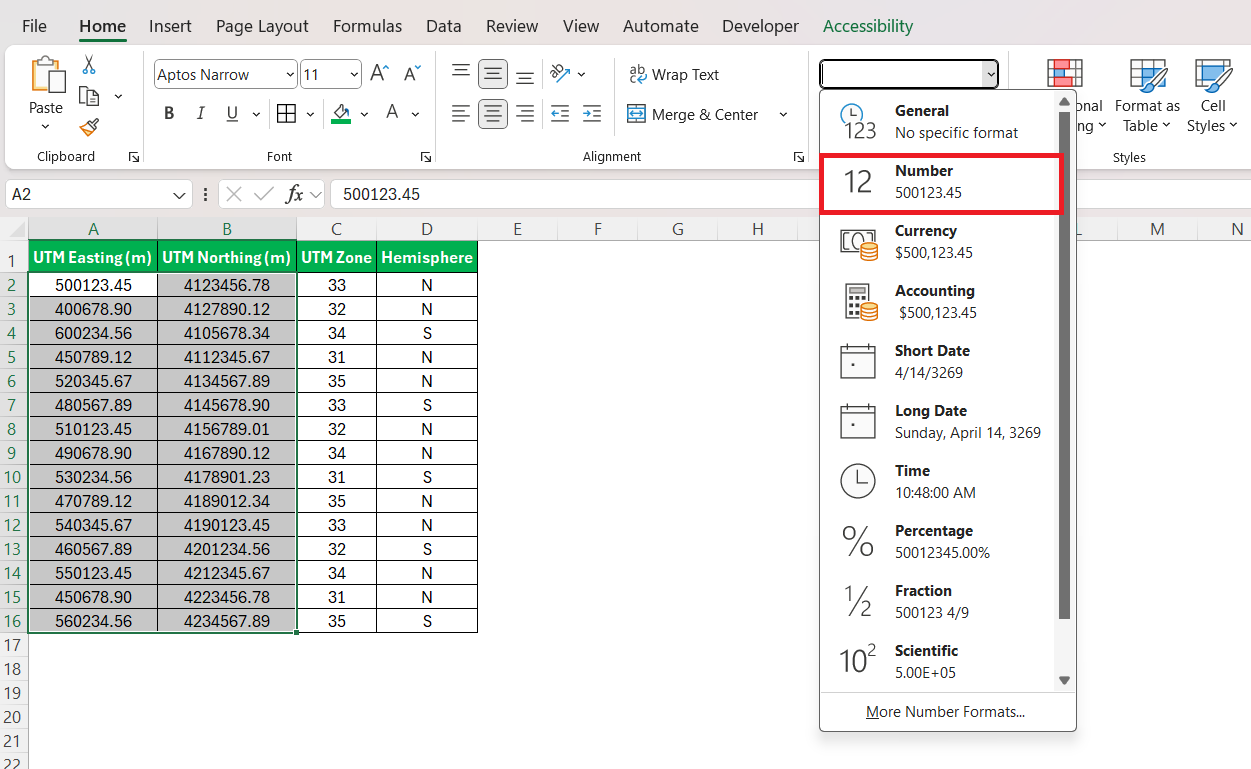
The data should be formatted correctly in order to get accurate results. Select the data and then go to the Home tab and from the dropdown select ‘Number’.
Conversion Process
Creating a VBA Function
Since there are no built-in functions for the conversion, you need to create a custom VBA function. Follow the steps below to create a custom VBA function to convert Northing Easting coordinates to Latitude Longitude format.
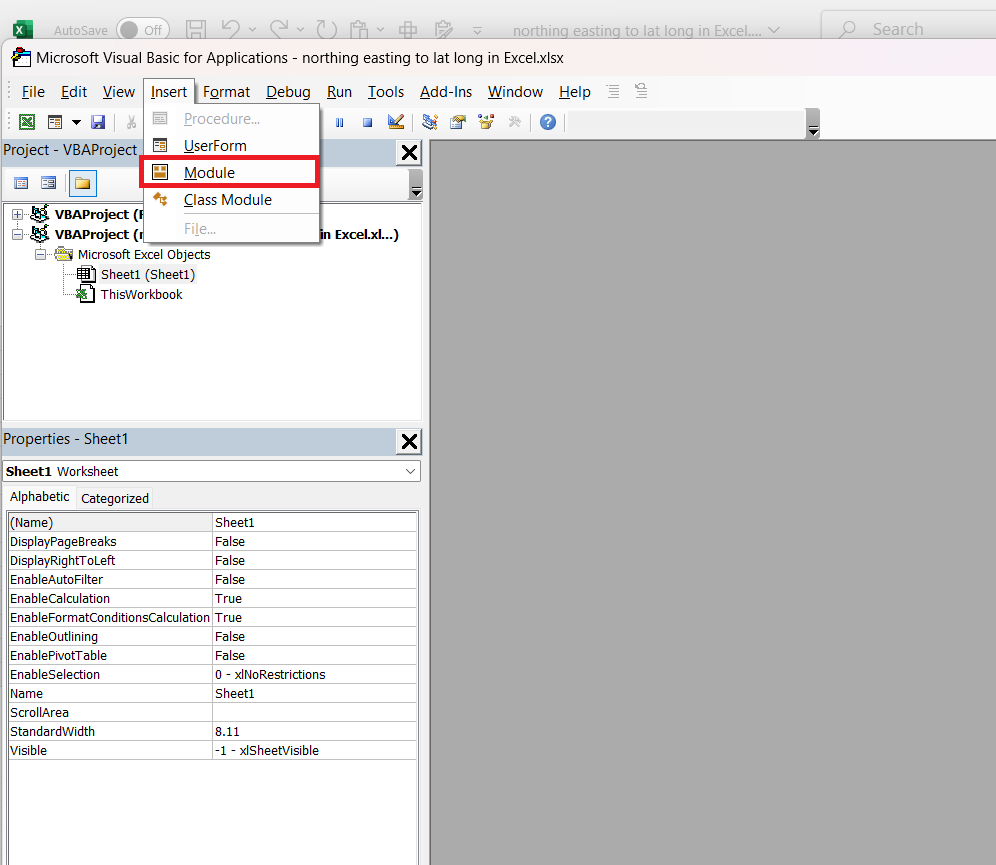
STEP 1: Go to the Developer tab and select Visual Basic to create a new module.
STEP 2: In the VBA editor, create a custom function to convert values in UTM zone to Lat Long format.
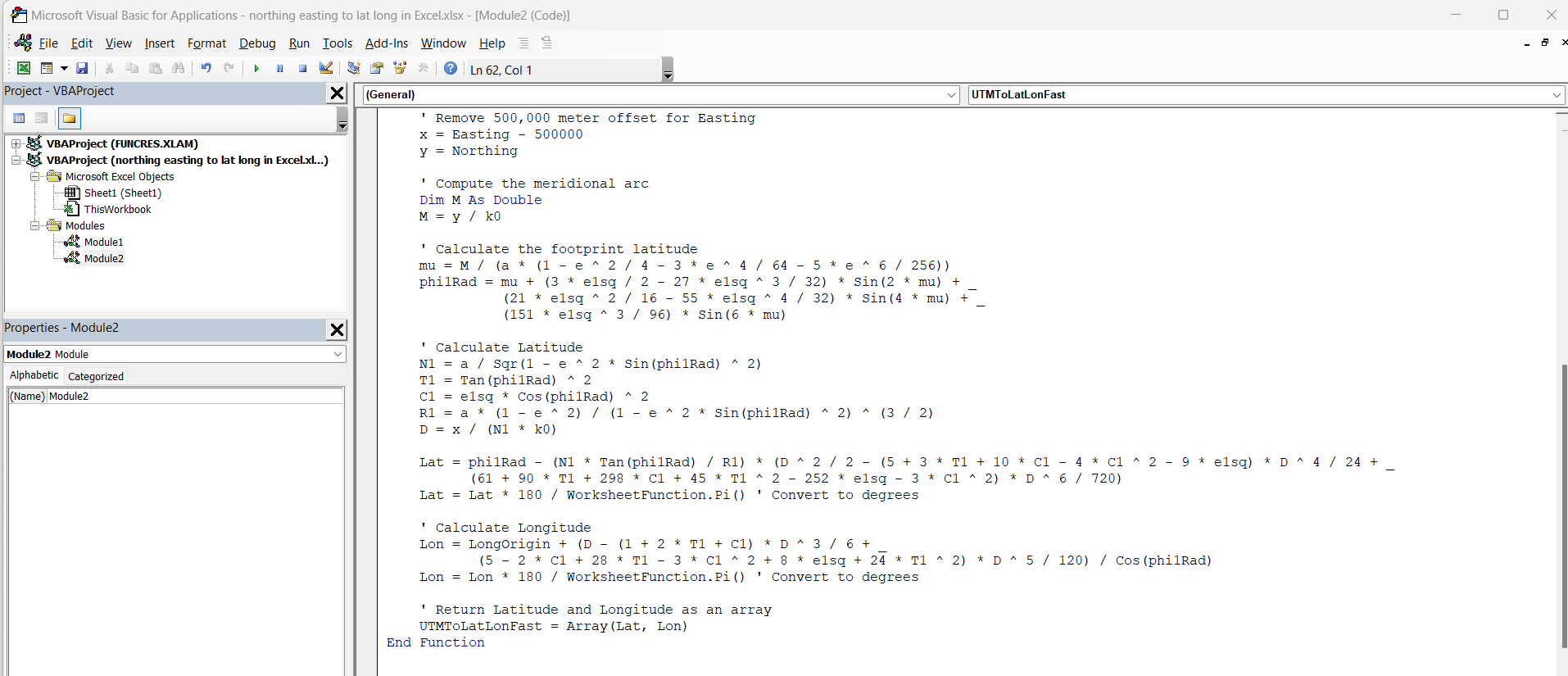
Once that is done, you can save it and close the editor. The new function is now ready to be used!
STEP 3: Enter the following formula for Latitude –
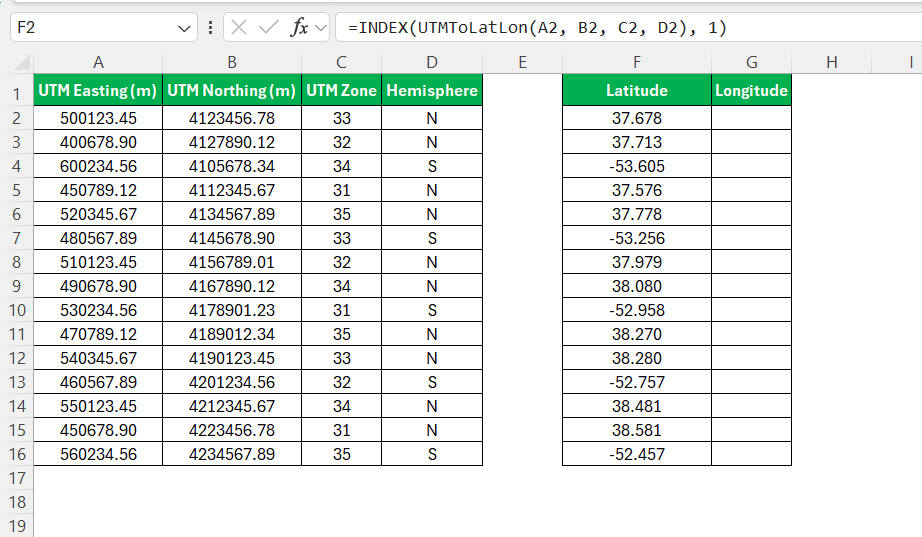
For Longitude –
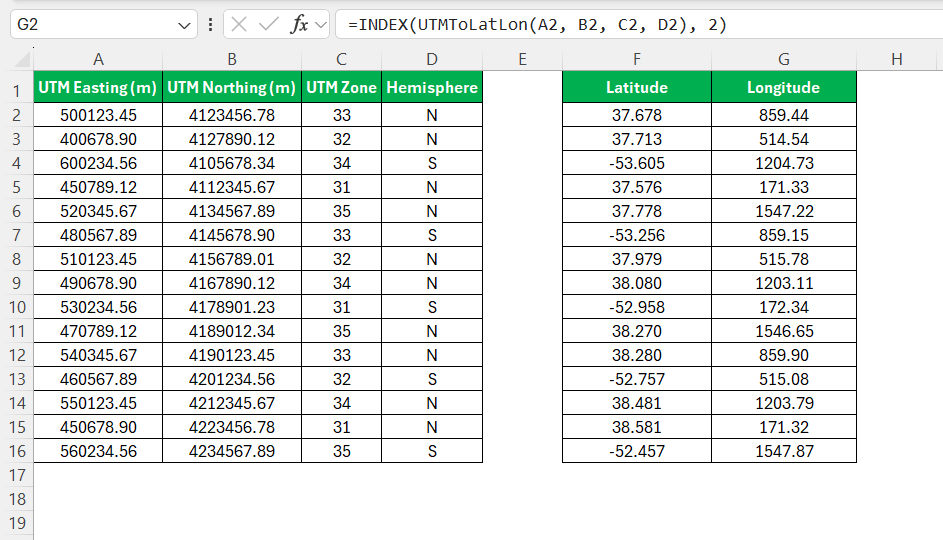
Then, simply drag the function’s corner down the column to apply it to all the data entries.
FAQs
How to convert Easting Northing to Longitude and Latitude format?
You can easily convert coordinates to longitude and latitude by using a custom VBA function. These functions use Easting/Northing values as inputs and convert them into longitude and latitude.
How to check if the converted latitude and longitude are correct?
Simply, enter the values into the Google map, and if the location matches the expected place, the conversion is correct.
Why does the conversion process take more time with a large dataset?
When working with a large dataset, Excel will take more time to provide the result as it will calculate each row one by one. To speed up the process, you can change the automatic calculation option from Automatic to Manual.
Do we need the UTM zone for converting coordinates?
Yes, we need a UTM zone for converting coordinates from Easting/Northing to Lat/Long. Without a correct UTM zone, you may get incorrect result.

Bryan
Bryan Hong is an IT Software Developer for more than 10 years and has the following certifications: Microsoft Certified Professional Developer (MCPD): Web Developer, Microsoft Certified Technology Specialist (MCTS): Windows Applications, Microsoft Certified Systems Engineer (MCSE) and Microsoft Certified Systems Administrator (MCSA).
He is also an Amazon #1 bestselling author of 4 Microsoft Excel books and a teacher of Microsoft Excel & Office at the MyExecelOnline Academy Online Course.

 30 Days - Full Access









