Table of Contents
Unpacking the Core Features
Convert Notes to Digital Form
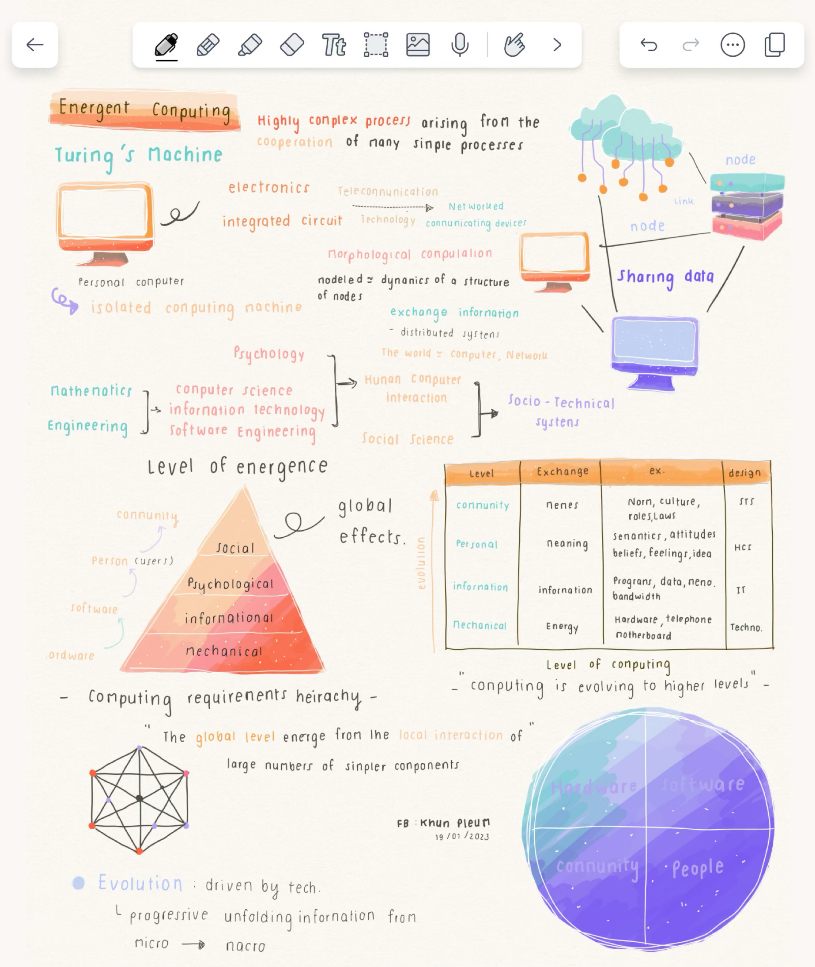
Notability provides a perfect paper-like experience. The ink flows with no delay, so it makes the process like traditional writing. A hint of texture is provided when using paperlike screen protector.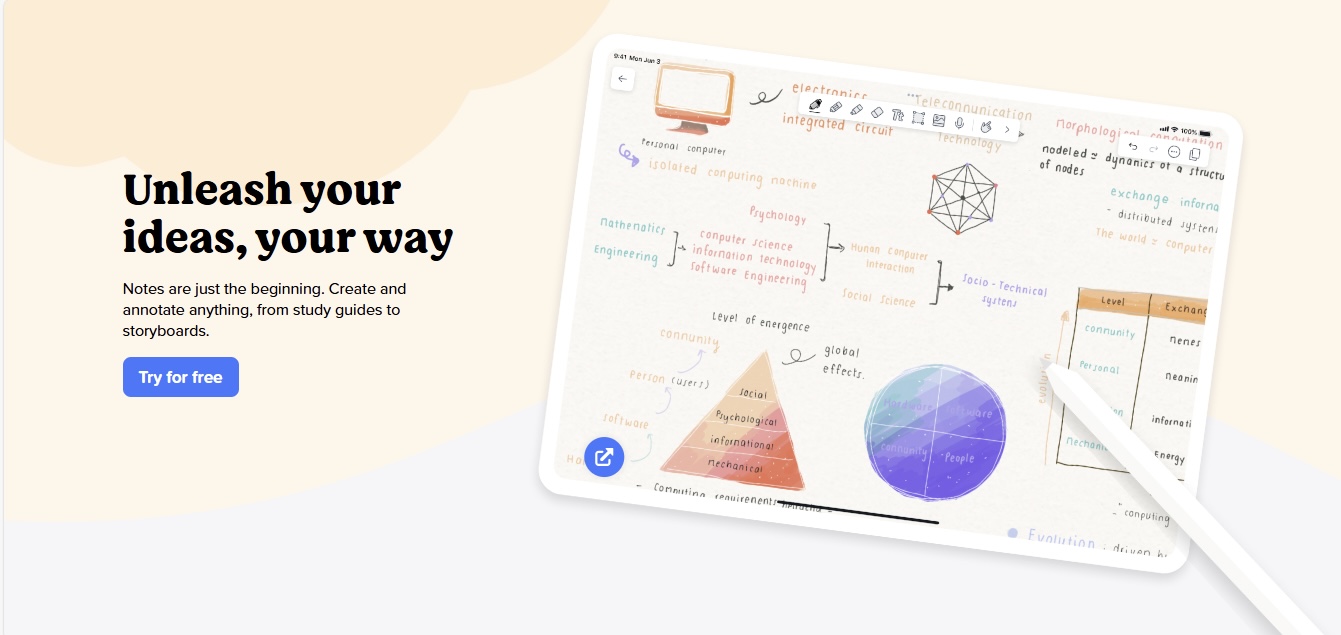
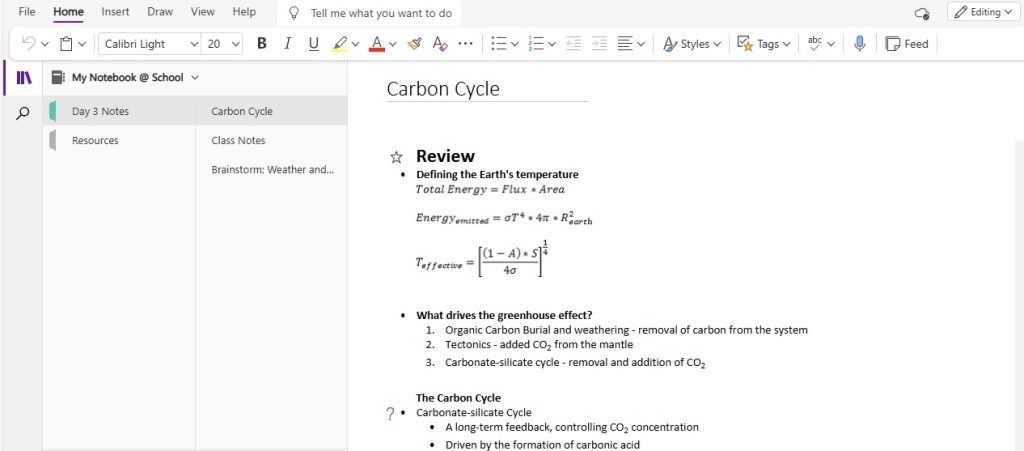
OneNote also delivers a pleasant writing experience. It provides different pen styles, colors, and thickness that match different handwriting styles. Both apps do a good job of copying the pen and paper experience. Notability offers smoothness, and OneNote offers flexibility and customization.
Add Multimedia and Customize
Notability allows you to easily add multimedia. You can drag and drop images, GIFs, and web clips directly to your notes. It also allows you to record audio and sync it with your writing.
OneNote offers more customization options. It allows you to embed videos, create detailed tables, and enable page templates. It also lets you add online videos directly into your notes.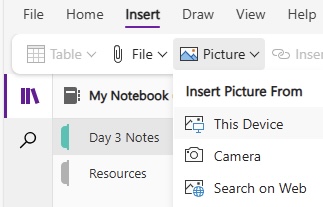
Detailed Comparison
User Interface
The user interface plays an important role in understanding how comfortable users feel. Notability offers a simple and easy-to-use interface, making the app effortless. The clean layout allows you to focus on the content without any distractions.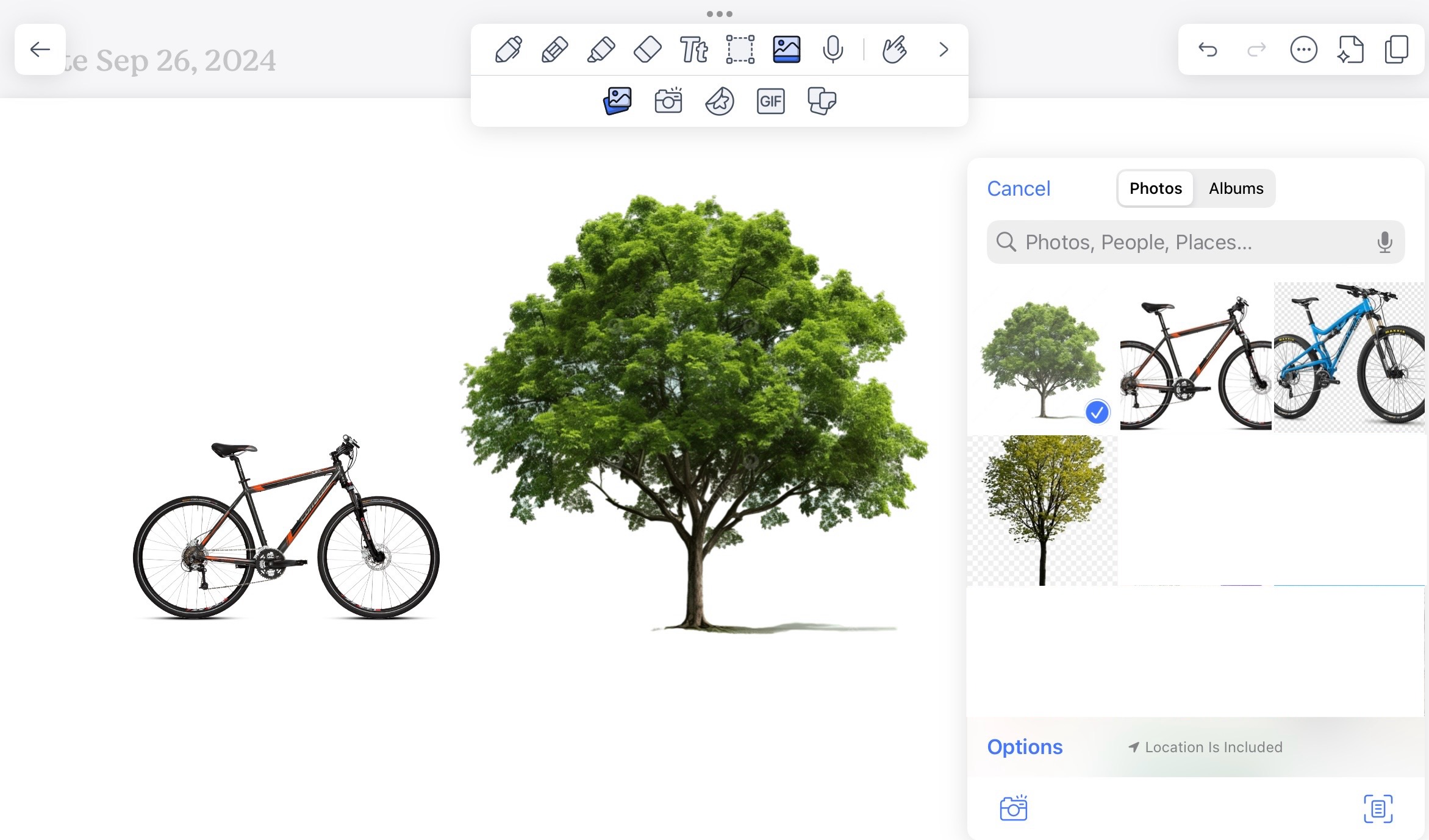
On the other hand, OneNote is a all in one tool that offers a variety of options to customize your work. It may feel overwhelming at first, but eventually you will get a hang of it. It is a central hub to organize and manage notes efficiently.
Organizational Tools
Notability and OneNote handle note organization in different ways. Notability presents a straightforward system where dividers and subjects act like folders and files. It is useful for those who need simplicity and want to spend less time learning and more time doing.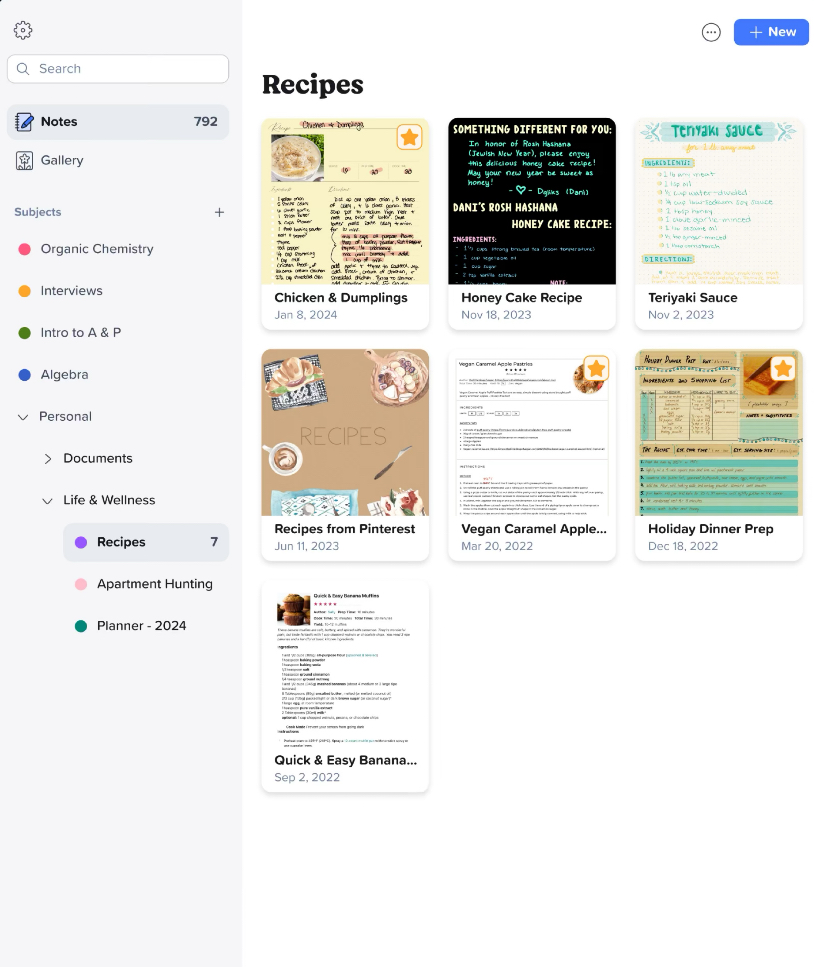
OneNote, on the other hand, offers a more layered approach. It creates:
- Multiple notebooks for different projects
- Each notebook has uniquely colored sections
- Within each section, there is an array of individual pages.
Unique Features
Notability
- You can easily search through handwritten notes. It saves time and makes it easier to manage notes.
- You can record audio and replay it when required.
- The Convert to Text option allows you turn handwritten notes into typed text.
- The Apple Pencil’s palm rejection lets you rest your hand naturally on the screen.
OneNote
- OneNote works well with Microsoft Office.
- You can easily add tasks from Outlook or insert charts from Excel.
- You can write ot draw your thoughts anywhere without any limitation.
- It allows multiple users to edit the notes at the same time.
Platform Compatibility
OneNote works well on all platforms, including Windows, macOS, Android, iOS, and the Web. So, you can easily switch between different platforms, and you do not have the risk of losing access to the notes.
Notability is limited to Apple devices i.e., it can be used across iPhone, Mac, and iPad only. You cannot use it on Android or Windows.
Evaluate Cost vs. Value
Notability
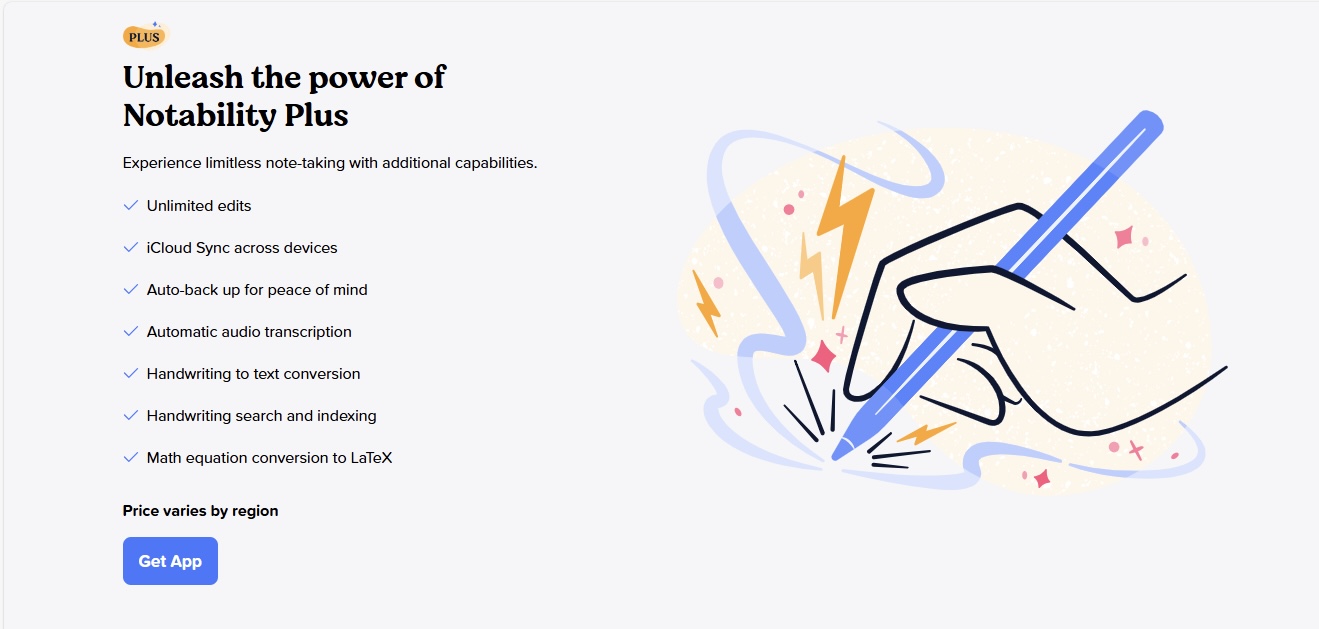
Notability offers both free and premium plans.
- The free plan includes PDF import, annotation, access to the gallery or template, and custom stickers.
- The paid plan unlocks advanced features. It includes handwriting conversion, math conversion, iCloud sync, and yearly planners.
OneNote
Now let’s turn our attention to OneNote’s financial considerations. At its core, OneNote graciously offers its services for free, and this isn’t just a bare-bones version; even the free tier includes robust features such as the limitless canvas, multimedia integration, and in-depth organizational systems. This makes OneNote an attractive choice for both casual note-takers and professionals who require a high-performing app without any upfront costs.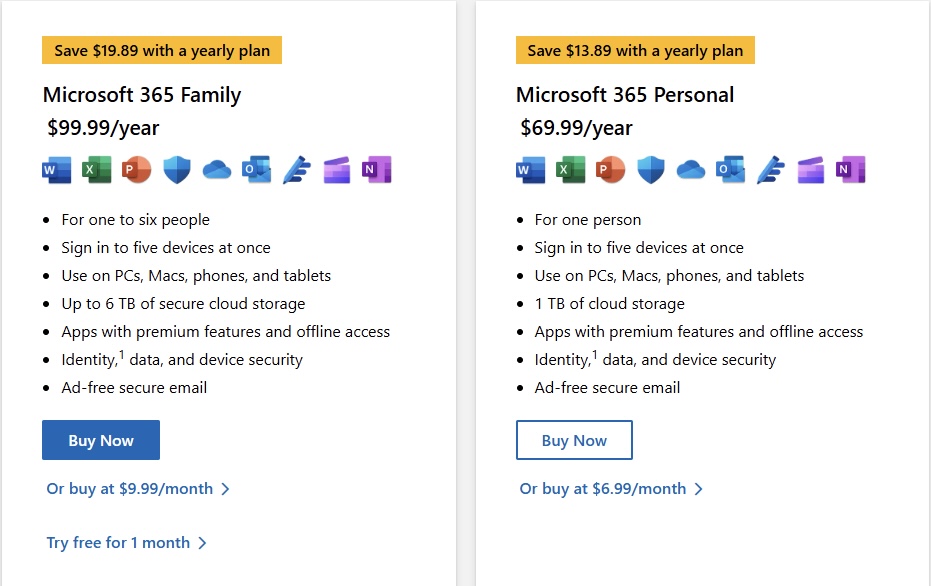
However, while the base app might be free, there’s more to the story. For users seeking to maximize their OneNote experience, there’s a caveat: to access premium features and additional cloud storage, a Microsoft 365 subscription is the gateway. Prices start at $6.99 a month, and these plans unlock the full potential of the Microsoft ecosystem, including advanced sharing capabilities and a substantial OneDrive storage bump.
Before diving into a subscription, it’s worth considering how deeply I may be entrenched in the Microsoft ecosystem and whether the additional perks justify the monthly expense. For those with minimal needs, OneNote’s free offerings are more than sufficient, but the added benefits under the subscription can be a boon to productivity for heavy users.
Which App Suits You Best?
Notability Pros:
- Provides a superior handwriting experience
- Notes are synced with the audio recording
- Can easily convert handwriting and sketches to text and shapes.
Notability Cons:
- Limited to Apple devices.
- Premium features require a paid subscription, despite a robust free version
Notability is best for users deeply ingrained in the Apple ecosystem who value multimedia integration, a high-quality writing experience, and a simple, clean interface.
OneNote Pros:
- Broad cross-platform support, integrating seamlessly with Windows, Mac, iOS, Android, and web browsers
- In-depth organizational structure suited for complex project management
- Free to use with additional benefits for Microsoft 365 subscribers
OneNote Cons:
- Interface can be overwhelming for new users with its numerous features
- Advanced features can be accessed with a Microsoft 365 subscription
FAQs
Can Notability and OneNote be used interchangeably?
Yes, you can use Notability and OneNote together. Notability is preferred for its smooth handwriting and clean layout, while OneNote works best when you want to integrate your notes with Microsoft Office.
Can data be exported from Notability to OneNote and vice versa?
Data portability between Notability and OneNote is feasible to some extent. Notability allows exporting notes in PDF, RTF, and its own note format, which I can then import into OneNote. OneNote exports in PDF, Word, and OneNote’s format. While you can share basic text and images between them, bear in mind that unique features like audio recordings may not transfer seamlessly.
How do Notability and OneNote handle data privacy and security?
Notability and OneNote both prioritize data privacy and security, though their approaches differ. Notability, as part of the Apple ecosystem, utilizes iCloud for storage, which means it adheres to Apple’s stringent privacy policies. OneNote, a Microsoft product, employs enterprise-level security, similar to what’s used in corporate environments. Both apps make sure that your notes stay private and protected under robust security measures.

John Michaloudis is a former accountant and finance analyst at General Electric, a Microsoft MVP since 2020, an Amazon #1 bestselling author of 4 Microsoft Excel books and teacher of Microsoft Excel & Office over at his flagship MyExcelOnline Academy Online Course.

 30 Days - Full Access









