 Free Practice Workbook
Table of Contents
Getting Started with Excel for Regression Analysis
Enter Your Data Correctly
Enter the observed values and predicted values in two separate columns.
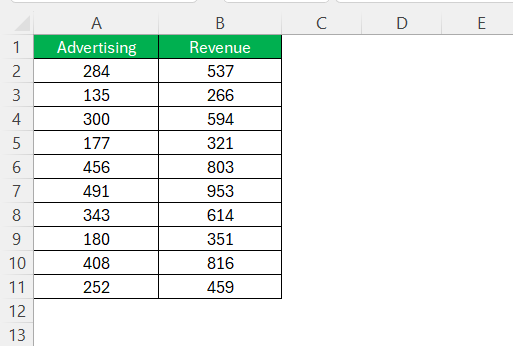
It is important to make sure that the data entered is correct in order to get precise results.
Enable Data Analysis
You need to enable the Data Analysis tab before starting with the calculations. Follow the steps below for it:
- Go to File > Options.
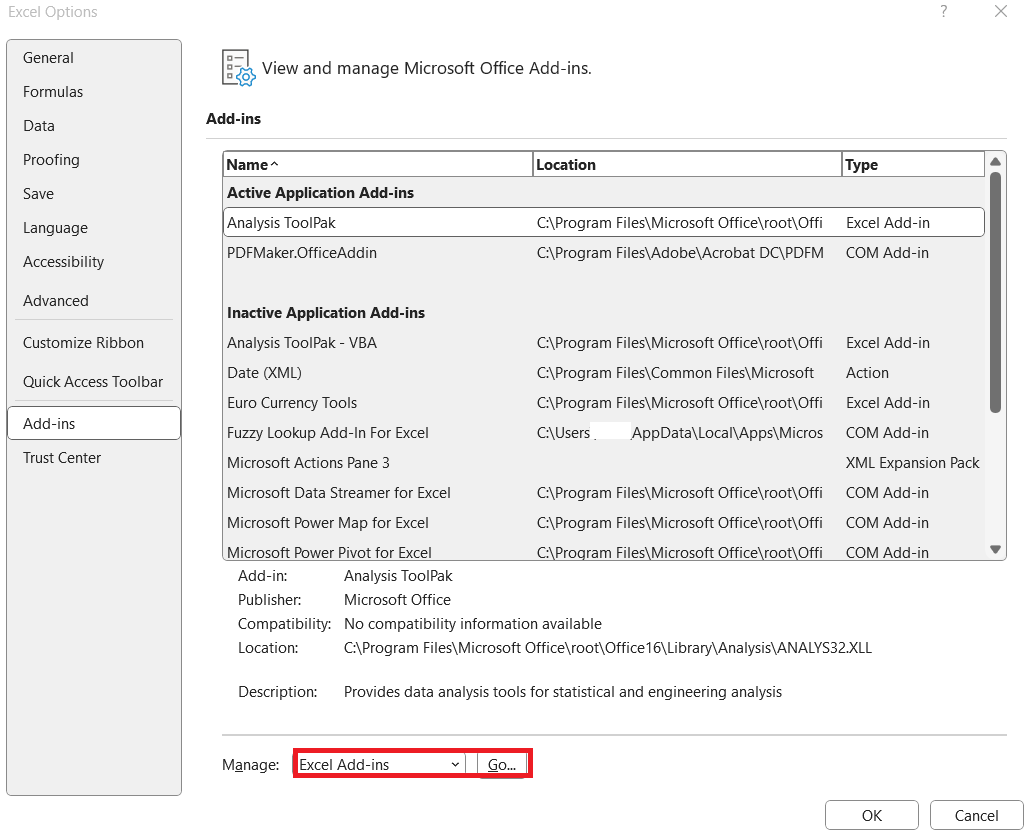
- In the dialog box, select Add-ins > Excel Add-ins. Click Go.
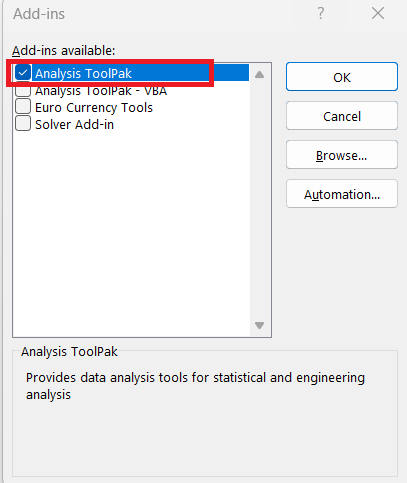
Check the box next to Analysis ToolPal and click OK.
The Data Analysis tool will appear in the Data tab.
Methods to Calculate Residual Standard Error
Method 1: Data Analysis
Follow the steps below to calculate residual standard error:
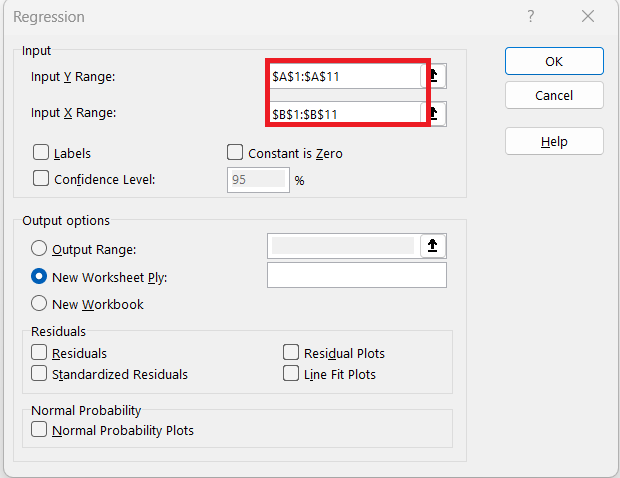
STEP 1: Go to Data > Data Analysis > Regression.
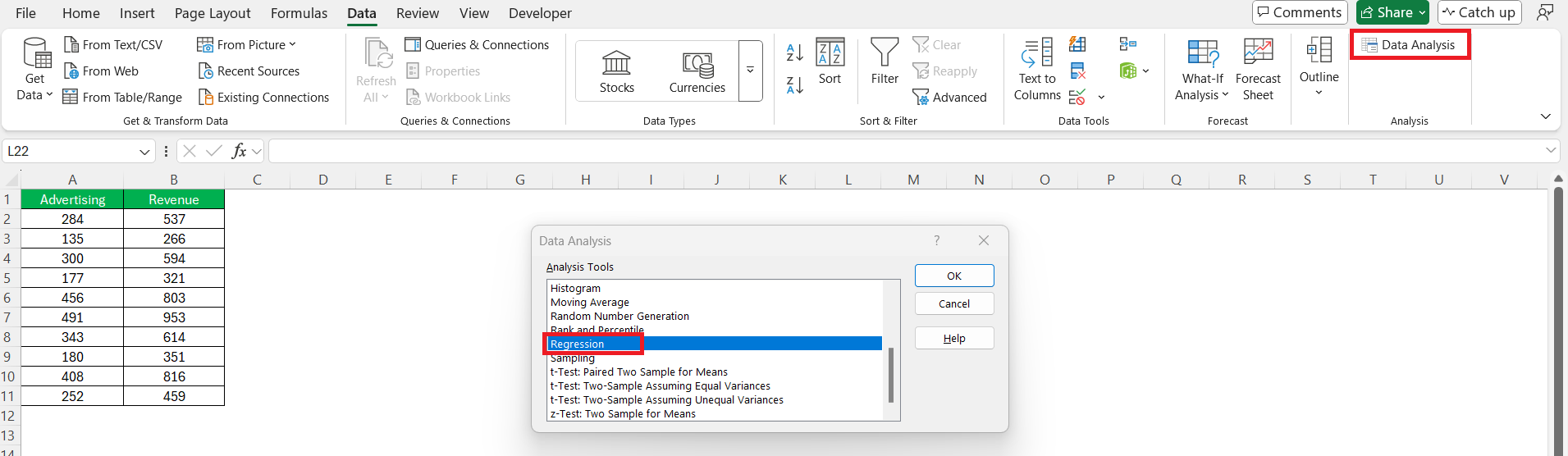
STEP 2: Input the range for the dependent variable (Y Range) and the independent variables (X Range).
STEP 3: Check the box for Labels if your data includes headers.
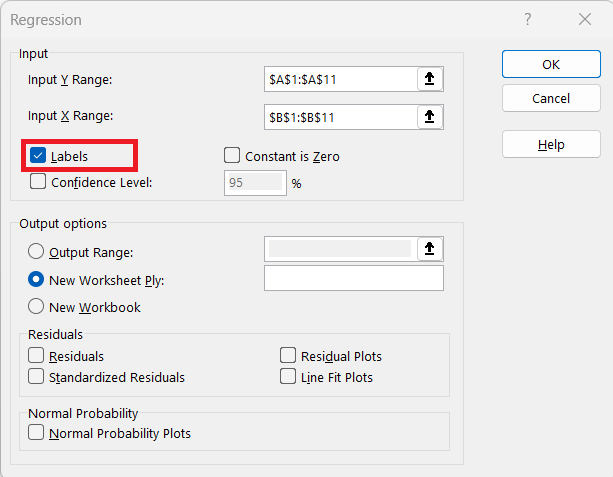
STEP 4: Click OK.
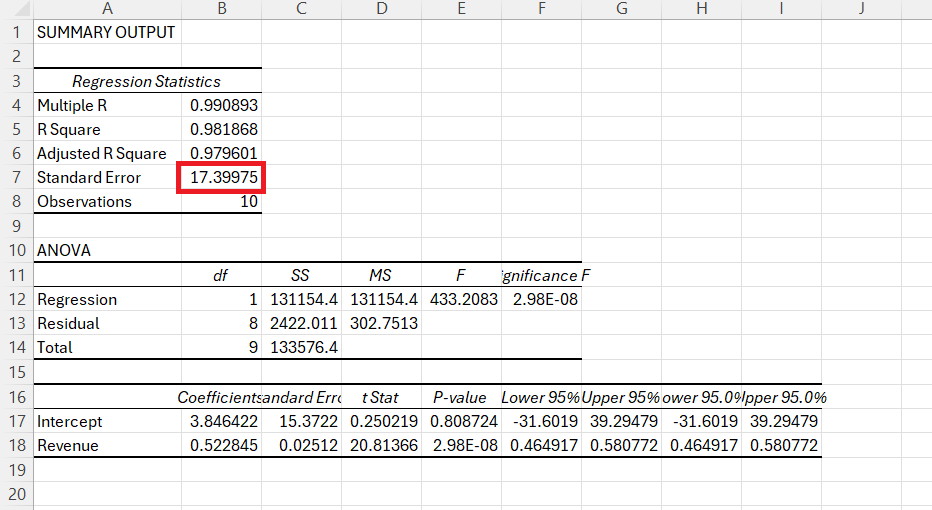
The residual error value will be displayed in the output table.
Method 2: Using Formulas
Follow the steps below to calculate the residual standard error in Excel:
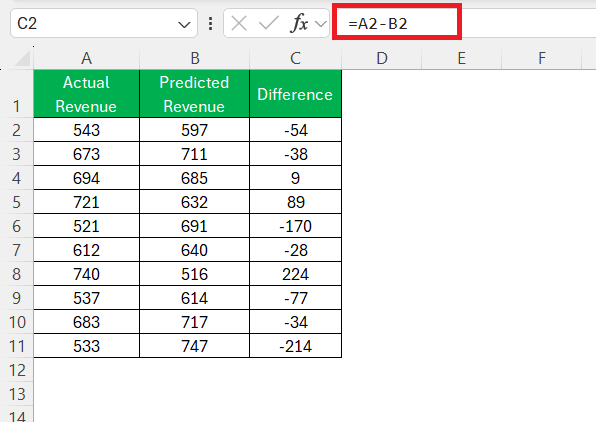
STEP 1: Subtract the predicted value from the actual value to get the residual value.
=A2-B2
Drag this formula down to calculate the residuals for all data points.
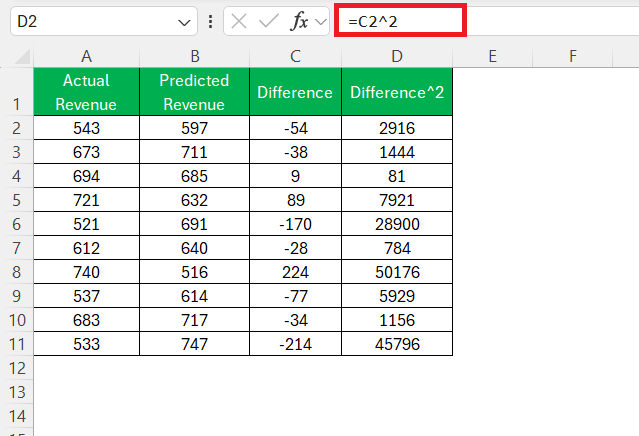
STEP 2: Square each residual so that all values are positive. Drag this formula down to calculate the squared residuals.
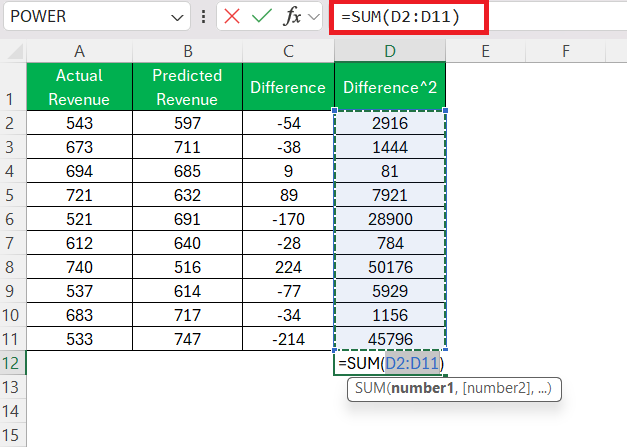
STEP 3: Calculate the sum of the squared residuals.
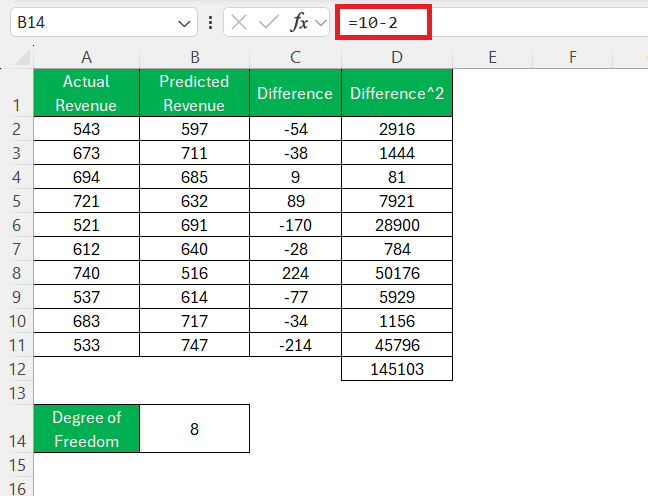
STEP 4: To adjust for degrees of freedom, subtract the number of predictors from the number of observations.
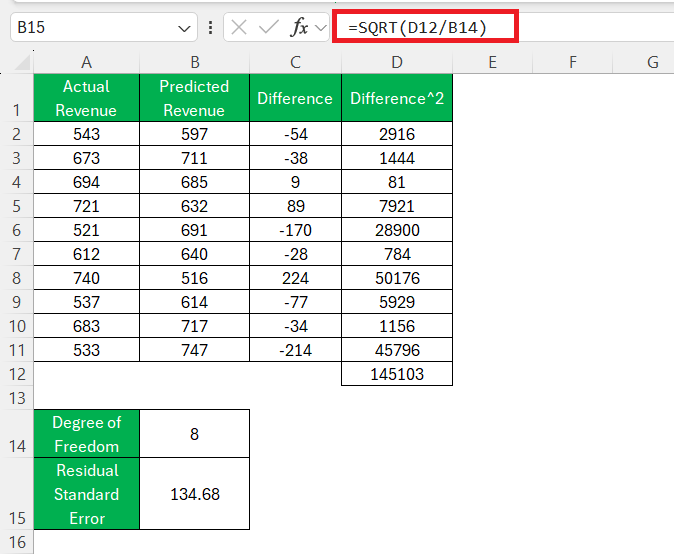
STEP 5: Divide the sum of squared residuals by the degrees of freedom, and then take the square root.
FAQs
What Is Residual Standard Error?
Residual Standard Error is a metric that tells us about the accuracy of a regression model. It measures the deviation of observed values from predicted values.
Can we use Excel to Perform Complex Regression Analysis?
Excel can handle basic regression analysis, but for complex and large datasets, you will have to use statistical techniques like R and Python.
How to Interpret the RSE?
The Residual Standard Error value tells you how much, on average, the actual observations deviate from your model’s predictions. Smaller values indicate a tight fit and suggest a more accurate model.
Are There Alternative Tools to Excel for Better Accuracy?
You can use statistical software like R and Python to perform regression analysis and get results with better accuracy.

John Michaloudis is a former accountant and finance analyst at General Electric, a Microsoft MVP since 2020, an Amazon #1 bestselling author of 4 Microsoft Excel books and teacher of Microsoft Excel & Office over at his flagship MyExcelOnline Academy Online Course.

 30 Days - Full Access









