 Free Practice Workbook
Microsoft Excel provides built-in support for displaying and calculating fractions. Adding fractions in Excel might sound tricky, but it’s actually quite simple. In this article, you will learn how to add 1/4 and 2/3 as a fraction in Excel.
Key Takeaways:
- Fractions in Excel are stored as decimals.
- It can be displayed as a fraction with proper formatting.
- Formatting cells as a fraction helps avoid date conversion issues.
- Results can be displayed as fractions by changing the cell format.
- Excel automatically simplifies fraction results when possible.
Table of Contents
Introduction to Excel Fractions
A fraction represents a part of a whole, such as 1/2, 3/4, or 5/8. Fractions are useful for measurements, recipes, construction calculations, and financial data.
Excel can work with fractions just like regular numbers. Although Excel stores fractions as decimal values in the background, it can display them in a fraction format for easier reading.
How to add numbers as Fractions
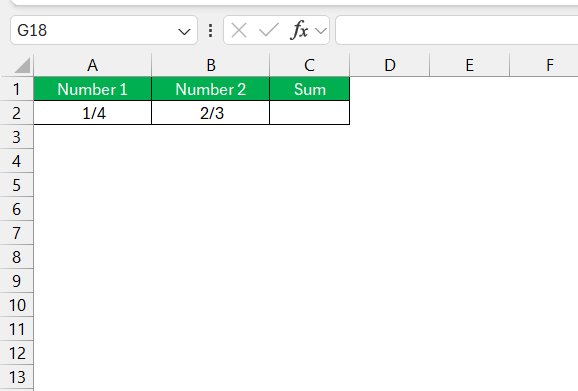
Input Fractions
- Open the worksheet
- Input fractions in separate cells
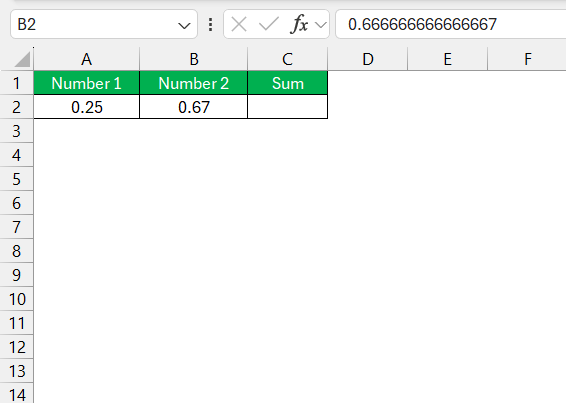
Format Cells as Fractions
Sometimes, Excel may interpret fractions as dates. To avoid this, I format these cells as fractions.
STEP 1: Select the cells containing the fractions.
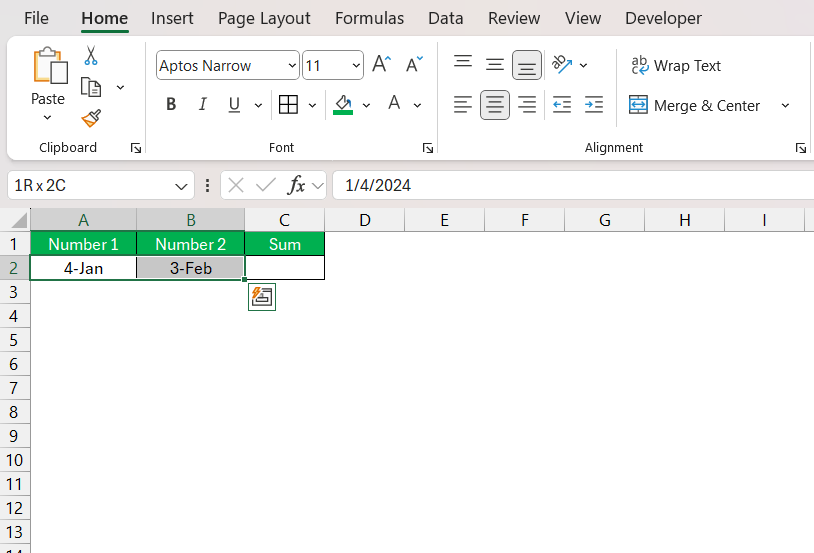
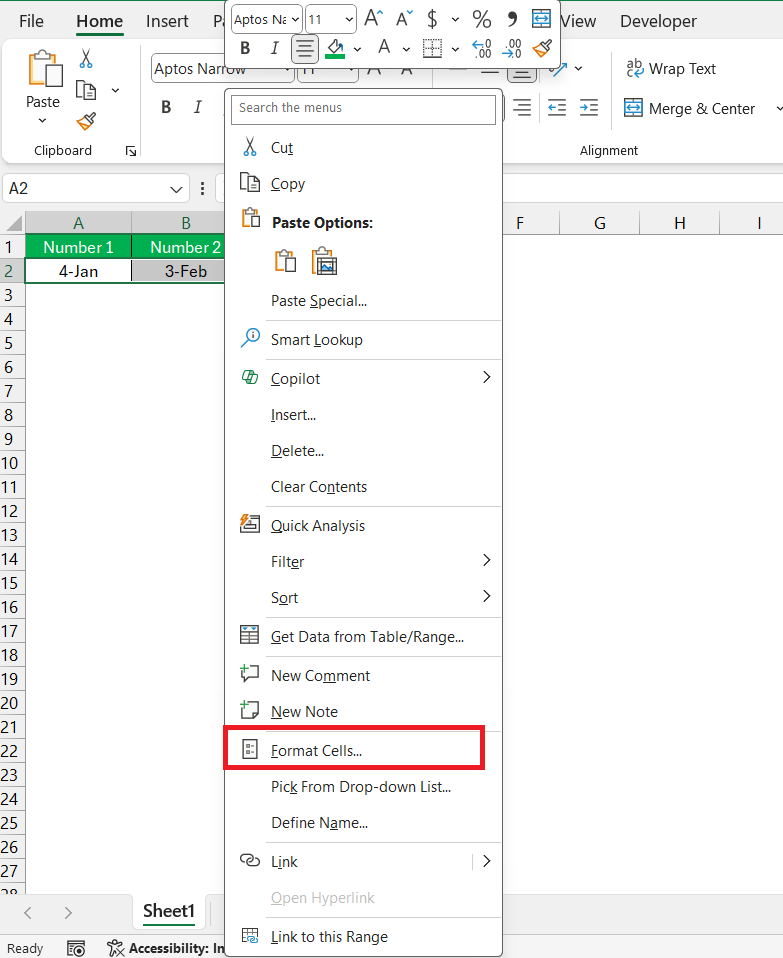
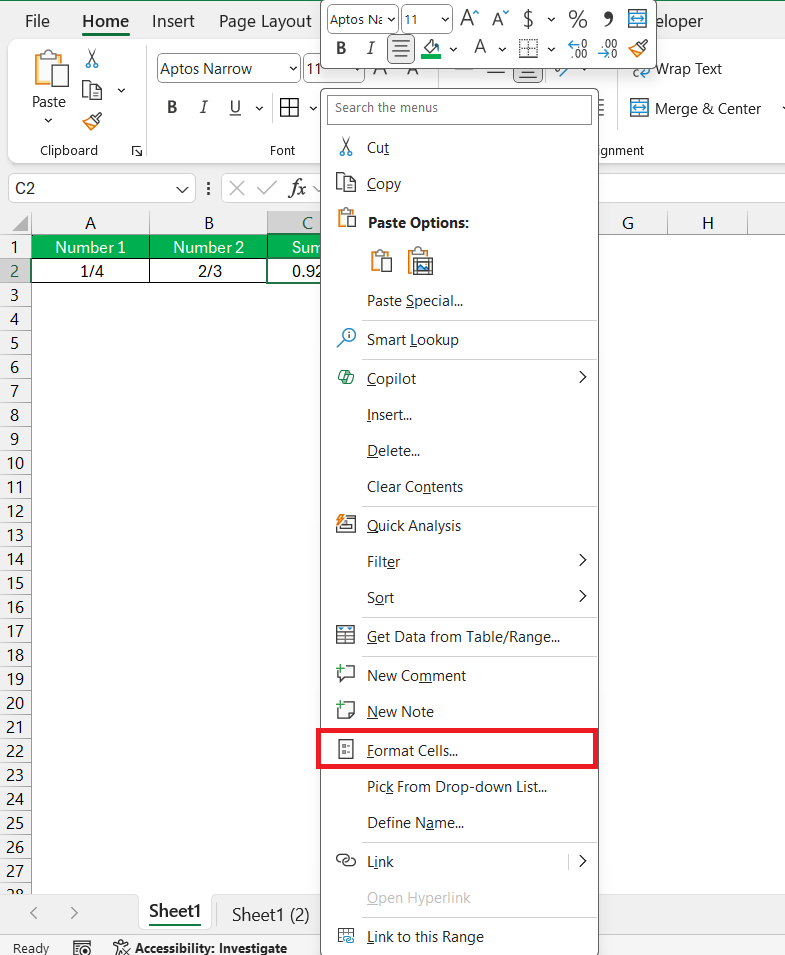
STEP 2: Right-click and choose Format Cells from the context menu.
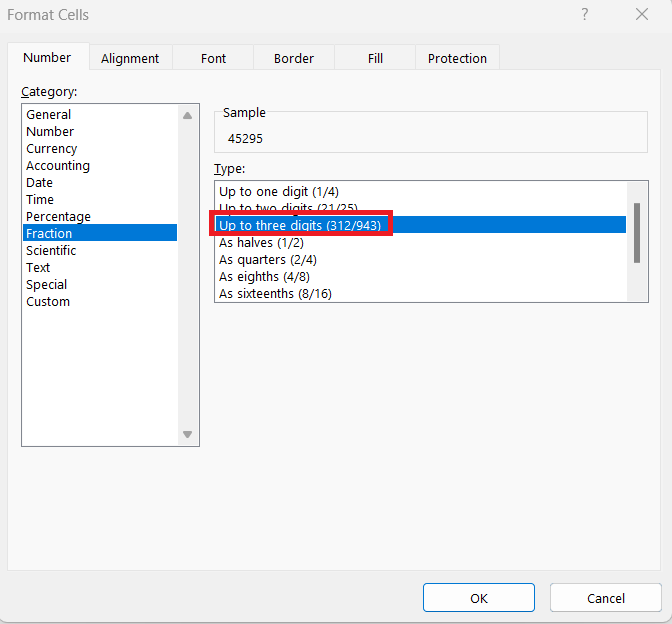
STEP 3: In the Format Cells dialog box, select Fraction from the list of categories. Choose a fraction type, such as “up to three digits”.
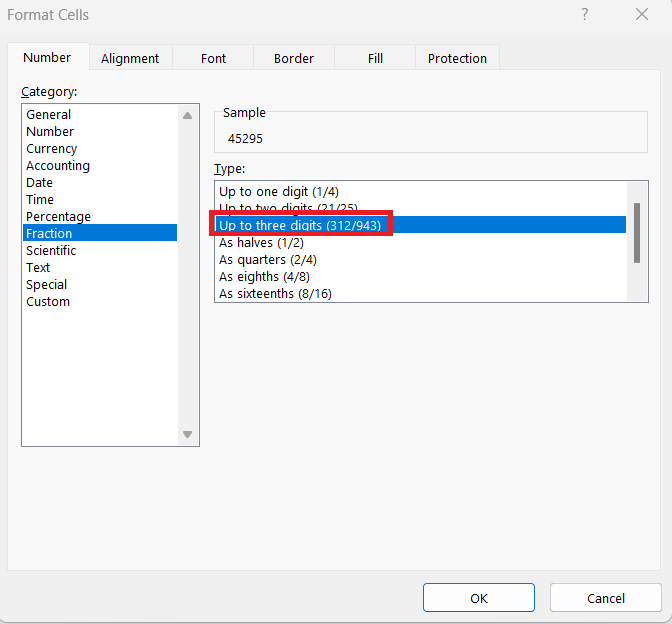
STEP 4: Click OK to apply the formatting.
The fractions will be displayed in the format – X/Y.
Use a Formula to Add Fractions
STEP 1: In cell C2, I type the formula:
=A2 + B2
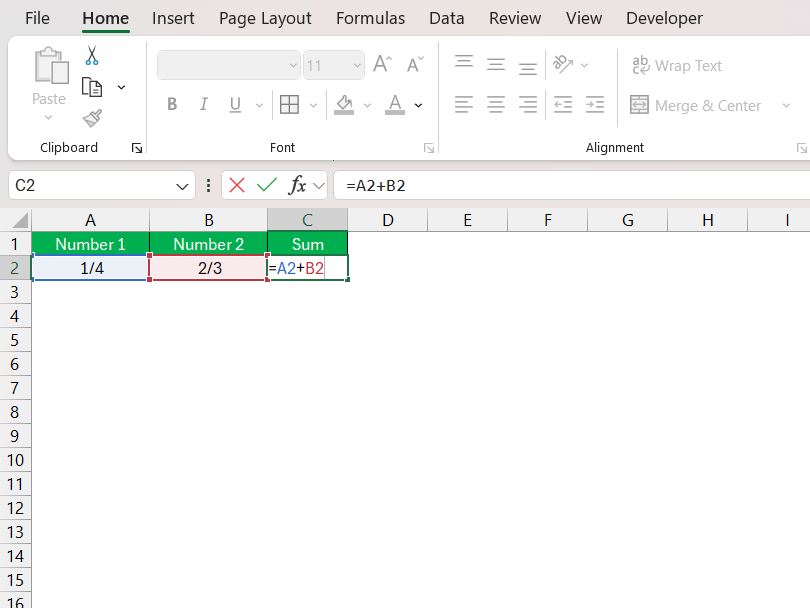
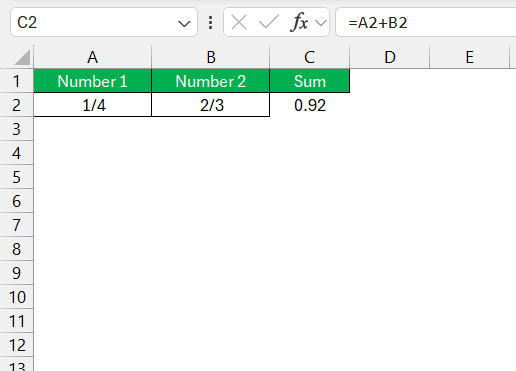
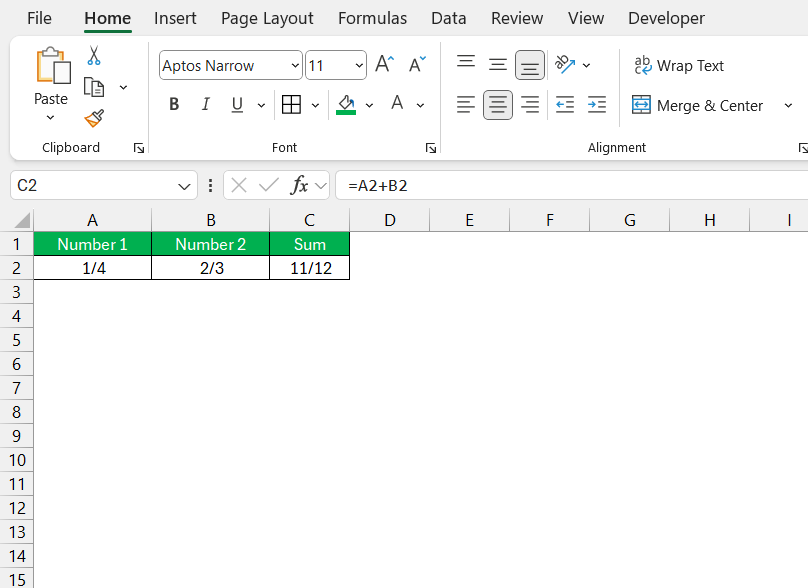
STEP 2: Press Enter, and Excel automatically calculates the sum of 1/4 and 2/3.
Display the Result as a Fraction
By default, Excel might display the result as a decimal. For example, adding 1/4 and 2/3 gives 0.91666. To display the result as a fraction, I:
STEP 1: Select cell C2.
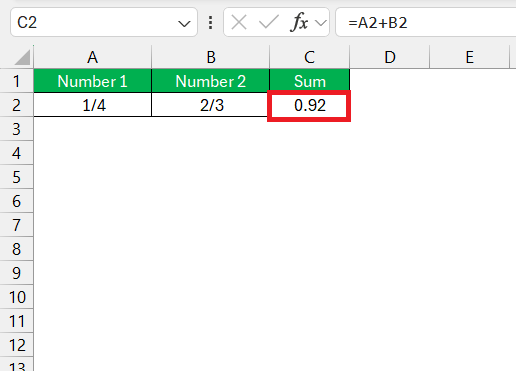
STEP 2: Right-click and choose Format Cells.
STEP 3: Select Fraction from the categories. Choose the appropriate fraction type (e.g., up to three digits).
Now the result appears as 11/12, which is the correct sum of 1/4 and 2/3.
Common Mistakes to Avoid
- Excel may convert fractions to dates if cells are not formatted properly.
- Text values cannot be used in fraction calculations.
- Results may appear as decimals if the cell is not formatted as a fraction.
- Some fraction formats may round the displayed value.
Tips & Tricks
- Use parentheses when entering mixed numbers like (1 1/4).
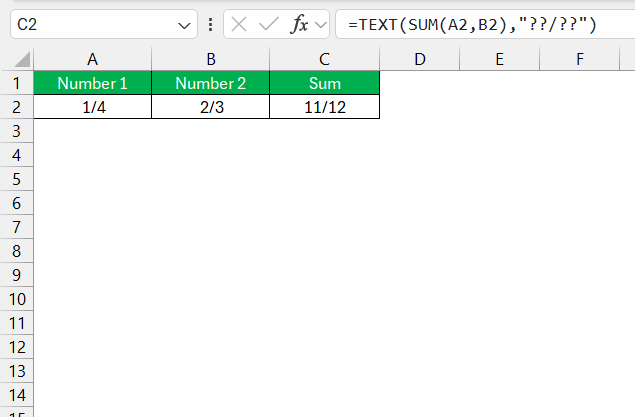
- Use the TEXT function to display a specific fraction format.
FAQs
How to convert to a fraction in Excel?
To convert to a fraction in Excel,
- Select the cell to display fractions
- Press Ctrl + 1
- Under the Number tab, select Fraction
- Choose the type of fraction
How to add fractions in Excel?
Excel can add fractions using addition formulas.
Why does Excel change 1/4 into a date?
Excel may recognize it as a date if the cell is not formatted as a fraction.
What is the result of 1/4 + 2/3 in Excel?
The result is 11/12 when displayed in fraction format.
Does Excel support mixed numbers?
Yes, Excel supports mixed numbers. You can type mixed numbers like 1 1/4 in Excel. But make sure to use parentheses to avoid any confuriosn.

John Michaloudis is a former accountant and finance analyst at General Electric, a Microsoft MVP since 2020, an Amazon #1 bestselling author of 4 Microsoft Excel books and teacher of Microsoft Excel & Office over at his flagship MyExcelOnline Academy Online Course.

 30 Days - Full Access









