 Free Practice Workbook
Compound interest allows us to grow money exponentially. Excel has built-in features to easily calculate compound interest. In this guide, I will show you how to calculate compound interest semiannually using Excel.
Key Takeaways:
- Compound interest grows money exponentially.
- It earns interest on both principal and interest.
- Semiannual compounding calculates interest twice a year.
- Simple interest is calculated only on the principal.
Table of Contents
The Power of Compound Interest
What is Compound Interest?
Compound interest is the interest earned on both the principal and the interest. Unlike simple interest, which is calculated only on the original investment, compound interest continuously increases the amount on which interest is calculated.
Semiannual compounding means interest is added twice a year. The formula for calculating future value is:
FV = P (1 + r/n)^(nt)
Where:
- FV is the future value,
- P is the principal,
- r is the annual interest rate,
- n is the number of compounding periods per year (2 for semiannual),
- t is the number of years.
Benefits of Semiannually Compounding
Semiannual compounding can increase the value of an investment faster than annual compounding because interest is credited more frequently. Each interest payment becomes part of the balance used for future calculations.
For long-term investments, even small differences in compounding frequency can lead to higher returns. This makes semiannual compounding common in bonds, savings accounts, and other financial products.
When comparing investment options, it is important to consider not only the interest rate but also how often the interest is compounded. A higher compounding frequency can result in greater earnings over time.
How to Compound Interest Semiannually
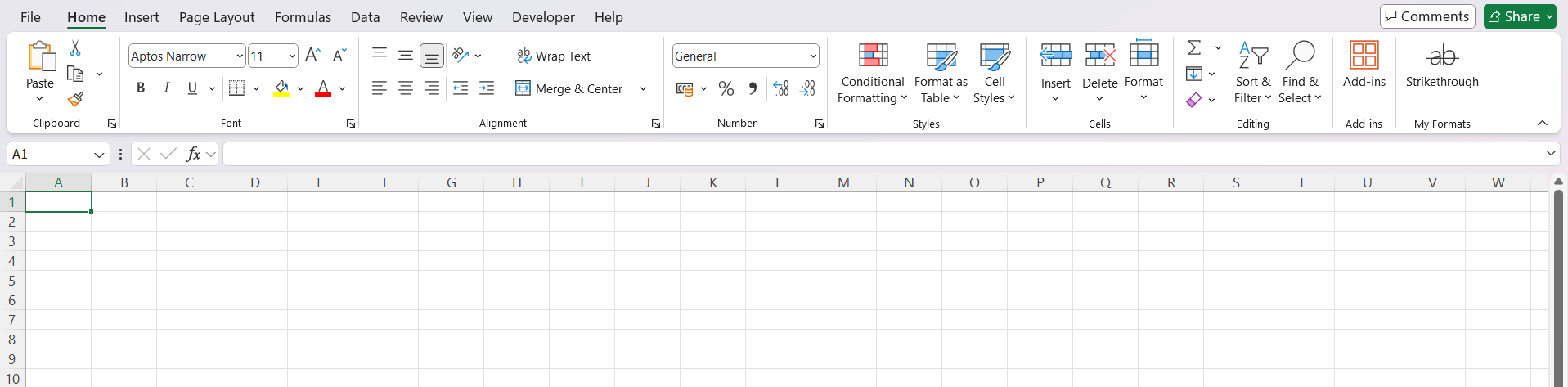
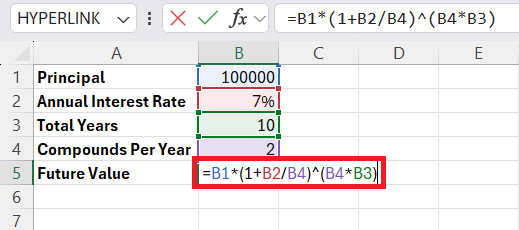
STEP 1: Open a new Excel workbook.
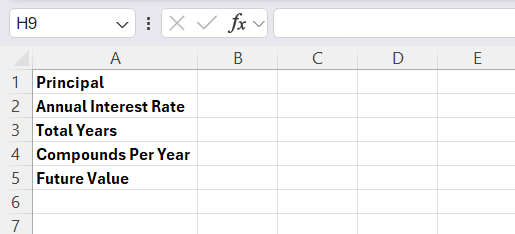
STEP 2: Enter the labels in one column.
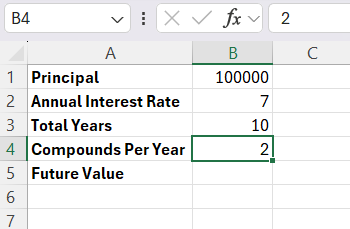
STEP 3: Enter the corresponding values in another column.
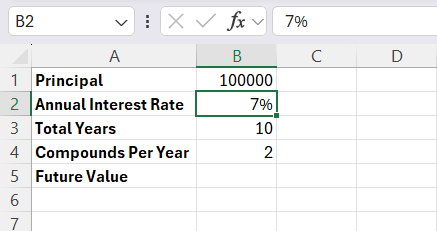
STEP 4: Format interest rate as a percentage and years as a number.
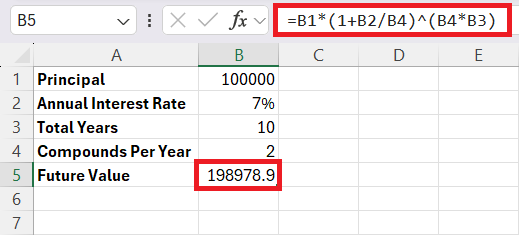
STEP 5: In cell B5, enter the formula for future value:
STEP 6: Hit Enter.
Advanced Excel Features
The FV function in Excel helps calculate the future value of an investment. For semiannual compounding, the formula looks like this:
=FV(rate, nper, pmt, pv, type)
- Rate: The interest rate per period.
- Nper: The total number of periods.
- Pmt: Payments made per period.
- Pv: The present value.
- Type: Enter 0 if payments are made at the end of the period, or 1 if made at the beginning.
Let’s say, you’re investing $100,000 at an annual interest rate of 7%, compounded semiannually, for 10 years.
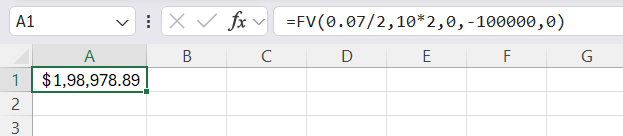
- The interest is compounded semiannually. I divide 7% by 2.
- I am calculating for 10 years with semiannual compounding. So, I multiply 10 years by 2.
- There are no additional periodic payments. So, I enter 0 here.
- The present value is the initial investment. I enter it as a negative number because it’s an outflow.
FAQs
How many times is interest added with semiannual compounding?
Interest is added to the investment two times per year.
Can Excel calculate compound interest automatically?
Yes, Excel formulas can calculate compound interest quickly.
Do I need the FV function to calculate compound interest?
No, you can use either a formula or the FV function.
What happens if the investment period increases?
The investment value grows more because of compounding.
Is the interest rate divided by semiannual compounding?
Yes, the annual interest rate is divided by 2.

John Michaloudis is a former accountant and finance analyst at General Electric, a Microsoft MVP since 2020, an Amazon #1 bestselling author of 4 Microsoft Excel books and teacher of Microsoft Excel & Office over at his flagship MyExcelOnline Academy Online Course.

 30 Days - Full Access









