 Free Practice Workbook
When working with trigonometric functions in Microsoft Excel, one of the most commonly used functions is COS. It returns the cosine of an angle in radians. Sometimes, we may need to square the result of this function i.e. COS 2. While Excel doesn’t have a built-in function for COS², there’s an easy workaround to accomplish this.
In this article, I’m going to walk you through everything you need to know to calculate COS 2 in Excel.
Key Takeaways:
- The COS function in Excel calculates the cosine of an angle in radians.
- Convert degrees to radians using the RADIANS() function.
- To calculate COS², square the result of the COS function using the power operator.
- Use array formulas to calculate COS² for multiple angles.
- Use the IFERROR function to handle potential errors while calculating COS².
Table of Contents
Introduction to Cosine
What is COS Function?
The COS function in Excel returns the cosine of a given angle. The cosine of an angle is the ratio of the adjacent side to the hypotenuse of a right-angled triangle. It is useful in various calculations, from physics and engineering to geometry.
The syntax for the COS function is:
=COS(number)
- number – This is the angle in radians.
Convert Degrees to Radians
When using the COS function, you need to input the angle in radians and not degrees. You can use the RADIANS function to convert the angle from degrees to radians.
=RADIANS(degree_value)
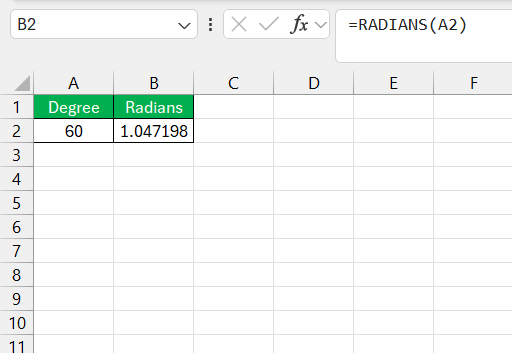
The result will give you approximately 1.047 radians.
You can also multiply the degree value by PI()/180 to get the result in radians.
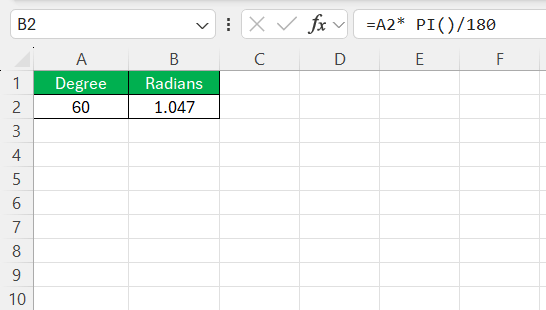
Methods to Solve Cos 2θ Equations in Excel
Now that we have the basics of the COS function and converting degrees to radians, let’s talk about calculating COS².
There is no direct COS² function in Excel, but squaring the result of the COS function is easy. All we need to do is take the result of =COS(number) and square it using the ^ (power) operator.
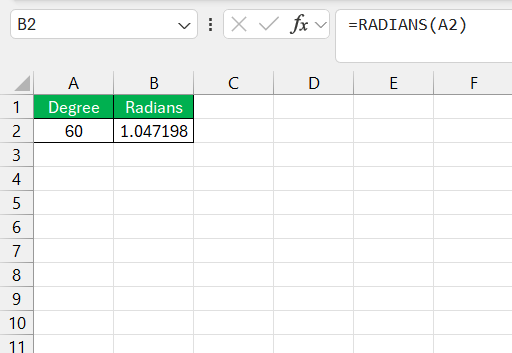
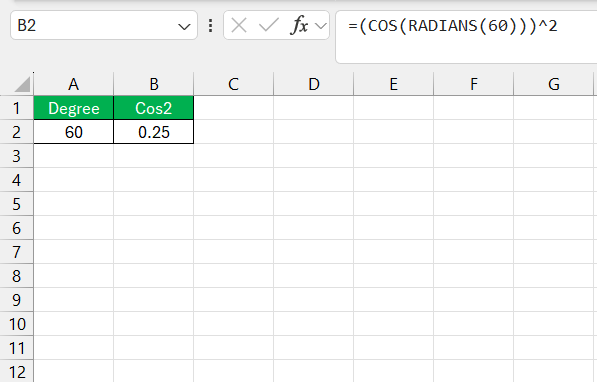
STEP 1: Converting Degrees to Radians: Since Excel’s trigonometric functions work with radians, you first need to convert your degree value (if you’re working with degrees). In the example, we used RADIANS(60) to convert 60 degrees to radians.
STEP 2: Calculating the Cosine: Once the value is in radians, the COS function can calculate the cosine of the angle. In our example, COS(RADIANS(60)) returned 0.5.
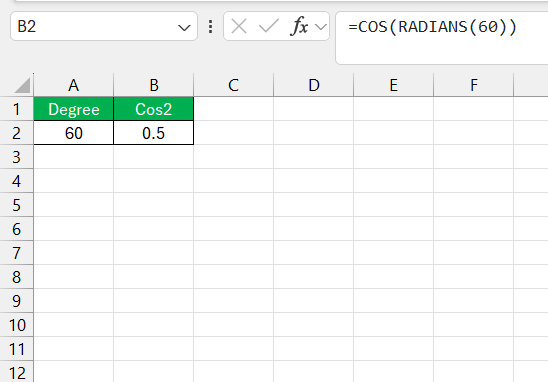
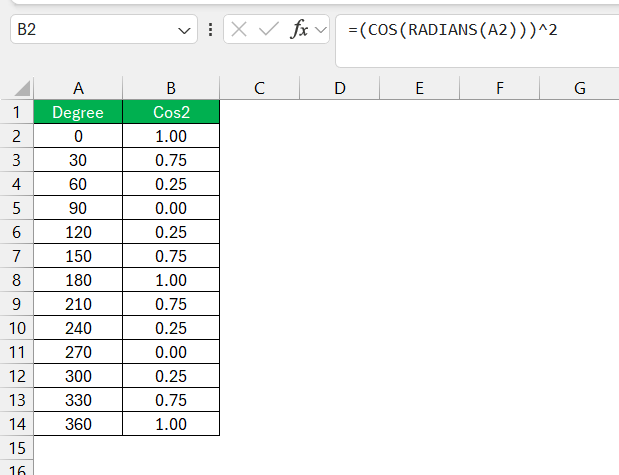
STEP 3: Squaring the Cosine: To get COS², simply square the result of the cosine function by raising it to the power of 2 using ^2. In our example, (COS(RADIANS(60)))^2 gives us 0.25.
Practical Tips
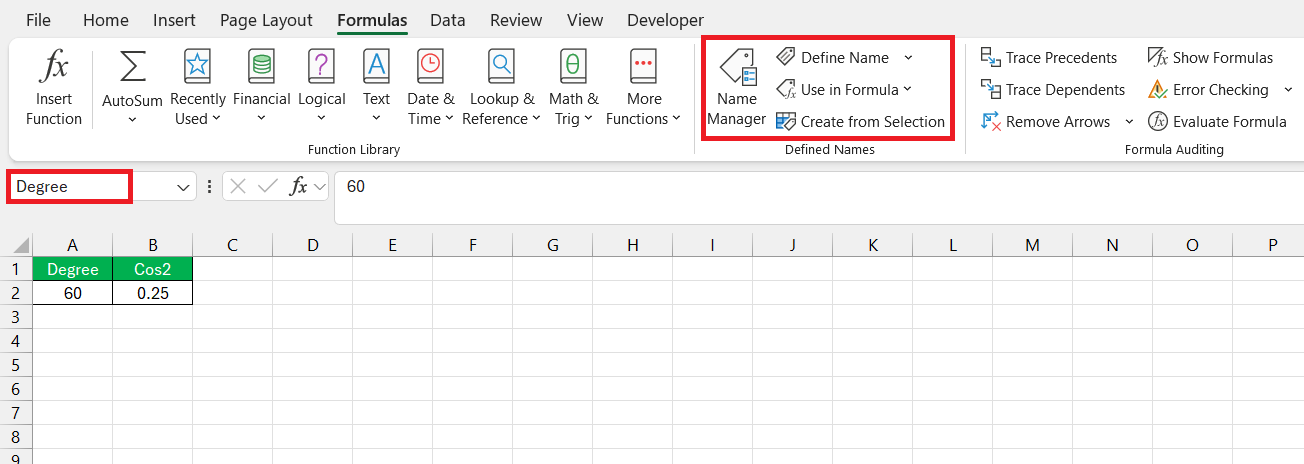
- Using Named Ranges: Instead of typing the angle or using a cell reference, you can set up a named range. This will help you to easily use the named range to create formulas.
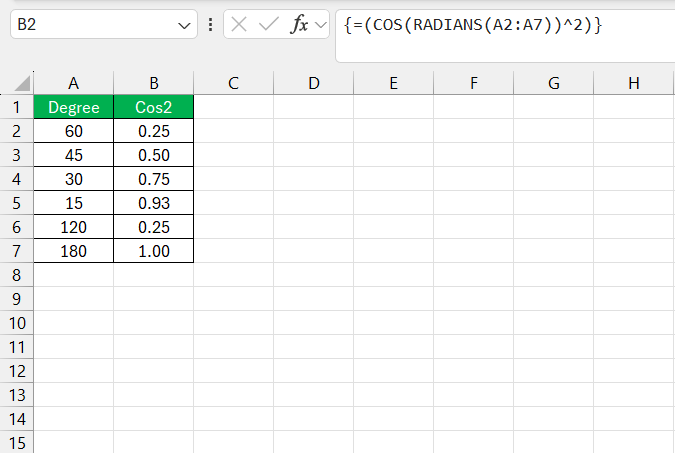
- Array Formulas: You can use an array formula to calculate COS² for multiple angles at once. In the argument for COS function, enter the entire range containing the angles.
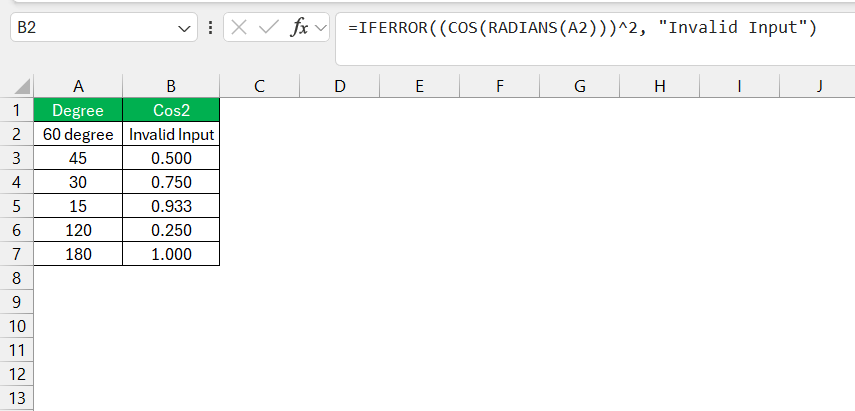
- Handling Errors: When working with trigonometric functions, it’s possible to encounter errors if the input values are incorrect or out of expected ranges. You can use the
IFERROR()function to handle any potential errors in your COS² calculations. Here’s an example:
Plot COS² in a Graph
Excel allows you to create charts based on the COS² values you calculate.
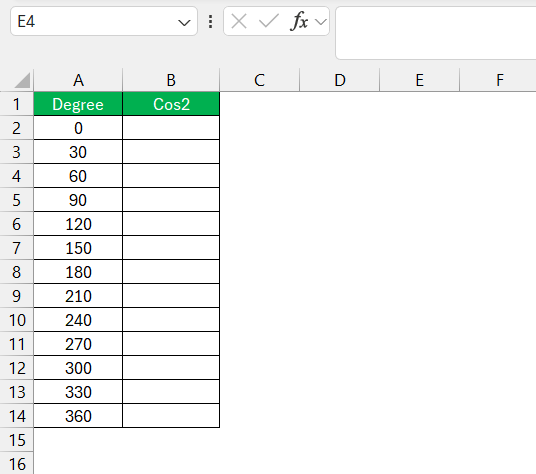
- Input a Range of Angles: List a series of angles (in degrees) in column A, say from 0 to 360 degrees, in increments of 30.
- Calculate COS² for Each Angle: In column B, calculate the cos 2 for each angle using the method I’ve described above.
- Create a Scatter Plot: Select the data in columns A and B, and insert a scatter plot. This will give you a visual representation of the COS² values for the corresponding angles.
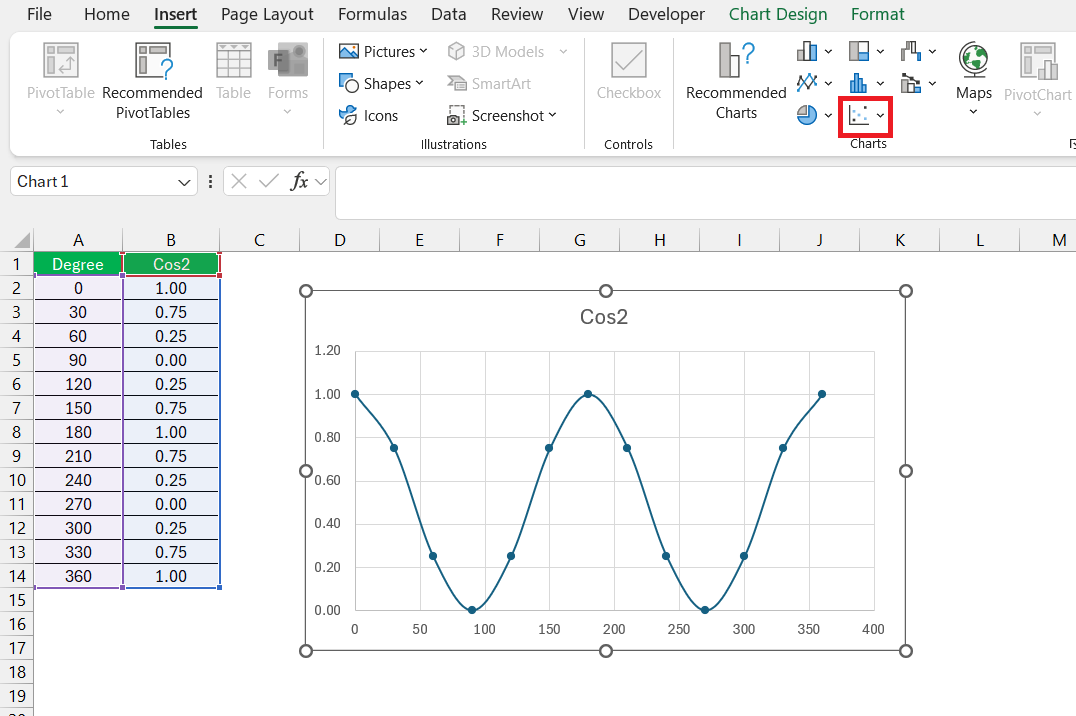
This graph will show you how the value of cos2 changes when the angle changes.
FAQs
What is COS 2 in trigonometry formulas?
COS 2 refers to the cosine function evaluated at twice an angle.
How to find COS 2θ?
To find the value of cos 2, use this formula:
cos 2θ = 2 cos2θ – 1
What Is the Difference Between COS and ACOS Functions?
The COS function calculates the cosine of an angle. Whereas the ACOS function calculates the angle given the cosine value.
How to Troubleshoot Incorrect Results in Trig Calculations?
To troubleshoot incorrect results in trig calculations, check the following:
- Check that the angle entered is in radians.
- Confirm the accuracy of input data.
- Check that the formula entered is correct.
What is Sin Function in Excel?
The sin function gives the ratio of the length of the opposite side to the hypotenuse in a right-angled triangle.

John Michaloudis is a former accountant and finance analyst at General Electric, a Microsoft MVP since 2020, an Amazon #1 bestselling author of 4 Microsoft Excel books and teacher of Microsoft Excel & Office over at his flagship MyExcelOnline Academy Online Course.

 30 Days - Full Access









