 Free Practice Workbook
Key Takeaways:
- Excel does not have a built-in function to find the longest text.
- The LEN function can be used to count all the characters in a cell.
- You can combine the MAX and LEN functions to find the longest text string in Excel.
- You can use the INDEX and MATCH functions to get the actual text.
- You can use the TRIM and CLEAN functions to clean your dataset.
Table of Contents
Methods to Find the Longest Text
LEN Function
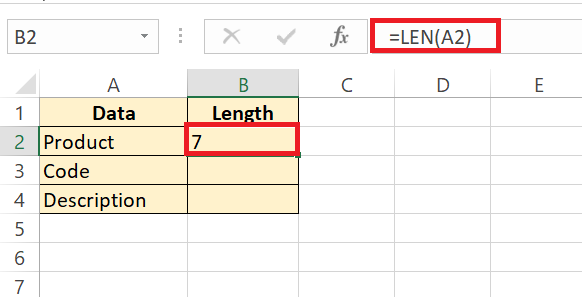
The LEN function is used to measure the length of the text strings. It returns the total number of characters in the cell. Follow the steps on how to use the LEN function in Excel:
STEP 1: Enter text in Column A.
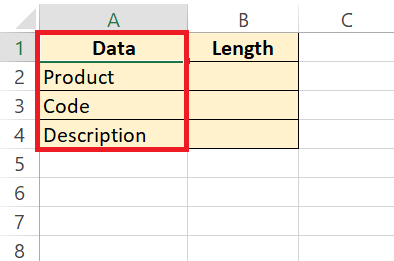
STEP 2: Enter the LEN formula in column B. It will return the length of the text string in each cell.
STEP 3: Drag the formula down to copy it to the rest of the column.
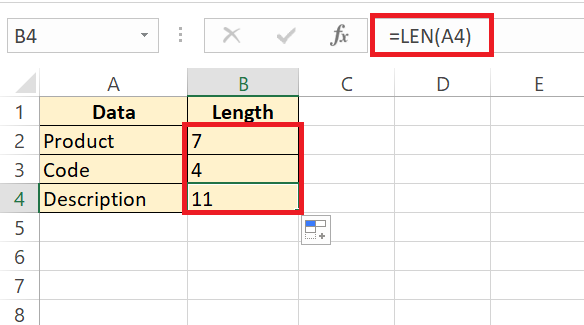
With these simple steps, you can quickly measure the length of text strings in Excel using the LEN function, helping you analyze your data more effectively.
Remember, LEN includes letters, numbers, special characters, and even spaces in its count. So, when you’re scrutinizing your cell data for length, LEN doesn’t miss a beat.
Create Formulas for Maximum Length
When you want to find the longest piece of text in a column or range, crafting the right formula is key. Use the dynamic duo of the LEN and MAX functions. Together, they can find the maximum length of your strings with precision. With MAX finding the length of each entry as determined by LEN, you’re able to pull out the lengthiest text from your data set.
STEP 1: Enter Your Data: Input your text data into a column in Excel.
Let’s say you have a dataset like this:
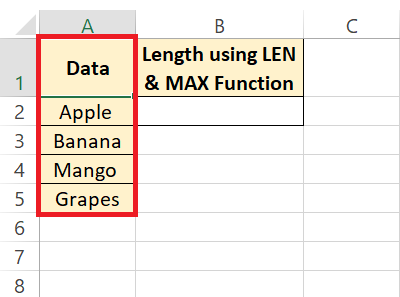
STEP 2: Apply the Formula: In an empty cell, enter the formula “=MAX(LEN(A2:A5))”. This formula combines the LEN function to calculate the length of each text string in the range A2:A5, and the MAX function to identify the maximum length among them.
After entering the formula, press Enter. Excel will display the length of the longest string in the specified range.
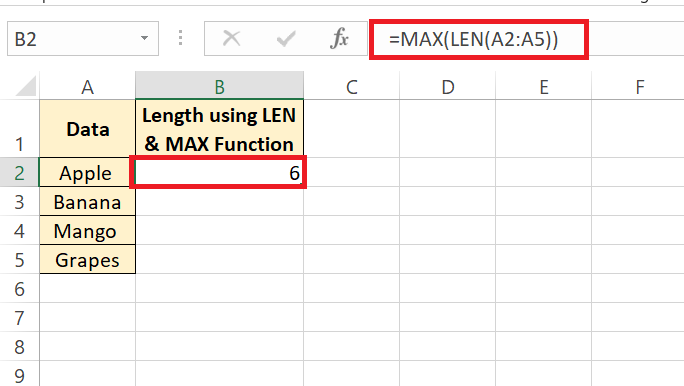
By following these steps, you can quickly find the longest piece of text in a column or range using the dynamic duo of the LEN and MAX functions in Excel.
It may take a little tweaking and combining with other functions, such as INDEX and MATCH or the newer FILTER function, for more complex datasets. But once you’ve mastered this craft, sifting out the longest string becomes a breeze.
Step-by-Step Guide to Find the Longest String
Array Formulas
Array formulas can be used to perform multiple calculations on more than one set of values. They can return either a single value or multiple results. Array functions can search through columns of data to find the maximum length of the text string.
Let us look at an example of a dataset of a marketing firm:
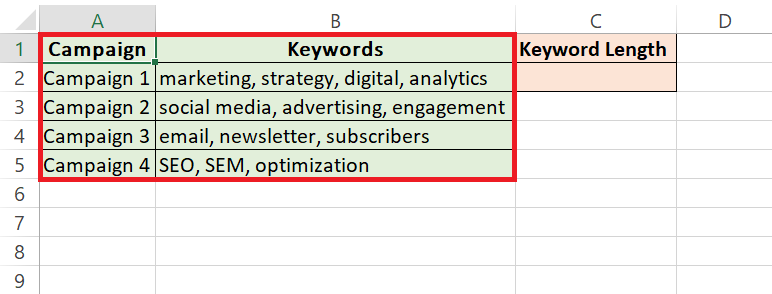
Follow the steps below to use array formulas to get the maximum length:
STEP 1: Use the LEN function in an array form to calculate the length of each keyword string.
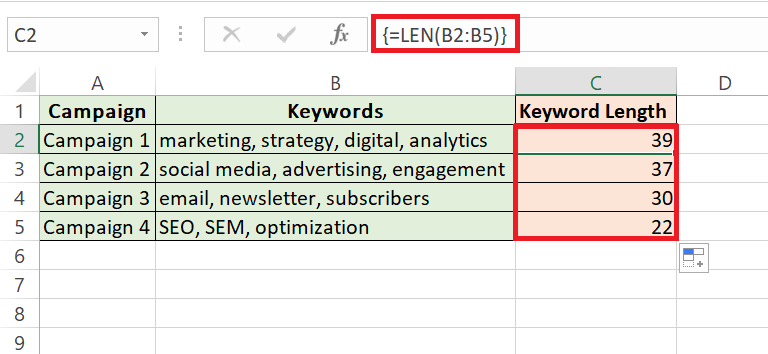
STEP 2: Use the MAX function to find the maximum length among different keywords.
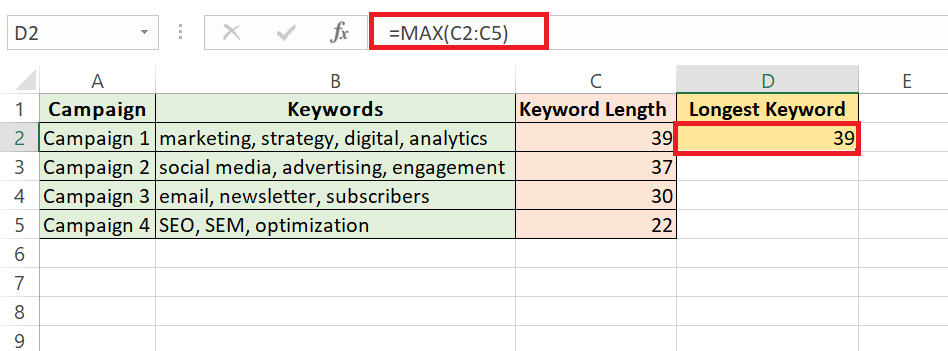
STEP 3: Use the INDEX and MATCH function to get the actual longest keyword used.
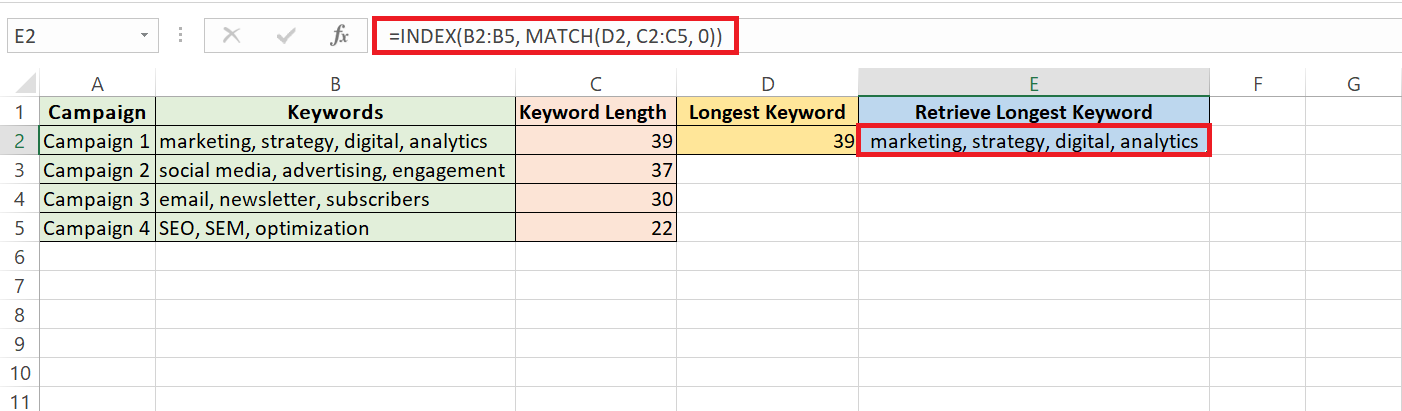
By following these steps, you can easily identify which keywords have the maximum length.
Overcome Common Problems
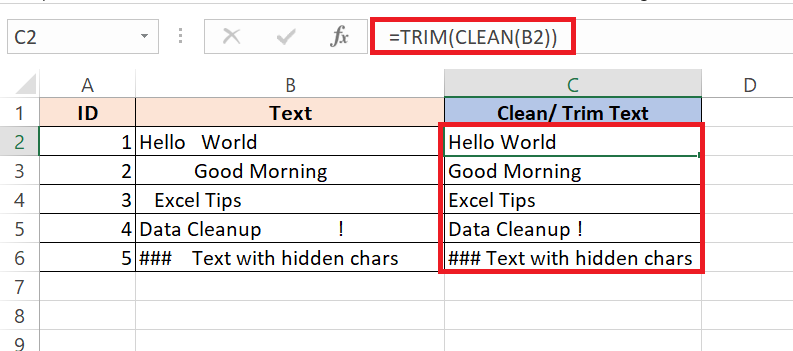
When working with text lengths in Excel, you may find extra spaces or hidden characters in your text. You can use the TRIM to eliminate extra spaces and the CLEAN function to remove non-printable characters.
Here’s a sample dataset:
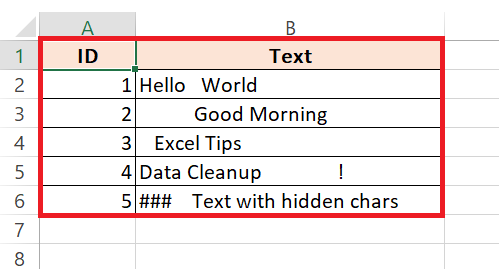
Use TRIM and CLEAN functions to remove extra spaces and non-printable characters.
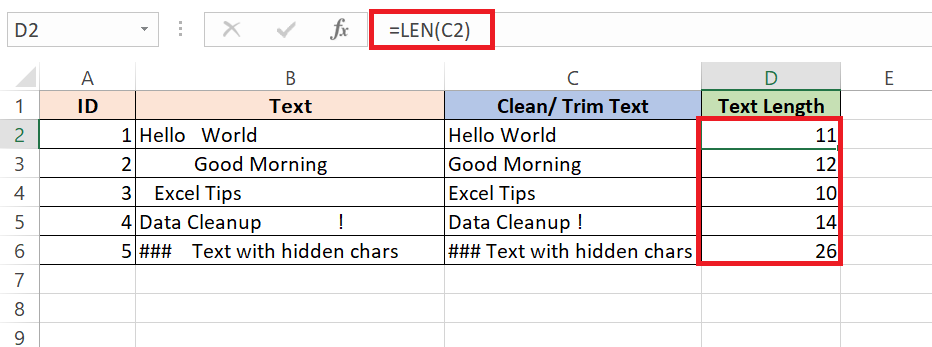
In another column, use LEN function to calculate the length of the cleaned text.
Advanced Techniques
FILTER and XLOOKUP
These two functions are two powerful functions that are used for data searches.
- The FILTER function is used to extract only the data that meets a specific criterion.
- The XLOOKUP function allows you to search for a text and return its corresponding value. This works without the limitations of VLOOKUP.
In this table, we have two columns – ID and Text.
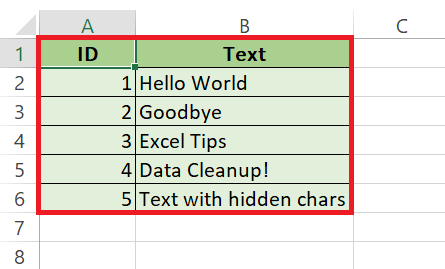
Use this formula to display text strings that are more than 10 characters:
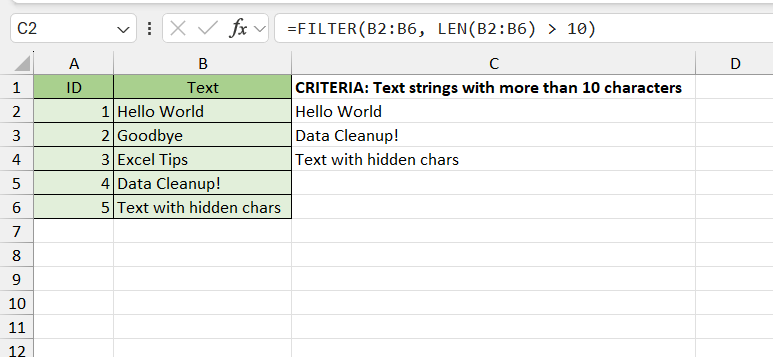
Discovering the longest string with these functions is smoother as they can replace complex array formulas, offering a more readable and maintainable approach in your worksheets.
MATCH and INDEX
The MATCH and INDEX functions may be the old guard of Excel, but they haven’t lost their edge in finding strings. MATCH scans through a range to find a specified item and returns its position, while INDEX retrieves the value at a given position in a range. When combined, they become a formidable pair for pinpointing the longest string in a list.
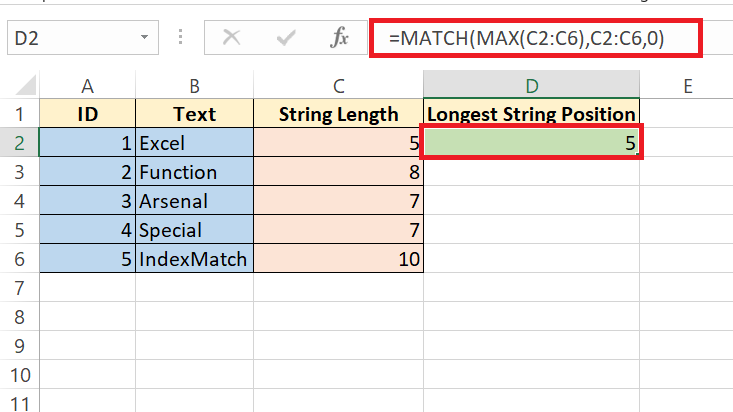
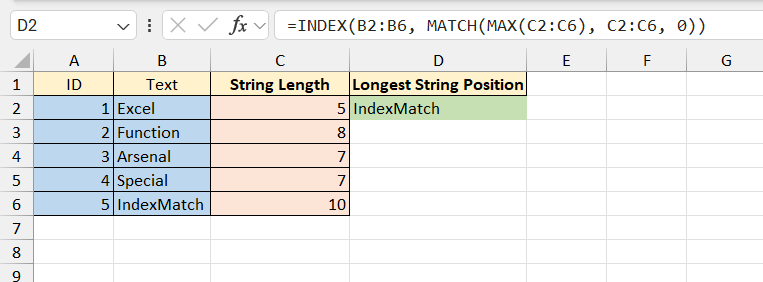
Follow the steps below to use INDEX and MATCH to find the longest text string in Excel:
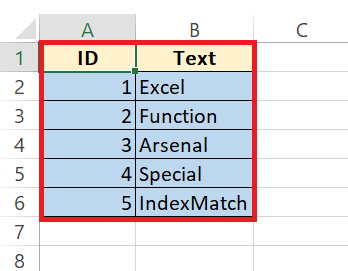
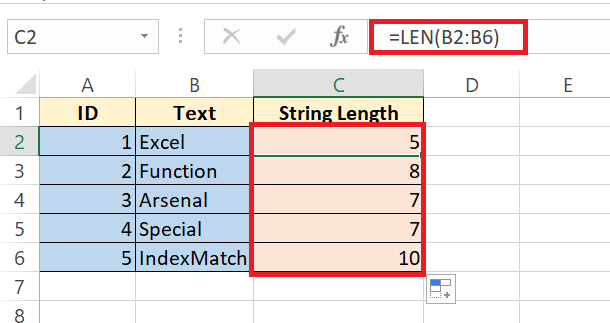
Use the LEN function to get the length of each string.
Use the MATCH formula to get the position of the longest text string.
Use the INDEX function to get the longest text string.
FAQs
How to automate the process of finding the longest text in Excel?
First, create a formula to find the longest text in Excel in a column. Then, just copy and paste the formula to other columns or simply use the fill handle. You can also record a macro to easily automate the process.
What are the limits when searching for the longest string in a column?
Excel can store a maximum of up to 32,767 characters in a cell. If the number of characters in the cell is within that limit, the LEN function will be able to find the length of the character.
Which formula can be used to find the maximum character length in Excel?
To find the longest text in Excel, use the formula:
=MAX(LEN(range))

John Michaloudis is a former accountant and finance analyst at General Electric, a Microsoft MVP since 2020, an Amazon #1 bestselling author of 4 Microsoft Excel books and teacher of Microsoft Excel & Office over at his flagship MyExcelOnline Academy Online Course.

 30 Days - Full Access









