 Free Practice Workbook
Excel is a great platform to explore age calculations in days, years, months, and even fractional components. In this article, you will learn how to calculate how many days I have been alive.
Key Takeaways:
- Excel can calculate age in days, months, years, and even decimal values.
DATEDIFandYEARFRAChelp you measure time between two dates easily.- Correct date format is important to avoid calculation errors.
- Clean and organized data improves accuracy and reduces mistakes.
- Age calculations are useful in real-life fields like HR, healthcare, and insurance.
Table of Contents
Basics of Age Calculation in Excel
Understand Date Formats
Dates in Excel are stored as serial numbers, with each integer representing a day. For example, January 1, 1900, is stored as 1. For correct calculations, we need to recognize the regional settings that may affect date input and display.
Common date formats like MM/DD/YYYY and DD/MM/YYYY can vary based on location and settings. So, it is important to set a consistent format before performing calculations.
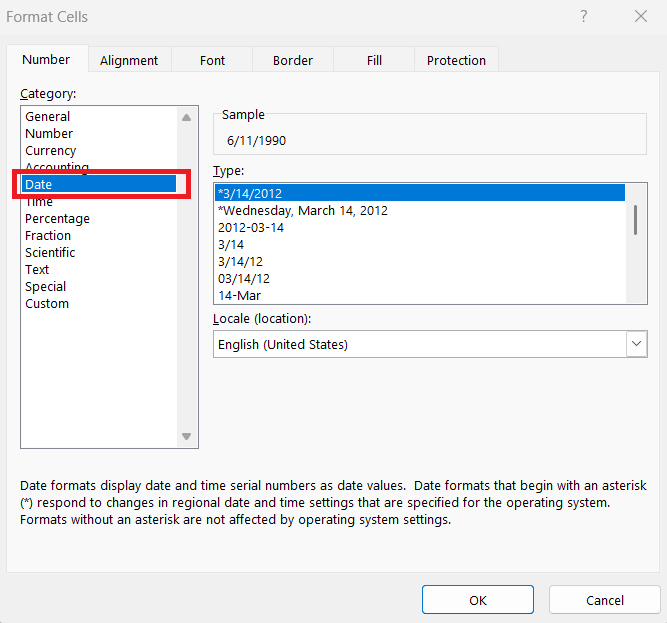
- Right-click on the cell containing the date.
- Select Format Cells
- Select Date
- Select an appropriate date format.
Set Up Your Data
- We should organize our date data into clearly named columns. This makes it easier to reference and avoid errors when creating formulas.
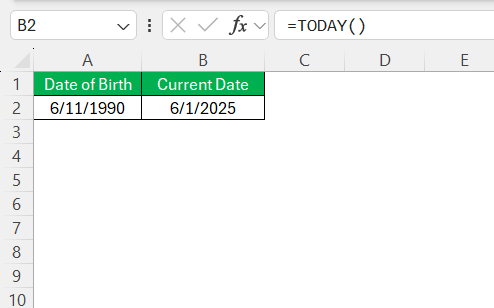
- Next, we should remove any extraneous data or empty rows within the dataset.
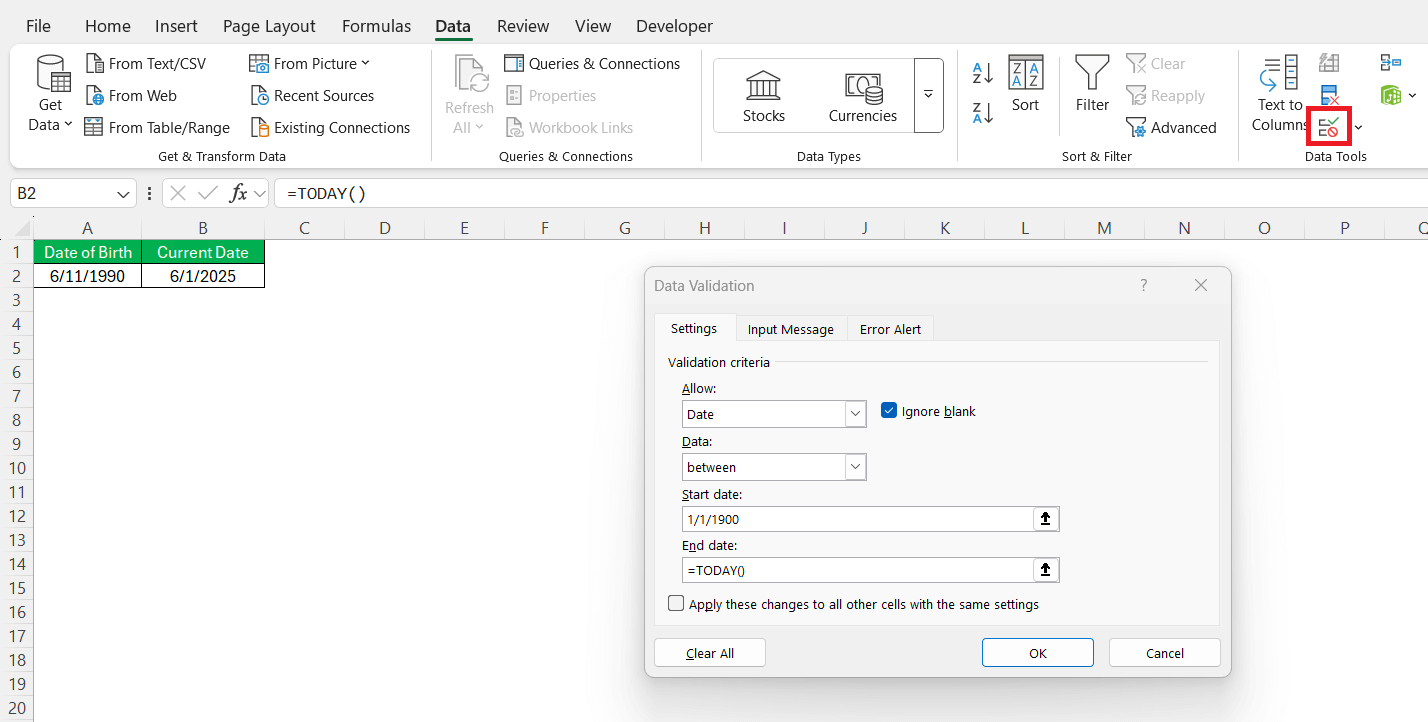
- Finally, using Excel features like data validation can confirm that all entries are valid dates, preventing incorrect calculations due to mistyped entries.
Excel Formulas for Calculating Days Alive
The DATEDIF Function
The DATEDIF function in Excel is a useful tool for calculating the difference between two dates. It is handy for breaking down the time interval into years, months, or days.
=DATEDIF(start_date, end_date, interval_unit)
start_date and end_date – two dates between which we want to calculate the difference.
interval unit – Y for years, M for months, and D for days.
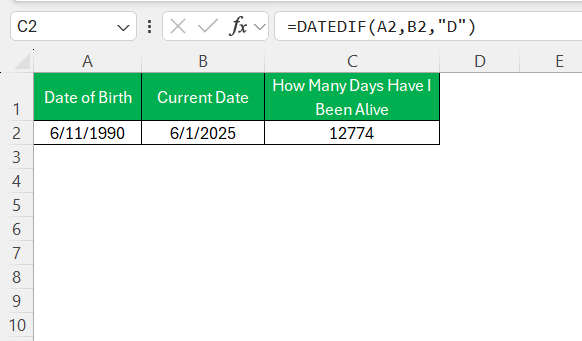
It is important to note that the DATEDIF function is not listed in Excel’s Formula Autocomplete. Make sure that both dates are input correctly, and neither is earlier than Excel’s date system start (January 1, 1900).
YEARFRAC Function
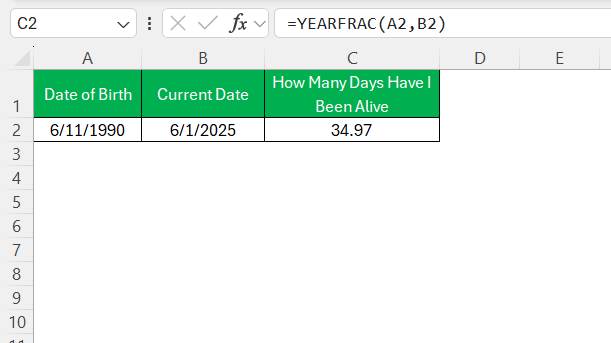
The YEARFRAC function serves as a versatile tool for calculating age in Excel. It calculates the difference between two dates as expressed in fractional years. It is particularly useful when the exact age in years and months is needed.
=YEARFRAC(start_date, end_date)
User-Defined Functions
User-Defined Functions (UDFs) allow us to provide solutions to complex matters. By leveraging Visual Basic for Applications (VBA), we can create functions that suit our specific needs, such as custom age calculations.
STEP 1: Press Alt + F11 to open the VBA Editor.

STEP 2: In the editor, click Insert > Module.

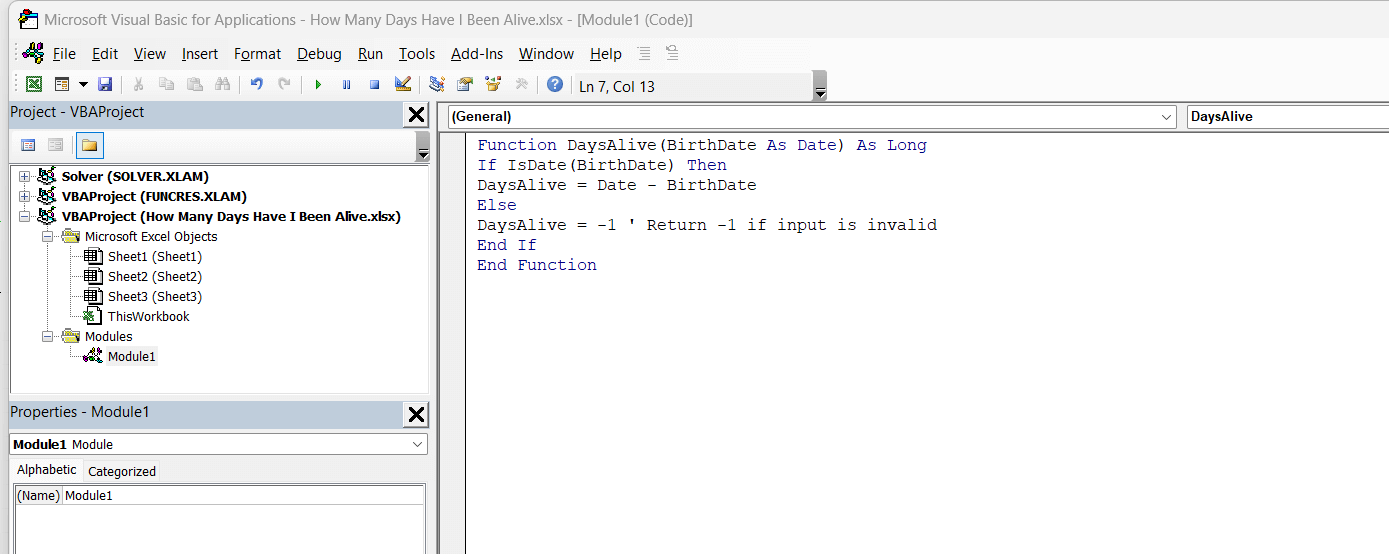
STEP 3: Write the UDF Code.
Function DaysAlive(BirthDate As Date) As Long
If IsDate(BirthDate) Then
DaysAlive = Date - BirthDate
Else
DaysAlive = -1 ' Return -1 if input is invalid
End If
End Function
STEP 4: Close the VBA Editor and Save.
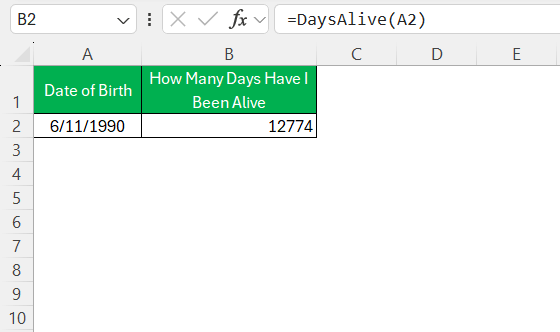
STEP 5: Use this Function in Excel
=DaysAlive(A2)
FAQs
How many days have I been alive?
To calculate how many days you’ve been alive, subtract your birthdate from the current date using Excel’s DATEDIF function
=DATEDIF(birthdate, TODAY(), "D"))
How can I calculate age from birthdate in years?
Use the DATEDIF function in Excel to calculate age in years.
=DATEDIF(birthdate, TODAY(), "Y")
How many weeks have I been alive?
To calculate how many weeks you’ve been alive, use Excel’s DATEDIF function for total days, then divide by 7.
=INT(DATEDIF(birthdate, TODAY(), "D")/7)
What’s the difference between DATEDIF and YEARFRAC?
The DATEDIF function counts the difference between two dates in whole units like years, months, or days. The YEARFRAC function calculates the exact fraction of a year between two dates.
Why is my date calculation in Excel giving wrong results?
This usually happens due to inconsistent date formats or invalid entries. Always check regional settings and use the ‘Format Cells’ option to standardize date columns before applying formulas.

John Michaloudis is a former accountant and finance analyst at General Electric, a Microsoft MVP since 2020, an Amazon #1 bestselling author of 4 Microsoft Excel books and teacher of Microsoft Excel & Office over at his flagship MyExcelOnline Academy Online Course.

 30 Days - Full Access









