 Free Practice Workbook
When it comes to tracking special dates like my birthday, Excel has always been my go-to tool. It’s incredibly versatile and easy to set up a calculation that tells me exactly how many days until my birthday. Let me walk you through the steps to create this in Excel.
Key Takeaways:
- Tracking special dates like birthdays in Excel can help you plan.
- The TODAY function can be used to automate the countdown process.
- Customizing displays with text, formatting, or visuals enhances clarity and enjoyment.
- Linking Excel with external calendars synchronizes reminders across devices.
- Adaptable features like workday-specific countdowns or event tracking extend Excel’s utility beyond birthdays.
Table of Contents
How Many Days until my Birthday
Input Your Birthday
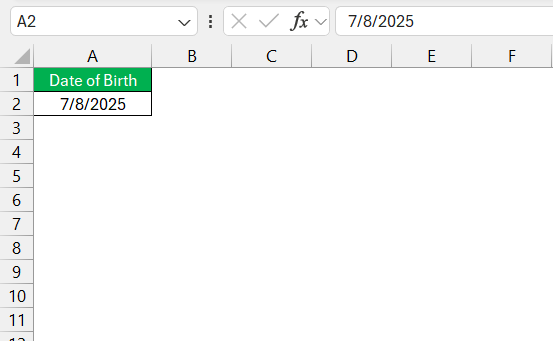
The first step will be to input your birthday in a cell. Make sure that it is formatted to date type.
Calculate Countdown
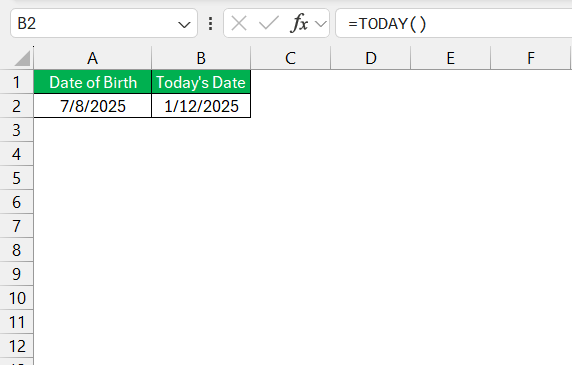
To calculate the countdown to my birthday in Excel, I use a simple formula. In a new cell, I subtract the current date from my birthday using the TODAY() function.
The formula looks something like this: =IF(A2<B2, DATE(YEAR(B2)+1, MONTH(A2), DAY(A2)),A2)-B2
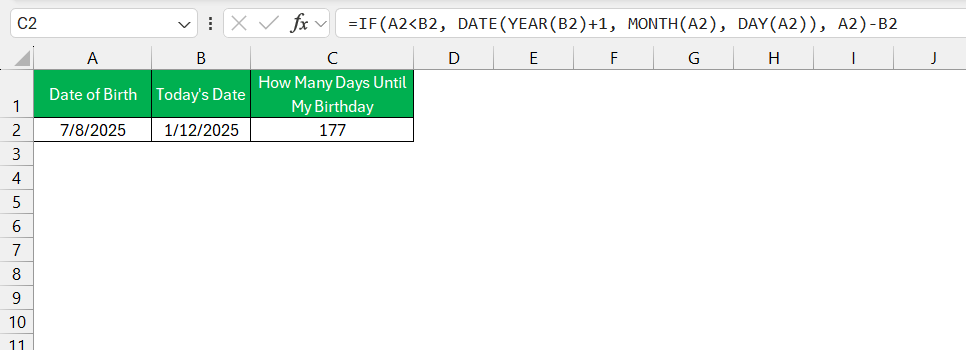
This automatically provides the number of days remaining until my special day. If my birthday has already occurred this year, I add 1 to the year part of my birth date to calculate the countdown to my next birthday.
Customizing Your Excel Sheet for Personal Use
Format Your Countdown Display
To make the countdown look good and easy to understand, follow the steps below:
- Select the cell with the countdown formula
- Right-click on it.
- Select Format Cells.
- Choose a Number format.
This will display the countdown in whole numbers, not partial days.
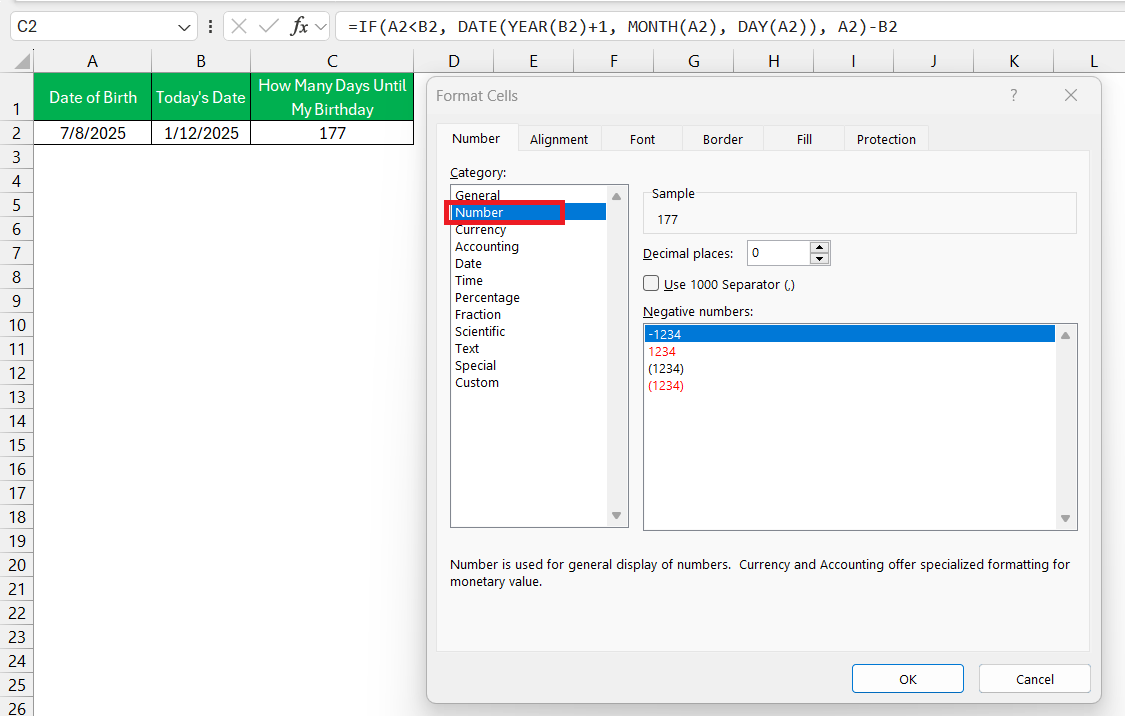
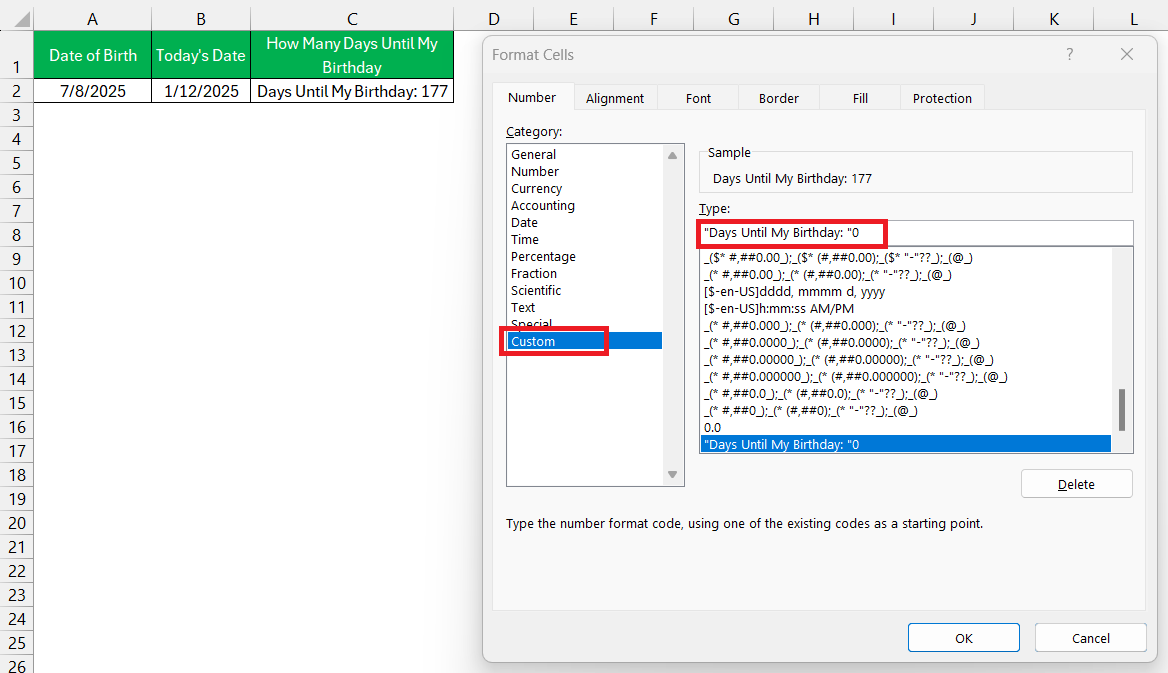
You can also select Custom and add the text “Days Until My Birthday: “0
Reminders and Alerts
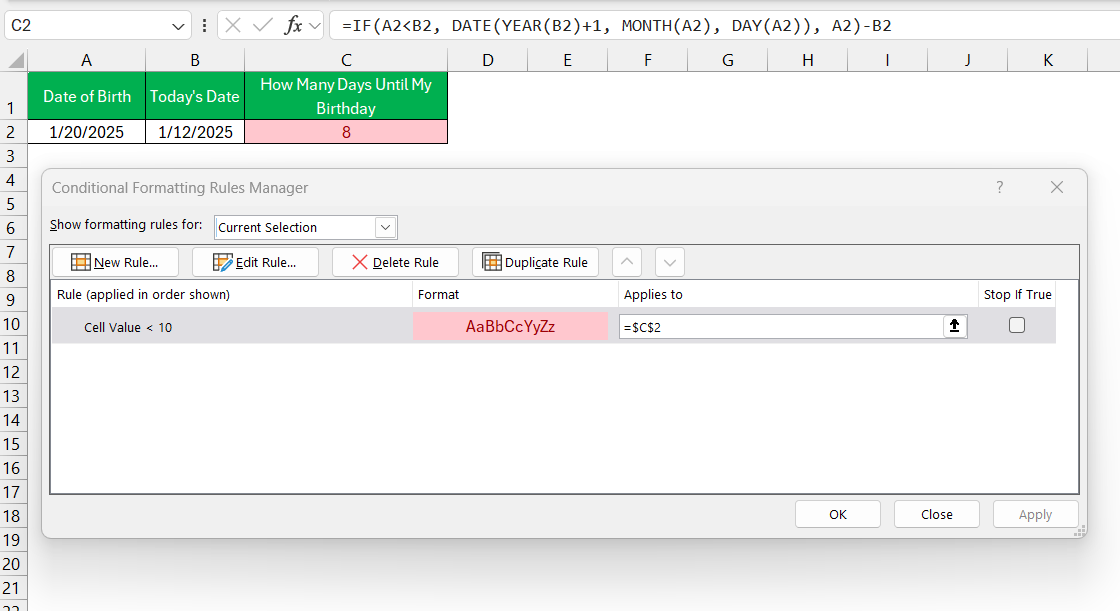
Excel can be used to set up reminders and alerts as the birthday approaches. Excel cannot sedn notification, but conditional formatting can be used to change the color of the cell when the date approaches.
Under conditional formatting, you can set rules such as “If the number of days is less than 10, turn the cell background color to red,” signaling that the date is close.
FAQ
How to get the days until your birthday in Excel?
To calculate the days until your birthday, follow the steps below:
- Input your birth date in a cell.
- Use the formula
=IF(A2<TODAY(), DATE(YEAR(TODAY())+1, MONTH(A2), DAY(A2)), A2)-TODAY()
This formula will calculate the countdown from today’s date.
How to customize the countdown?
Follow the steps below to apply a custom format:
- Right-click on the cell and select Format Cells.
- Choose Custom.
- Type “Days Until My Birthday: “0
Can Excel send me reminders?
Excel cannot send out notifications, but you can use conditional formatting to highlight the countdown. You can format the cell to change color when the countdown is less than 10 days.
How to calculate days between dates in Excel?
You can calculate the days between two dates by subtracting them. If the project due date is in cell A1 and today’s date is in cell A2. You can use the formula = A1 – B1 to get the remaining days.

John Michaloudis is a former accountant and finance analyst at General Electric, a Microsoft MVP since 2020, an Amazon #1 bestselling author of 4 Microsoft Excel books and teacher of Microsoft Excel & Office over at his flagship MyExcelOnline Academy Online Course.

 30 Days - Full Access









