 Free Practice Workbook
Outliers are unusual data points that are far away from the rest of the observations. They can significantly skew the data and lead to wrong conclusions. In this article, we will learn different ways to find outliers in Excel.
Key Takeaways:
- Outliers are values that are much higher or lower than the rest of the data.
- They can distort averages.
- Conditional formatting helps you quickly spot unusual values.
- The IQR method is a reliable way to identify outliers using quartiles.
- Z-scores and box plots give a deeper and more accurate analysis.
Table of Contents
Introduction to Outliers in Excel
What is an Outlier?
An outlier is a data point that is significantly higher or lower than the rest of the data. For example, if the average score of students is between 60 and 80, and one student scores 5, it will be considered an outlier.
An outlier can be an error, a unique occurrence, or an important anomaly. Outliers have the potential to severely distort statistical metrics, skew visualizations, and lead to misleading conclusions. Hence, tackling outliers methodically in datasets is paramount for precise and reliable results.
Why Finding Outliers Matters?
Outliers in Excel can play a disruptive role in data analysis.
- It can artificially inflate or deflate the mean.
- It can help identify errors in data.
- Cleaner data leads to smarter conclusions
How to Find Outliers in Excel
Using Conditional Formatting
Conditional Formatting in Excel is a swift and visually intuitive method for detecting outliers.
STEP 1: I begin by selecting the range of cells to examine.
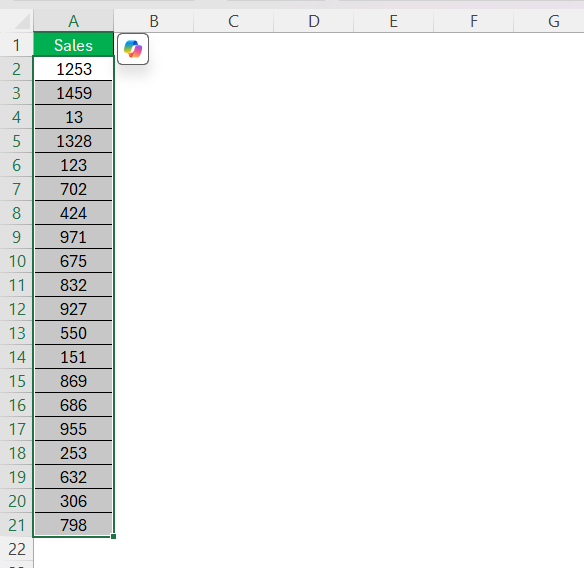
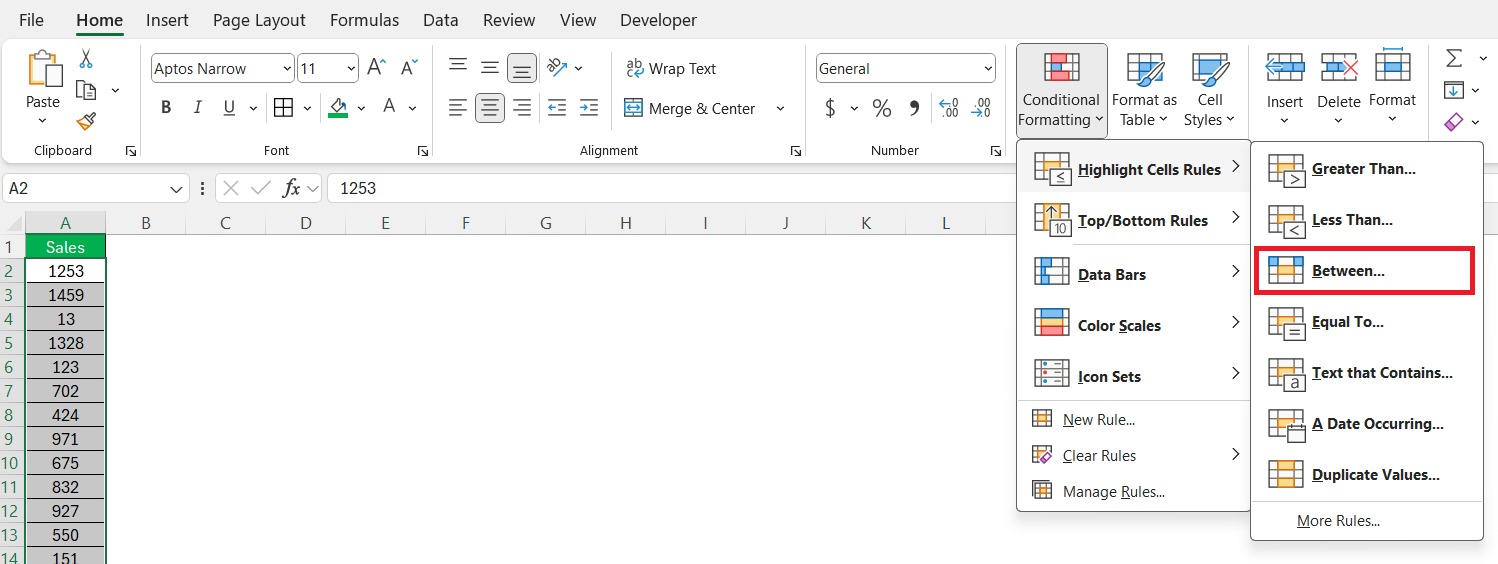
STEP 2: On the Home tab, I click on Conditional Formatting and choose ‘Highlight Cell Rules’. Depending on what I’m searching for, I select ‘Between’.
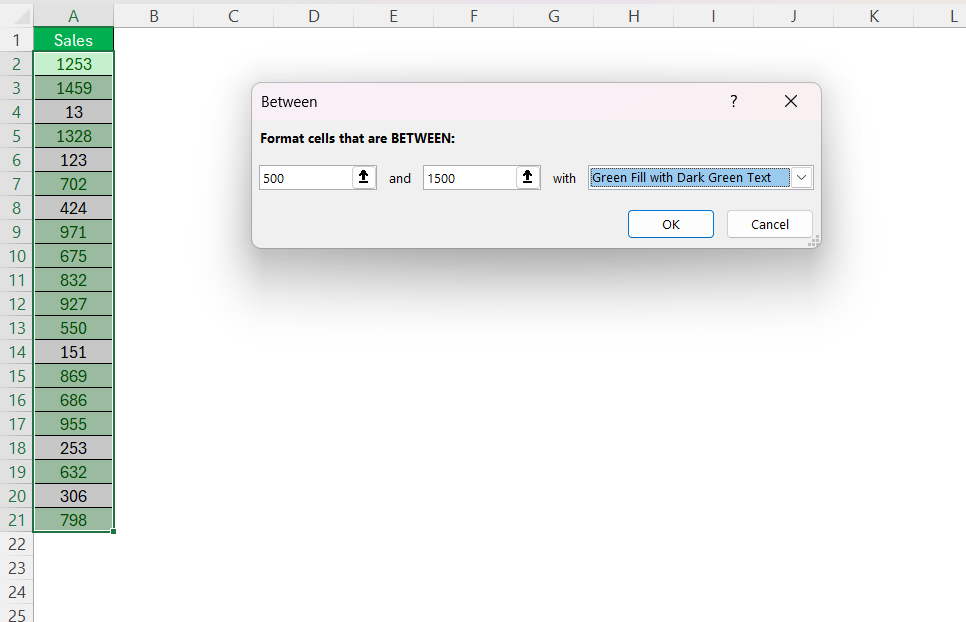
STEP 3: I then enter a threshold value, say, anything greater than 500 if I believe most data is below 1500.
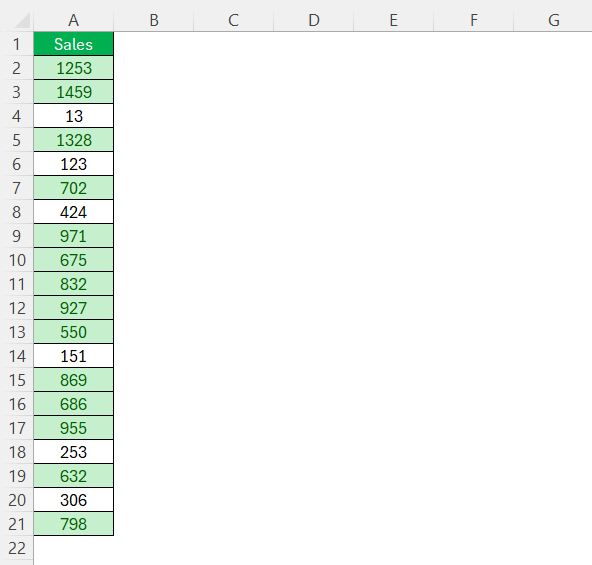
This is a fantastic method for a quick visual check that stands out for its simplicity and effectiveness.
Using the Interquartile Range (IQR) Method
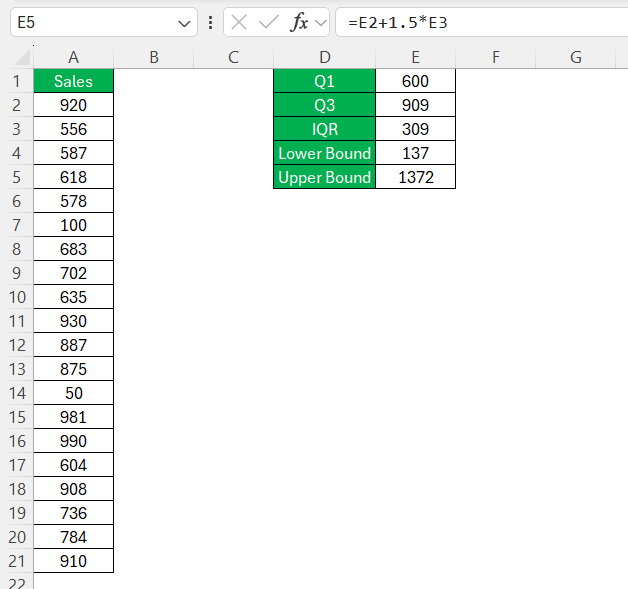
The IQR method is one of the most common ways to detect outliers. It identifies values that fall outside the range defined by the first quartile (Q1) and third quartile (Q3).
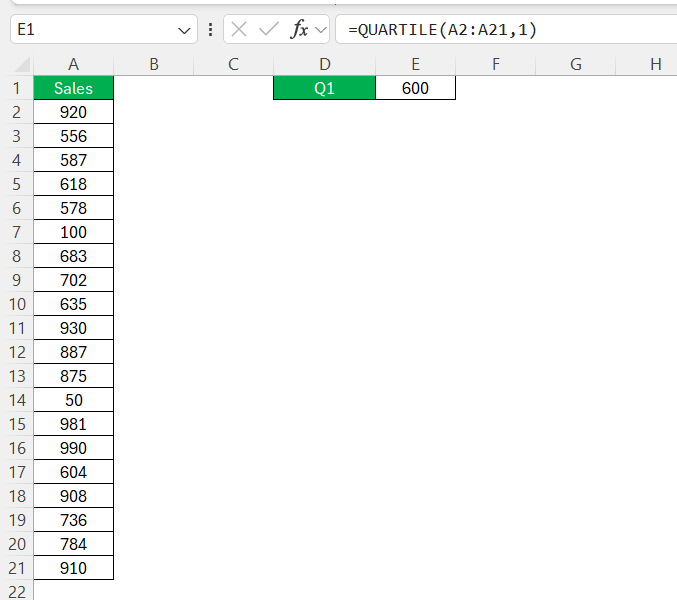
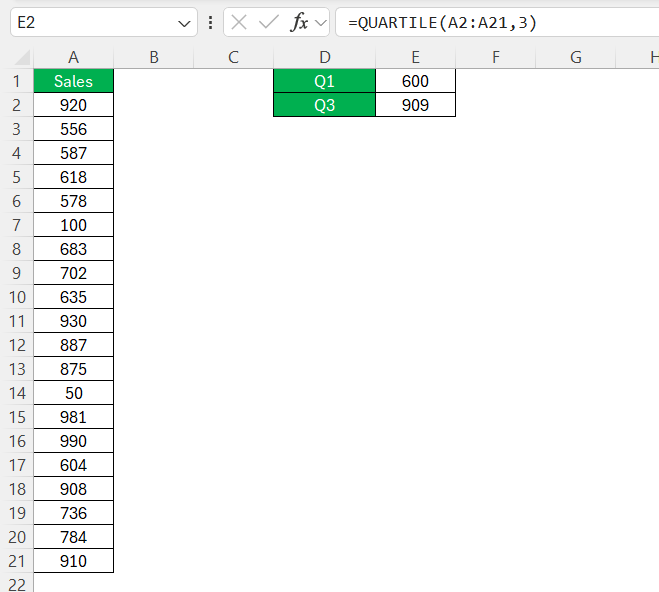
STEP 1: Use the following formulas to determine Q1 and Q3:
=QUARTILE(A2:A20,1) // Q1 (25th percentile)
=QUARTILE(A2:A20,3) // Q3 (75th percentile)
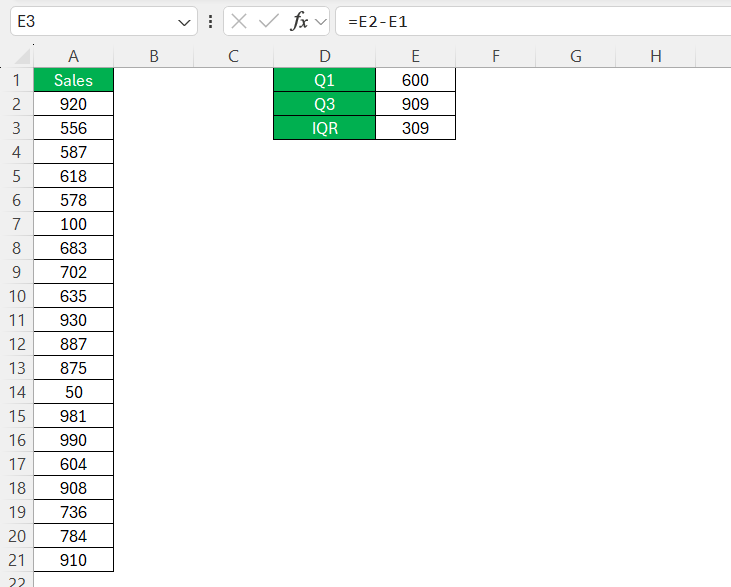
STEP 2: Compute the Interquartile Range (IQR)
=Q3 – Q1
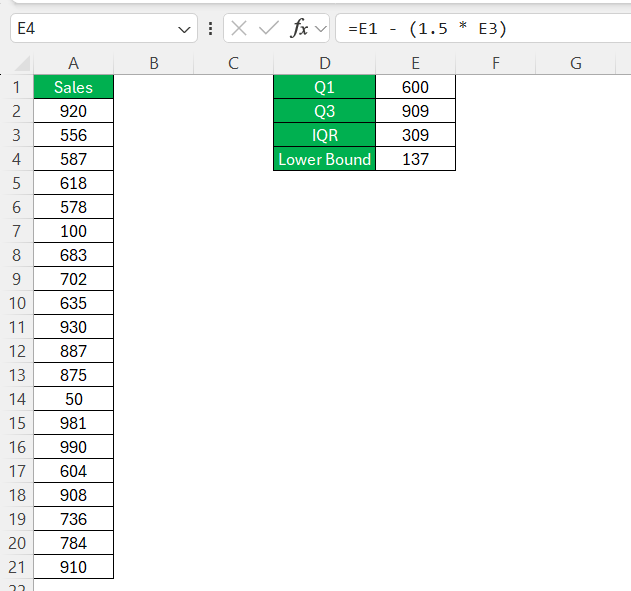
STEP 3: Determine the Outlier Boundaries
- Lower Bound:
Q1 - (1.5 * IQR)
- Upper Bound:
Q3 + (1.5 * IQR)
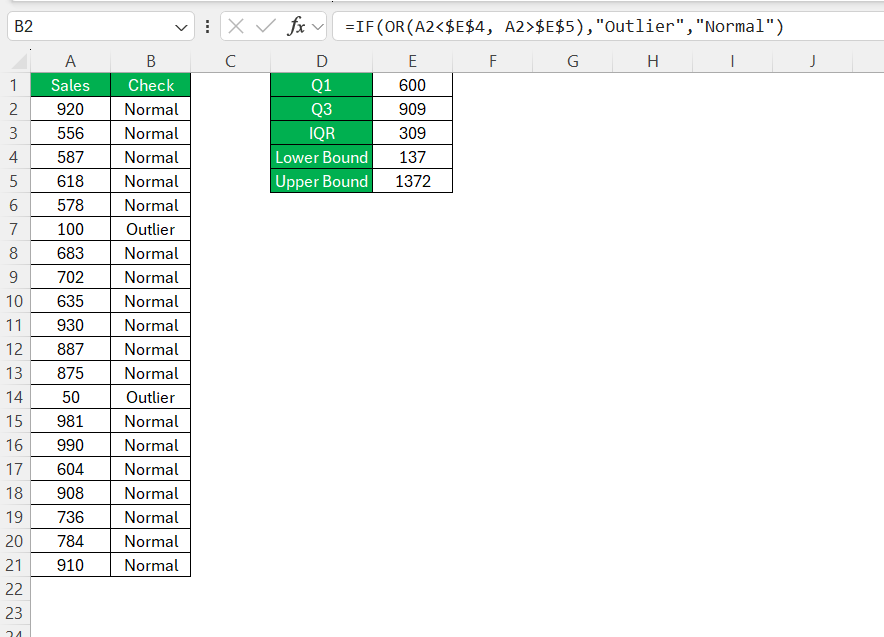
STEP 4: Use the formula below to check if a value is an outlier:
Advanced Methods for Outlier Detection
Standard Deviation and Z-Score
The Z-score method helps detect outliers by measuring how far a value is from the mean in terms of standard deviations.
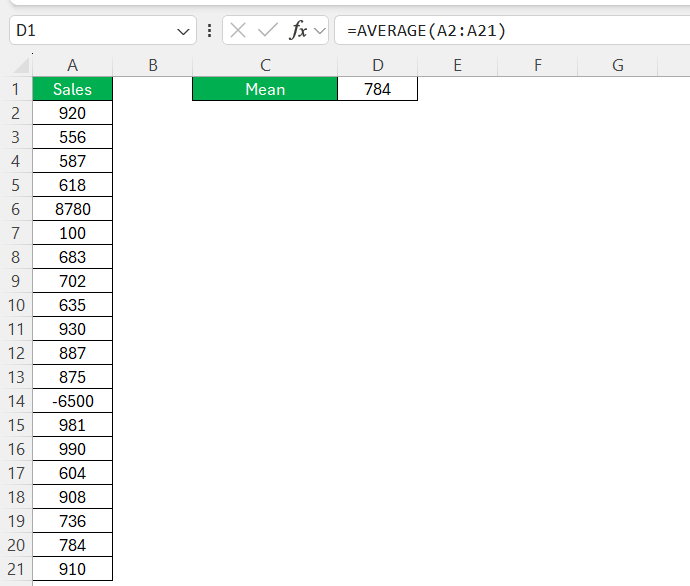
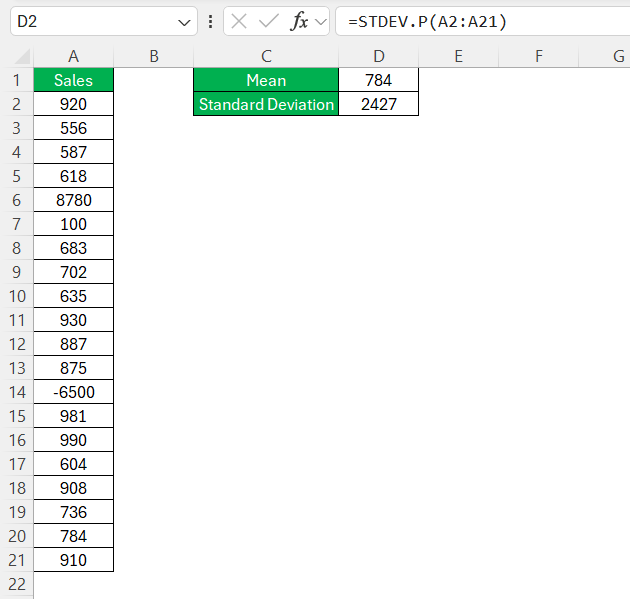
STEP 1: To start, I calculate the mean and standard deviation of my dataset, which provides me with a blueprint of data spread and variability.
Mean:
Standard Deviation:
STEP 2: Then, utilizing the Z-score formula (X - Mean) / Standard Deviation, I determine the number of standard deviations each data point is from the mean.
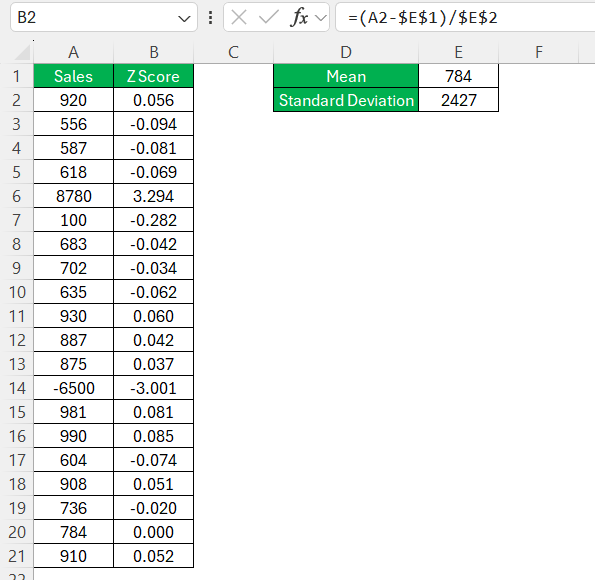
STEP 3: Observing the Z-score, any data point that yields a score beyond 3 or below -3, I consider as a potential outlier. This is based on the principle that in a standard normal distribution, about 99.7% of the data lies within three standard deviations from the mean.
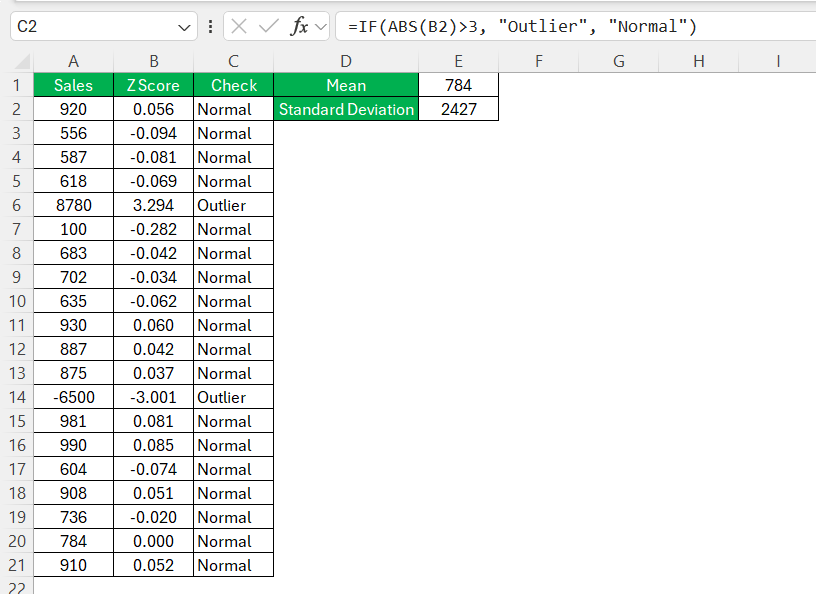
What I find fascinating about Z-scores is that they are dimensionless and hence allow for comparison between different datasets. Moreover, Z-scores standardize the identification of outliers regardless of the original scale of the data, which is invaluable when working with varying units or magnitudes.
This method doesn’t just flag the outliers but quantifies their ‘outlyingness’. It shows how extraordinary a data point is in the context of the rest of the data, making it an insightful approach for complex analysis.
Applying standard deviation and Z-scores provides a more mathematical and objective stance on what should be considered an outlier. This approach reinforces my strategy, particularly in datasets where precision is non-negotiable, like in scientific research or financial risk assessment.
Visual Tools for Outlier
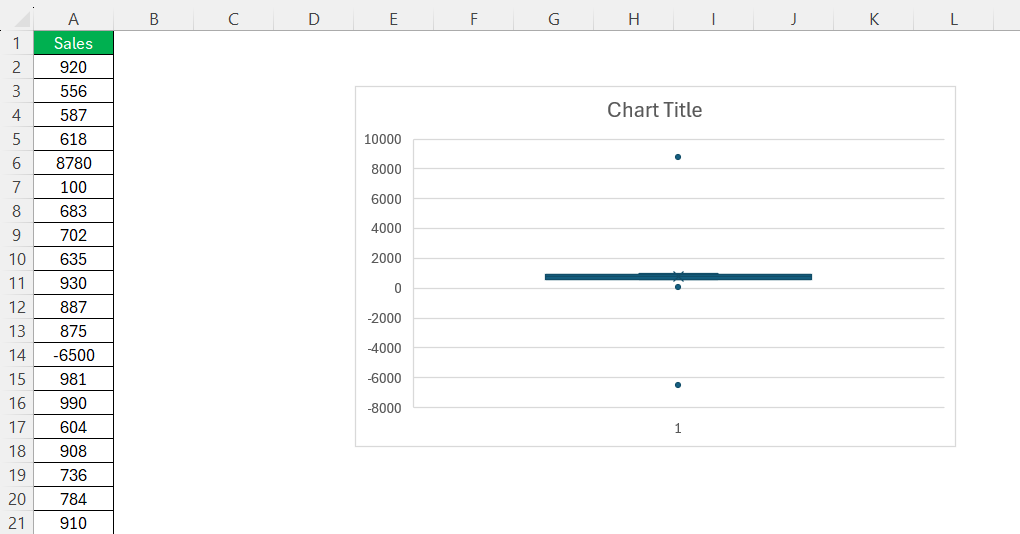
The Box and Whisker plot in Excel is a simple chart used to spot the median, quartiles, and potential outliers.
STEP 1: Select your dataset.
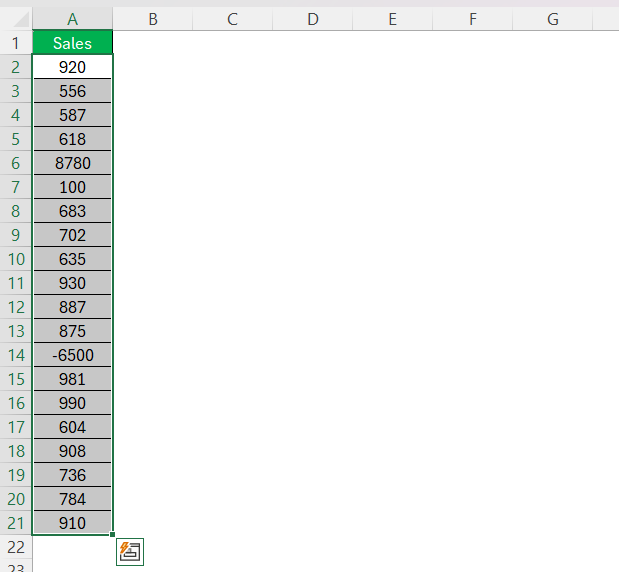
STEP 2: Go to Insert > Recommended Charts.

STEP 3: In the dialog box, select Box and Whisker.
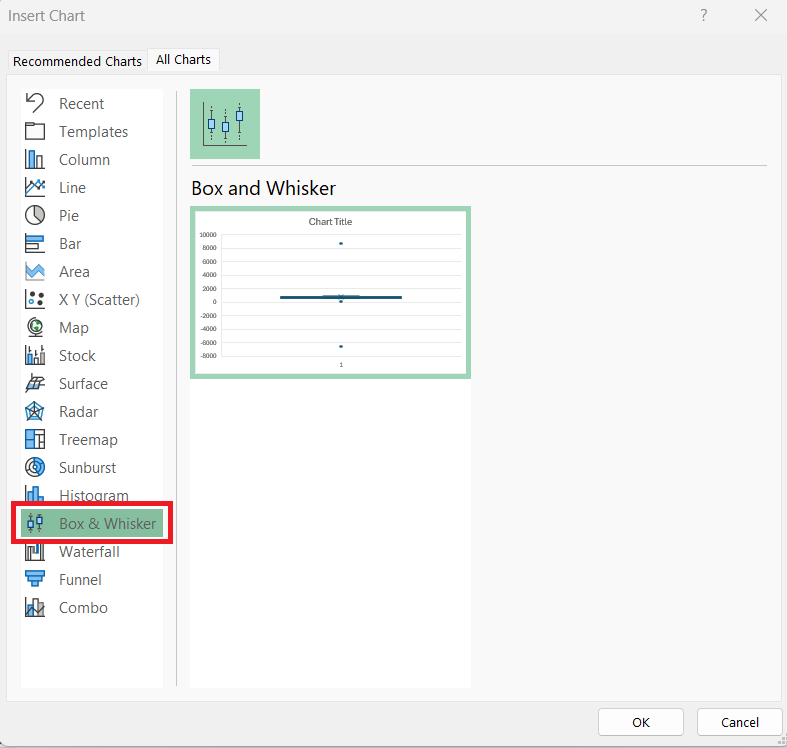
The chart will visually display outliers as individual dots outside the whiskers.
FAQs
How to check for outliers in Excel?
You can use the conditional formatting option to quickly spot outliers in the dataset.
What is the IQR method used for?
The IQR method is used to identify outliers by calculating the range between quartiles and setting clear upper and lower limits.
Why Is It important to Identify Outliers in Excel?
Identifying outliers in Excel data sets is important because they can significantly skew the results of data analysis. Outliers may signal data entry errors, unusual events, or changes in behavior. So, it is important to spot them for accurate statistical calculations and reliable decision-making.
What Z-score value indicates an outlier?
A Z-score greater than 3 or less than -3 typically indicates that a data point is an outlier.
What are outliers?
Outliers are data points that are much higher or lower than other observations in a dataset.

John Michaloudis is a former accountant and finance analyst at General Electric, a Microsoft MVP since 2020, an Amazon #1 bestselling author of 4 Microsoft Excel books and teacher of Microsoft Excel & Office over at his flagship MyExcelOnline Academy Online Course.

 30 Days - Full Access









