As we delve into the world of remote teamwork, I’ve noticed that building a sense of camaraderie and ease among team members has become more important than ever. Microsoft Teams has emerged as a vital platform for such interaction. This platform is not just about meetings and document sharing—it’s a space where fun and interaction converge to create memorable team-building experiences.
From chat features that mimic real-life banter to video capabilities that help in expressing reactions more vividly – the platform offers a plethora of options to keep the energy high and the team spirit alive. Its breakout rooms serve as cozy corners for smaller groups to indulge in laughter and games, much like they would in an office breakout space.
Furthermore, by integrating various apps and add-ons, Microsoft Teams transforms into a playground for interactive games that facilitate engagement and break the monotony of work. Utilizing these features and add-ons, we can keep our coworkers excited and connected, regardless of the distances between us.
Key Takeaways
- Create and distribute unique Microsoft Teams Virtual Bingo cards to each player, filling the templates with various prompts that are likely to occur during meetings, such as spotting a potted plant or hearing someone say, “Can you hear me?” Ensure the distribution is done via email or link before the meeting.
- Define the game’s timeline and winning criteria, such as completing a row or column on the Bingo card. Players should have their Bingo boards ready during the Teams meeting, either printed or in a separate browser tab to mark off prompts as they recognize them, noting the colleague who corresponds to the prompt.
- Use the Bingo game as an interactive component during regular Microsoft Teams meetings, encouraging players to observe and engage with their coworkers. After someone achieves the winning pattern and announces “Bingo!”, celebrate the win and foster post-game discussions to share funny moments and build team rapport.
Table of Contents
Dive into Microsoft Teams Bingo
How to Play Microsoft Teams Meeting Bingo
Playing Bingo on Microsoft Teams is not only wildly entertaining but also remarkably straightforward, so that everyone, irrespective of their tech prowess, can join in. To kick things off, we need to tailor a Bingo board template with common occurrences or behaviors that might pop up during a meeting. For instance, someone having technical difficulties or a coworker’s pet making a cameo.
Here’s how we get the ball rolling:
STEP 1: First, I design or download a Microsoft Teams Bingo card template—plenty are available online or you can create one that’s custom-fit for your team’s culture.
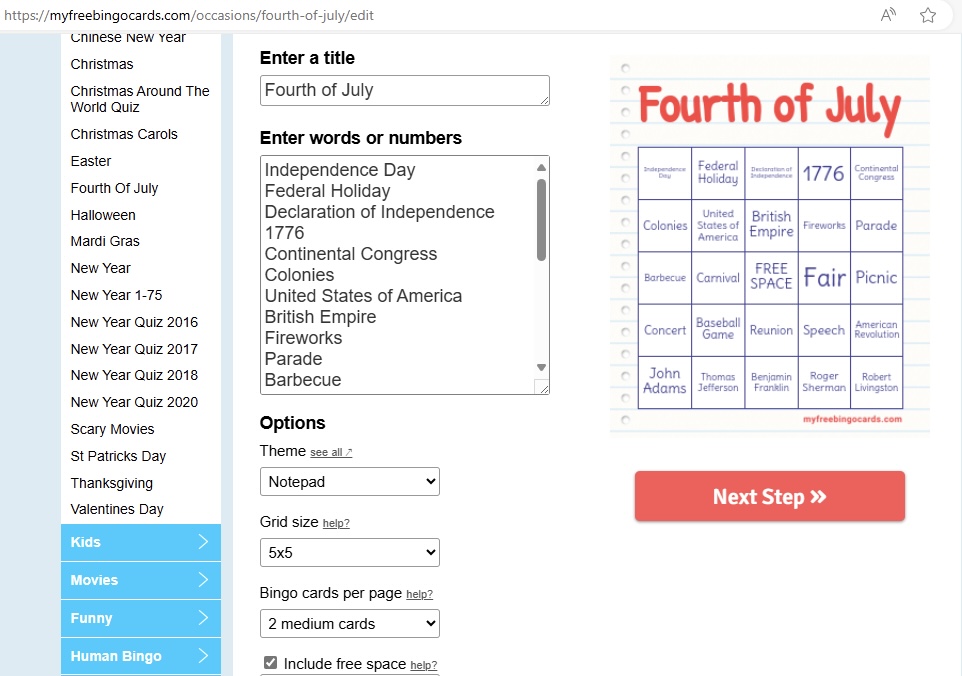
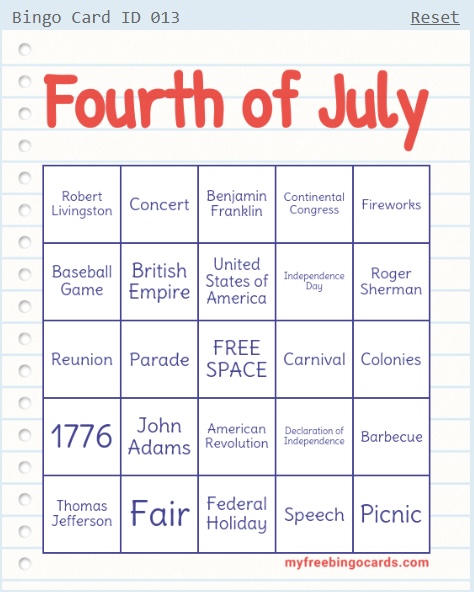
STEP 2: Then, I distribute these cards among the team ahead of the meeting, either sending them via email or sharing a link.
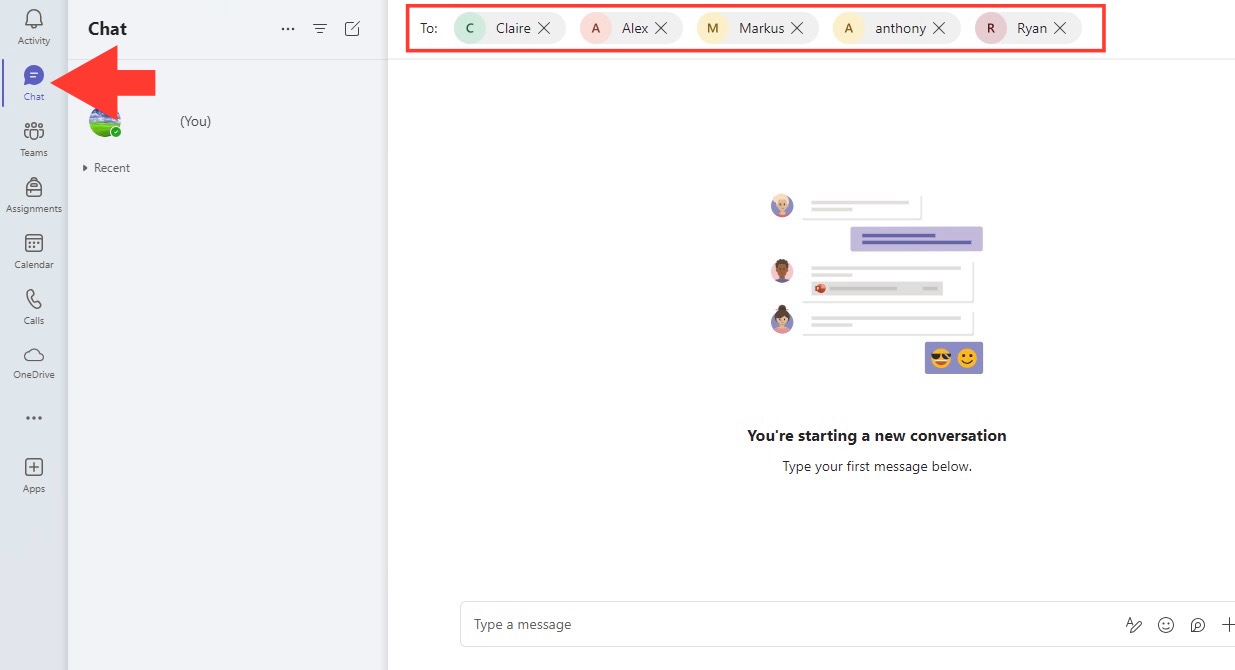
STEP 3: Create a dedicated channel or schedule a meeting in Microsoft Teams for your Bingo game > Invite all participants to the channel or meeting.
STEP 4: Whoever gets five in a row first—horizontally, vertically, or diagonally—shouts ‘Bingo!’ and wins the game.
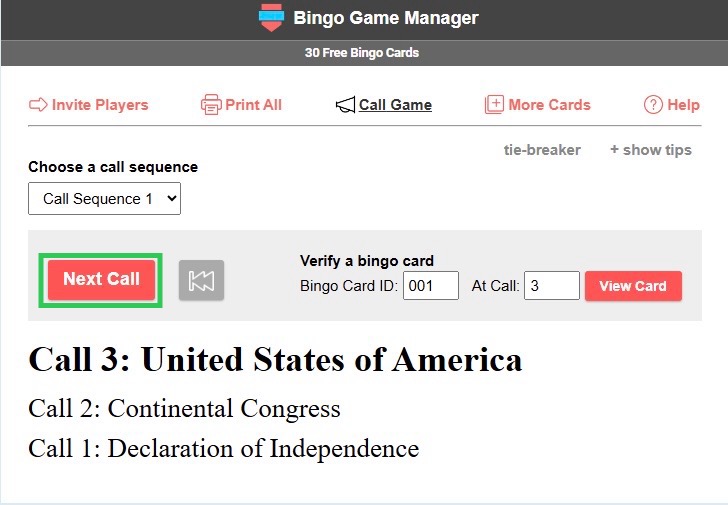
STEP 5: Use an online Bingo caller tool or app to randomly call out items. Share your screen in the Teams meeting to show the Bingo caller tool in action.
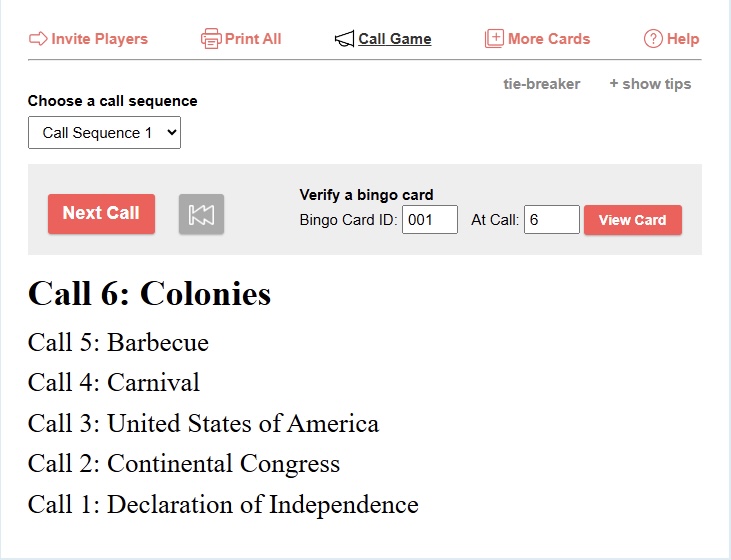
Depending on our team’s preference, we can either go for one winner or continue playing for more. You can also consider using digital gift cards or other virtual rewards for the winners.
The game’s beauty lies in its simplicity and the shared amusement we get from recognizing the quirks of our remote meeting experiences. Plus, it helps sharpen our awareness and participation, as we need to be observant to mark our cards accurately.
Customizing Your Experience with Different Themes and Variations
Customizing the Microsoft Teams Bingo is where we truly get to showcase our creativity and enhance team engagement. I take the liberty of creating themed bingo cards for special events or specific project meetings, which does wonders in keeping the content fresh and relevant.
For holiday-themed meetings, I might include elements like a teammate sipping a pumpkin spice latte during fall, or someone wearing a Santa hat as winter approaches. For project-related sessions, bingo squares might reference common industry jargon or the project’s milestones. The possibilities for customization are as diverse as our team’s interests and the calendar’s occasions.
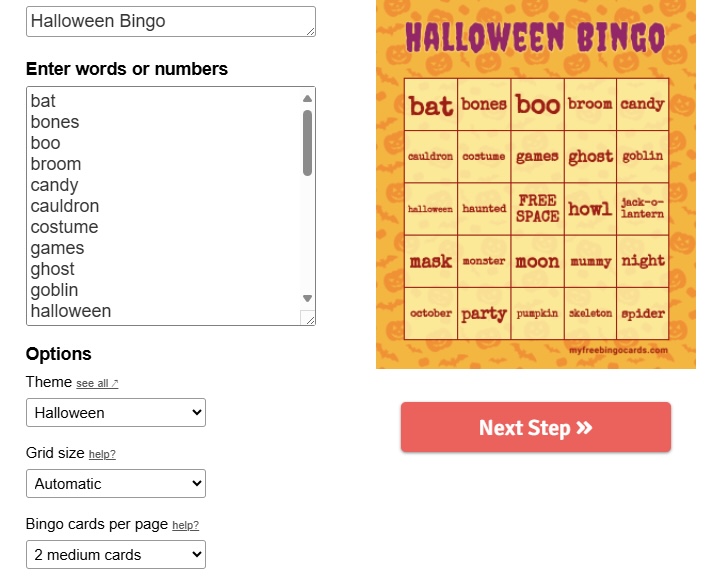
I don’t stop at just the content of the cards; visual engagement is key. By enhancing the cards with playful graphics and colors, it not only boosts the look but also makes deciphering a quick and joyful task during the heat of the game. Think bold, thematic images that resonate with the team and sprinkle a little visual storytelling into the mix.
Bringing these thematic bingo sessions to life goes beyond just a game. It invites the team to share a piece of themselves, starting conversations and building a stronger sense of togetherness in the process. When we all dive into a themed session fully, from our attire to our virtual backgrounds, the game becomes an immersive experience that elevates our collective team spirit and sets the tone for a vibrant, inclusive work culture.
The World of Microsoft Teams Games
Built-In Games to Enhance your Team Meetings
In the treasure trove that is Microsoft Teams, we’re treated to an assortment of built-in games perfect for spicing up our team meetings. These games utilize features innate to the platform, requiring minimal set-up and offering maximum fun. From classics like “Who Am I?” leveraging our Teams chats to clever quiz competitions using the Microsoft Forms integration, the games are designed with the remote workforce in mind.
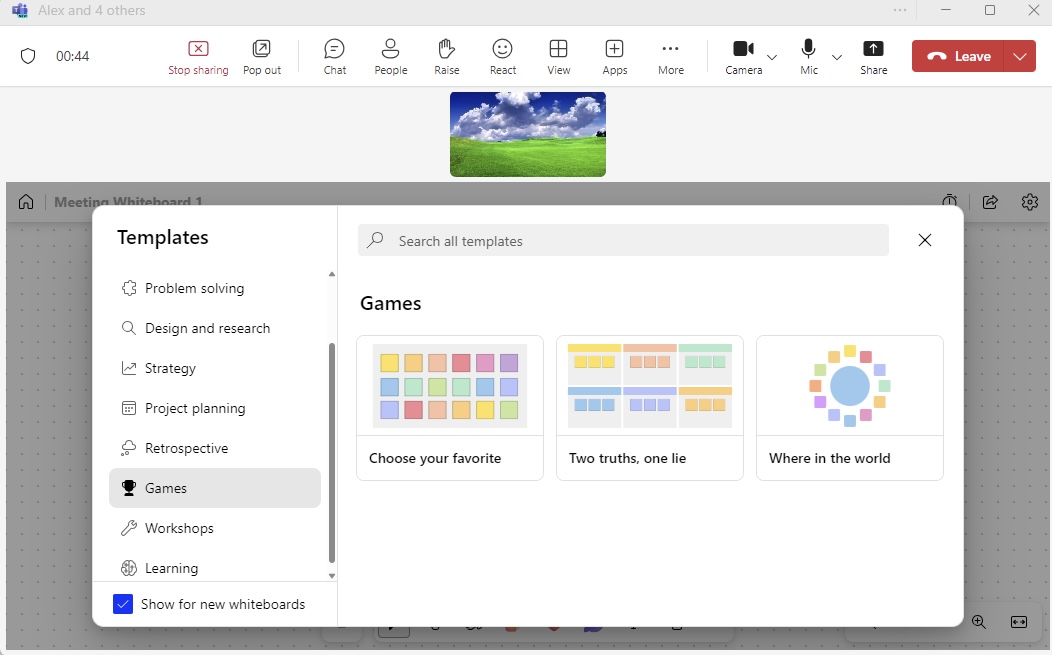
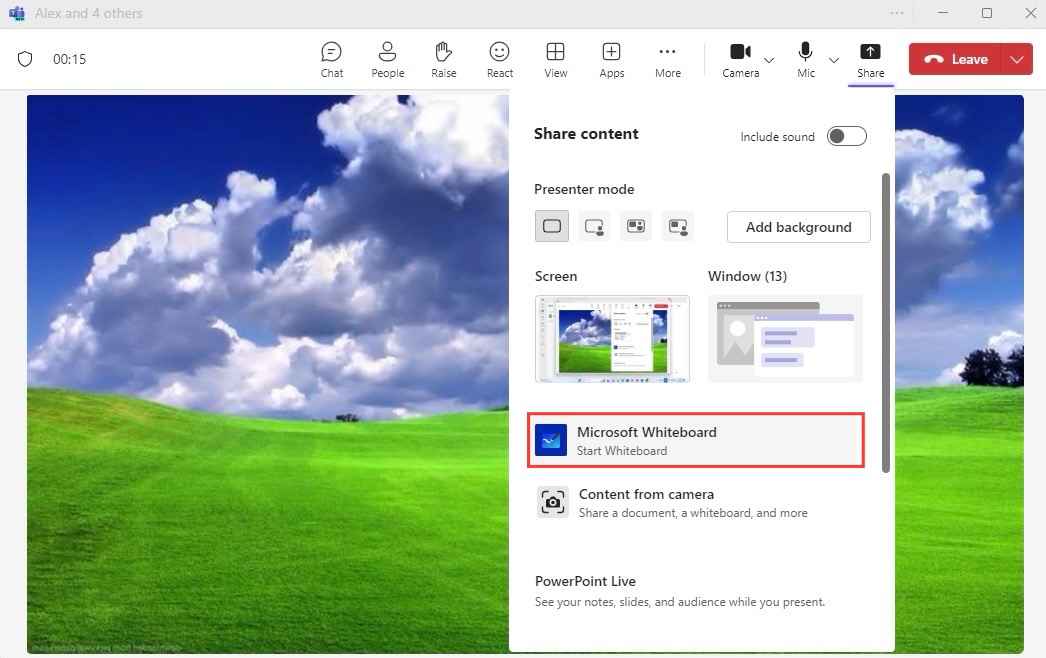
Imagine kicking off a meeting with a quick Pictionary session using the Whiteboard feature, where we take turns drawing while others guess, or challenging each other with brain teasers and riddles shared in the chat. These built-in gaming options help enliven the meeting atmosphere, promoting not just relaxation but also a spirit of friendly competition.
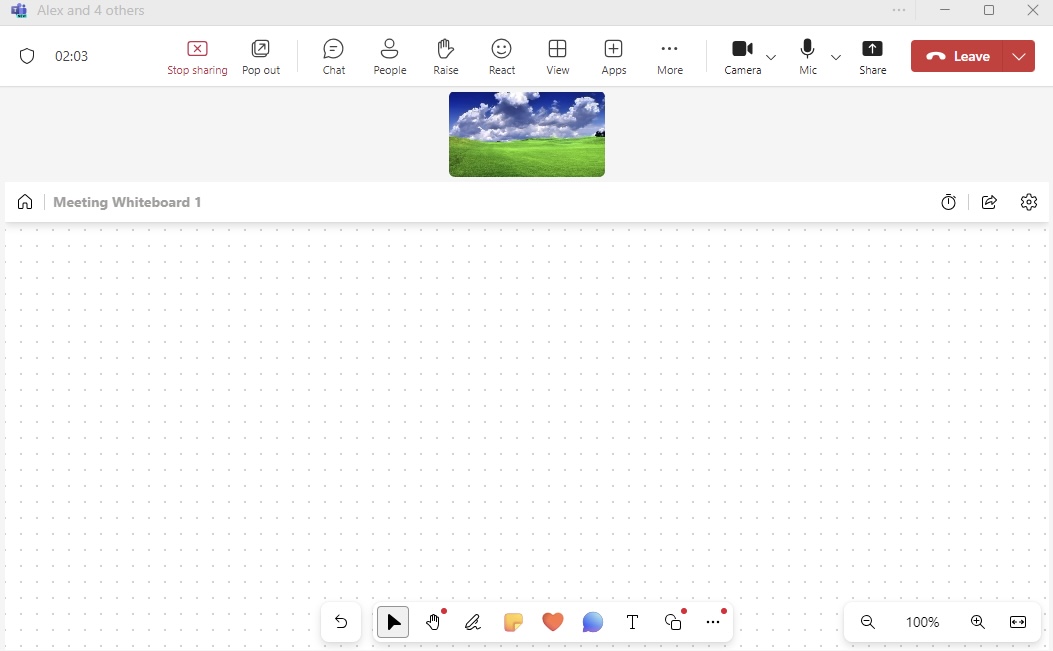
These games don’t just serve as a brief diversion; they act as effective tools for increasing attentiveness and participation. When we incorporate these games into our meetings, it becomes evident that they’re more than mere playtime; they’re strategic exercises in strengthening team dynamics and enhancing our collaborative spirit.
FAQs
How Do You Play Games with Coworkers on Microsoft Teams?
Playing games with coworkers on Microsoft Teams is a breeze. We start by scheduling a meeting and letting the team know that we’ve got a fun activity planned. Once we’re all connected, we can use various features like chat, screen sharing, or the whiteboard to facilitate the game. For instance, for a game of Pictionary, I’d use the whiteboard feature for drawing while my colleagues guess the words. With coordination and the right tools within Teams, gaming becomes a shared experience that’s both engaging and efficient.
Does Microsoft have a bingo game?
No, Microsoft itself doesn’t offer a dedicated Bingo game within the Teams platform. However, we can easily create our own Microsoft Teams Bingo experience using Bingo card templates that are either pre-made or customized to fit our team. The cards can be distributed digitally, and the game can be played during video calls for a fun and interactive session.

John Michaloudis is a former accountant and finance analyst at General Electric, a Microsoft MVP since 2020, an Amazon #1 bestselling author of 4 Microsoft Excel books and teacher of Microsoft Excel & Office over at his flagship MyExcelOnline Academy Online Course.

 30 Days - Full Access









