 Free Practice Workbook
Excel is my go-to tool for data analysis, with its wide range of functions simplifying everything from number crunching to complex calculations. One powerful yet lesser-known feature is its ability to calculate combinations. If you need to generate combinations where the order doesn’t matter, Excel’s COMBIN function is a huge time-saver.
Key Takeaways:
- In combinations, the order of items doesn’t matter.
- Excel’s
COMBINfunction calculates the number of ways to choose a subset from a larger set, requiring only two inputs—the total number of items and the number selected. - Using the
COMBINfunction is simple—just input=COMBIN(n, k)to calculate how many combinations are possible from a set of numbers. - Combinations are useful in tasks like team assignments, market analysis, lottery predictions, and statistical analysis.
Table of Contents
Introduction to Combination of a Set of Numbers
What is a Combination?
Before diving into Excel, let’s quickly define what a combination is. A combination is a selection of items from a larger set where the order of the items does not matter. For instance, in a set of {1, 2, 3}, the combinations of two numbers would be: {1, 2}, {1, 3} and {2, 3}.
As you can see, order is irrelevant, so {1, 2} is the same as {2, 1}.
What is the COMBIN Function?
The COMBIN function in Excel calculates the number of possible combinations for a given number of items from a larger set. It doesn’t list out the combinations themselves, but it tells you how many different ways you can choose a subset of items from the total set.
=COMBIN(total_items, items_chosen)
total_items: The total number of items in the set.items_chosen: The number of items you want to choose in each combination.
Calculating Combinations using the COMBIN Formula
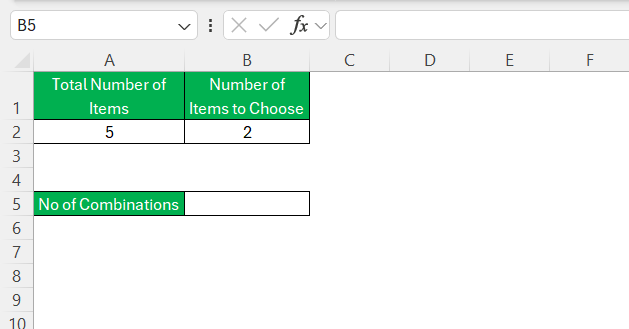
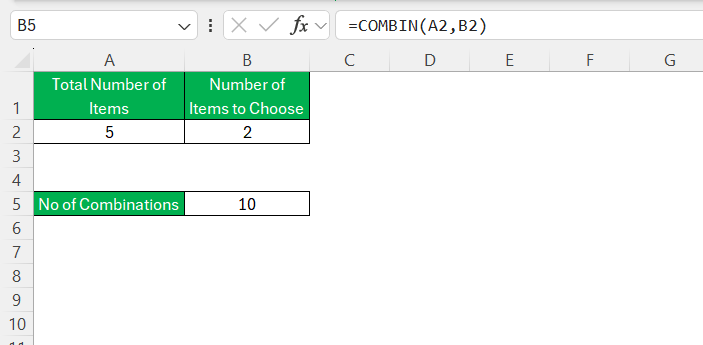
Suppose you’re organizing a raffle and need to know how many two-number combinations can be drawn from a set of 5 numbers. You would simply enter =COMBIN(5,2) into a cell, and voilà, Excel does the math for you.
Let’s break it down:
STEP 1: Open a new Excel sheet and click on a cell where you want the result.
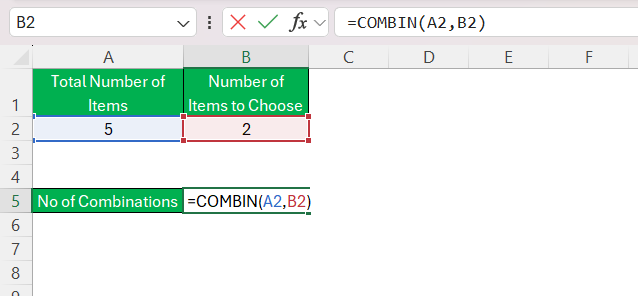
STEP 2: Enter =COMBIN(n, k), where n is your total set and k is the chosen subset.
STEP 3: Press ‘Enter’
How to Use VBA
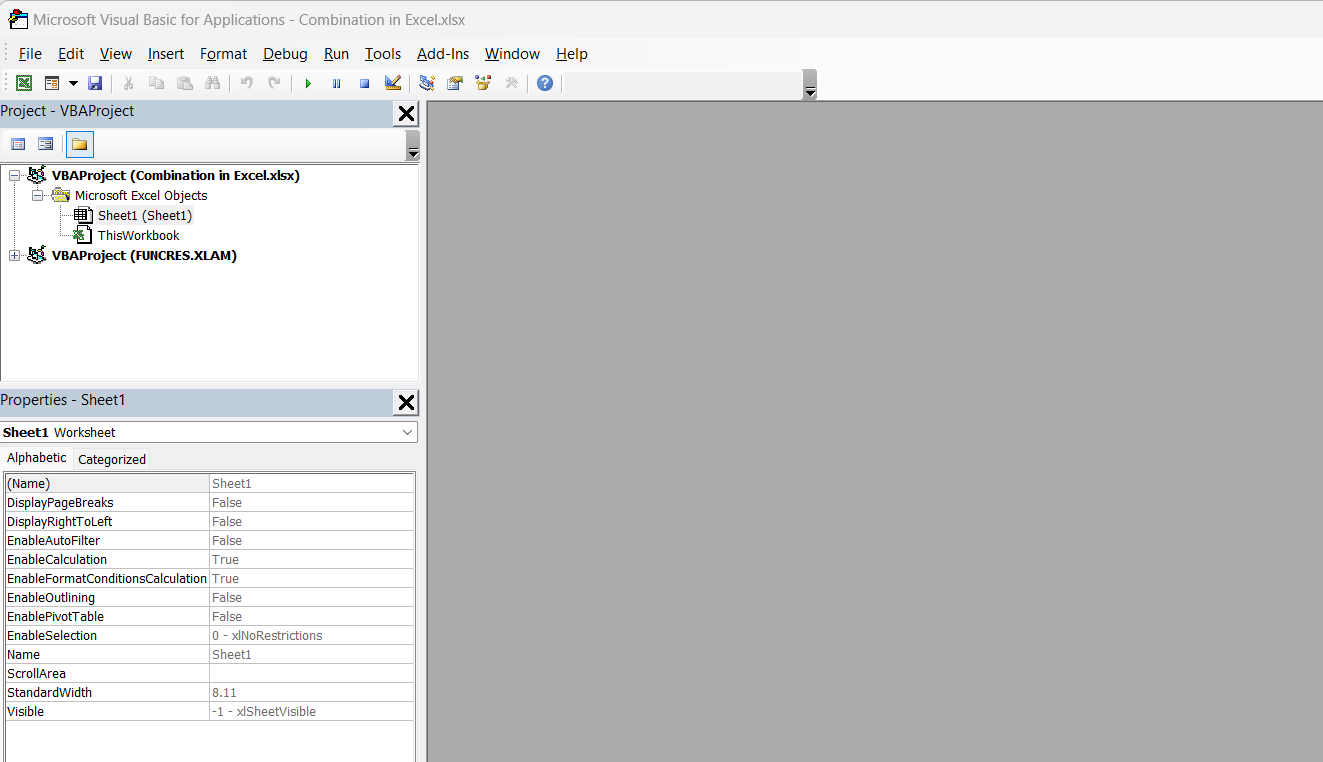
STEP 1: Hit ‘ALT’ + ‘F11’ to open the Visual Basic for Applications editor.
STEP 2: Insert a new module via the ‘Insert’ menu.
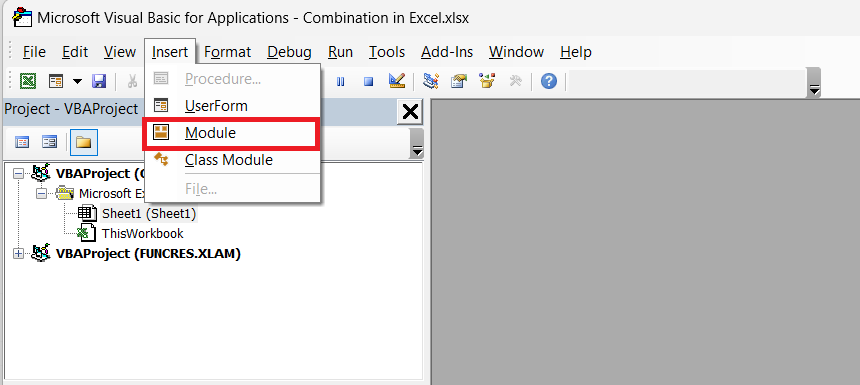
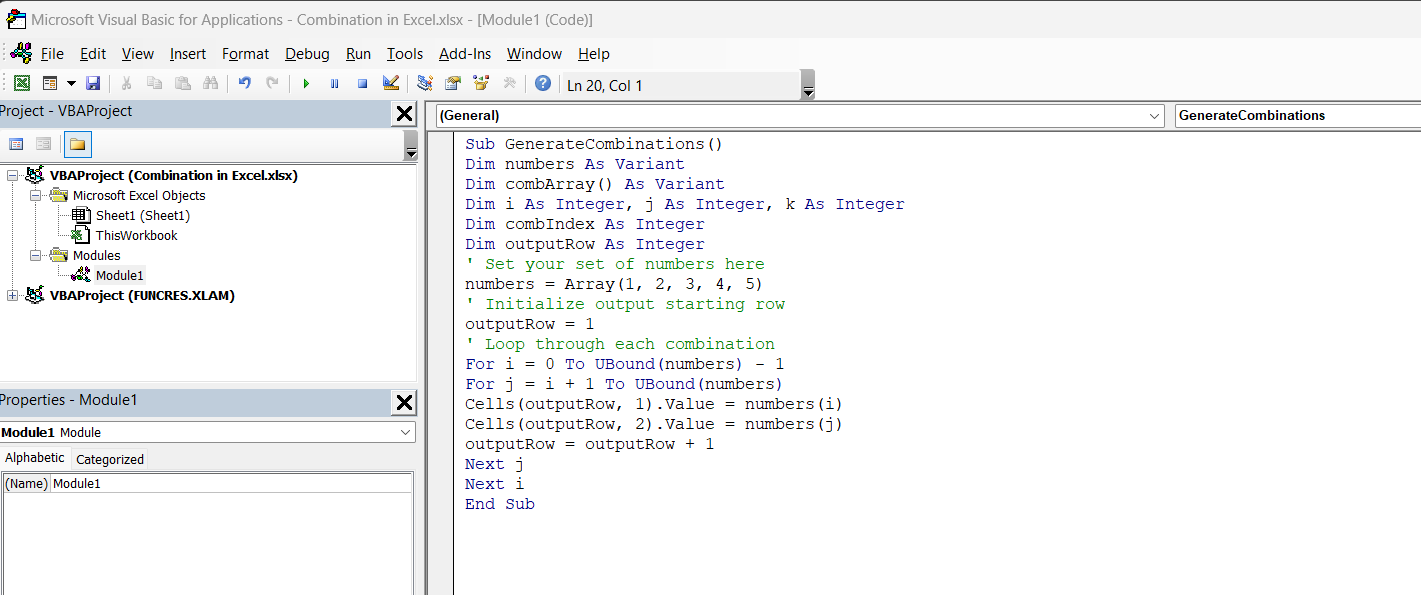
STEP 3: Write your VBA code as shown below.
Sub GenerateCombinations()
Dim numbers As Variant
Dim combArray() As Variant
Dim i As Integer, j As Integer, k As Integer
Dim combIndex As Integer
Dim outputRow As Integer
numbers = Array(1, 2, 3, 4) ' Set your set of numbers here
outputRow = 1
For i = 0 To UBound(numbers) - 1
For j = i + 1 To UBound(numbers)
Cells(outputRow, 1).Value = numbers(i)
Cells(outputRow, 2).Value = numbers(j)
outputRow = outputRow + 1
Next j
Next i
End Sub
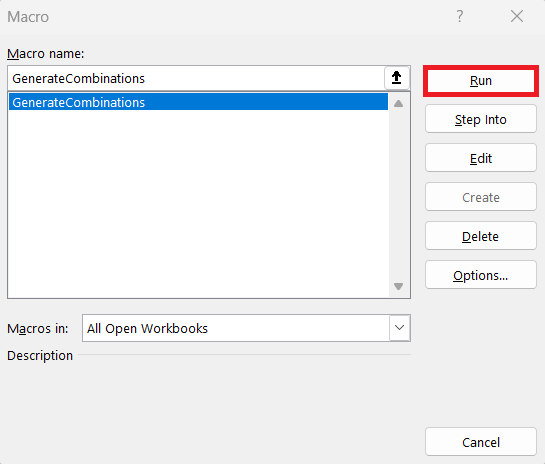
STEP 4: Run your macro.
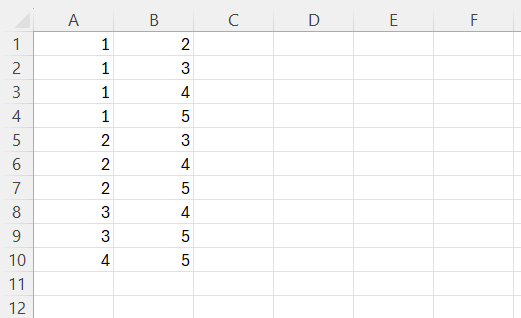
Find a neatly generated list of every possible number combo that fits your unique criteria in your Excel worksheet.
FAQs about Excel Number Combinations
What is the combin function?
The COMBIN function in Excel is a formula under the Math & Trigonometry category. It calculates the number of ways to choose a subset of items from a larger set, without considering the order. In other words, it determines the number of possible combinations of a given number of items. Just input the total number of items and the number of items you want to choose, and COMBIN does the rest. It’s particularly handy in statistics, probability, and various planning scenarios.
How to calculate all possible combinations of a set of numbers?
To calculate all possible combinations for a set of numbers, Excel’s COMBIN function is the go-to. Simply enter =COMBIN(n, k), where n is the total number of items and k is the number of items you want in each combination. For a complete list of combinations, you could use VBA scripting to generate and display every combination or use a data table and Excel logic functions to systematically create them.4
What’s the difference between combinations and permutations?
In combinations, the order of the items doesn’t matter, while in permutations, the order is important. Use COMBIN for combinations and PERMUT for permutations in Excel.
How can combinations be applied in real-life scenarios?
Combinations are useful in tasks like creating team assignments, analyzing product bundles in retail, predicting lottery numbers, and performing statistical probability calculations.

John Michaloudis is a former accountant and finance analyst at General Electric, a Microsoft MVP since 2020, an Amazon #1 bestselling author of 4 Microsoft Excel books and teacher of Microsoft Excel & Office over at his flagship MyExcelOnline Academy Online Course.

 30 Days - Full Access









