 Free Practice Workbook
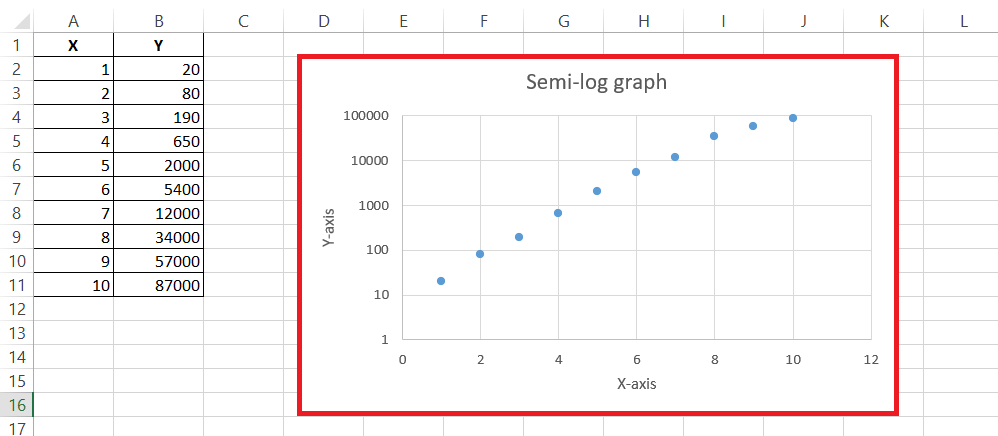
Creating semi log graphs in Microsoft Excel is a valuable skill for visualizing data that spans several orders of magnitude. These graphs are particularly useful for identifying exponential relationships and simplifying complex data analysis. By plotting data on a logarithmic scale for one axis, semi log graphs make it easier to interpret trends and patterns that might be less apparent on a standard linear scale. This article will guide you through the steps to create a semi log graph in Excel, enhancing your data visualization capabilities.
Key Takeaways:
- Semi log graphs are ideal for displaying data that spans several orders of magnitude.
- It can be used to identify exponential trends.
- By using a logarithmic scale on one axis, semi log graphs make complex data easier to interpret compared to linear scales.
- Excel is a powerful tool for creating semi-log graphs for its intuitive interface and robust graphing features.
- You can improve the graph by adding titles, legends, and gridlines.
Table of Contents
How to Create a Semi-Log Graph in Excel
Inputting Your Data
You need to first input the data correctly in the worksheet –
- Enter the independent variable data in the leftmost column. Here, it is column A.
- Enter the dependent variable in the column next to the independent variable. Here, it is column B.
- Label both the columns correctly as X and Y.
- Format the data points.
Once these steps are taken care of, you can smoothly create semi log graph in Excel.
Transforming Data into a Scatterplot
The first step to create a semi log graph is to transform your data into a scatterplot.
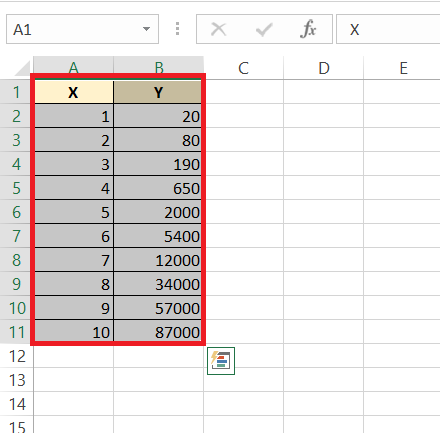
STEP 1: Highlight the dataset.
STEP 2: Go to the Insert tab.

STEP 3: Click on the highlighted chart in the dropdown.
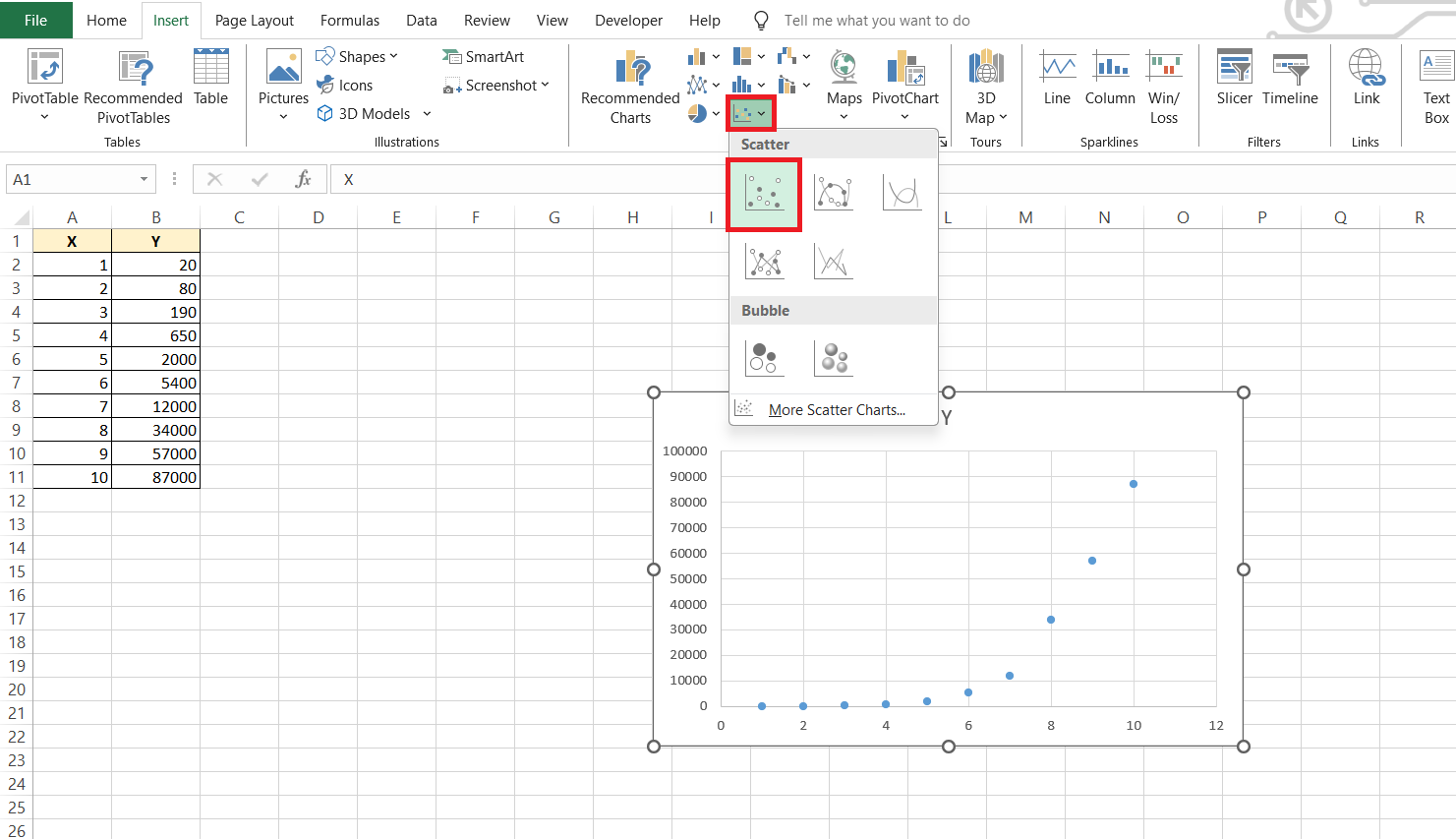
The scatter plot is now ready.
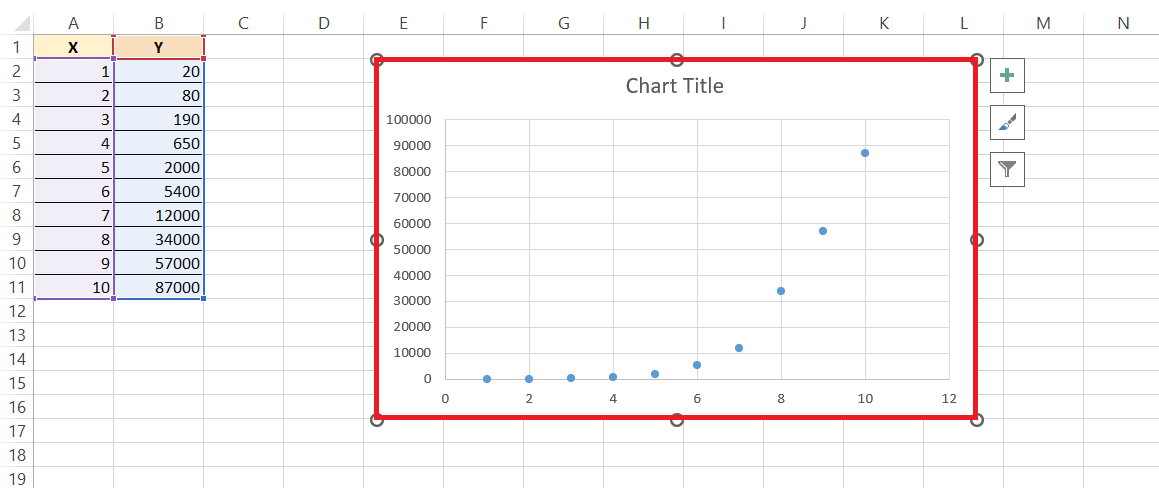
This scatter plot serves as the canvas for your semi-log masterpiece; it’s raw and ready for you to add the logarithmic touch. Keep an eye on the scatter plot—it should reflect a higher variability on the y-axis, indicating that you’re on the right track toward creating a meaningful semi-log graph.
Customizing the Semi-Log Graph
Change the Y-Axis Scale
Follow the steps below to change y axis to a logarithmic scale –
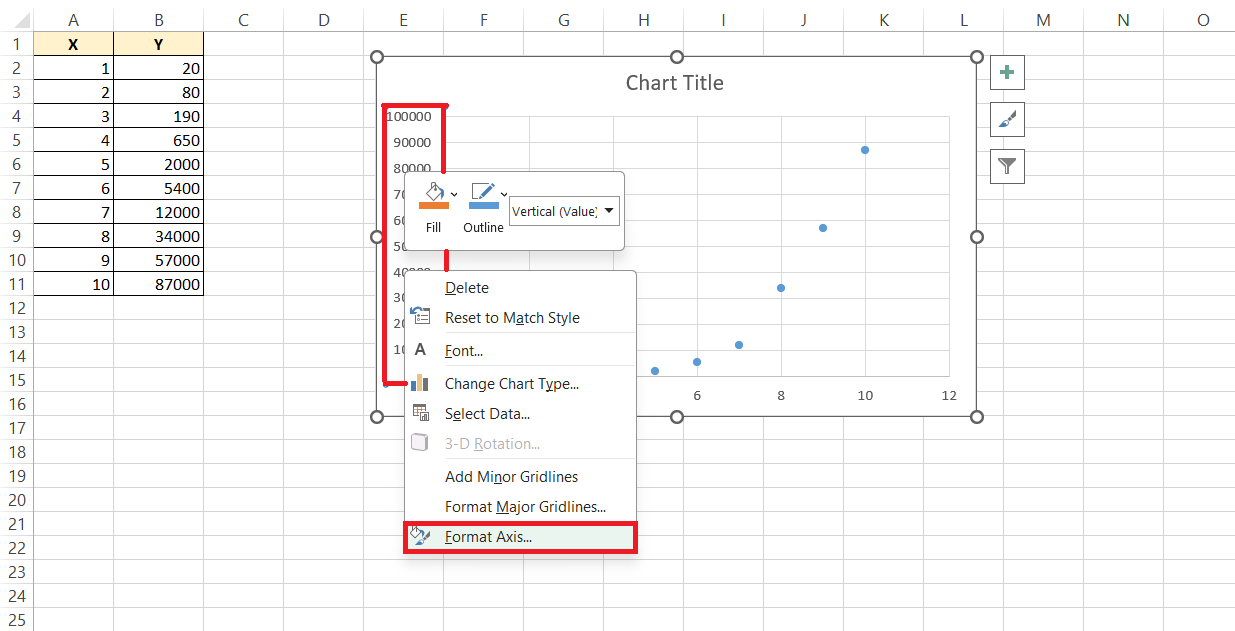
STEP 1: Right-click on the y-axis and select the Format Axis option.
STEP 2: In the dialog box, check Logarithmic scale and provide the base value.
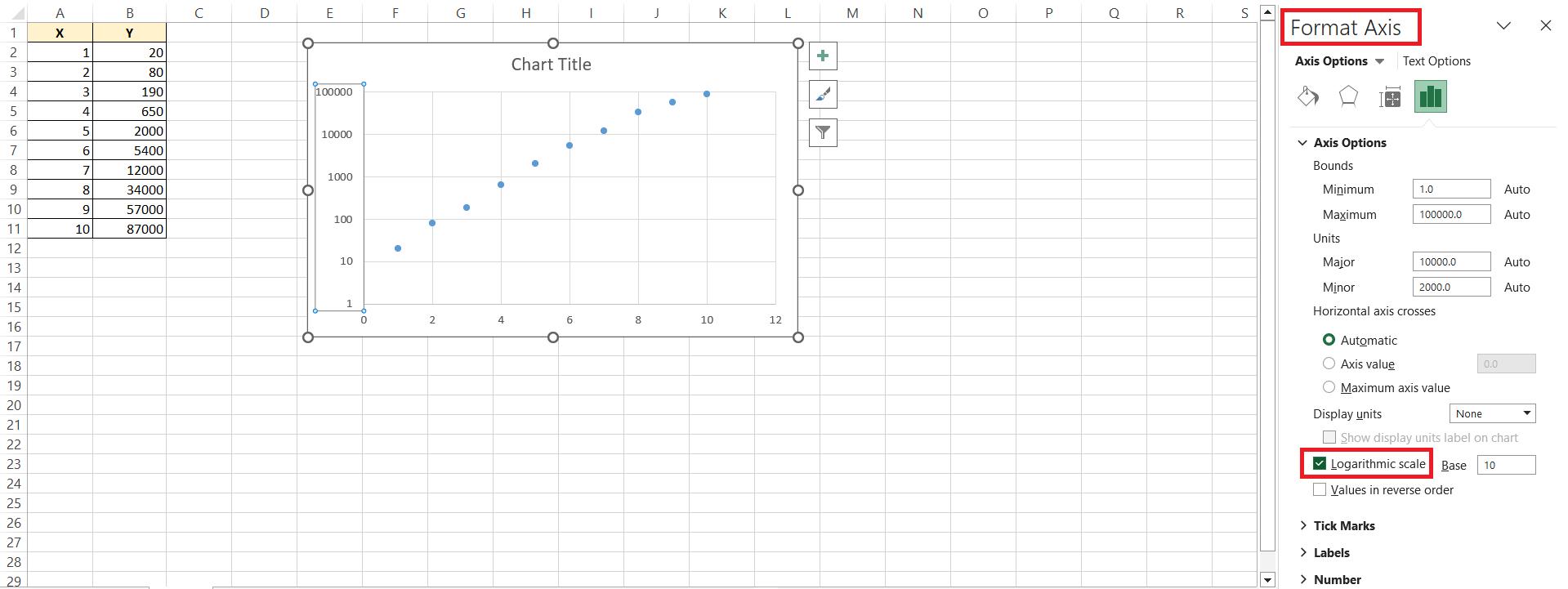
The y-axis will transform from a linear scale to a logarithmic scale.
Modifying Chart Elements
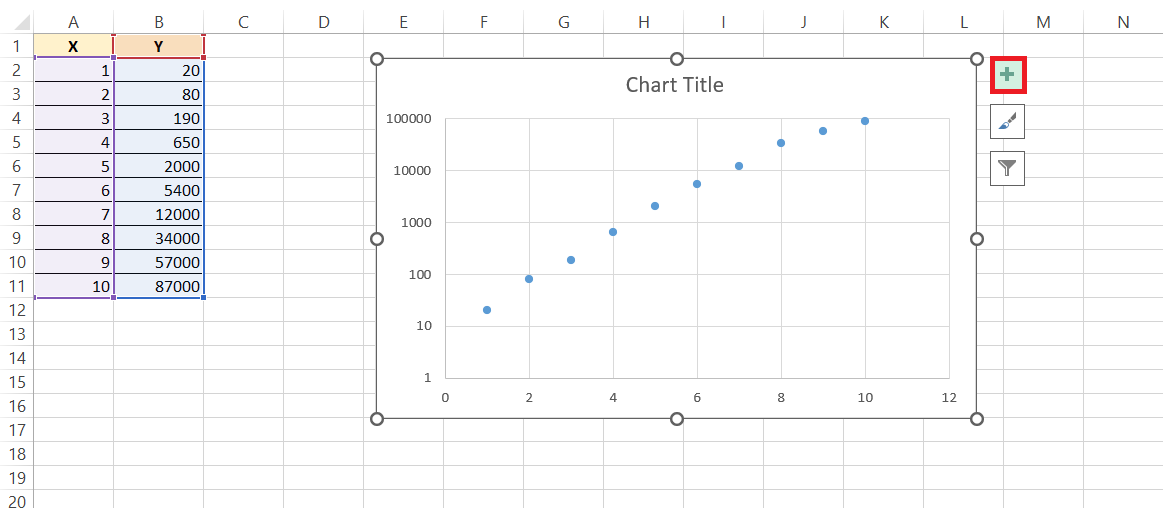
STEP 1: Go to the Chart Elements button.
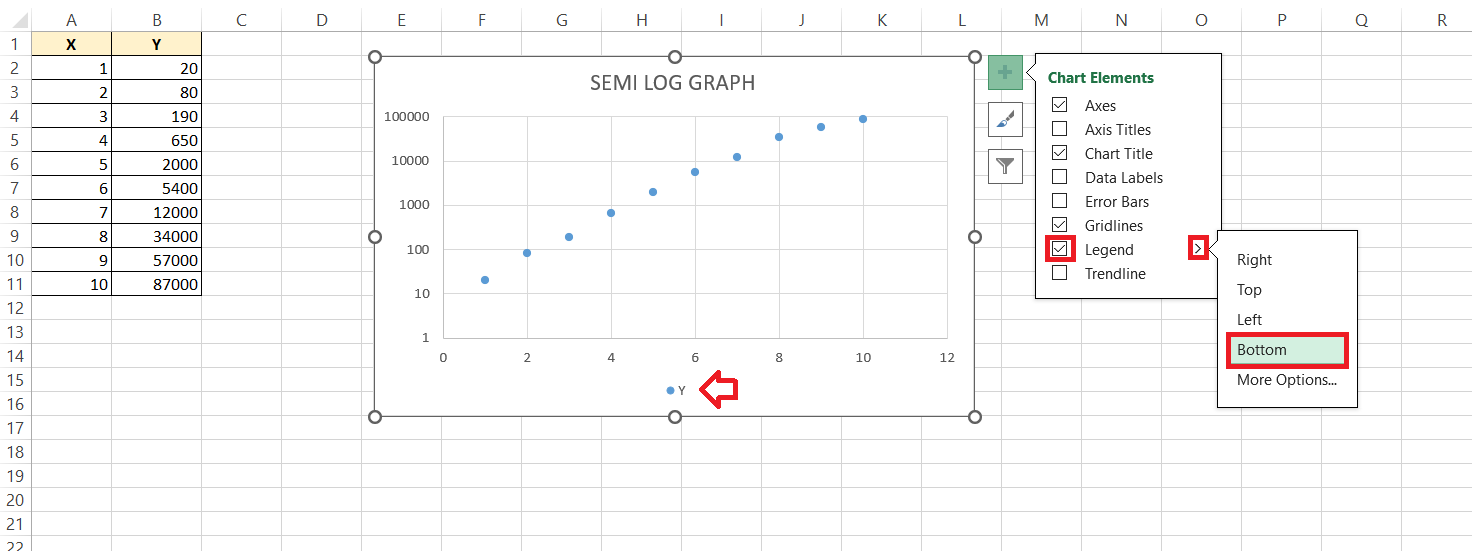
STEP 2: Next, toggle on the legend to craft a clear guide for different data series, making sure nobody gets lost in translation.
STEP 3: Gridlines are like the unsung heroes of chart readability—they bring order and ease to data interpretation. Add horizontal or vertical gridlines, or perhaps go for both, to help viewers smoothly trace data points back to their actual values.
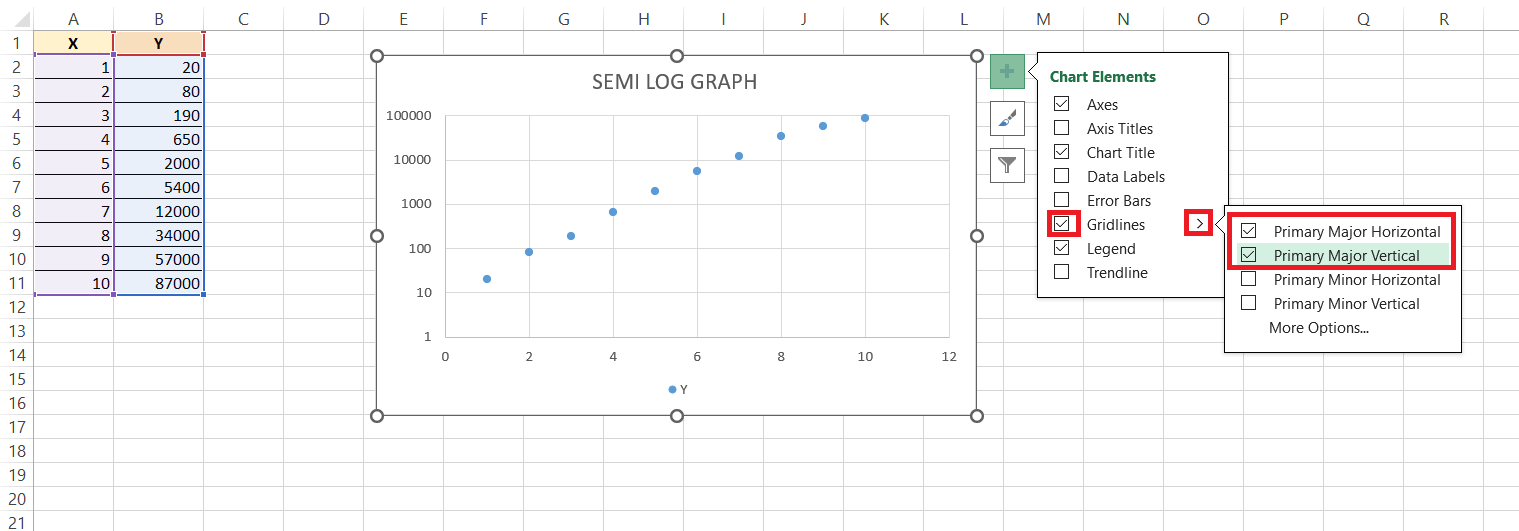
All these elements combined make your semi-log graph informative, accessible, and let’s face with it, better looking. It’s like dressing your chart for success, and who wouldn’t want that?
Tips & Tricks
After you’ve got the basics down, let’s talk speed. In Excel, efficiency is key, and keyboard shortcuts are your fast pass. Here are a couple to keep up your sleeve: Press Alt + F1 immediately after creating a chart to whip it into an existing worksheet, leaving your data view undisturbed. Want to create a new chart on a separate sheet? F11 is your friend.
Drag-and-drop also comes in handy when you need to adjust data ranges on the fly; simply click on the chart, then pull the blue outline to cover the new data range. Lastly, for duplicating any formatting—perhaps you’ve styled one axis and want the other to match—use the Format Painter tool (a little paintbrush icon), which you can double-click to use multiple times.
Speedy shortcuts and nifty tricks like these can turn a task that feels like a crawl into a swift sprint.
Advanced Features
Adding a Trendline
To add a trendline to your semi-log graph, follow the steps below –
STEP 1: Click on your data series.
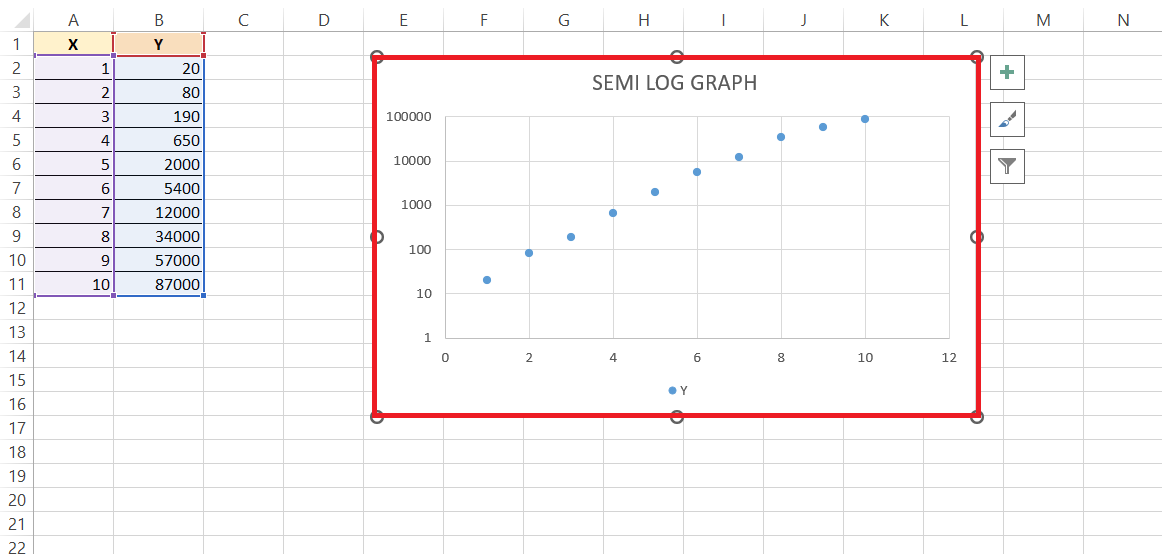
STEP 2: Click on the Plus button and then select Trendline.
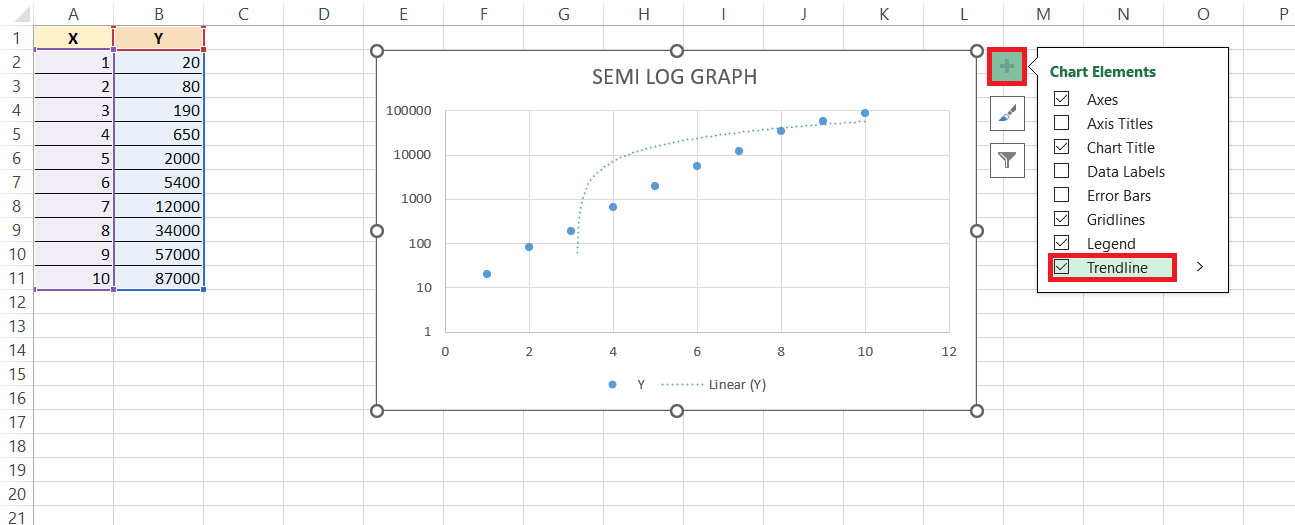
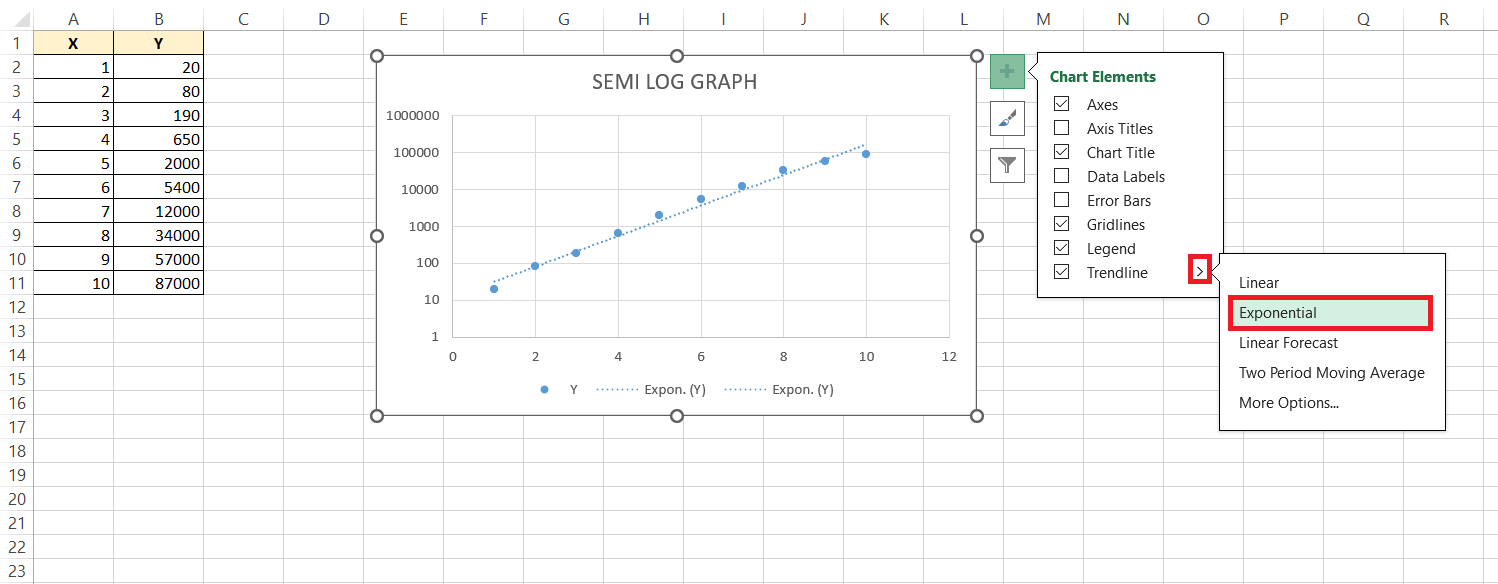
STEP 3: From the list, select an option.
Exporting Graph
You can easily export the graph as a PDF to be able to add them in your reports. This will make sure that there are no formatting issues and that images are of high quality.
STEP 1: Click on the ‘File’ tab.
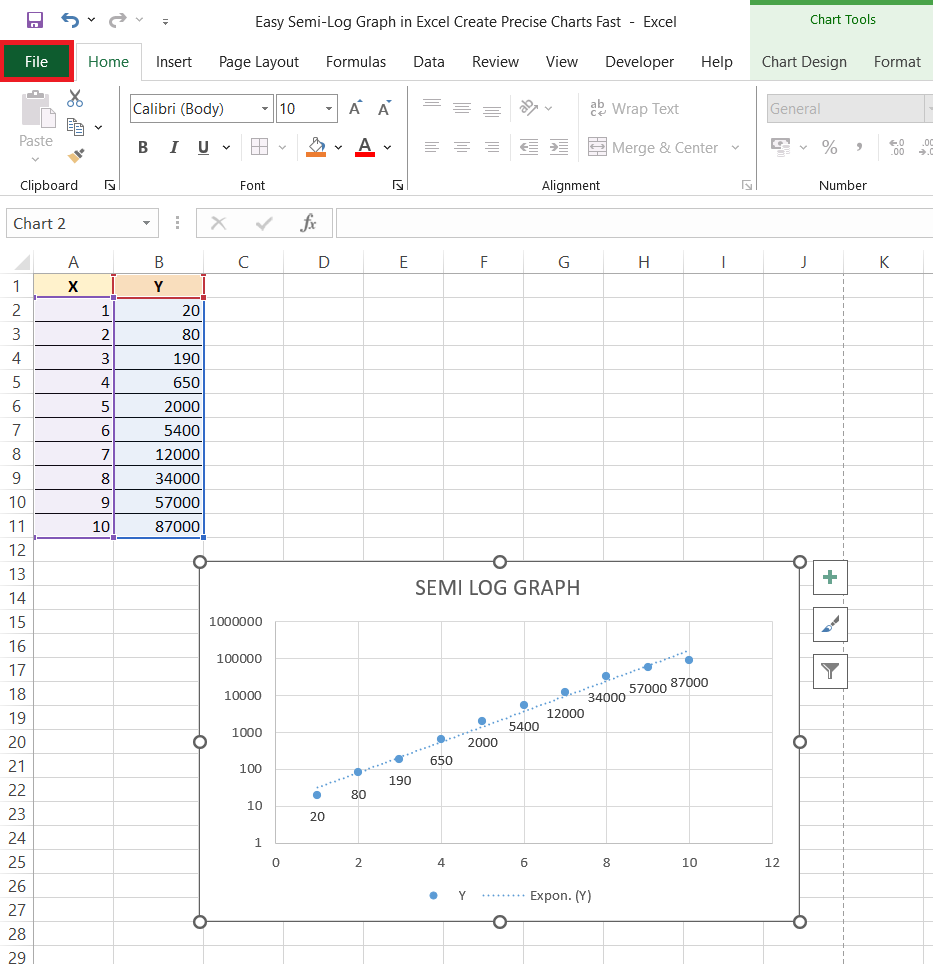
STEP 2: Go to Save As. In the dialog box, select PDF under Save as type.
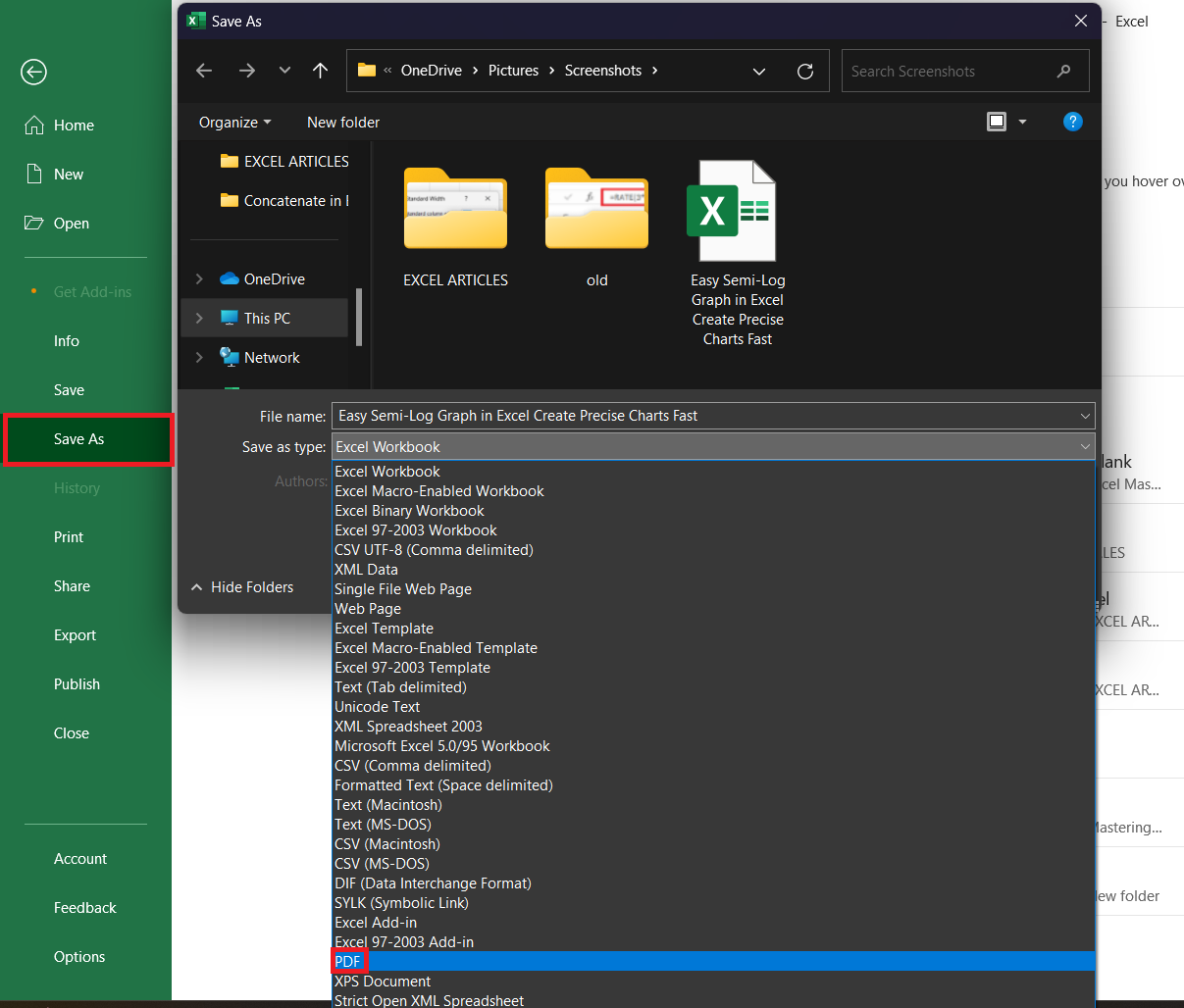
RESULT: Whether you’re zooming in for a boardroom presentation or distributing your findings in a comprehensive report, your semi-log graph can be right there, in high fidelity, ready to impress.
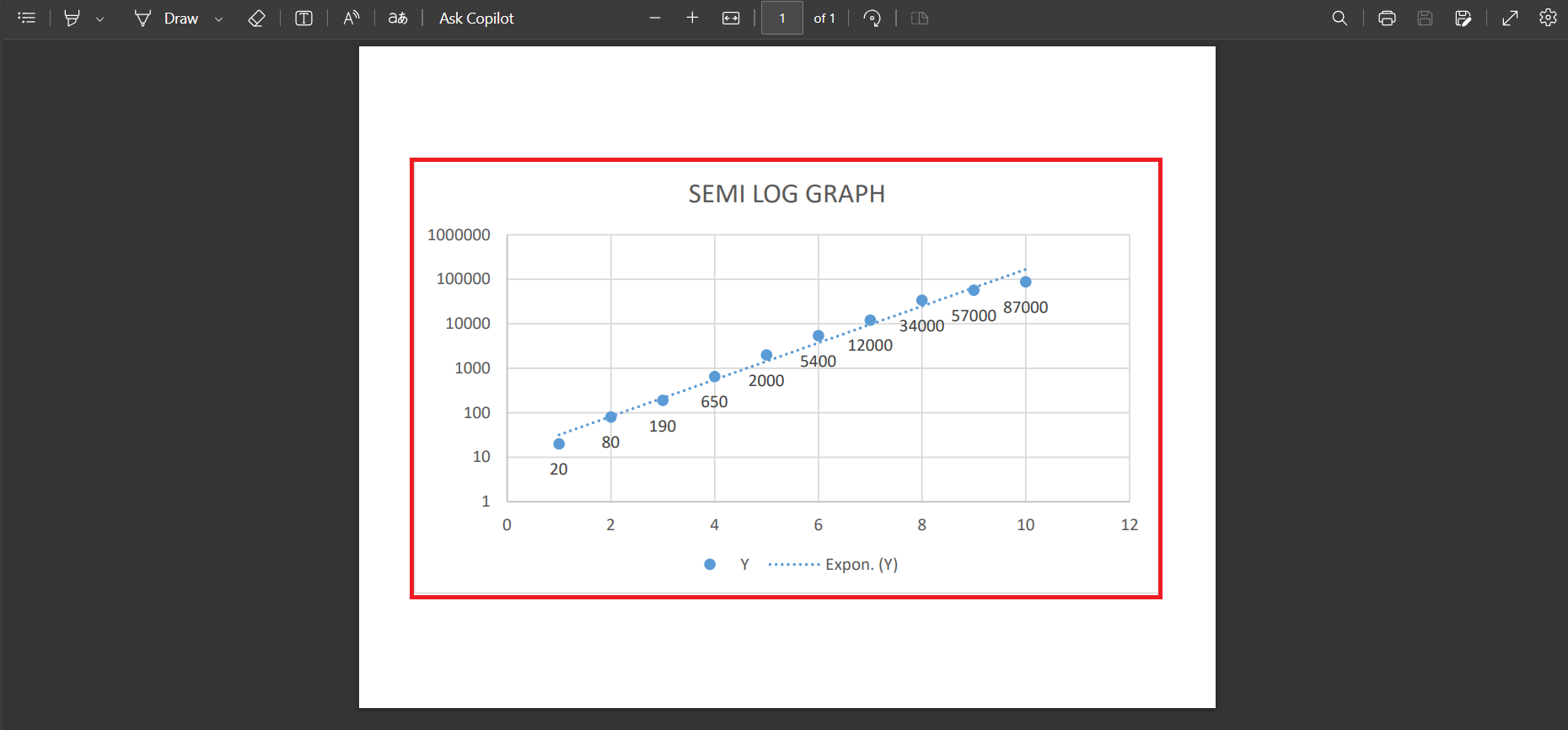
Remember to name your file thoughtfully and select a save location you’ll remember — and just like that, your data is dressed up and ready to go wherever it’s needed.
FAQs
How to do semi-log graph in Excel?
To create a semi-log graph in Excel, input your data into a spreadsheet. Next, select the data and insert a scatterplot using the ‘Scatter’ chart option—’Scatter with only Markers’ is perfect. Then, right-click the y-axis, choose ‘Format Axis’, and tick the ‘Logarithmic scale’ box. Your y-axis will update, and voila, you have a semi-log graph!
What Are the Benefits of Using a Semi-Log Graph Over Other Charts?
It is better to use semi-log graphs over other charts in the following situations –
- To show exponential relationships.
- To compare order of magnitude.
- Spot minor and major variations in values.
- Datasets that are unreadable on a standard linear graph.

John Michaloudis is a former accountant and finance analyst at General Electric, a Microsoft MVP since 2020, an Amazon #1 bestselling author of 4 Microsoft Excel books and teacher of Microsoft Excel & Office over at his flagship MyExcelOnline Academy Online Course.

 30 Days - Full Access









