Create professional Excel Dashboards and Charts in minutes! It is easy to use and install. No programming skills required and you can share your Dashboards with your team!
Key Takeaways
- Ultimate Dashboard Tools makes Excel dashboards easy to create.
- No advanced Excel skills or coding are needed.
- It includes charts like Gauge, Waterfall, and Gantt charts.
- Dashboards help track KPIs and business data clearly.
- The add-in also includes editable maps and templates.
Table of Contents
Introduction to Dashboard Tools
What are Ultimate Dashboard Tools?
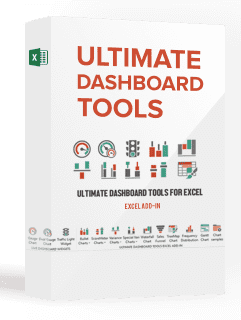
Ultimate Dashboard Tools is an advanced add-in. It provides ready-made templates to users to be able to create dashboards. It is a user-friendly add-in, and it works inside Excel.
Why Use it?
Excel dashboards help organize large amounts of data into visuals. Instead of looking through rows of numbers, you can understand performance using charts and graphs.
Dashboards are useful for:
- Tracking sales and revenue
- Monitoring project progress
- Measuring KPIs
- Creating business reports
- Presenting data visually to teams and managers
Main features of Dashboard Tools

- Gauge and Dual Gauge Chart – Displays performance levels using speedometer-style charts.
- Bullet Chart – Compares actual performance against targets.
- Waterfall Chart – Shows how positive and negative values affect totals.
- Variance Charts – Highlights differences between planned and actual values.
- Advanced Variance Charts – Provides more detailed variance analysis.
- Mekko Chart – Displays data with varying column widths and heights.
- Score Meter Chart – Measures progress toward goals visually.
- Sales Funnel – Tracks stages in the sales process.
- TreeMap – Displays hierarchical data using colored rectangles.
- Gantt Chart – Helps manage project timelines and tasks.
- Frequency Distribution – Shows how often values appear in a dataset.
Bonus Content: 200+ editable Excel maps
You can see more details and purchase this super Excel add-in that will make you stand out from the crowd: Ultimate Dashboard Tools Add-In here.
Frequently Asked Questions
What is Ultimate Dashboard Tools?
It is an Excel add-in for creating dashboards and charts easily.
Do I need advanced Excel skills to use it?
No, beginners can use it without coding or complex formulas.
What types of charts are included?
It includes Gauge, Waterfall, Gantt, TreeMap, and many other charts.
Can I share dashboards with my team?
Yes, dashboards can be shared like regular Excel files.
Does the add-in include templates and maps?
Yes, it includes dashboard templates and 200+ editable Excel maps.

John Michaloudis is a former accountant and finance analyst at General Electric, a Microsoft MVP since 2020, an Amazon #1 bestselling author of 4 Microsoft Excel books and teacher of Microsoft Excel & Office over at his flagship MyExcelOnline Academy Online Course.

 30 Days - Full Access









