 Free Practice Workbook
If you want to know which column a cell stays in, you can use the COLUMN function. The COLUMN function in Excel returns the column number of a cell or reference. In this article, you will learn what the COLUMN function in Excel.
Key Takeaways:
- COLUMN returns the column number of a cell.
COLUMN(A1)returns 1.- COLUMN can create dynamic formulas.
- You can combine COLUMN with INDEX and OFFSET.
- COLUMNS counts the number of columns in a range.
Table of Contents
Introduction to the COLUMN Function
What is the COLUMN Function?
The COLUMN function returns the column number of the cell that is being referred to in the formula. For example,
- COLUMN A will return 1
- Column Z is 26
- Column AA is 27, etc.
This formula will update itself if you copy it across columns.
Syntax
The syntax of the COLUMN function is:
=COLUMN([reference])
- reference: It is the cell or range whose column number you want. Optional.
If you do not provide any reference in the formula, it will return the column number of the cell where the formula has been typed. For example, COLUMN() typed in cell F2 will return 6.
How to Use the COLUMN Function
COLUMN with a Cell Reference
STEP 1: Click on any empty cell.
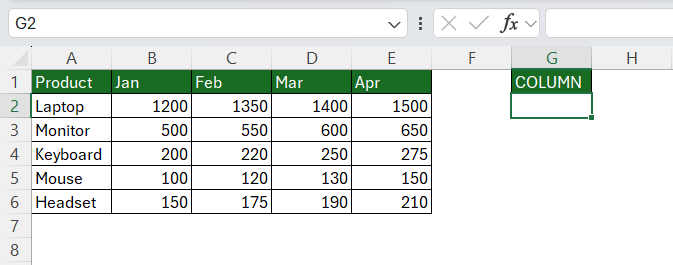
STEP 2: Type the COLUMN function.
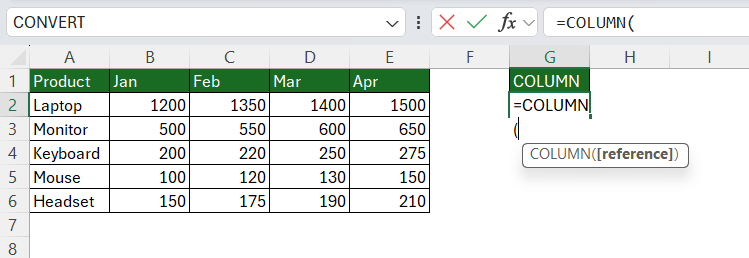
STEP 3: Enter the cell reference and press Enter.
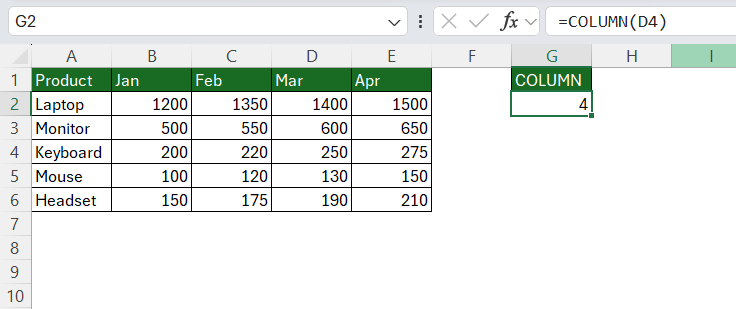
The result is 4 because D4 is in the 4th column.
COLUMN with a Range
STEP 1: Click on an empty cell.
STEP 2: Type =COLUMN(B2:E2) and press Enter.
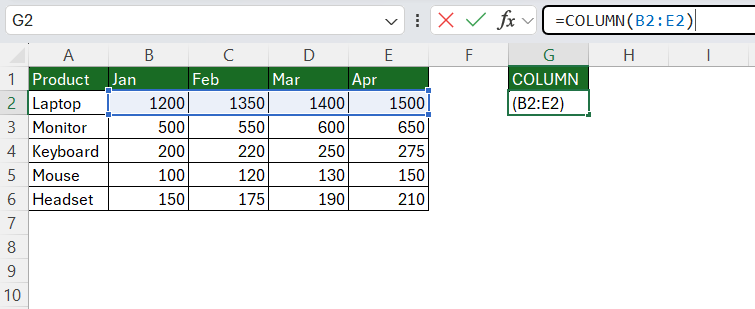
The result spills across four cells: 2, 3, 4, 5
But if you are using an old version of Excel, only the first value will show.
How to Use COLUMN with other Functions
COLUMN Function with INDEX
You can combine COLUMN with INDEX to return values from different columns dynamically. If you have data in a table and you want to return a value based on the column position, you can use this formula:
=INDEX(B2:E6,2,COLUMN(C1))
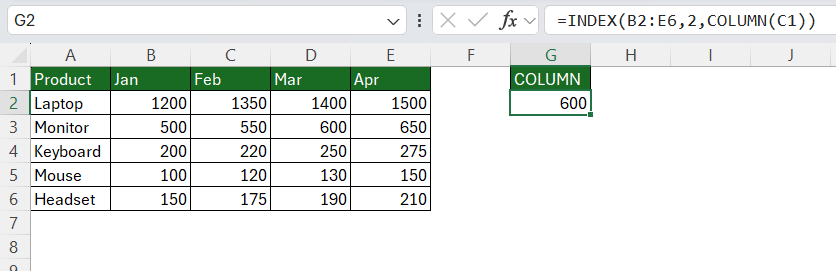
The column number returned is 3. So, Excel will find the value in the 2nd row and 3rd column.
COLUMN with OFFSET
The COLUMN function can also be combined with OFFSET to create dynamic references.
=OFFSET($B$2,0,COLUMN(B1)-2)
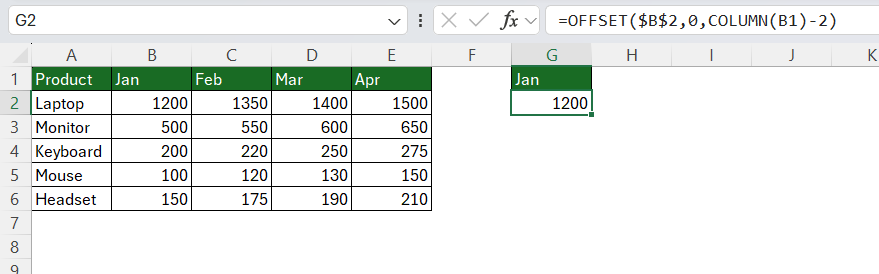
This combination is useful when you want a formula to move across columns automatically without manually changing the cell reference.
COLUMN with MOD
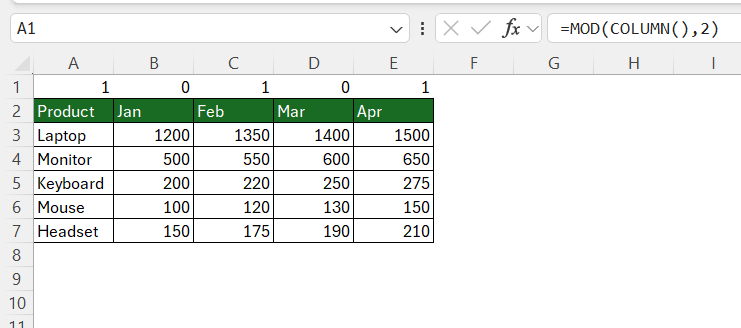
You can use the combination of COLUMN and MOD functions to number alternate columns. To number every even-numbered column, use this formula:
=MOD(COLUMN(),2)=0
Common uses of COLUMN function
- COLUMN can help formulas adjust automatically when they are copied across a worksheet.
- You can use it to create a sequence based on each column’s position.
- COLUMN is often combined with INDEX to return values from different columns dynamically.
- If a report has data spread across multiple columns, COLUMN can help identify the current column and adjust calculations accordingly.
- COLUMN is useful when the result of a formula needs to change based on where the formula is located.
Tips & Tricks
- COLUMN vs COLUMNS – The COLUMN function will return the position of the reference. The COLUMNS function returns the number of columns a range covers.
- COLUMN function will return the column number, not the column letter. To get the letter, use =SUBSTITUTE(ADDRESS(1,COLUMN(),4),”1″,””).
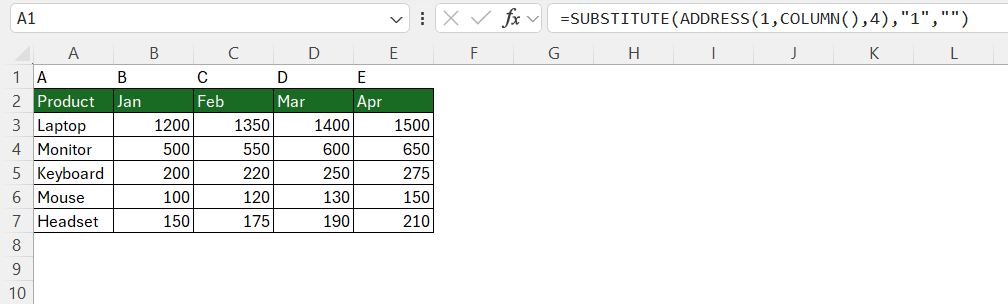
- If you are using an older version of Excel and providing a range of cells as reference, it will return only 1 value.
- You can use the COLUMN function to number the columns of a table. Write the formula once and then drag it across the header row.
FAQs
1. What does the COLUMN function do?
The COLUMN function returns the column number of a cell or reference.
2. What does =COLUMN() return?
It returns the column number of the formula cell.
3. Can COLUMN work with a range?
Yes. It returns the number of the first column in the range.
4. Can COLUMN return a column letter?
No. COLUMN returns a number, not a letter.
5. What is the difference between COLUMN and COLUMNS?
COLUMN returns a column number. COLUMNS counts the columns in a range.

John Michaloudis is a former accountant and finance analyst at General Electric, a Microsoft MVP since 2020, an Amazon #1 bestselling author of 4 Microsoft Excel books and teacher of Microsoft Excel & Office over at his flagship MyExcelOnline Academy Online Course.

 30 Days - Full Access









