 Free Practice Workbook
If you pay your employees twice a month, you can use Excel to calculate semimonthly pay easily. A semimonthly pay schedule usually means employees are paid 24 times a year, such as on the 15th and the last day of each month. In this article, you will learn how to calculate semimonthly pay in Excel.
Key Takeaways:
- Semimonthly pay means employees are paid 24 times a year.
- Divide the annual salary by 24 to calculate semimonthly pay.
- Use DATE and EOMONTH to create semimonthly pay dates.
- Use WORKDAY when pay dates need to account for weekends and holidays.
- Keep pay period dates and actual pay dates in separate columns.
Table of Contents
Introduction to Semimonthly Frequency
What is Semimonthly Pay?
Semimonthly pay means an employee receives a paycheck twice every month. There are 12 months in a year, so an employee will receive 24 payments in a year. For example, a company may pay employees on:
- 15th of every month
- Last day of every month
If the annual compensation of an employee is $60,000. They will receive:
=60,000/24
=2,500
So, the employee’s gross semimonthly pay would be $2,500.
Semimonthly Pay vs Biweekly Pay
With semimonthly pay, employees are paid twice each month. With biweekly pay, employees are paid every two weeks.
These two schedules should not be confused because they have a different number of payments in a year. Semimonthly pay has 24 payments, while biweekly pay normally has 26 payments.
How to Calculate Semimonthly
Calculate Semimonthly Pay
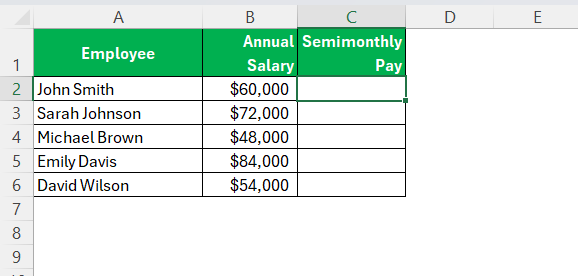
STEP 1: Create a table with headers: Employee, Annual Salary, Semimonthly.
STEP 2: In the Semimonthly column, type this formula:
=B2/24
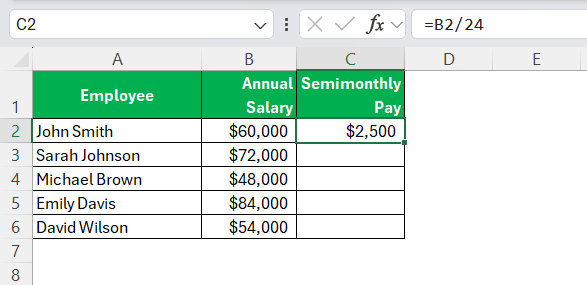
That is the gross pay for one period.
STEP 3: Drag the formula down.
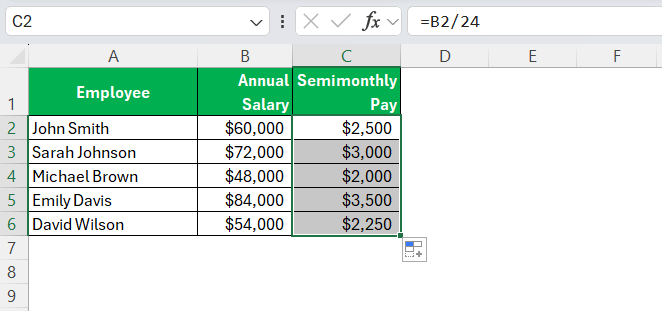
If an employee’s annual salary changes, the semimonthly amount will automatically update because the formula refers to the salary cell. This is useful when working with a payroll table containing many employees.
Calculate Semimonthly Pay Date
STEP 1: Type the first pay date in cell A2.
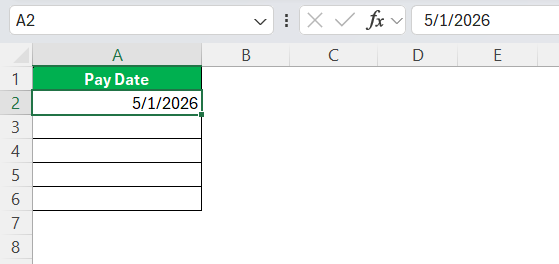
STEP 2: Type the next pay date formula:
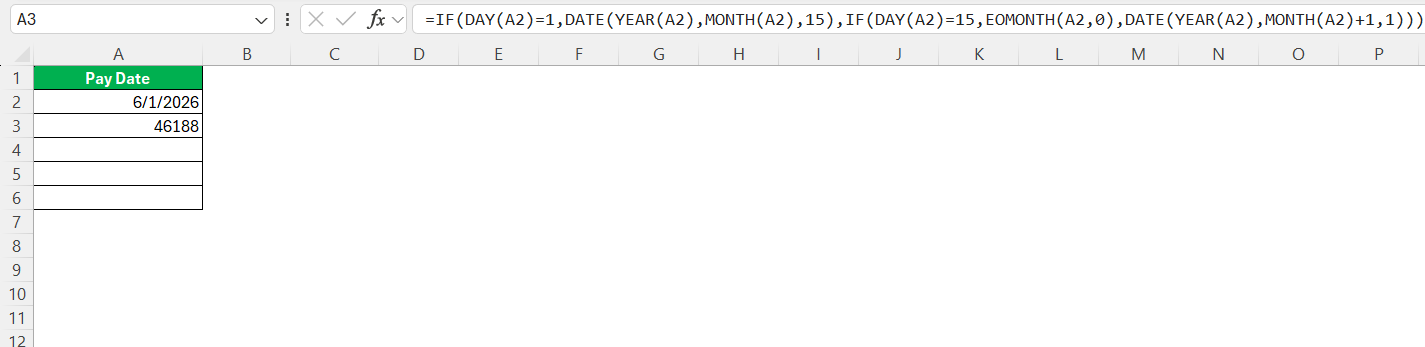
If the date above is the 15th, Excel jumps to month-end. If it is month-end, Excel jumps to the 15th of the next month.
STEP 3: Drag the formula down.
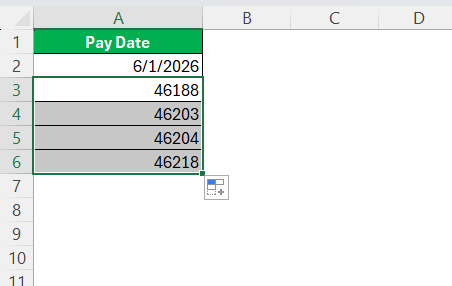
STEP 4: Right-click on the Pay Date column and select Format.
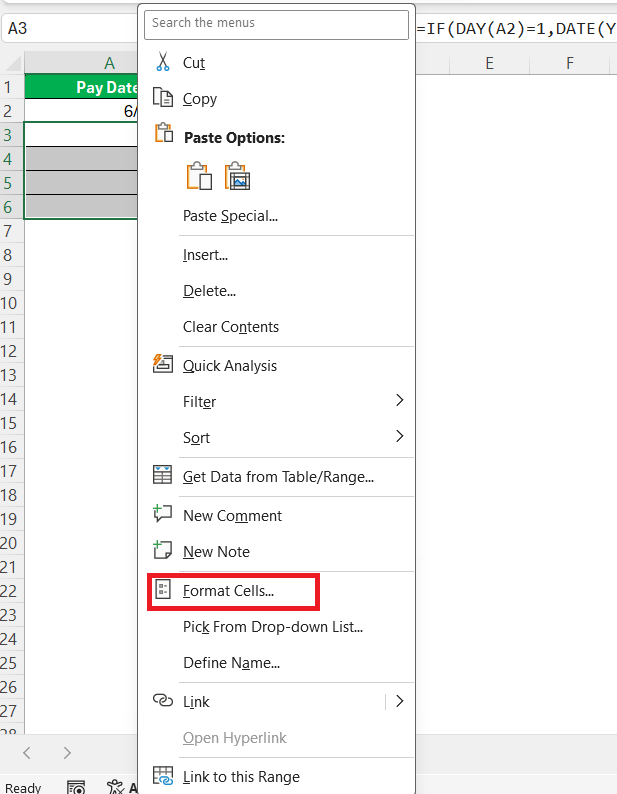
STEP 5: Pick a date Format.
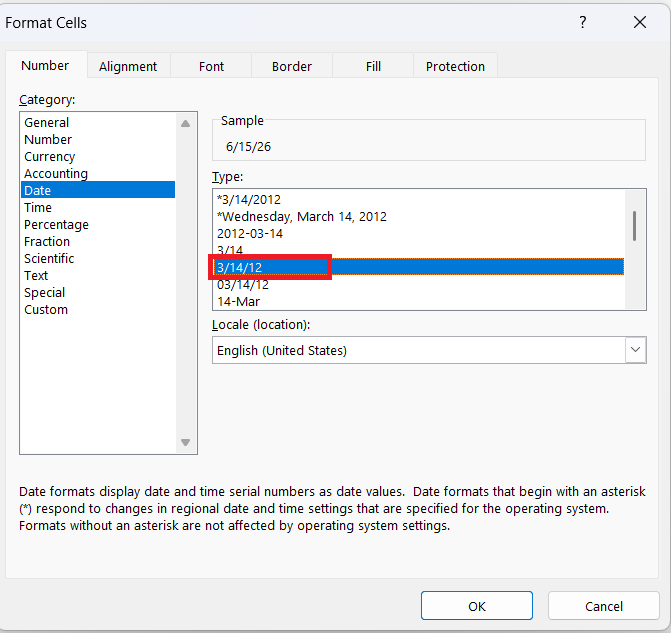
The pay date will be displayed in the column in the correct format.
Tips & Tricks
- If you divide by 26 instead of 24, you’ll get an incorrect result. Make sure to divide an annual salary by 24 for semimonthly pay.
- You cannot simply add 15 days to get the next payday. Use DATE and EOMONTH instead of adding 15 days because months have different numbers of days.
- Use EOMONTH to calculate the last day of the month because EDATE only moves by whole months.
- If dates are stored as text, you can use the DATEVALUE formula. It can convert a date stored as text into a valid Excel date.
- Use WORKDAY to move a payday that falls on a weekend or holiday to the appropriate working day.
- Keep the full decimal value in the formula and round only the final pay amount.
- Keep the pay period end date and actual pay date in separate columns.
FAQs

John Michaloudis is a former accountant and finance analyst at General Electric, a Microsoft MVP since 2020, an Amazon #1 bestselling author of 4 Microsoft Excel books and teacher of Microsoft Excel & Office over at his flagship MyExcelOnline Academy Online Course.

 30 Days - Full Access









