You can use the SUM function to get the total of a column. But when you have multiple columns, you will have to write the formula multiple times. The BYCOL function can be used to sum every column in a range with a single formula. In this article, you will learn how to total a column using the BYCOL function in Excel.
Key Takeaways:
- BYCOL can total multiple columns with a single formula.
- The LAMBDA function tells BYCOL what calculation to perform.
- SUM can be used inside LAMBDA to add each column.
- BYCOL can also be used with Excel Tables.
- MMULT can total columns, but BYCOL is easier to understand.
Table of Contents
Introduction to the BYCOL Function
What Is the BYCOL Function?
The BYCOL function applies a LAMBDA function to each column in a selected range and returns one result for each column. The syntax is:
=BYCOL(array, lambda(column))
- array – The range or array you want to split into columns
- lambda – A LAMBDA function that tells Excel what to do with each column.
LAMBDA Function
The LAMBDA function in Excel lets you create your own reusable functions using Excel formulas, without VBA. The syntax is:
=LAMBDA(parameter1, parameter2, calculation)
- x is the parameter.
- x*2 is the calculation.
For example, if you use this formula:
=LAMBDA(x,x*2) (5)
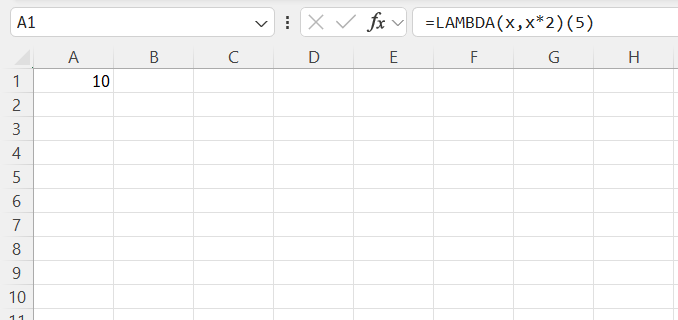
This creates a function that takes a value x and multiplies it by 2.
How to Total Each Column Using BYCOL
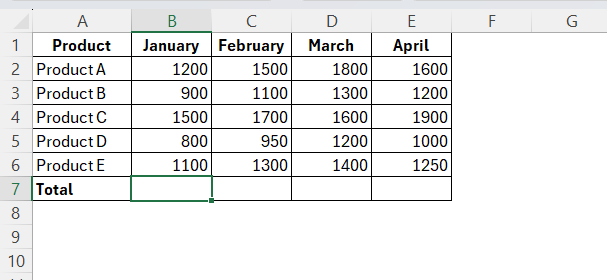
STEP 1: Select the cell where you want the first total of the column.
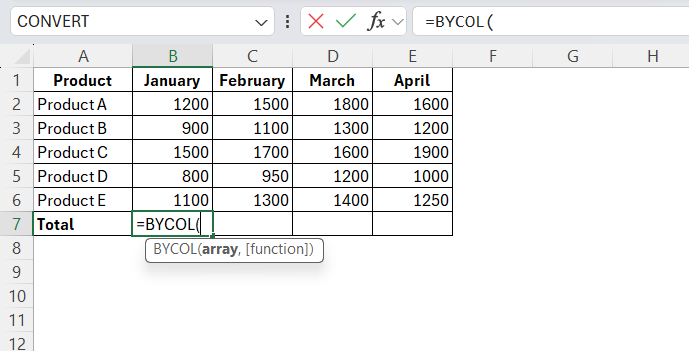
STEP 2: Type the BYCOL function.
=BYCOL(
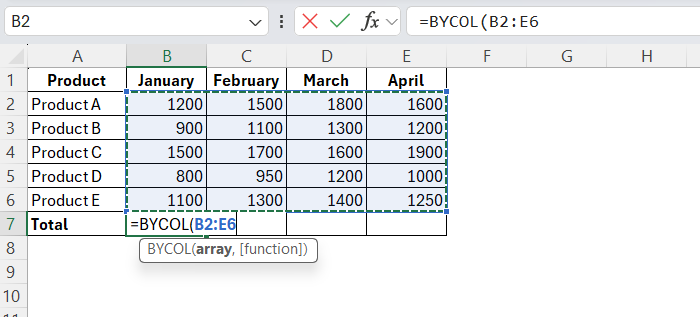
STEP 3: Select the range containing the numbers you want to total.
=BYCOL(B2:E6
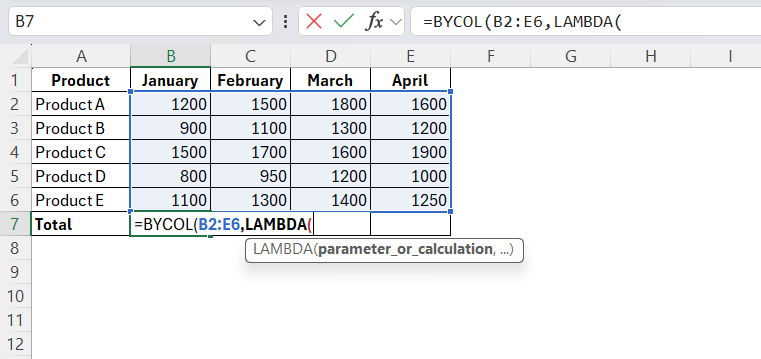
STEP 4: Type the LAMBDA function.
=BYCOL(B2:E6,LAMBDA(
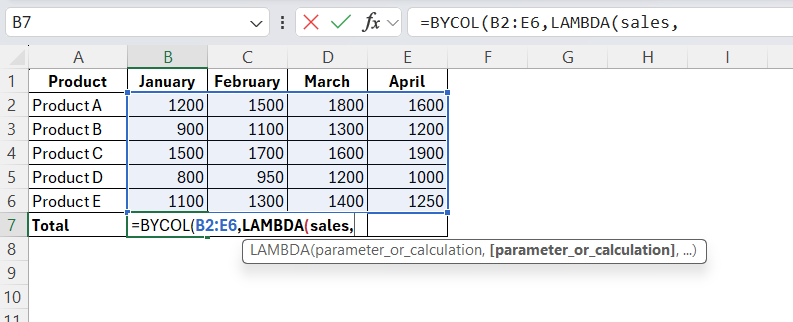
STEP 5: Give the current column a name, say sales.
=BYCOL(B2:E6,LAMBDA(sales
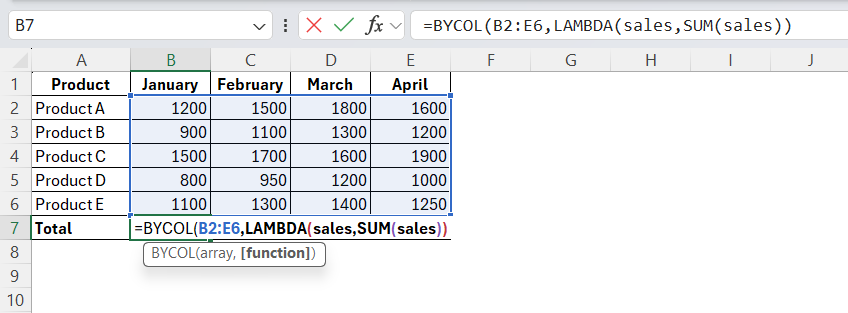
STEP 6: Use SUM to total the column.
=BYCOL(B2:E6,LAMBDA(sales,SUM(sales)))
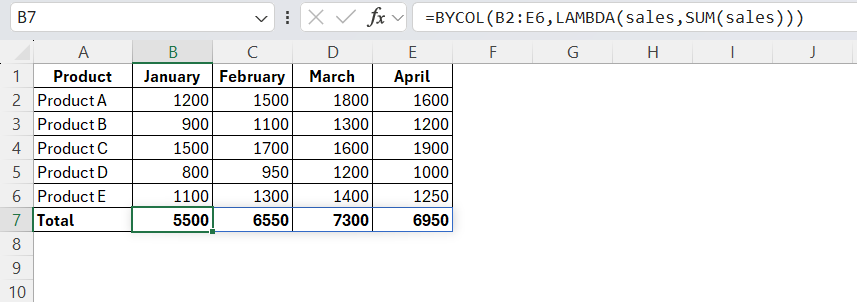
STEP 7: Press Enter.
Alternate Methods to Total a Column
SUM function
Without BYCOL, you would need to enter a separate SUM formula for each column.
For example:
=SUM(B2:B6)
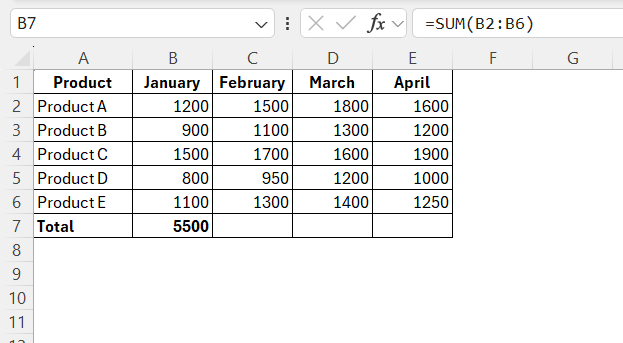
Then:
=SUM(C2:C6)
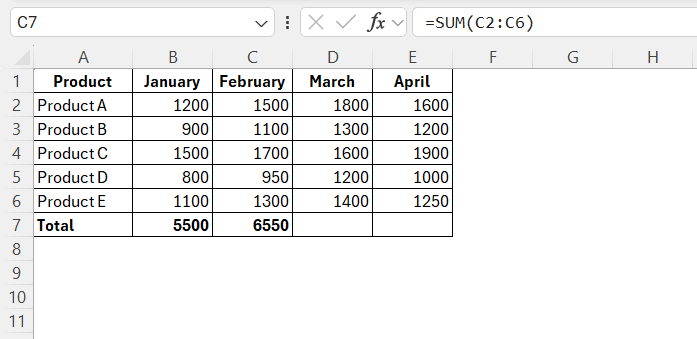
And similarly for columns D and E.
This approach works well when you only have a few columns. However, it can become time-consuming when you have many columns.
Excel Table
You can also use BYCOL with an Excel Table. Suppose your table is named SalesData and contains the columns January, February, March, and April.
You can use:

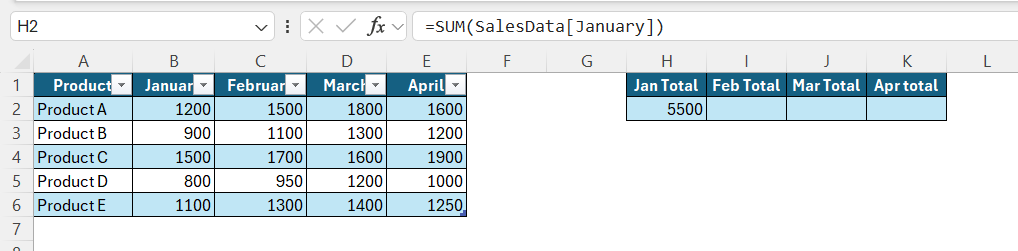
This calculates the total for each selected column.
Using an Excel Table can be useful when new rows are regularly added to your data because the table range automatically expands.
MMULT Function
You can also use the MMULT function to total multiple columns. However, the formula is more complicated.
For example:
=MMULT(TRANSPOSE(ROW(B2:B6)^0),B2:E6)
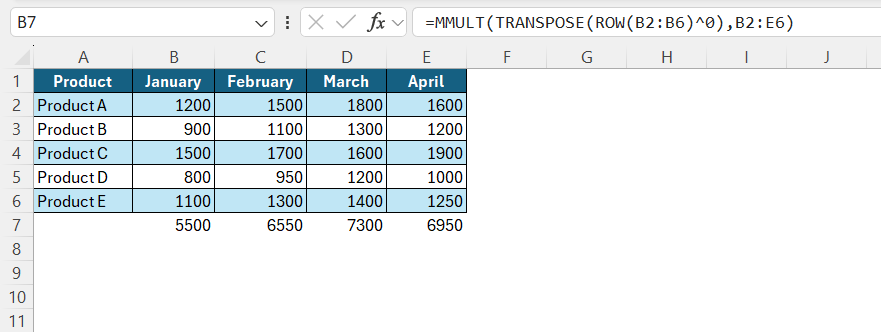
This can return the same column totals.
However, BYCOL is easier to read:
=BYCOL(B2:E6,LAMBDA(column,SUM(column)))
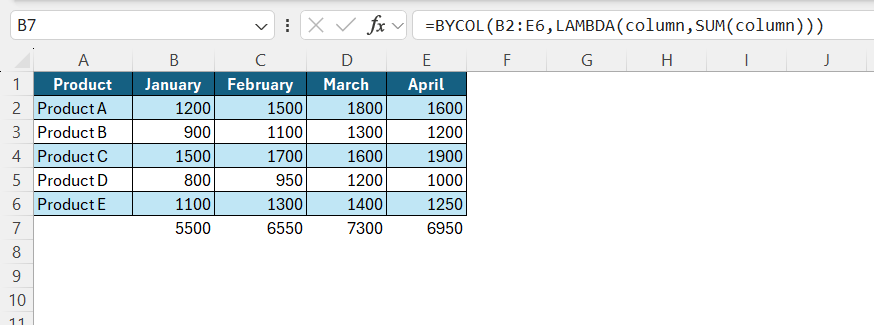
For simply totaling columns, I would recommend using BYCOL because the formula clearly shows that SUM should be applied to each column.
FAQs
1. How do I total multiple columns using BYCOL?
You can use the following BYCOL formula:
=BYCOL(B2:E6,LAMBDA(sales,SUM(sales)))
This calculates the total for each column in the selected range.
2. What does LAMBDA do in the BYCOL formula?
LAMBDA tells Excel what calculation to perform on each column. In this example, it tells Excel to use the SUM function.
3. Can I use BYCOL with an Excel Table?
Yes. You can use structured references with BYCOL to total columns in an Excel Table.
4. Can I total columns without using BYCOL?
Yes. You can use separate SUM formulas for each column. You can also use functions such as MMULT for this purpose.
5. Which is better, BYCOL or MMULT for totaling columns?
The BYCOL function is easy to understand and write. It uses the SUM function directly in its calculation. Whereas, the MMULT function is a complex function that is used for matrix calcualtion.

John Michaloudis is a former accountant and finance analyst at General Electric, a Microsoft MVP since 2020, an Amazon #1 bestselling author of 4 Microsoft Excel books and teacher of Microsoft Excel & Office over at his flagship MyExcelOnline Academy Online Course.

 30 Days - Full Access









