 Free Practice Workbook
Converting tablespoons to cups is a key skill for home cooks, bakers, and culinary professionals. Excel is a great tool that can be used for this conversion. In this article, you will learn how to convert a tablespoon to a cup in Excel.
Key Takeaways:
- Excel can convert tablespoons to cups using a simple formula.
- There are 16 tablespoons in one cup.
- You can build a conversion table for repeated use.
- Named ranges make formulas cleaner.
- Excel is ideal for scaling recipes up or down.
Table of Contents
Understanding Volume Measurements
Origin of Tablespoons and Cups
Tablespoons and cups have roots in different cultural measurement systems. The tablespoon is commonly used in both the United States and the United Kingdom. It is originated as a part of the larger spoon family. The cup is used in measuring dry and liquid ingredients. It evolved from household vessels used in early domestic kitchens.
Its size varies by country.
- US cup equals 240 milliliters
- Australian cup is 250 milliliters
Why Accurate Conversions Matter
Accurate conversions between tablespoons and cups are important to get the desired outcome. Precise measurements affect the texture, flavor, and consistency of dishes. For example, in baking, even slight deviations can alter the structural integrity of cakes and pastries, resulting in underwhelming textures or flavors.
Furthermore, when scaling recipes up or down, maintaining ingredient ratios is vital to retain the original taste and quality. Accurate conversions ensure that our efforts in the kitchen produce consistent results, minimizing waste and optimizing the use of resources. With the precision tools available in Excel, we can seamlessly ensure our measurements are spot-on every time.
Use Excel for Conversions
Conversion Table
STEP 1: Create a table with the first row as a header.
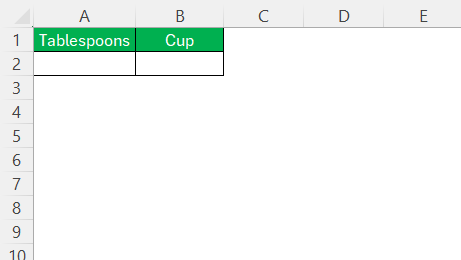
STEP 2: List the common tablespoon values in column A.
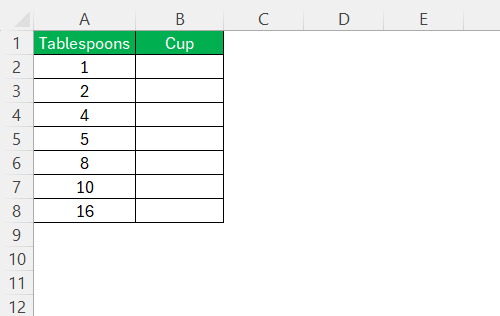
STEP 3: Enter the conversion formula.
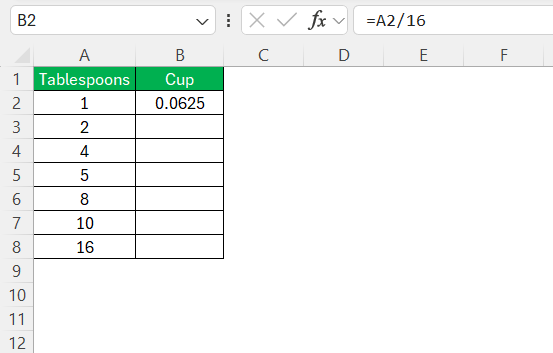
STEP 4: Drag the formula down to all tablespoon values.
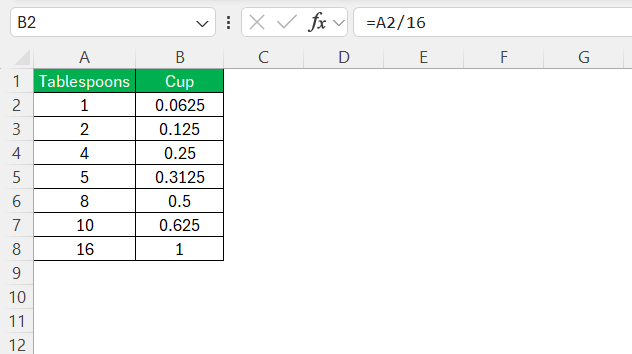
Named Range with Ratio
This method creates a named constant for the conversion factor. It will make the formulas look cleaner.
STEP 1: Go to Formulas Tab > Name Manager > New
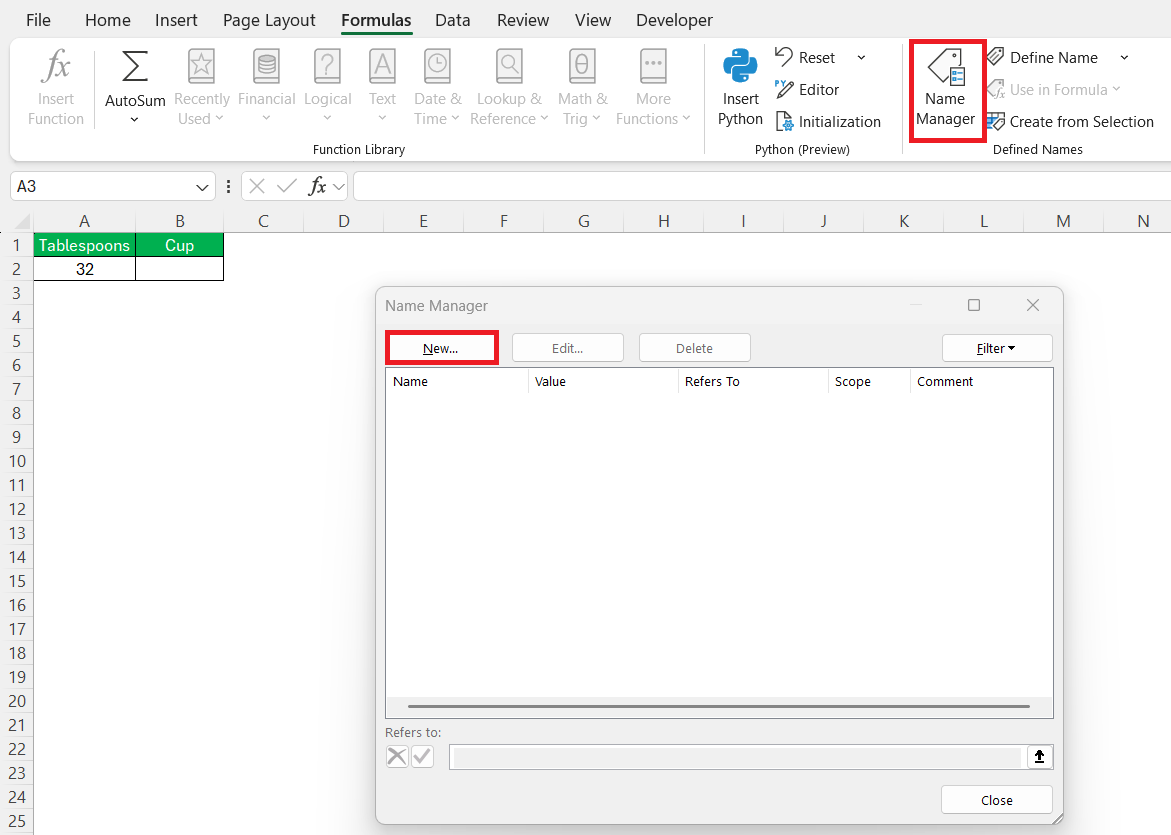
You can also press Ctrl+F3 to open the Name Manager dialog box.
STEP 2: In the New Name dialog:
- Name: TbspPerCup
- Scope: Workbook (default)
- Refers to: =16
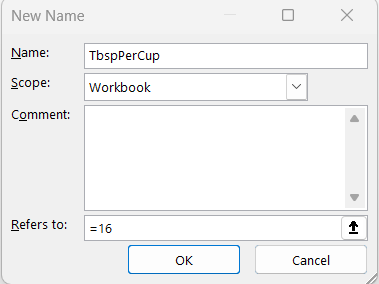
STEP 3: Click OK. Close the Name Manager.
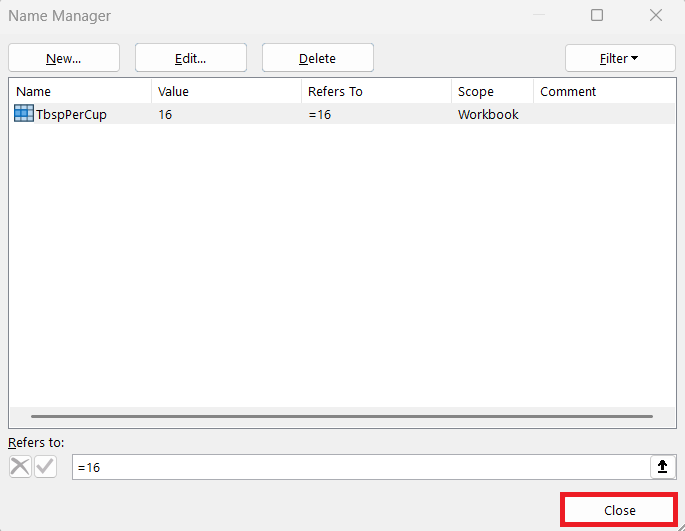
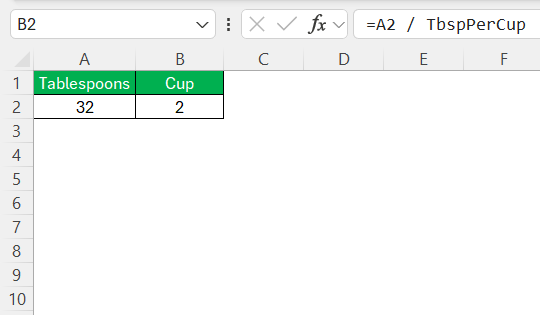
STEP 4: To use the named range in a formula, enter this:
=A2 / TbspPerCup
Troubleshoot Common Errors
- Double-check the formula syntax. Make sure that you are dividing tablespoons by 16 to get the equivalent in cups correctly.
- Double-check the input values for any accidental typos or misplaced decimal points.
- When dragging formulas to new cells, make sure that the references are not changed unintentionally.
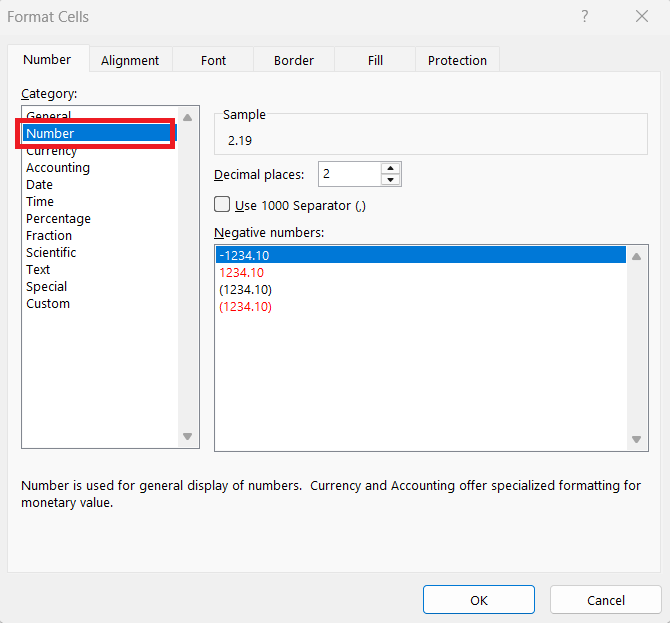
- If results appear distorted, check the cell formatting. You can use the format cells option to change the format of the values.
FAQs
How many tablespoons are in one cup?
There are 16 tablespoons in 1 cup.
What formula converts tablespoons to cups in Excel?
The simplest formula to convert tablespoons to cups in Excel:
=A2/16
Why should I use Excel for conversions?
Excel saves time and reduces manual calculation errors.
What is a named range in Excel?
A named range is a custom name for a value or cell reference used in formulas.
Why are accurate measurements important in baking?
Small measurement mistakes can affect taste, texture, and consistency.

John Michaloudis is a former accountant and finance analyst at General Electric, a Microsoft MVP since 2020, an Amazon #1 bestselling author of 4 Microsoft Excel books and teacher of Microsoft Excel & Office over at his flagship MyExcelOnline Academy Online Course.

 30 Days - Full Access









