Table of Contents
The Screenshot Notification
Comparing Teams with Other Messaging Platforms
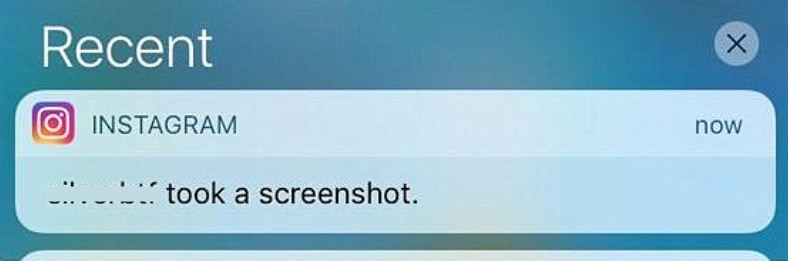
Some platforms, like WhatsApp, Slack, or Instagram, may notify you when a screenshot is taken of a conversation. This feature is provided to improve privacy. In contrast, Microsoft Teams focuses on different aspects like collaboration efficiency and data security compliance. This is the reason why screenshot notifications are not currently a standard feature.
Protecting Privacy within Microsoft Teams
In-built Security Features
Microsoft Teams is designed with numerous in-built security features to protect data and user privacy. Encryption in transit and at rest ensures that any sensitive information shared within the platform remains secure from unauthorized access. Multi-factor authentication (MFA) adds an extra layer of security by requiring additional verification. Moreover, Teams complies with various international compliance standards, including ISO 27001, HIPAA, and GDPR, reaffirming its commitment to safeguarding user data. Advanced Threat Protection (ATP) scans for malicious content within shared files, and the platform’s extensive audit logs allow for detailed monitoring of user activities.
Policies and Best Practices for Safe Usage
To ensure safety and privacy within Microsoft Teams, it’s essential for us to adhere to certain policies and best practices. We should implement App Protection Policies, especially for organizations enabling remote work or BYOD (Bring Your Own Device) to prevent data leakage through keylogging or screen capturing tools. It’s also advisable to regularly review and customize user permissions and access controls, consequently reduce the risk of insider threats. Training sessions on identifying phishing attempts and managing sensitive information can improve the security culture. Additionally, using the data loss prevention (DLP) feature will help prevent sensitive information from being shared inadvertently.
How Teams Handles Data and Screenshots
The Mechanism behind Data Sharing and Storage
The way Microsoft Teams shares and stores data leverages a sophisticated system built for collaboration and security. Data shared within the platform—whether through messages, files, or during calls—is stored in the cloud, predominantly on Microsoft’s OneDrive for Business and SharePoint. Furthermore, persistent chat data is housed in Azure’s secure datacenters. When we share content, it’s not sent directly to the recipient. Instead, data is stored securely in the cloud, and what is shared is effectively a reference to that data, which the intended recipient can access with the proper permissions.
Limitations in Detecting Screenshot Activities
While Microsoft Teams offers robust security measures, it currently lacks the capability to detect when a user takes a screenshot of a chat or a document. This limitation is partly due to the nature of how screen capture is handled by operating systems; it’s a challenge to track such activities across different devices and platforms. On desktop environments, for instance, the multitude of screenshot tools and methods available makes it difficult to monitor without potentially invasive surveillance.
Practical Tips for Users to Maintain Privacy
When it comes to sharing sensitive information over Microsoft Teams, I recommend following strict guidelines:
- Verify the recipient’s identity.
- Use private channels for confidential discussions.
- Avoid discussing highly confidential topics on shared platforms unless necessary.
- Regularly remind team members about the importance of data privacy
FAQs
Does Microsoft Teams Notify Users of Screenshots?
No, Microsoft Teams does not notify users when a screenshot is taken of a chat, document, or any other content within the application.
How to make sure that my conversations are private?
To make sure that your conversations in Microsoft Teams remain private, use the platform’s privacy settings to manage who can join or view your chats and meetings.
Can meeting hosts see if I take a screenshot?
No, hosts cannot detect or track screenshots.
Can third-party tools detect screenshots in Teams?
Yes, some external tools may track screenshots.

John Michaloudis is a former accountant and finance analyst at General Electric, a Microsoft MVP since 2020, an Amazon #1 bestselling author of 4 Microsoft Excel books and teacher of Microsoft Excel & Office over at his flagship MyExcelOnline Academy Online Course.

 30 Days - Full Access









