 Free Practice Workbook
When working with spreadsheets, I often need to keep my dates current. Excel’s TODAY function can make sure that today’s date is always correctly displayed without any manual updates. In this article, I will show you how to insert Excel Today Date Function.
Key Takeaways:
- The TODAY function lets you insert the current date.
- It automatically updates the date every time I open my worksheet.
- It helps me set timelines and track deadlines.
- Use it with Conditional formatting to highlight current dates.
- Use CTRL + ; to insert static dates.
Introduction to Excel’s TODAY Function
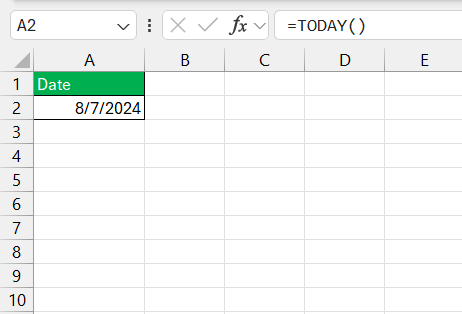
The TODAY function in Excel is used to provide us with the current date. This function updates the value anytime I open my Excel worksheet. There is no need for manual entry or updates. Simply input the function into a cell
=TODAY()
It will display today’s date in the chosen format and refresh each time I access the document.
The Power of TODAY in Daily Spreadsheet Tasks
Keeping Data Fresh
The TODAY function keeps your dates updated automatically. Every time you open the sheet, it shows the current date. You do not need to update anything manually.
Timelines and Deadlines
The TODAY function helps you track deadlines easily. You can quickly see how many days are left or overdue. It makes planning simple and helps you stay on track.
Step-by-Step Guide to Using TODAY Function
Basic Syntax of TODAY Function
The basic syntax for the TODAY function is:
=TODAY()
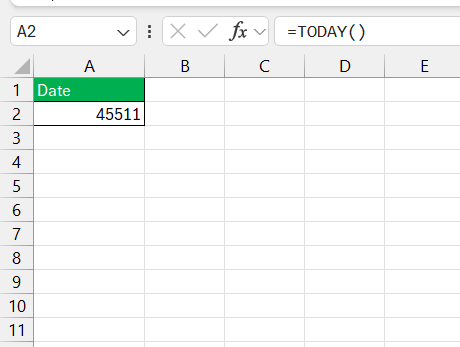
No parameters, no fuss. Excel treats dates as serial numbers, so it may appear to be a random number at first. But you can format the cell with a recognizable date format.
Practical Examples
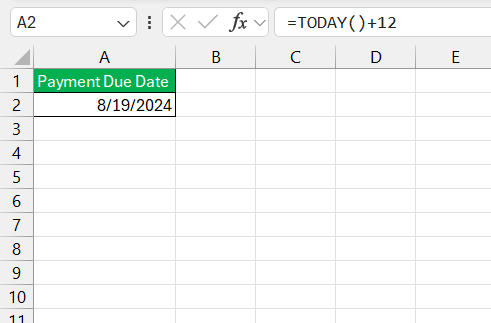
Imagine you need to create a “Payment Due” column in a billing spreadsheet. By adding a fixed number of days to =TODAY(), you can automatically calculate each bill’s due date.
Enhancing Your Worksheets with Today’s Date
Current Dates for Visibility
I can use conditional formatting to highlight cells containing today’s date.
- Go to Home
- Select Conditional Formatting
- Select New Rule
- Choose Use a formula to determine which cells to format
- Select the cell containing the TODAY function
- Click Format
- Choose a color
- Press OK
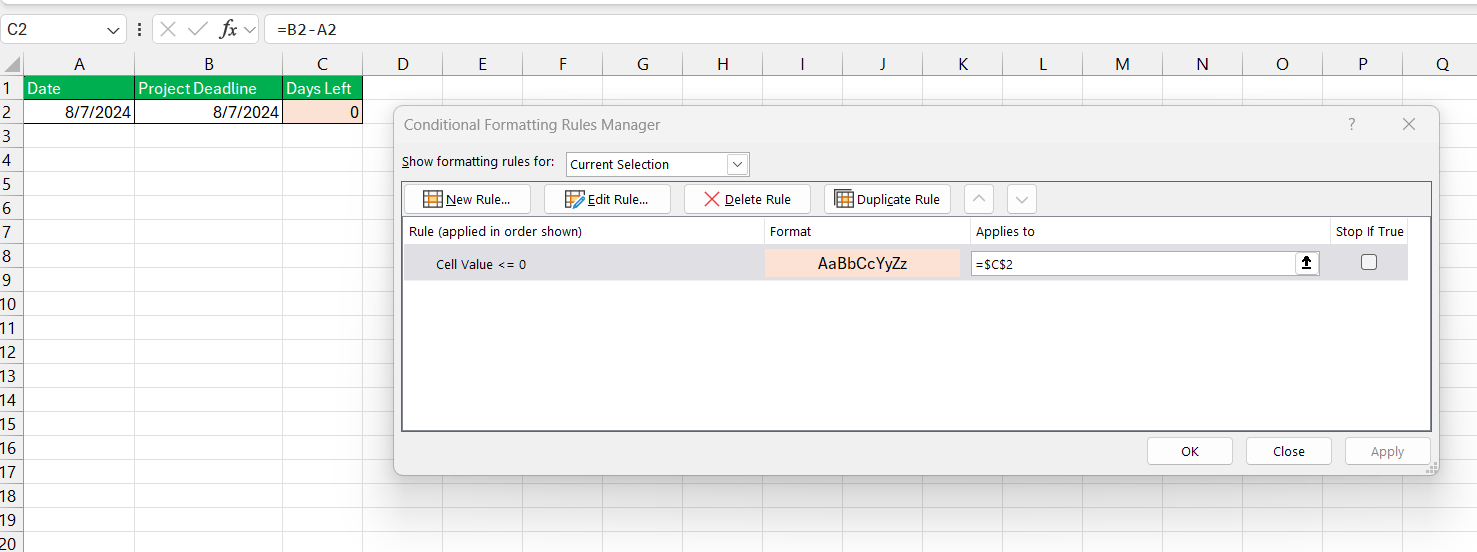
It is useful for deadlines that require quick attention or for distinguishing today’s agenda in your planner.
Calculating Intervals With Precision
I can calculate intervals between dates using the TODAY function. Whether you’re figuring out how many days are left before a special event or tracking the tenure of a subscription, TODAY gives you the desired interval instantly.
Tips and Tricks
- While dynamic dates keep your data updated, static dates stay the same.
- I can insert static dates using shortcuts, like
Control + ;for the current date, andControl + Shift + ;for the current time.
FAQs:
How do you get the day of today in Excel?
To get the day of today in Excel, use the DAY function combined with the TODAY function.
=DAY(TODAY())
How to prevent TODAY from updating?
Press CTRL + ; to insert the current date as a static value.
Can TODAY be used to trigger conditional formatting?
Use the function TODAY with conditional formatting to create rules that highlight cells based on the current date.
Is it possible to subtract or add days to TODAY’s date?
To add 7 days to the current date, use =TODAY()+7.
To subtract 7 days, use =TODAY()-7
What differentiates TODAY from the NOW function?
TODAY gives you the current date without time. NOW provides the current date and time.

John Michaloudis is a former accountant and finance analyst at General Electric, a Microsoft MVP since 2020, an Amazon #1 bestselling author of 4 Microsoft Excel books and teacher of Microsoft Excel & Office over at his flagship MyExcelOnline Academy Online Course.

 30 Days - Full Access









