 Free Practice Workbook
When working with data in Excel, you may often need to calculate averages. One powerful yet underutilized function in Excel is the GEOMEAN function. In this article, you will learn how to calculate the GEOMEAN function in Excel.
Key Takeaways:
- The GEOMEAN function can calculate the geometric mean.
- It can be used to analyze growth rates and compounding data.
- Excel will return a NUM error if all numbers are not positive.
- It helps smooth out volatile data.
- It can give a more realistic average than the basic mean.
Table of Contents
Understanding the GEOMEAN Function
What is the GEOMEAN Function?
The GEOMEAN function in Excel calculates the geometric mean. It is a type of average used for sets of positive numbers. The arithmetic mean simply adds numbers and divides by the count. Whereas the geometric mean multiplies all the numbers together and takes the nth root.
It is ideal for averaging rates of growth over time. By smoothing out the data, GEOMEAN helps provide more accurate insights, especially in fields like finance and statistics.
Syntax
The syntax of the GEOMEAN function is:
=GEOMEAN(number1, [number2], ...)
- number1: This is the first numeric argument for which you want to calculate the geometric mean. It’s a required argument.
- [number2], …: These are additional numeric arguments that can be added, up to a total of 255. These are optional.
Each argument can be an individual number, a cell reference, or a range of cells containing numbers. Keep in mind that all values must be positive.
How to Calculate GEOMEAN Function
Step-by-Step Guide
STEP 1: Click on the cell where you want the geometric mean result to appear.
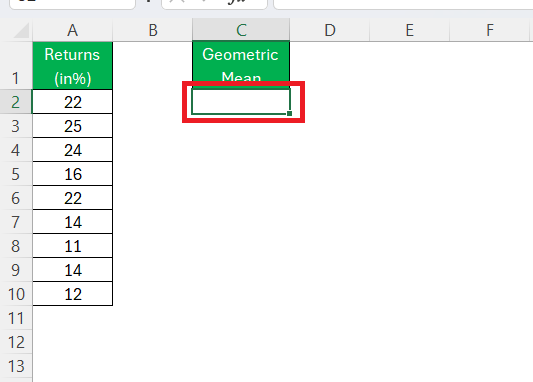
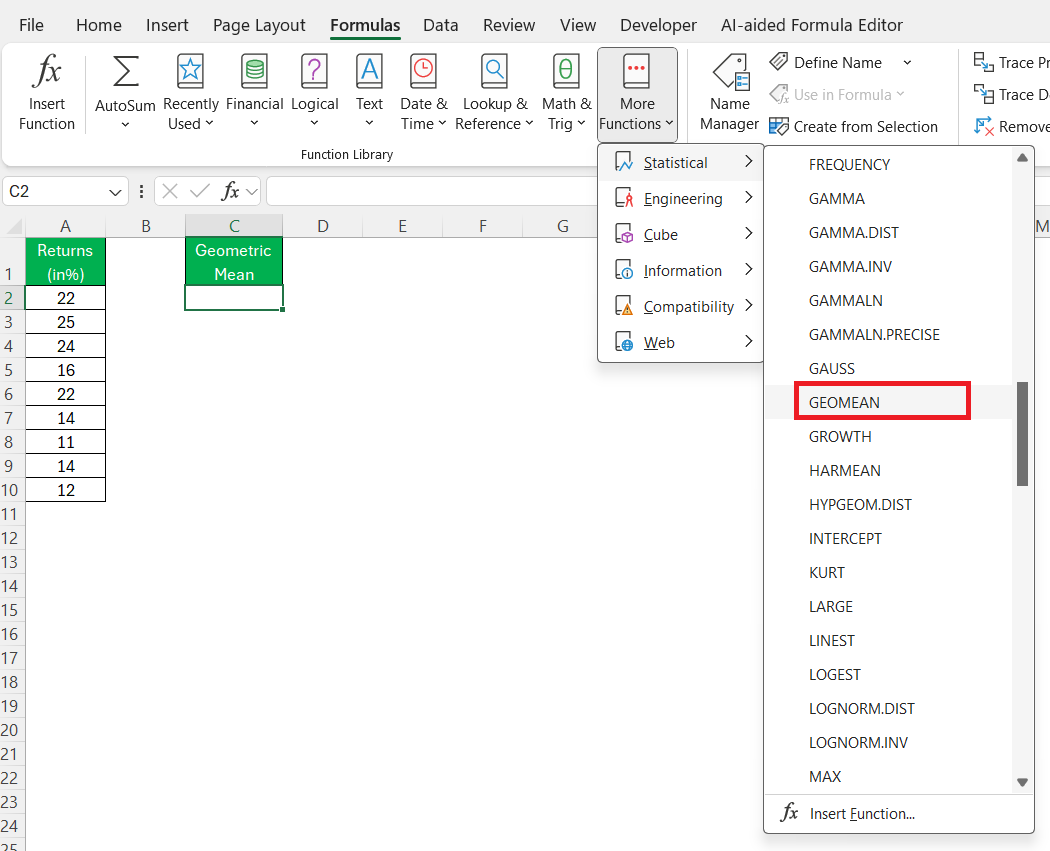
STEP 2: Go to the ‘Formulas’ tab in the Excel ribbon and select ‘More Functions’ > ‘Statistical’ > ‘GEOMEAN’.
STEP 3: In the formula argument window that appears, input your data range. You can do this by typing the range directly (e.g., A2:A10) or by selecting the cells with your mouse.
Make sure that all numbers in your selected range are positive.
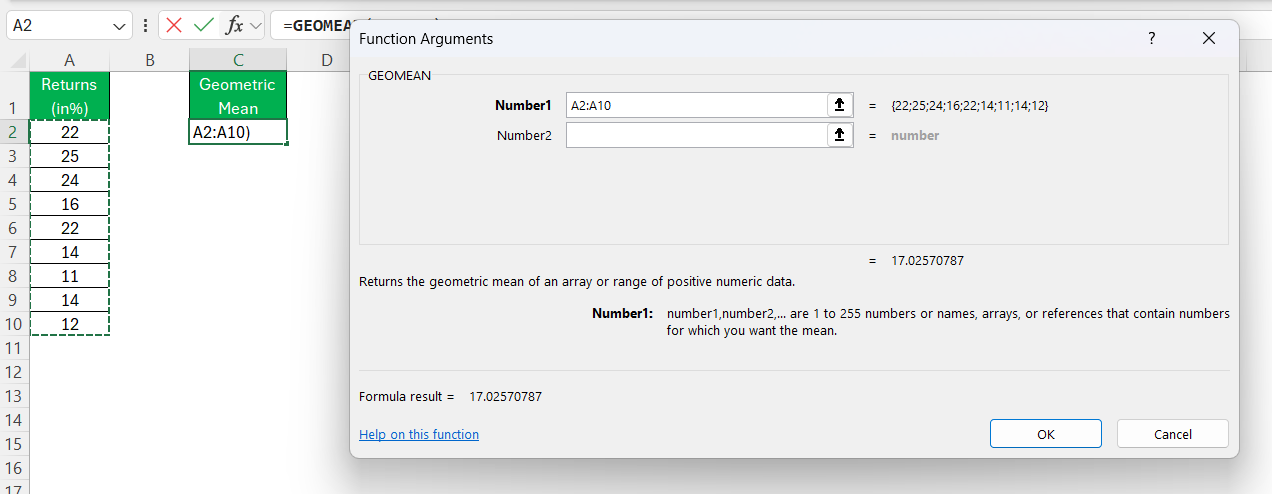
STEP 4: Click ‘OK’ to calculate the geometric mean.
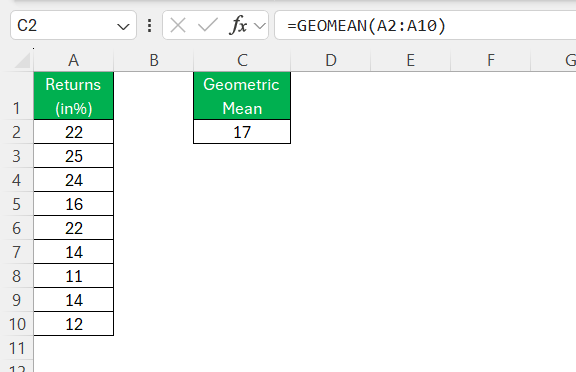
The result will appear in the cell you initially selected.
Tips & Tricks
Troubleshoot Common Errors
- GEOMEAN requires all numbers to be positive. Double-check your data to confirm there are no negative numbers or zeros, as these will lead to calculation errors.
- Maintain uniformity in your data, such as using either all percentages or all decimal values. Mixed formats can lead to misinterpretation of results.
- Always verify the selection of your data range to ensure it includes all intended data points without omissions or extraneous entries.
- If your dataset is dynamic, update your range selections and calculations regularly to account for new data entries.
- Use Excel’s data validation features to restrict cell inputs within a specific range or type, minimizing the chance of incorrect entries.
Interpret Error Messages
- #NUM! Error: This occurs when there are negative numbers or zeros in your range. To fix this, confirm that all values are positive as required by the geometric mean calculation.
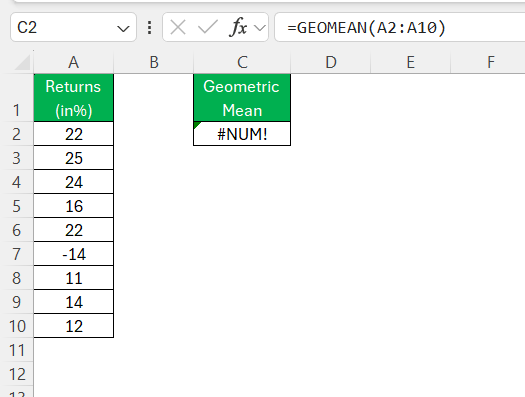
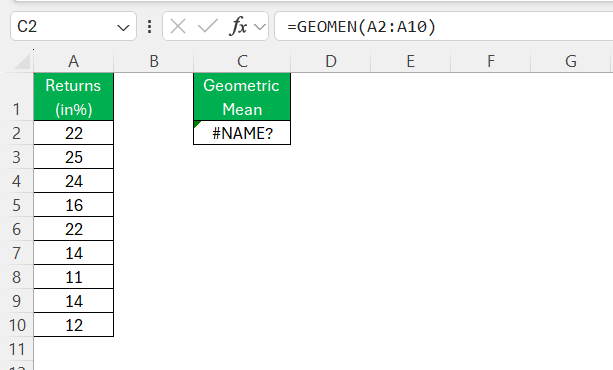
- #NAME? Error: This suggests a typo in the function name or a missing function, such as an incorrect spelling of “GEOMEAN.” Double-check the function name and correct any misspellings.
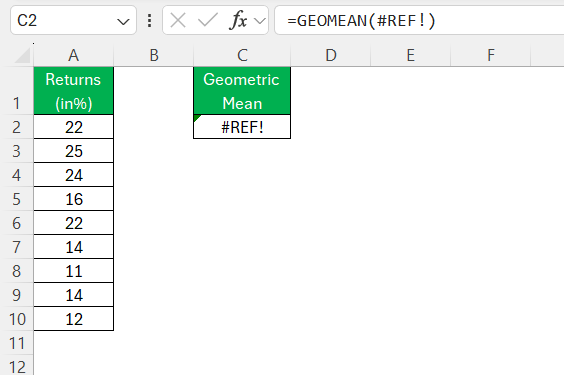
- Reference Errors: If your data has been moved or deleted, you might encounter a #REF! error. Reestablish the correct references to your data range to resolve this.
FAQs
What is the difference between GEOMEAN and average in Excel?
The GEOMEAN function calculates the geometric mean. In contrast, the AVERAGE function computes the arithmetic mean, simply adding values and dividing by the count.
What error does GEOMEAN show for invalid data?
The GEOMEAN function returns a #NUM! error if values are zero or negative.
What is the difference between GEOMEAN and AVERAGEIF?
GEOMEAN calculates the geometric mean of all positive values in a specified range. In contrast, AVERAGEIF computes the arithmetic mean of data that meets specific criteria.
Can I use GEOMEAN for negative numbers?
No, the GEOMEAN function cannot be used with negative numbers. It requires all values in its range to be positive.
What is the GEOMEAN function?
The GEOMEAN function in Excel is used to calculate the geometric mean of a set of positive numbers.

John Michaloudis is a former accountant and finance analyst at General Electric, a Microsoft MVP since 2020, an Amazon #1 bestselling author of 4 Microsoft Excel books and teacher of Microsoft Excel & Office over at his flagship MyExcelOnline Academy Online Course.

 30 Days - Full Access









