 Free Practice Workbook
You may have come across logarithmic calculations when working with mathematical or scientific data. The LN function in Excel can be used to calculate the natural logarithm. In this article, we will learn about the LN function and its application.
Key Takeaways:
- The LN function in Excel calculates the natural logarithm of a positive number.
- It is useful for modeling exponential growth and decay.
- It is different from the LOG function.
- LN can be combined with other functions like EXP, IF, or SUMPRODUCT for advanced analysis.
Table of Contents
What is the LN Function in Excel?
The LN function in Excel is used to compute the natural logarithm of a given number. A natural logarithm is the logarithm to the base of the mathematical constant “e”. e is approximately equal to 2.71828. This function is used to calculate exponential growth and decay processes.
It is different from the LOG function in Excel.
LN uses the base e, whereas LOG uses a user-specified base.
The LN function is used for natural and exponential growth scenarios. Conversely, the LOG functions involve standard logarithmic scales like base 10 or base 2.
How to Calculate Natural Log
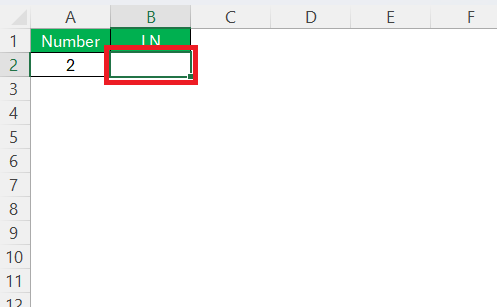
STEP 1: Click on the cell where you want the result to appear.
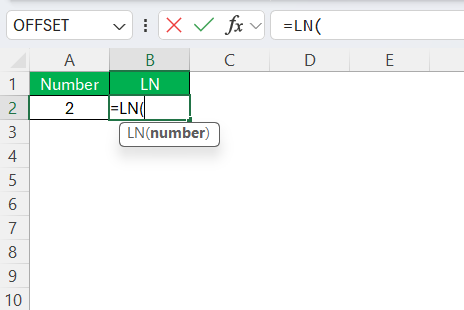
STEP 2: Enter the LN function.
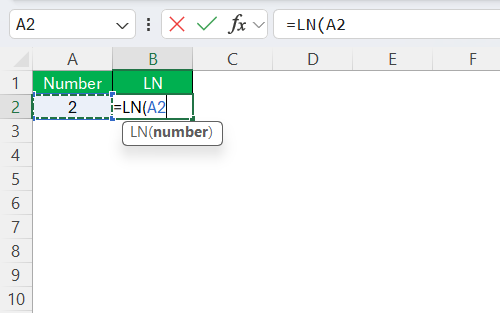
STEP 3: Select the cell reference for which you want the natural logarithm.
STEP 4: Close the parentheses and press Enter.
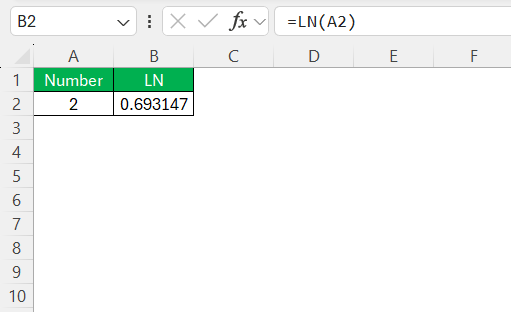
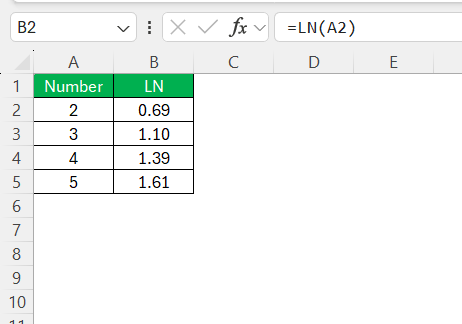
The cell will now display the natural logarithm of your specified number.
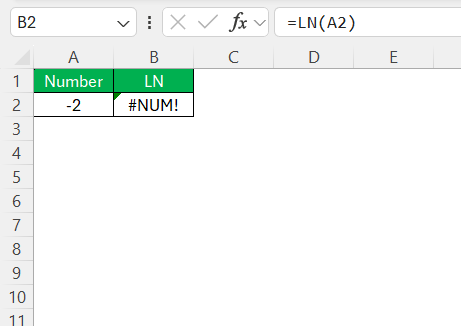
It is important to remember that the LN function cannot process negative numbers or zero. Double-check that your numbers are positive before applying the LN function for smooth calculations.
Tips & Tricks
- Always check that your input values are positive numbers. Negative values or zero will cause the LN function to return errors.
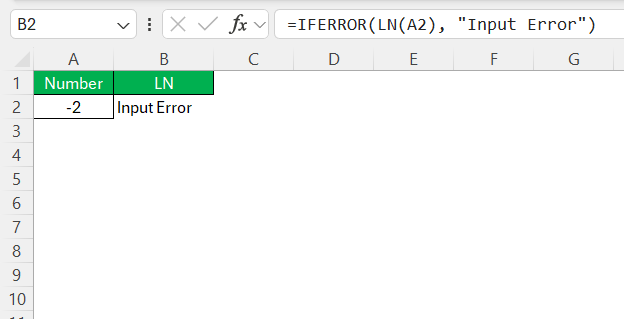
- Wrap your LN function in an IFERROR statement to replace error messages with a more informative message.
- When copying the LN formula across cells, decide if you need relative or absolute cell references.
- Check that all component parts and cell references are correct.
Advanced Techniques
Combine LN with Other Functions
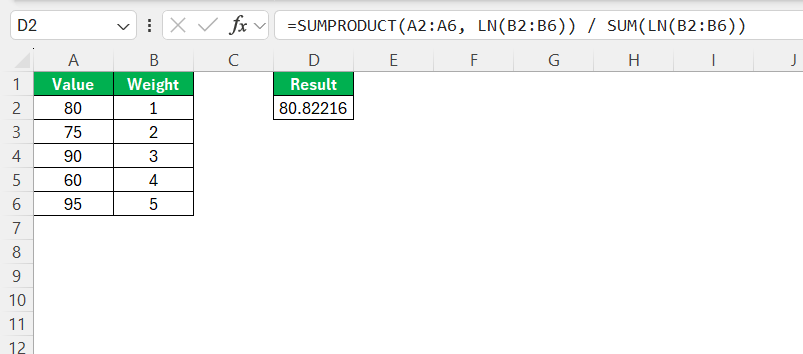
You can pair LN with SUMPRODUCT for calculating weighted averages in datasets that grow exponentially over time.
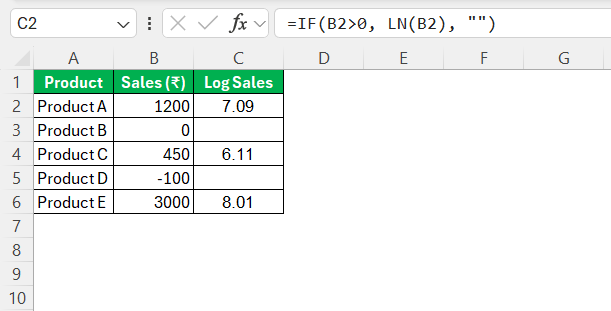
For more advanced applications, use LN with conditional functions like IF to apply logarithms only under certain conditions.
Use AutoFill
- Insert the LN formula in the first cell of your data range .
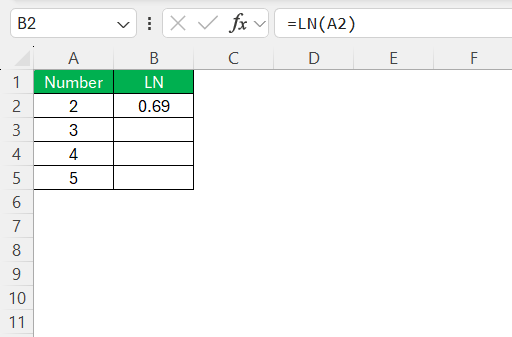
- Use the small fill handle to drag the formula down through adjacent cells where you wish to apply the LN function.
FAQs
What is the LN function used for?
It is used to calculate natural logarithms for growth, decay, and data analysis.
What is the difference between LN and LOG?
- LN uses base e
- LOG allows custom base.
How to calculate the LOG of negative numbers?
The LN function cannot work with negative numbers. If you input a negative number, Excel will return an error.
How do LN and exponential functions relate?
The LN and exponential functions are inverses of each other.
- The LN function finds the power to which e must be raised
- The EXP function raises e to a given power

John Michaloudis is a former accountant and finance analyst at General Electric, a Microsoft MVP since 2020, an Amazon #1 bestselling author of 4 Microsoft Excel books and teacher of Microsoft Excel & Office over at his flagship MyExcelOnline Academy Online Course.

 30 Days - Full Access









