 Free Practice Workbook
When I started diving into financial calculations in Excel, I realized how useful the RRI function is. It is a simple yet useful tool to calculate the growth rate required for an investment to grow from its initial value to its future value over a given period. In this article, I’ll walk you through what the RRI function does and how to use it effectively.
Key Takeaways:
- The RRI function in Excel simplifies determining the compound annual growth rate (CAGR) for investments.
- Enter the formula
=RRI(nper, pv, fv)to find the rate of return, using the number of periods, present value, and future value as inputs. - RRI helps project investment growth, aiding in retirement planning, business strategies, or comparing financial options.
- The function automates calculations, ensures accuracy with compounding effects, and saves time compared to manual methods.
- RRI isn’t just for investments; it’s also useful in analyzing exponential growth in non-financial contexts like population studies or scientific data.
Table of Contents
Introduction to RRI Function in Excel
What is RRI?
RRI stands for “rate of return on investment”. It is a powerful Excel function that calculates the equivalent interest rate required for an investment to grow from its present value to a future value over a specific period. It simplifies the process of estimating growth rates and understanding the potential returns on investments over time.
Excel’s RRI function is a user-friendly and dynamic computational tool. This is particularly useful for evaluating the Compound Annual Growth Rate (CAGR) of an investment over time.
Syntax
This function requires three essential inputs:
- number of periods (nper)
- present value (pv) of the investment
- future value (fv)
The syntax of RRI function is:
=RRI(nper, pv, fv)
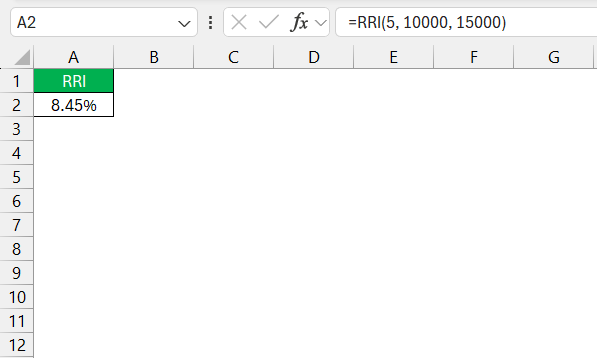
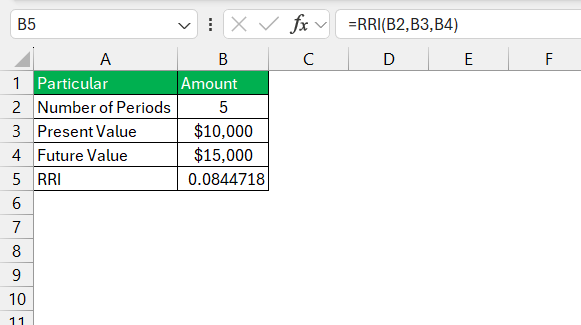
For instance, if I want to know the annual growth rate required for a $10,000 investment to grow to $15,000 over 5 years, the formula will be:
How to use the RRI Function
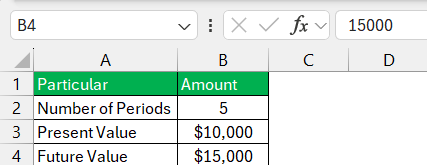
STEP 1: Input the data for time periods, present value, and future value.
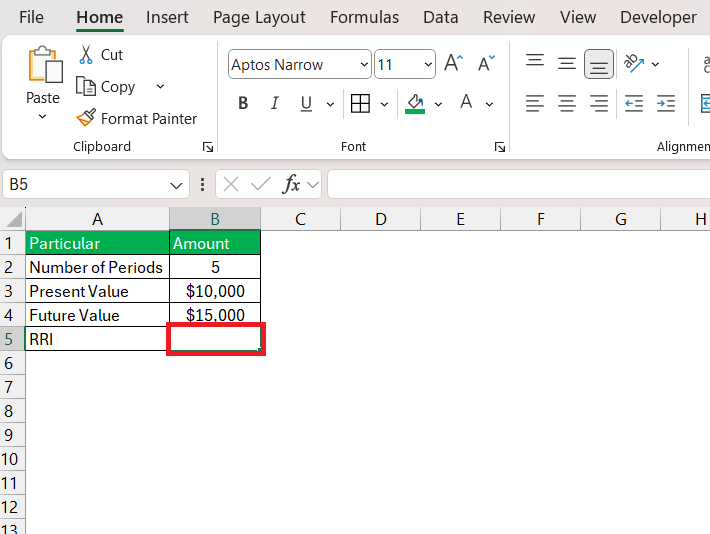
STEP 2: Click on the cell where you want the RRI result to be displayed.
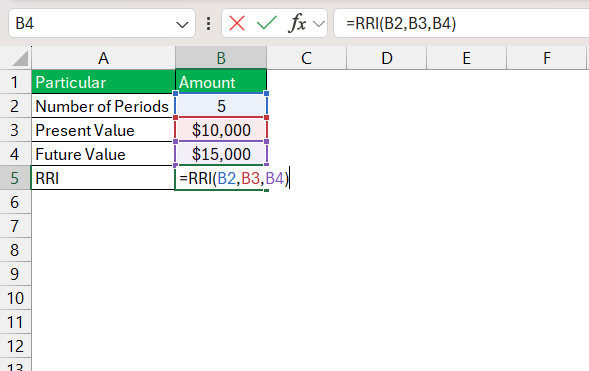
STEP 3: Enter the formula.
STEP 4: The RRI function will automatically calculate the equivalent interest rate.
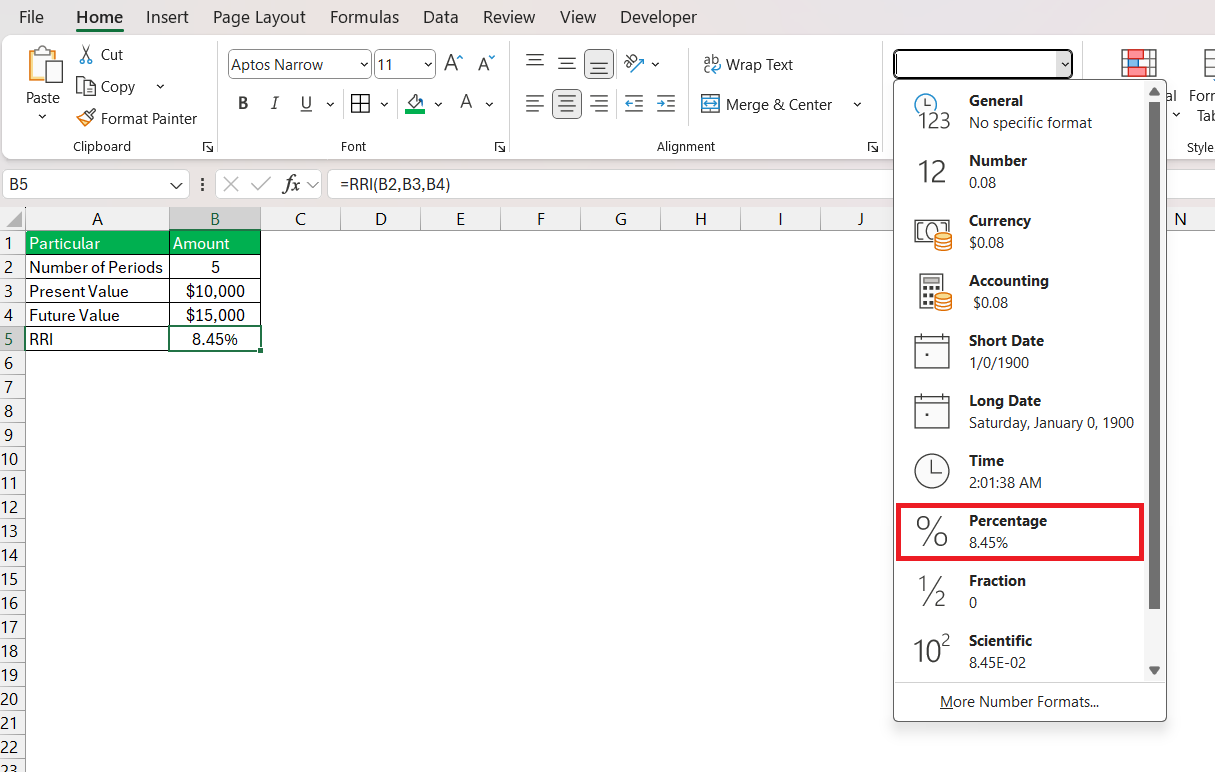
STEP 5: Go to the Home tab and select a percentage from the dropdown.
If you are dealing with multiple sets of data, drag the fill handle down. Excel will replicate the RRI function for other rows, adjusting the references accordingly.
Tips & Tricks
- Double-check that the
nper,pv, andfvvalues are correct and in the right places within the formula. - Check that
nperreflects the same time period forpvandfv. - If
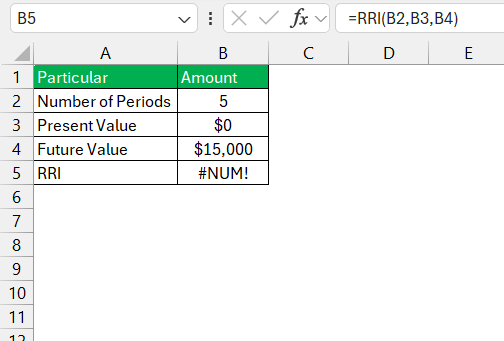
pvis set to zero, Excel will return an error since it implies no initial investment.
- When copying the RRI formula, make sure to use absolute cell references.
FAQs
What RRI Function Compute in Excel?
The RRI function in Excel computes the equivalent interest rate needed for an investment to grow from its present value to a future value over a specified number of periods. It simplifies the process of determining the compound annual growth rate for investments, accounting for compound interest over the growth period.
How to use rri in Excel?
To use the RRI function in Excel, you can use this formula:
=RRI(nper, pv, fv)
Can RRI Be Used for Non-Financial Data Analysis?
Yes, the RRI function can be used for non-financial data analysis. It can be used to calculate growth rates of populations, metrics in biology, or any scenario where exponential growth is present.
What Are the Limitations of the RRI Function?
The limitations of the RRI function include its assumption of constant growth. Constant growth may not reflect real-life variables and volatility. It also doesn’t account for additional investments or withdrawals over the time period.
Is RRI the same as CAGR in Excel?
Yes, the RRI function is the same way of calculating the Compound Annual Growth Rate (CAGR).

John Michaloudis is a former accountant and finance analyst at General Electric, a Microsoft MVP since 2020, an Amazon #1 bestselling author of 4 Microsoft Excel books and teacher of Microsoft Excel & Office over at his flagship MyExcelOnline Academy Online Course.

 30 Days - Full Access









