 Free Practice Workbook
When working with dates in Excel, I may have to find the time difference between two dates. Excel has many ways to calculate the time between two dates. In this article, I will show you how to calculate the time between two dates in Excel.
Key Takeaways:
- Excel stores dates as serial numbers.
- The subtraction formula can be used to get the number of days between two dates.
- The DATEDIF function calculates differences in years, months, and days.
- NETWORKDAYS and NETWORKDAYS.INTL helps exclude weekends and holidays in calculations.
- The WORKDAY function calculates future dates by adding workdays.
Table of Contents
Format Dates in Excel
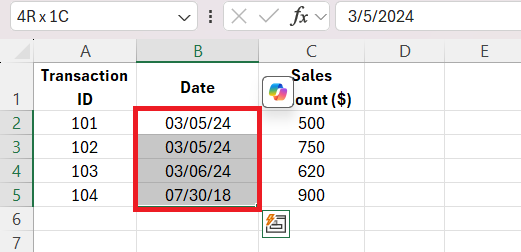
Excel stores dates as serial numbers. Each date corresponds to a unique numerical value starting from January 1, 1900. For example, March 22, 2024, is actually stored as 45353 in Excel. Follow these steps to correctly format dates:
STEP 1: Select the cells containing dates.
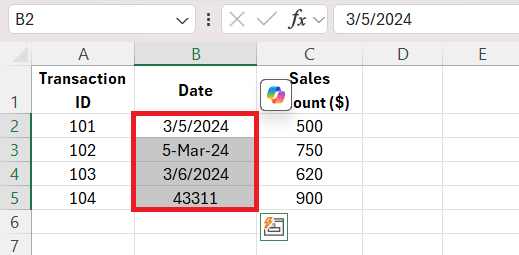
STEP 2: Press Ctrl + 1 to open the Format Cells dialog box.
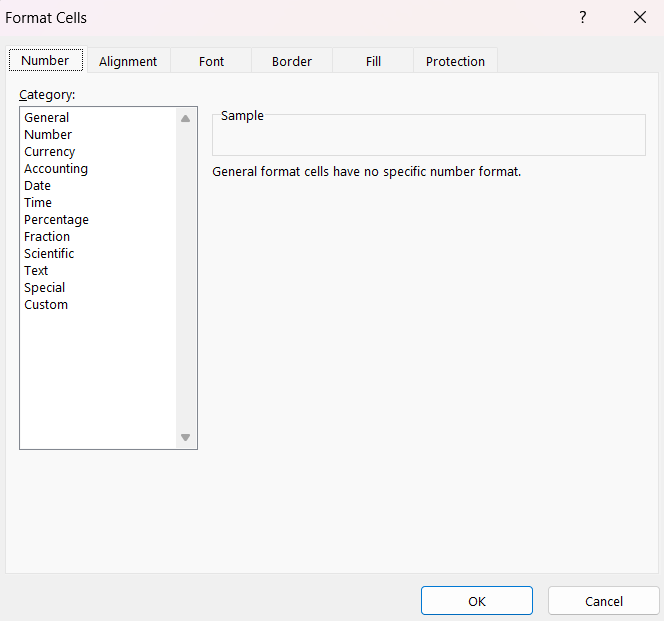
STEP 3: Click the Number tab and select Date.
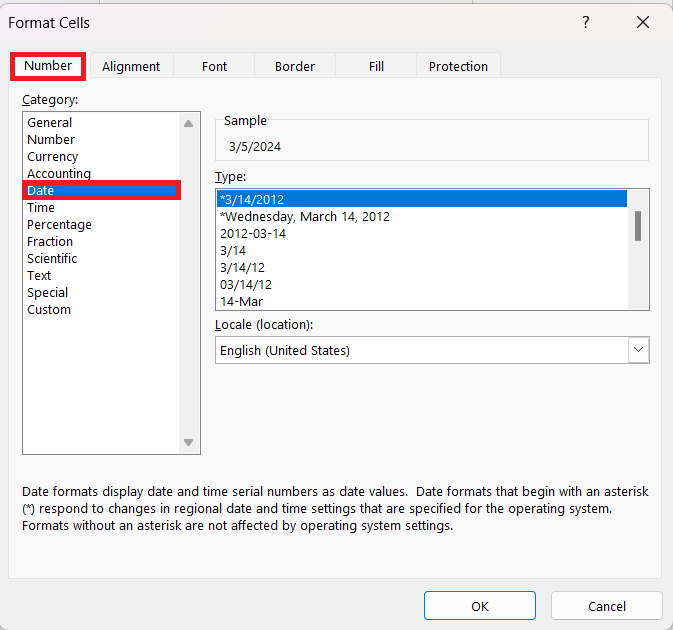
STEP 4: Choose a format and click OK.
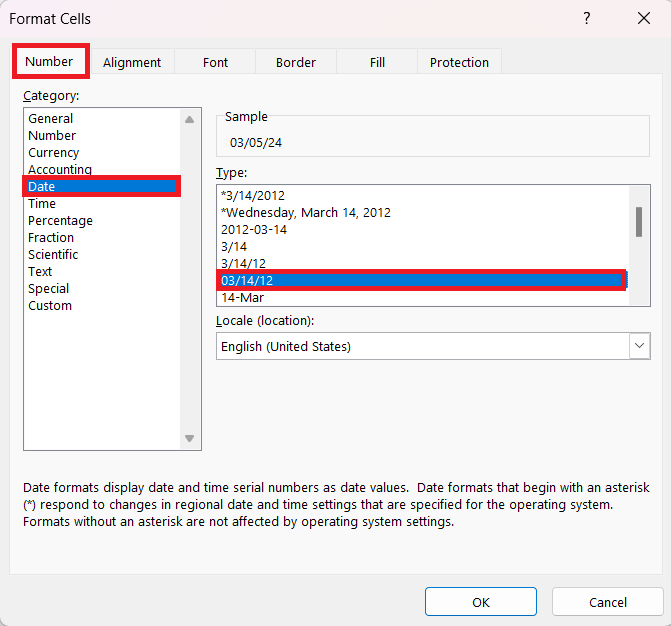
The selected format will be applied to the cells.
Calculate Time in Between Two Dates
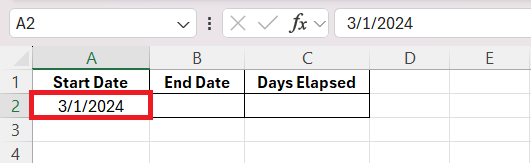
STEP 1: Enter the start date.
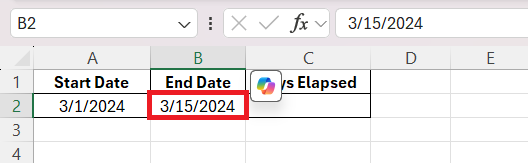
STEP 2: Enter the end date.
STEP 3: In cell C2, enter the formula to calculate days elapsed.
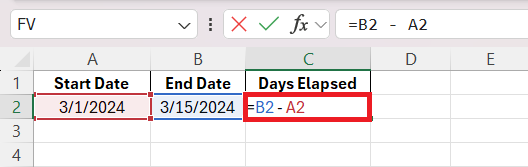
STEP 4: Press Enter.
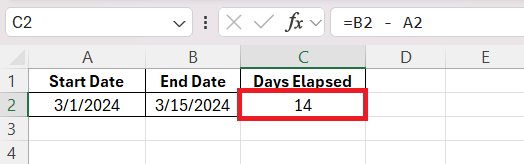
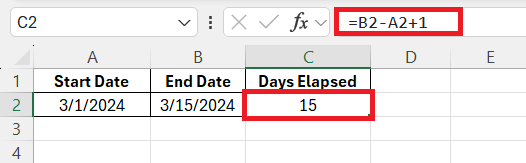
The output is 14, meaning 14 days have passed. To include both the start and end dates, I modify the formula:
DATEDIF Function
DATEDIF function is used to calculate the difference between two dates in years, months, and days. It is not a built-in function, but it still works when entered manually.
STEP 1: Enter the start date and today’s date.
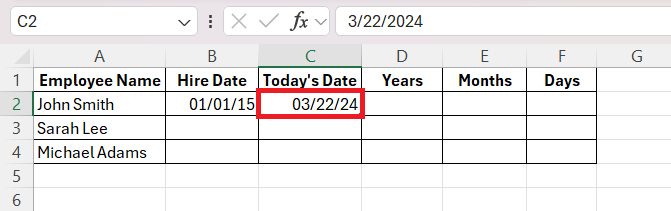
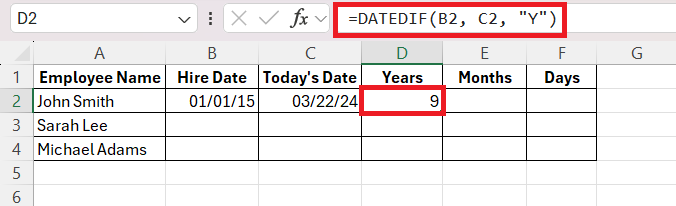
STEP 2: Use the DATEDIF function to calculate the difference in:
- Years
- Months (excluding full years)
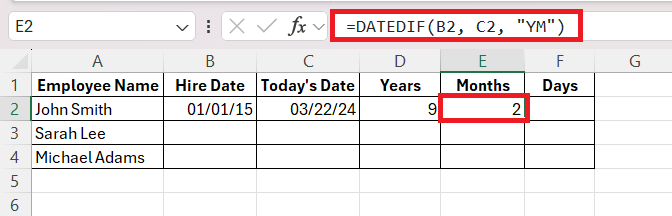
- Days (excluding full years and months)
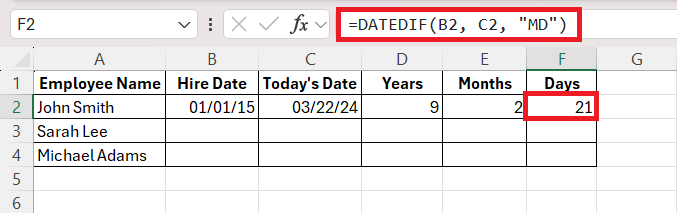
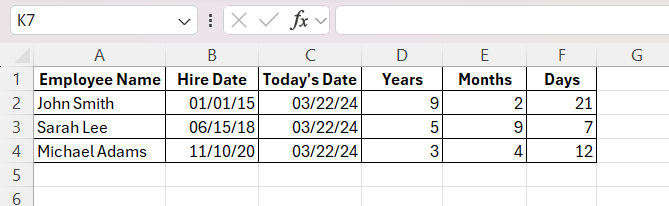
STEP 4: Drag these formulas for all the rows.
 a
a
Advanced Techniques
NETWORKDAYS Function
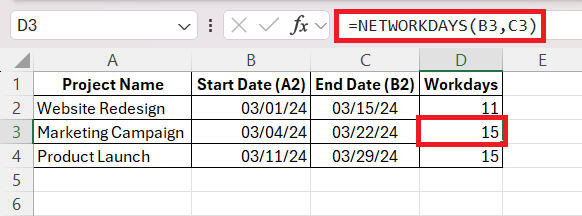
The NETWORKDAYS function determines how many working days fall between two dates. It automatically skips weekends and holidays.
=NETWORKDAYS(start_date, end_date, holidays)
Exclude Holidays
If my company observes certain holidays, I can provide a list of holiday dates and modify the formula:
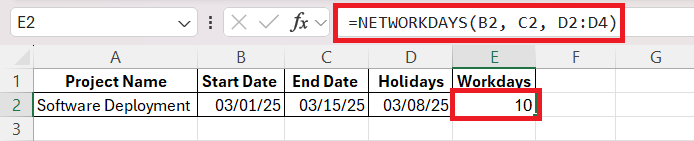
NETWORKDAYS.INTL Function
Some businesses have different weekend policies. The NETWORKDAYS.INTL function allows me to customize weekends beyond the standard Saturday-Sunday setup.
Weekend Codes:
- 1 – Saturday & Sunday (default)
- 2 – Sunday & Monday
- 3 – Monday & Tuesday
- 7 – Friday & Saturday
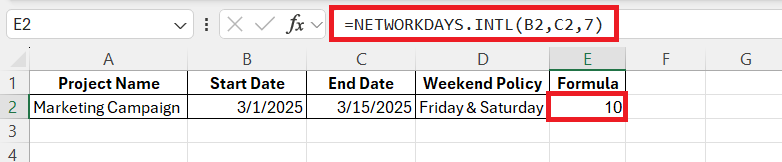
Here, the 7 tells Excel that Friday and Saturday are non-working days.
WORKDAY Function
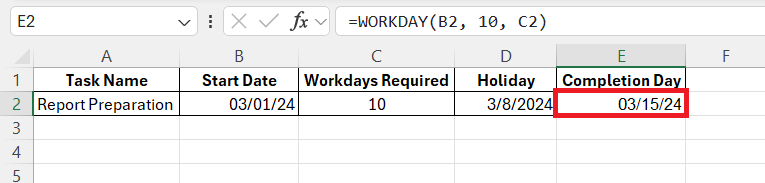
The WORKDAY function can be used to add working days to a start date.
FAQs
How to calculate days between two dates?
To calculate the number of days between two dates, subtract the start date from the end date.
=End Date - Start Date
What formula should I use to find elapsed hours and minutes?
You can use this formula to find elapsed hours and minutes in Excel:
=TEXT(B1-A1, "h:mm")
How to account for holidays in time calculations?
Yes, Excel can account for holidays in time calculations using the NETWORKDAYS or NETWORKDAYS.INTL functions. By adding a range of holiday dates as an optional argument, these functions exclude specified holidays from the total count of working days between two dates, alongside weekends.
Is datedif still in Excel?
Yes, the DATEDIF function is still available in Excel. It’s a hidden feature and not listed in the formula menu. But you can use it to calculate the difference between dates in units like years, months, or days by entering the formula manually.

John Michaloudis is a former accountant and finance analyst at General Electric, a Microsoft MVP since 2020, an Amazon #1 bestselling author of 4 Microsoft Excel books and teacher of Microsoft Excel & Office over at his flagship MyExcelOnline Academy Online Course.

 30 Days - Full Access









