Microsoft Excel is a great tool to manage data and create reports. You can use Microsoft Copilot to simplify tasks in Excel by writing simple commands. Whether you are a beginner or an advanced Excel user, Copilot can improve productivity and save time.
In this article, you will learn the top 7 Tips and Tricks for Copilot in Excel effectively.
Key Takeaways:
- Microsoft Copilot helps users perform Excel tasks using simple commands.
- Copilot can create formulas, analyze data, and generate charts quickly.
- It helps clean and organize spreadsheets easily.
- Copilot saves time by creating summaries and formatting data automatically.
- Using Copilot in Microsoft Excel improves productivity and simplifies work.
Table of Contents
What is Copilot in Excel?
Microsoft Copilot is an AI-powered assistant developed by Microsoft that helps users complete tasks faster and more easily. It works across Microsoft applications like Microsoft Excel, Microsoft Word, Microsoft PowerPoint, and Microsoft Outlook.
Copilot uses artificial intelligence to understand simple text commands and perform tasks automatically. Users can ask Copilot to create formulas, summarize documents, generate charts, write emails, analyze data, and much more
Top 7 Tips and Tricks for Copilot in Excel
1. Create Formulas Using Simple Instructions
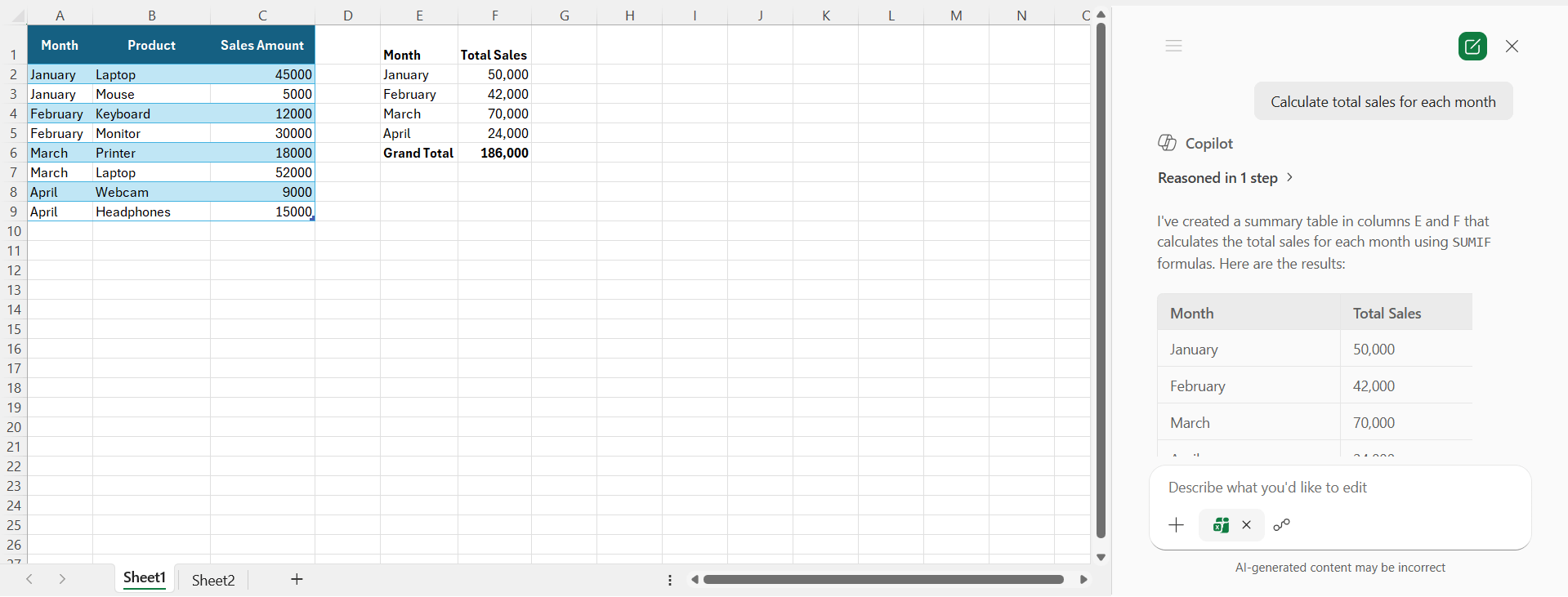
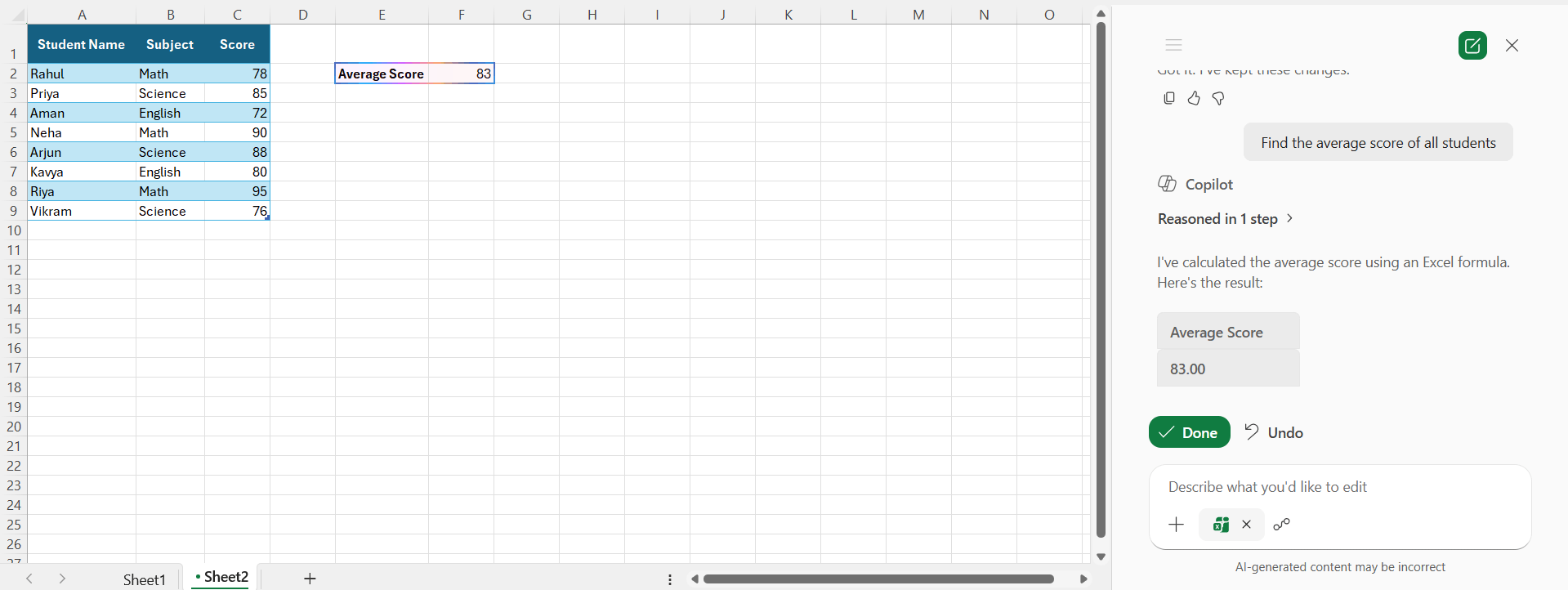
Copilot allows users to generate formulas by typing simple instructions. Instead of remembering complex Excel functions, users can describe the task in plain English. It also helps beginners learn how formulas work in Excel.
Example:
Find total sales each month
Find the average score
2. Analyze Data
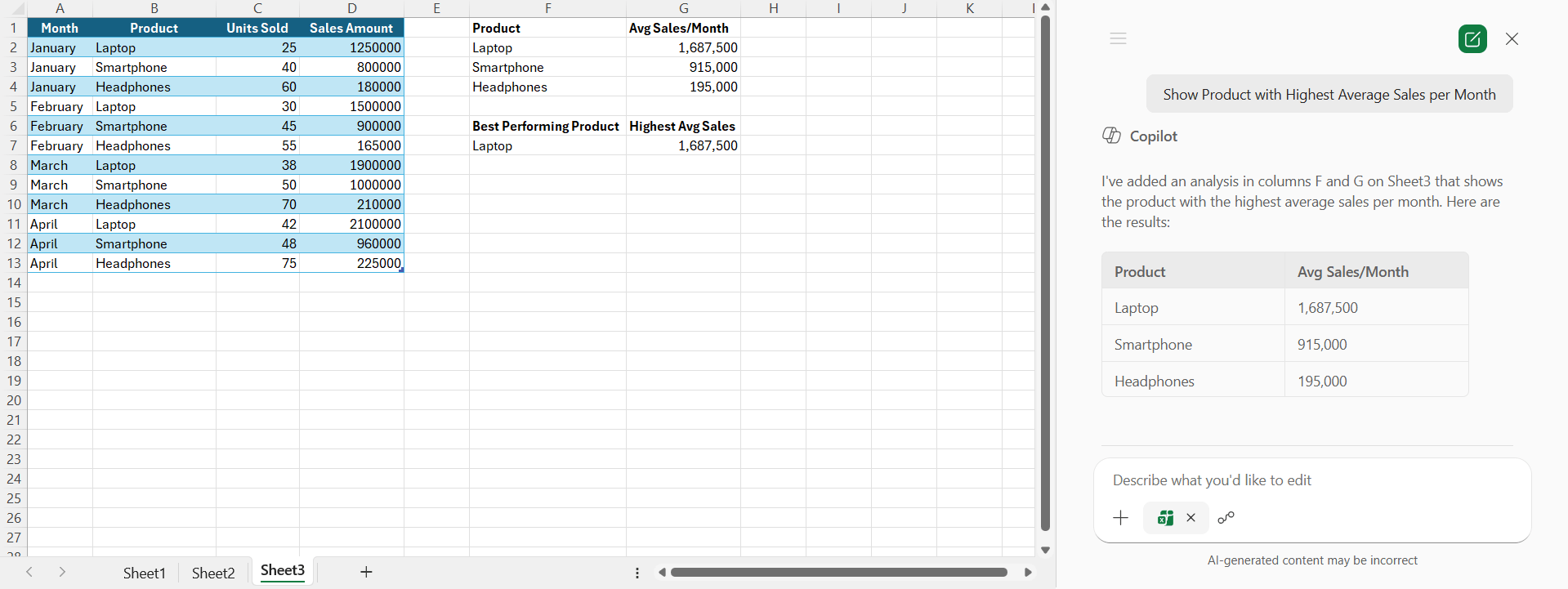
Copilot allows you to analyze large datasets quickly. This feature is useful for reports, sales tracking, and financial analysis.
Show Product with Highest Average Sales per Month
Show sales trends
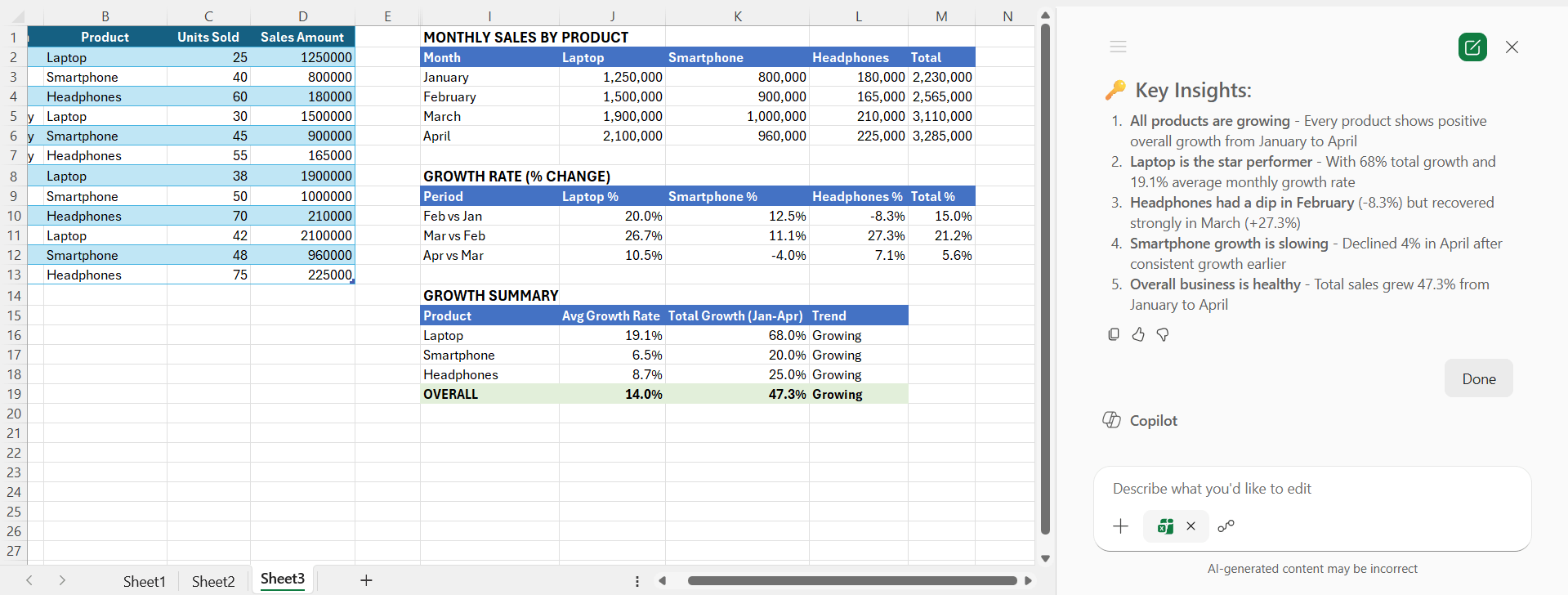
Copilot can quickly identify patterns and important insights from data.
3. Create Charts
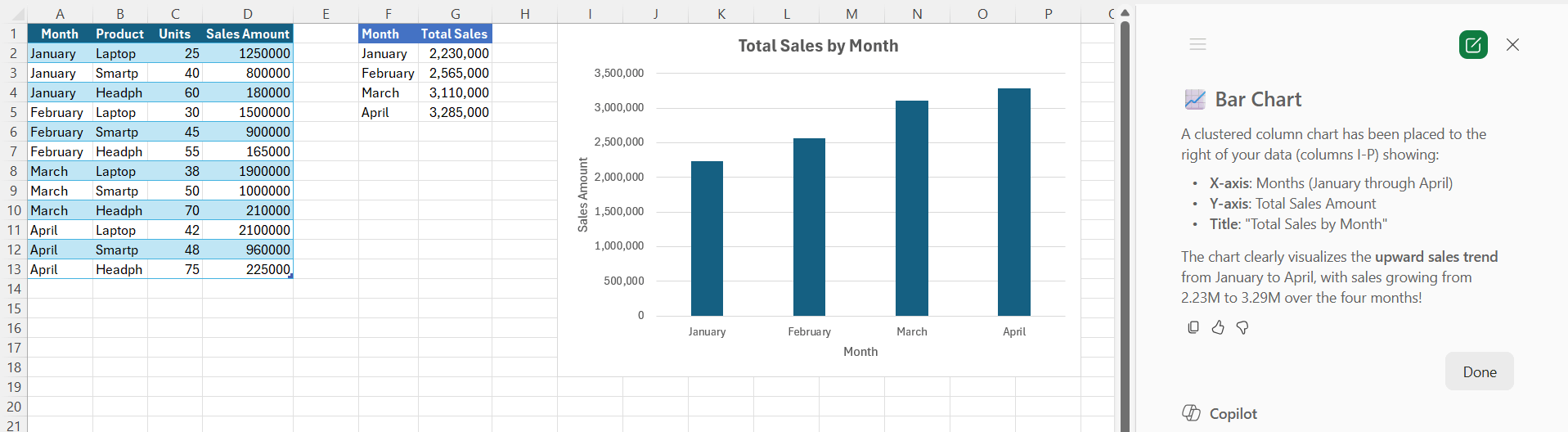
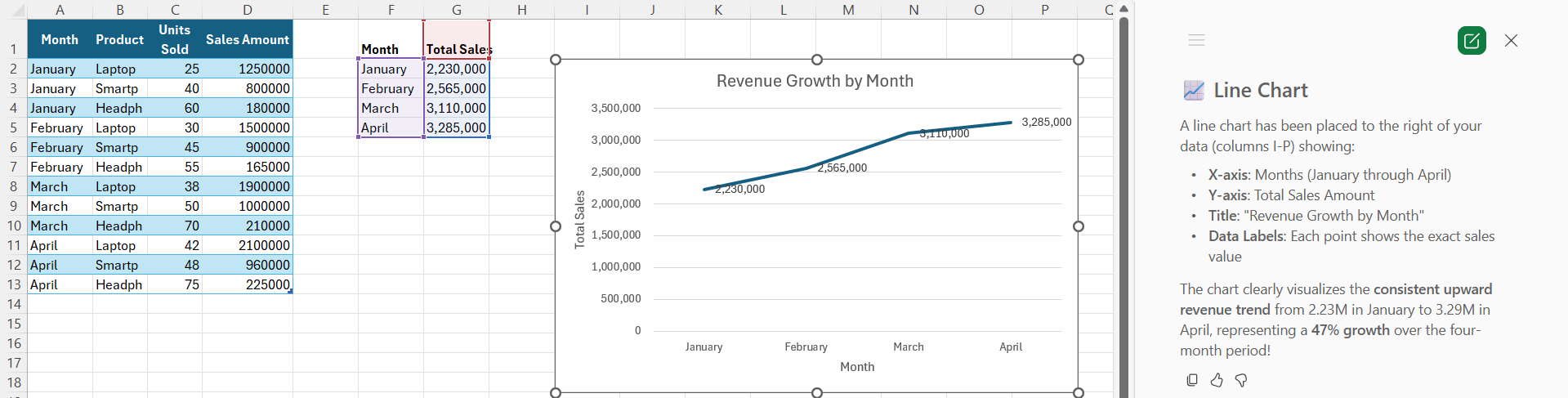
Creating charts manually can take time, but Copilot can recommend and create charts based on your data.
Create a bar chart for sales
Show revenue growth with a line chart
4. Clean and Organize Data
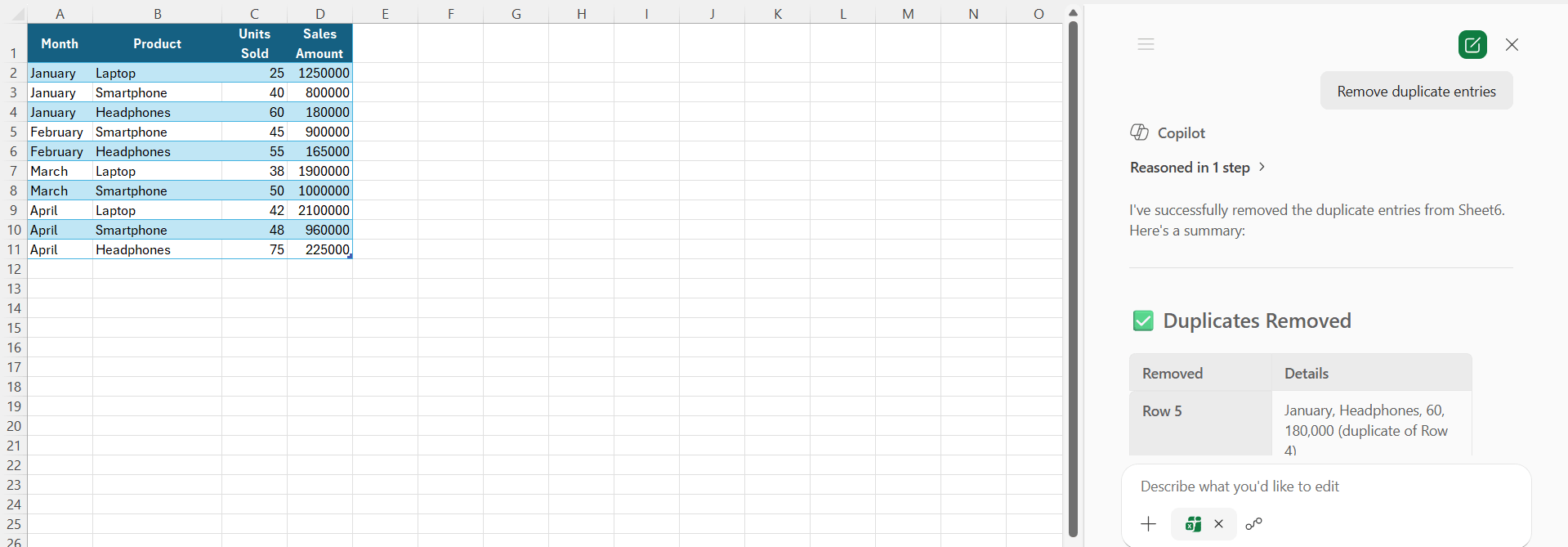
If your spreadsheet is messy, it can slow down your work. Copilot can help you organize your spreadsheet and save time.
Remove duplicate entries
Format the sales table
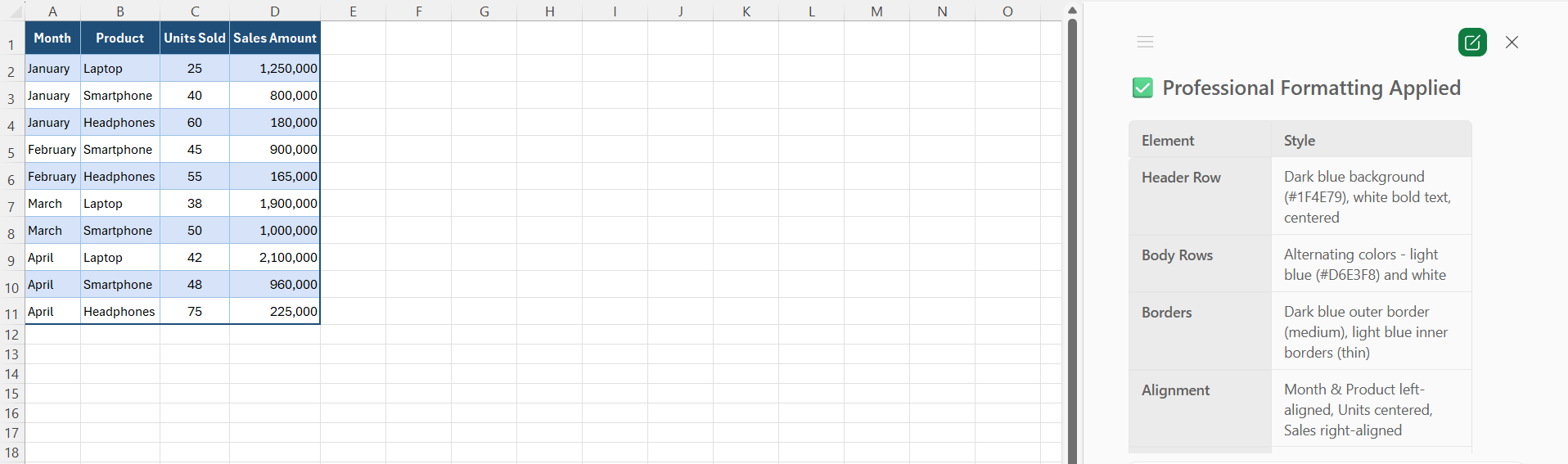
Organized spreadsheets are easier to read and manage, and improve the accuracy of reports.
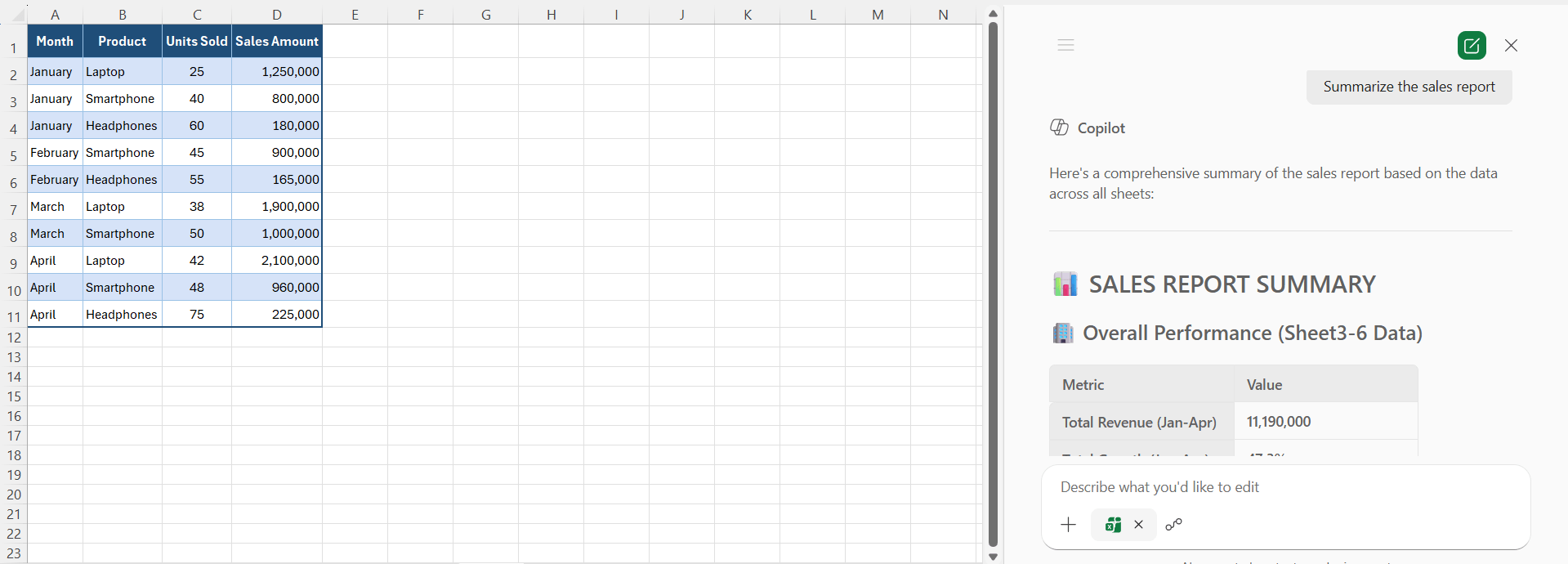
5. Generate a summary for the data
It can be time-consuming to review a large dataset manually. Copilot can create short and clear summaries of your data.
Summarize the sales report
6. Simplify Conditional Formatting
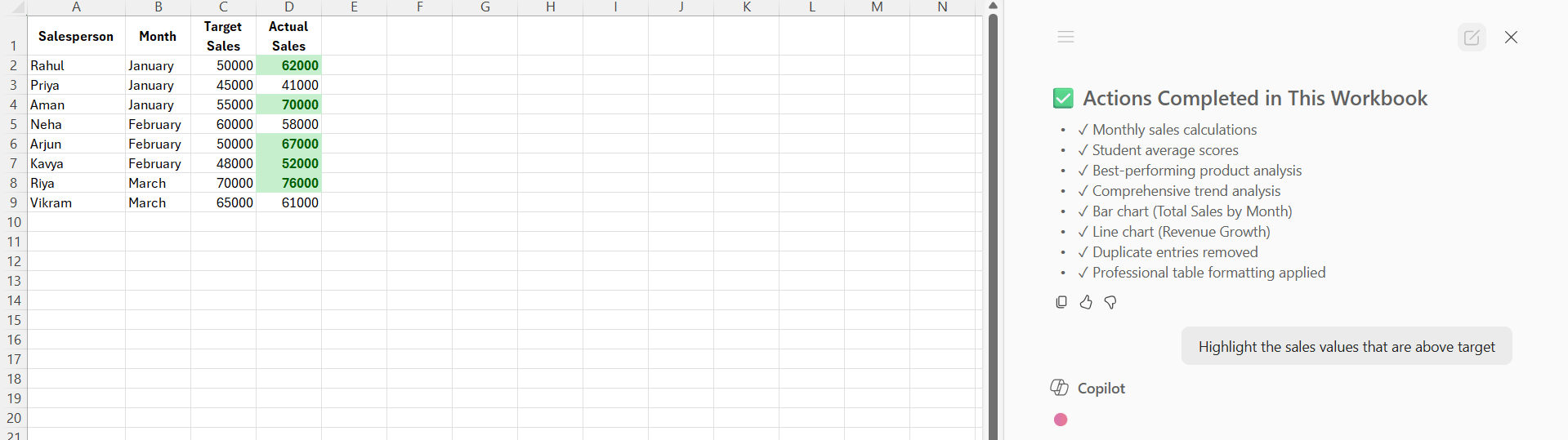
Conditional formatting can highlight important values in a spreadsheet. Copilot can help you apply the formatting without setting the rules manually.
Example:
Highlight the sales values that are above target
7. Ask Questions
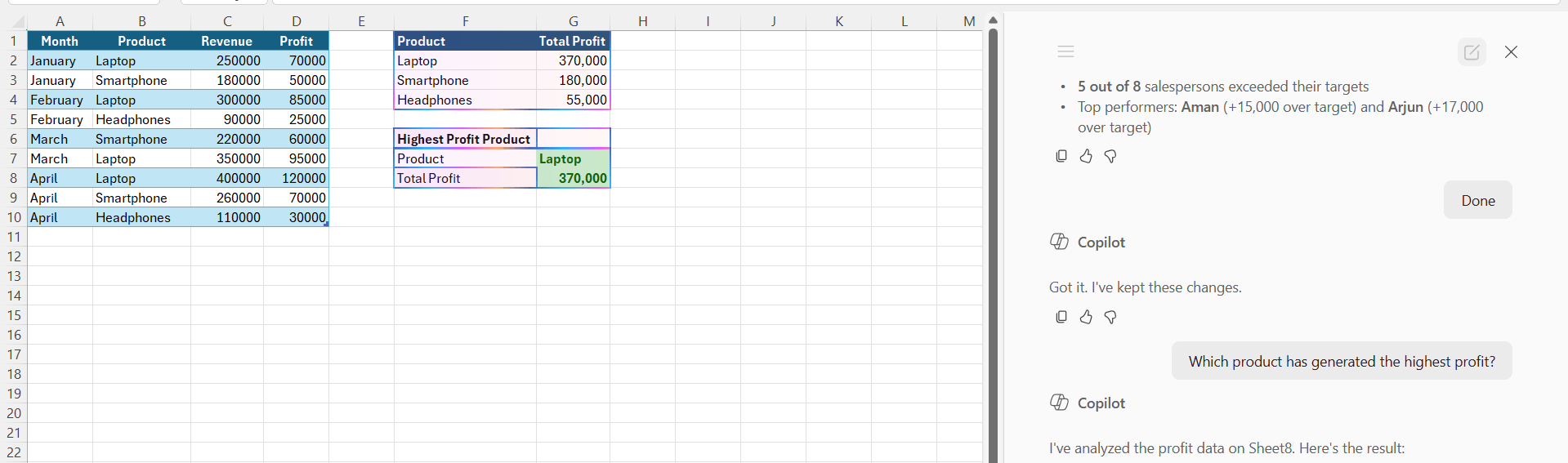
Copilot is a smart assistant that can answer questions about your data directly inside Excel.
Example:
Which product has generated the highest profit?
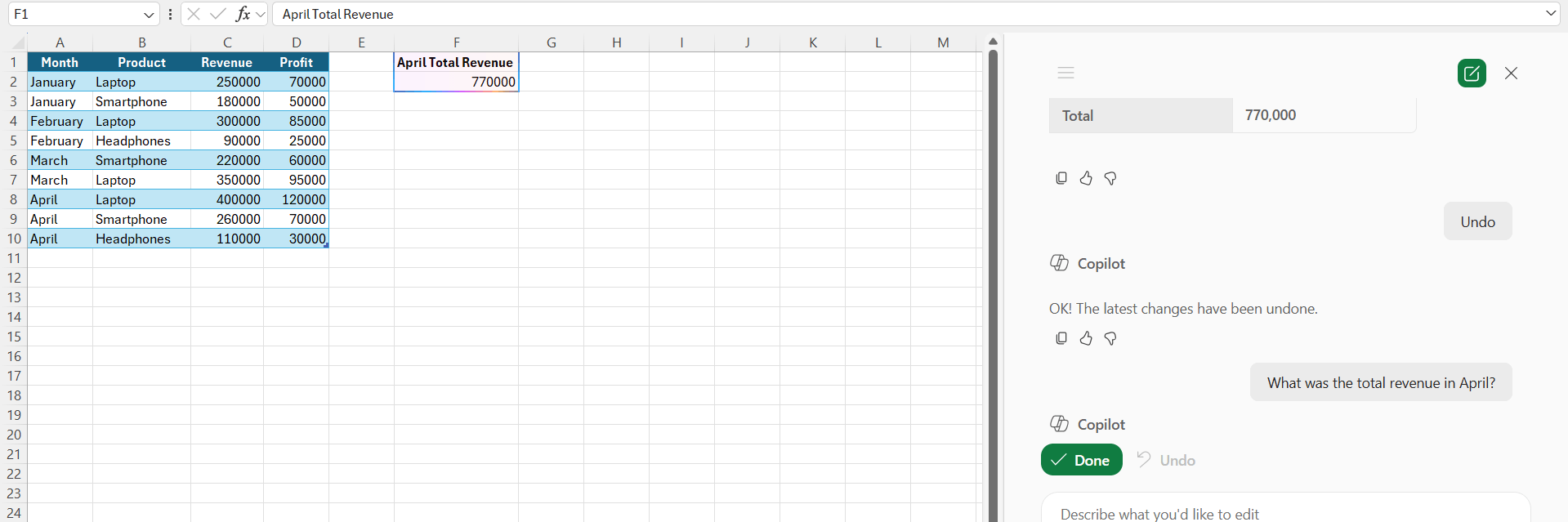
What was the total revenue in April?
Benefits of Using Copilot in Excel
- Saves time on repetitive tasks
- Simplifies complex calculations
- Improves accuracy in formulas
- Speeds up data analysis
- Helps create professional reports
- Makes Excel easier for beginners
FAQs
What is Copilot in Excel?
Copilot in Excel is an AI-powered assistant. It can help users to create formulas, analyze data, and generate charts by writing simple commands.
Is Copilot a beginner-friendly tool?
Yes, Copilot is beginner-friendly. You need to simply write the command in simple sentences, and Copilot can do the task.
3. Can Copilot create charts automatically?
Yes, Copilot can generate charts based on your data.
Does Copilot help with data analysis?
Yes, Copilot can quickly analyze large datasets and provide summaries.
What are the benefits of using Copilot in Excel?
The benefits of using Copilot in Excel are:
- It saves time
- It can improve accuracy
- It simplifies calculations
- It can help users create professional reports
Is Copilot useful for business reports?
Yes, Copilot helps create reports, charts, and data analysis faster.
Why should I use Copilot in Excel?
Copilot improves productivity, reduces manual work, and makes Excel tasks easier.

John Michaloudis is a former accountant and finance analyst at General Electric, a Microsoft MVP since 2020, an Amazon #1 bestselling author of 4 Microsoft Excel books and teacher of Microsoft Excel & Office over at his flagship MyExcelOnline Academy Online Course.

 30 Days - Full Access









