Microsoft Copilot for Business uses artificial intelligence to help businesses with their everyday work. It can be used to draft documents, analyse business data, summarize meetings, write emails, and help employees find information. In this article, you will learn all about Copilot for Business.
Key Takeaways:
- Copilot for Business helps businesses complete everyday work faster.
- It works with Microsoft 365 apps like Word, Excel, PowerPoint, Outlook, and Teams.
- Copilot can draft content, summarize information, and analyze business data.
- It can help employees save time on repetitive tasks.
- Businesses can use Copilot Agents to support and automate work processes.
Table of Contents
Introduction to Copilot for Business
What is Copilot for Business?
Copilot for Business is a Microsoft AI assistant that helps organisations create content, analyse information, summarise conversations, and complete work-related tasks. It works within Microsoft 365 applications like Excel, Word, PowerPoint, Outlook, etc.
For example, a sales manager can use Copilot for Business to analyse monthly sales data in Excel.
It has the same features as the enterprise version of Copilot. Copilot for Business costs less and is limited to 300 users.
Benefits of Copilot for Business
- It can help employees save time by reducing time spent on repetitive work.
- It can help improve collaboration between team members.
- It can organize information and highlight patterns in business data.
How to Use Copilot for Business
STEP 1: Open the Excel file and save it in OneDrive or SharePoint.
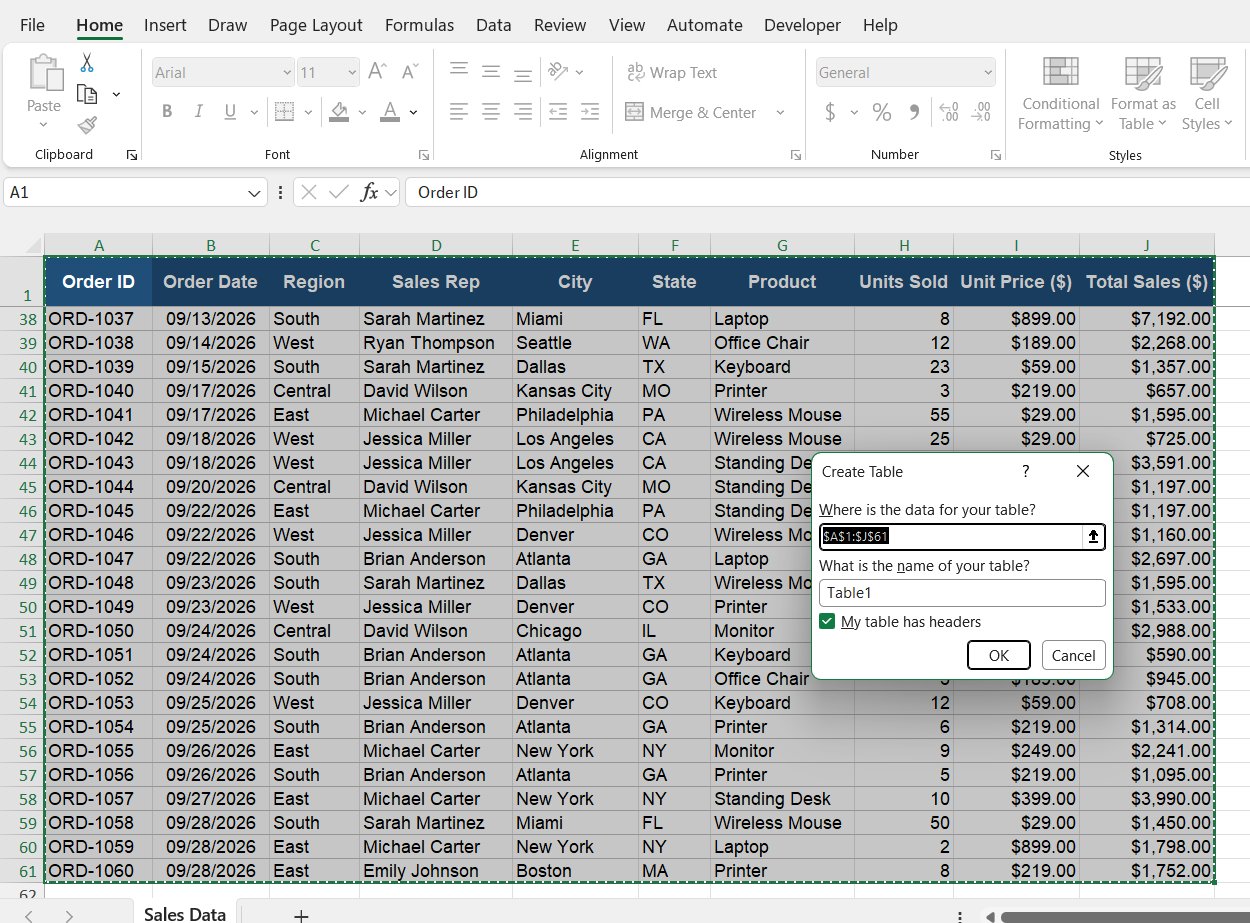
STEP 2: Press Ctrl + T to convert the data into a table.
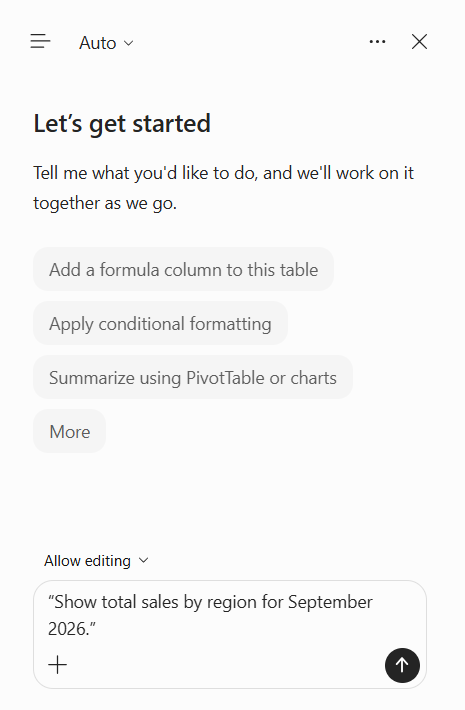
STEP 3: Click the Copilot button on the Home tab.

STEP 4: In the Copilot pane, type the prompt:
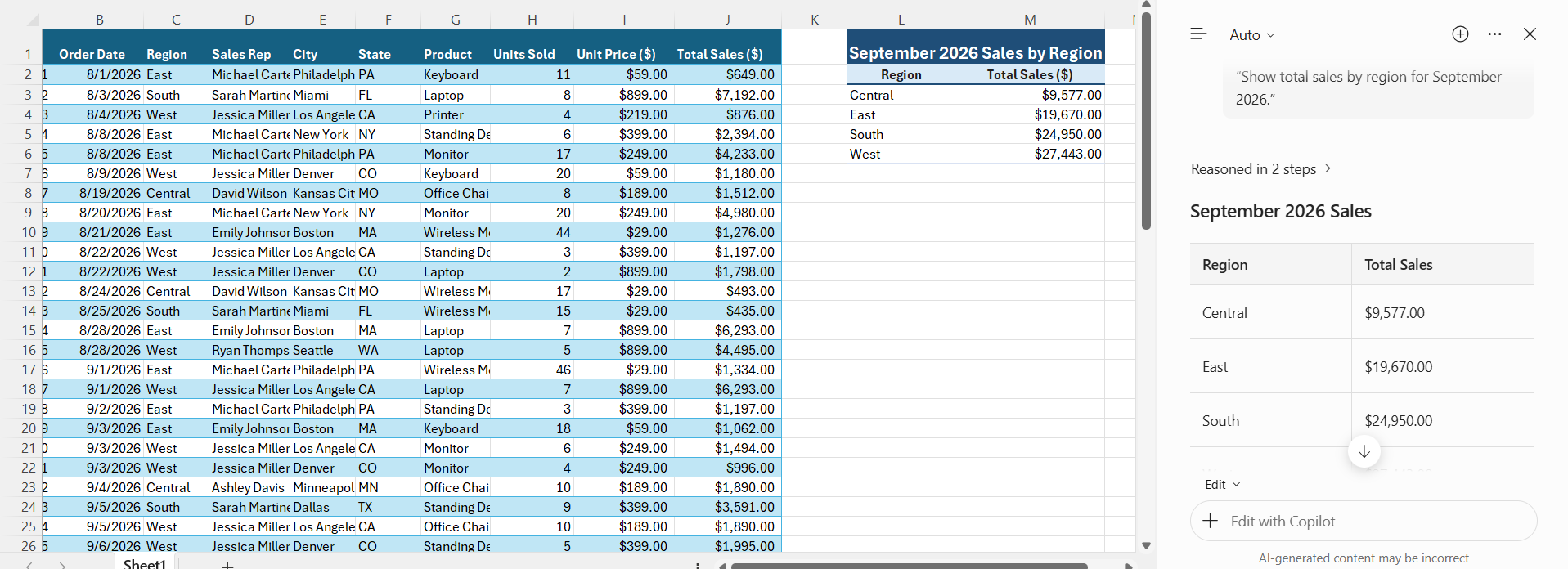
“Show total sales by region for September 2026.”
STEP 5: Review the result.
Key Features of Copilot for Business
- Create documents and summarize text in Word

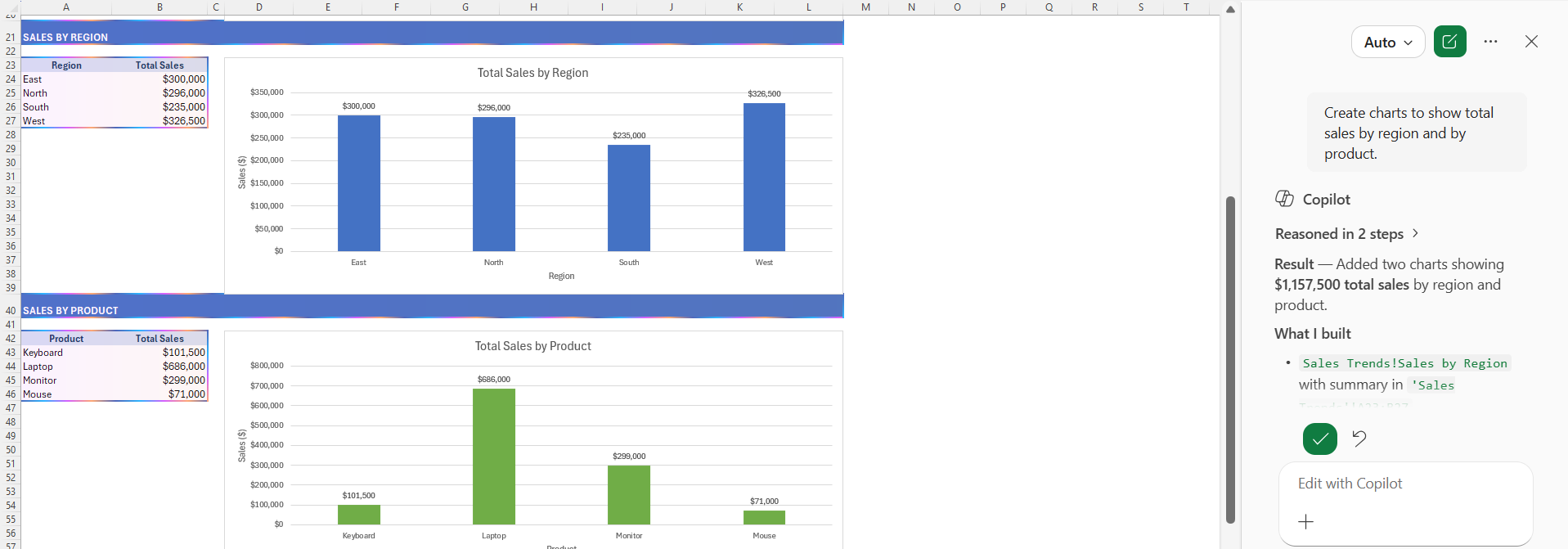
- Analyze business data and build a dashboard in Excel
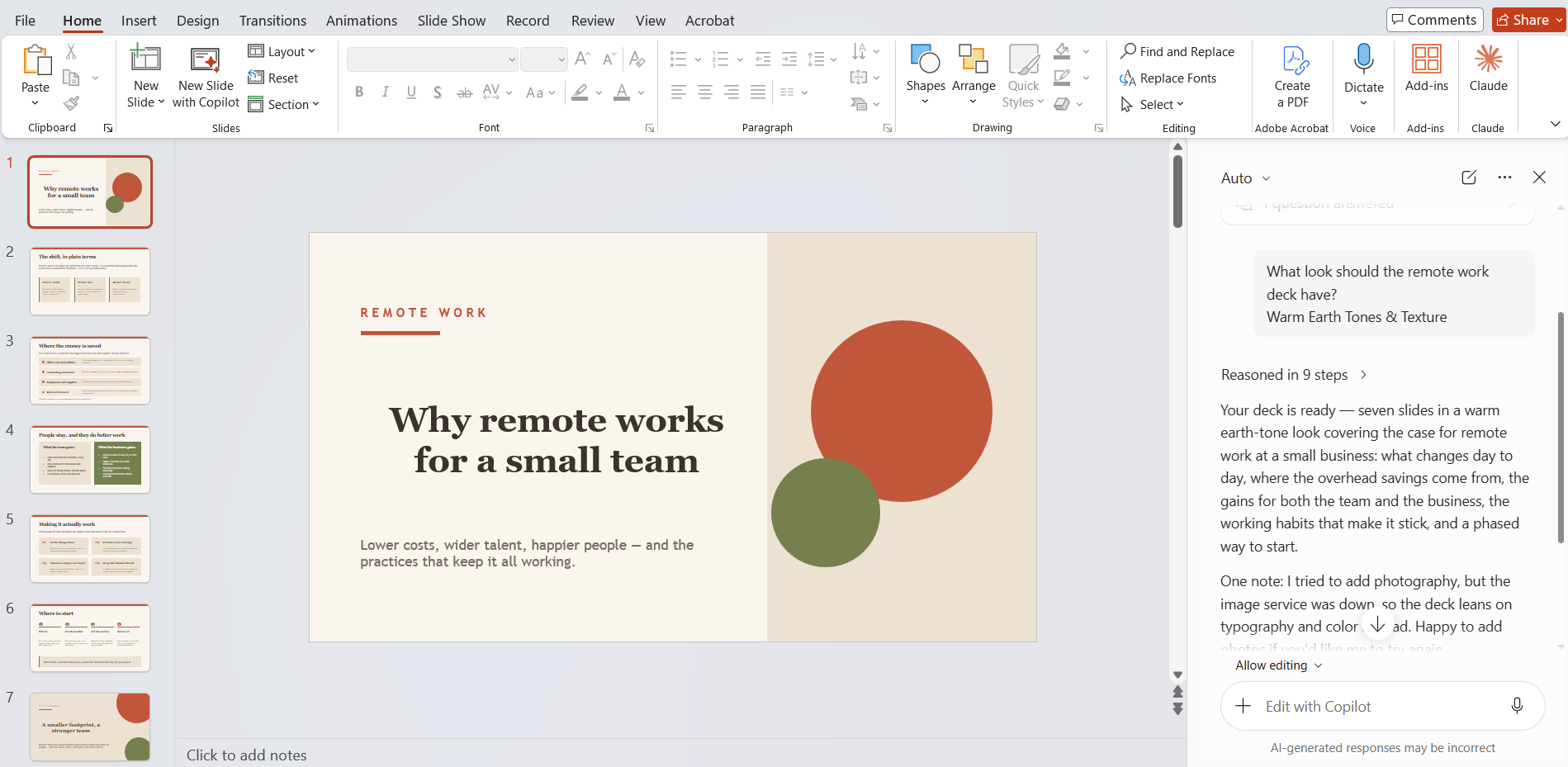
- Create presentations in PowerPoint
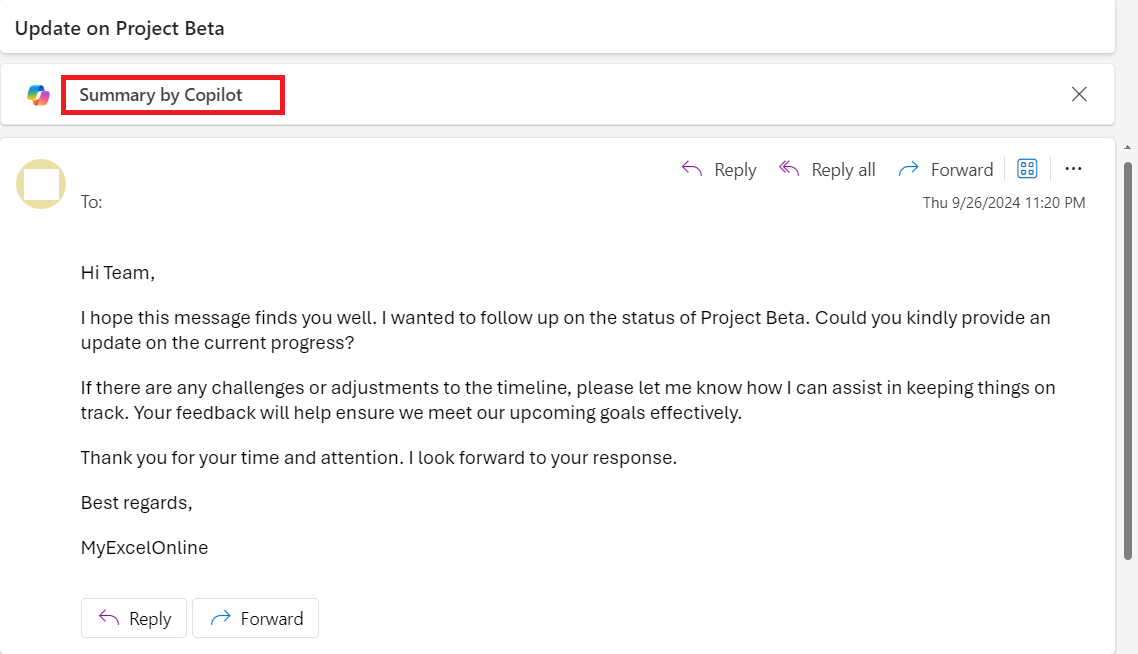
- Manage emails and draft replies in Outlook
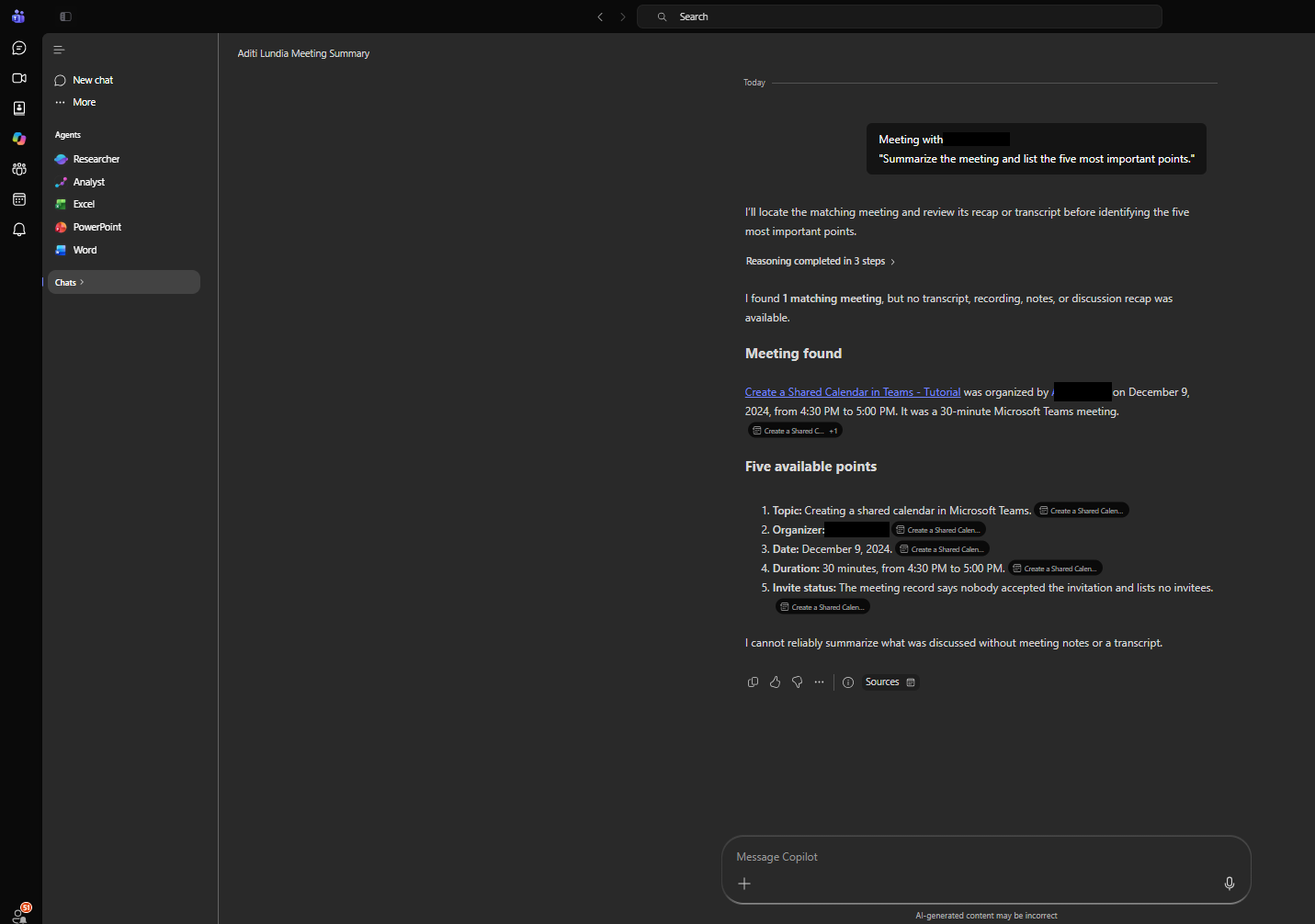
- Summarize meetings and pull out action items in Microsoft Teams
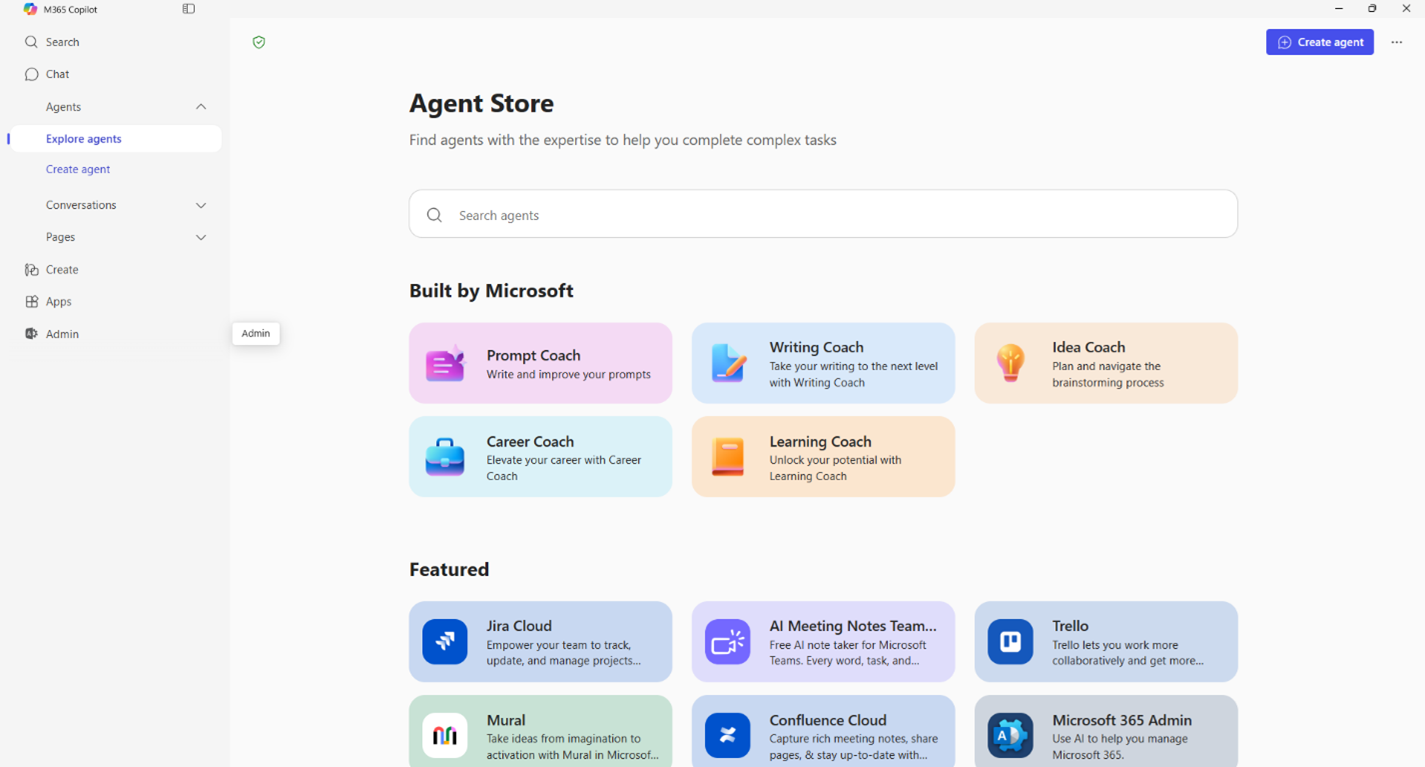
- Automate repetitive tasks with Agents
Copilot for Business Plans and Pricing
Copilot for Business is an add-on to a Microsoft 365 Business plan. You can buy it in two ways.
1. Copilot Business Add-On
- $21 per user per month, paid yearly
- $18 per user per month under a promo offer through 12/31/2026
- $25.20 per user per month, paid monthly
The promo price applies to the first year only. After that, the price goes back to $21.
2. Microsoft 365 Business Plans with Copilot
- Business Standard with Copilot: $23.50 per user per month, paid yearly.
- Business Premium with Copilot: $32 per user per month, paid yearly.
Microsoft Copilot vs Copilot for Business
Comparison
| Feature | Microsoft Copilot (free) | Microsoft 365 Copilot Business |
|---|---|---|
| General AI chat | Yes | Yes |
| Web research | Yes | Yes |
| Drafting and summarizing | Yes | Yes |
| Excel, Word, and PowerPoint integration | Limited or plan-dependent | Included with the appropriate license |
| Access to company emails, files, and meetings | Not full organizational integration | Available through supported features and permissions |
| Business administration | Limited | Business-focused controls |
| Cost | Free version available | Paid business license |
Which one should you choose?
- You can choose Microsoft Copilot if you want AI assistance and web research.
- You can choose Copilot for Business if your organisation uses Microsoft 365 and you want AI integrated into business applications.
FAQs
1. What is Copilot for Business?
Copilot for Business is an AI assistant available in Microsoft. It can help employees with everyday business tasks.
2. What can Copilot for Business do?
Copilot can create content, analyze data, summarize information, and help with emails and meetings.
3. Which Microsoft 365 apps work with Copilot?
Copilot works with apps such as Word, Excel, PowerPoint, Outlook, and Teams.
4. What is the difference between Copilot Chat and Copilot for Business?
Copilot Chat provides AI chat, while Copilot for Business provides additional work-based Copilot capabilities in Microsoft 365 apps.
5. Can Copilot for Business automate tasks?
Yes. Businesses can use Copilot Agents to help with repetitive tasks and business processes.

John Michaloudis is a former accountant and finance analyst at General Electric, a Microsoft MVP since 2020, an Amazon #1 bestselling author of 4 Microsoft Excel books and teacher of Microsoft Excel & Office over at his flagship MyExcelOnline Academy Online Course.

 30 Days - Full Access