Microsoft Copilot is an important part of Microsoft 365. It helps you create documents, analyse spreadsheets, create presentations, summarize emails, and perform other complex tasks. The question remains:
Is Copilot included in Office 365, or do you have to pay extra?
In this article, you will know which Microsoft 365 plans include Copilot and how to check what you have.
Key Takeaways:
- Copilot is included in some Microsoft 365 Personal, Family, and Premium plans.
- Business users can access Copilot Chat with eligible subscriptions.
- Full Microsoft 365 Copilot usually requires an additional business license.
- Only the subscription owner gets AI features under Family plans.
- Check your subscription to confirm which Copilot features you can use.
Table of Contents
Introduction to Microsoft Copilot
What is Copilot?
Copilot is a built-in AI assistant available in Microsoft Excel. It can draft a letter in Word, analyse data or build a chart in Excel, and sum up an email thread in Outlook. You can type what you want in the Copilot prompt box, and Copilot will perform the task.
Copilot Chat vs Microsoft 365 Copilot
- Copilot Chat helps you research topics, answer questions, summarise information, create drafts, analyse data, and more. It is available at no additional cost with eligible Microsoft 365 business and enterprise subscriptions.
- Microsoft 365 Copilot is an AI feature integrated within Microsoft 365 apps like Excel, Word, PowerPoint, Outlook, etc. It can also use your work data based on your permissions. But, Business users generally need an additional license.

Is Copilot Included in Office 365?
Yes. Copilot is included in Office 365 Personal, Family, and Premium plans. Office 365 business plans include only free Copilot Chat unless you pay for the Microsoft 365 Copilot add-on.
Plans for home users
| Plan | Price | Copilot in Word, Excel, PowerPoint, Outlook | Who gets the AI |
|---|---|---|---|
| Microsoft 365 Personal | $9.99/month or $99.99/year | Yes, with usage limits | 1 person |
| Microsoft 365 Family | $12.99/month or $129.99/year | Yes, with usage limits | Subscription owner only |
| Microsoft 365 Premium | $19.99/month or $199.99/year | Yes, with higher limits and Researcher and Analyst agents | Subscription owner only |
| Microsoft 365 Pro | $99.99/month | Yes, with the highest limits | Subscription owner only |
Plans for businesses (up to 300 users)
| Plan | Price (paid yearly) | What you get |
|---|---|---|
| Business Basic, Standard, or Premium | Base plan price | Free Copilot Chat only |
| Microsoft 365 Copilot Business (add-on) | $21/user/month; $18 promo through 12/31/2026 | Full Copilot in Word, Excel, PowerPoint, Outlook, and Teams |
| Business Standard with Copilot | $23.50/user/month | Business Standard + full Copilot |
| Business Premium with Copilot | $32/user/month | Business Premium + full Copilot |
Plans for large companies
Enterprise plans like Microsoft 365 E3 and E5 include free Copilot Chat. The full Microsoft 365 Copilot is a $30 per user per month add-on, paid yearly. You need a qualifying base plan to buy the add-on; it cannot be bought individually.
How to Check if Your Plan Includes Copilot
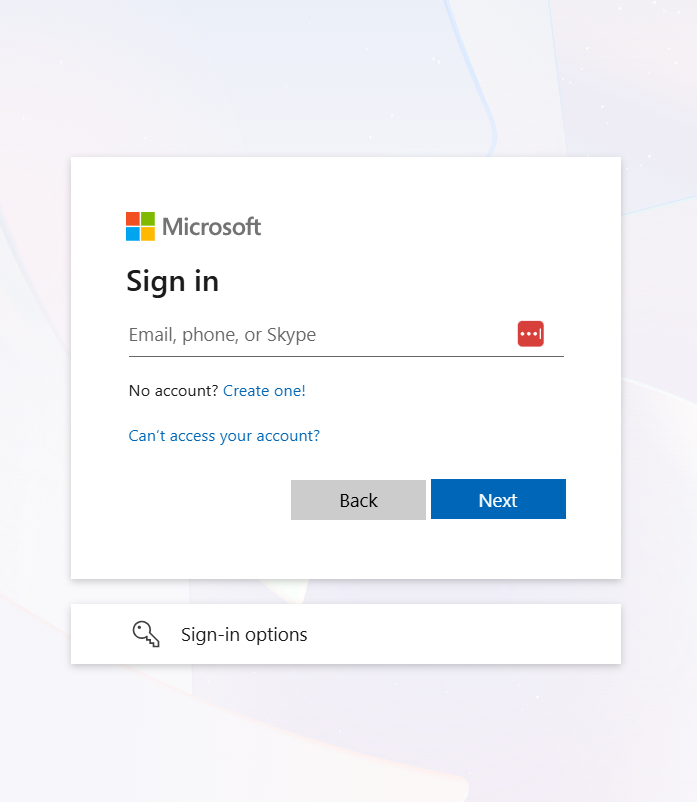
STEP 1: Sign in at account.microsoft.com.
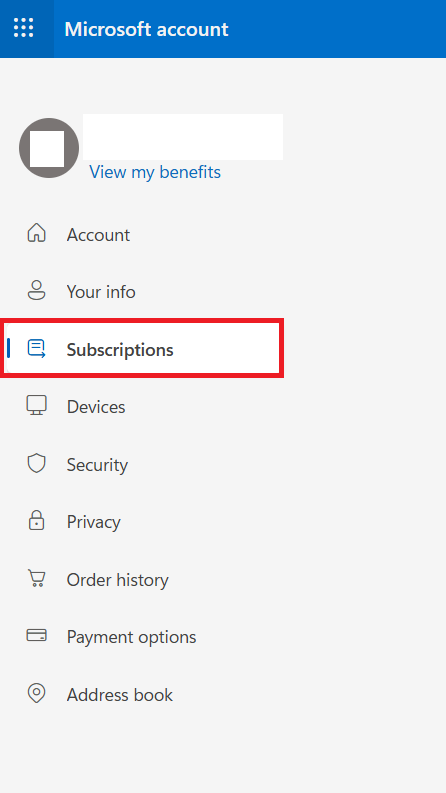
STEP 2: Select Subscription.
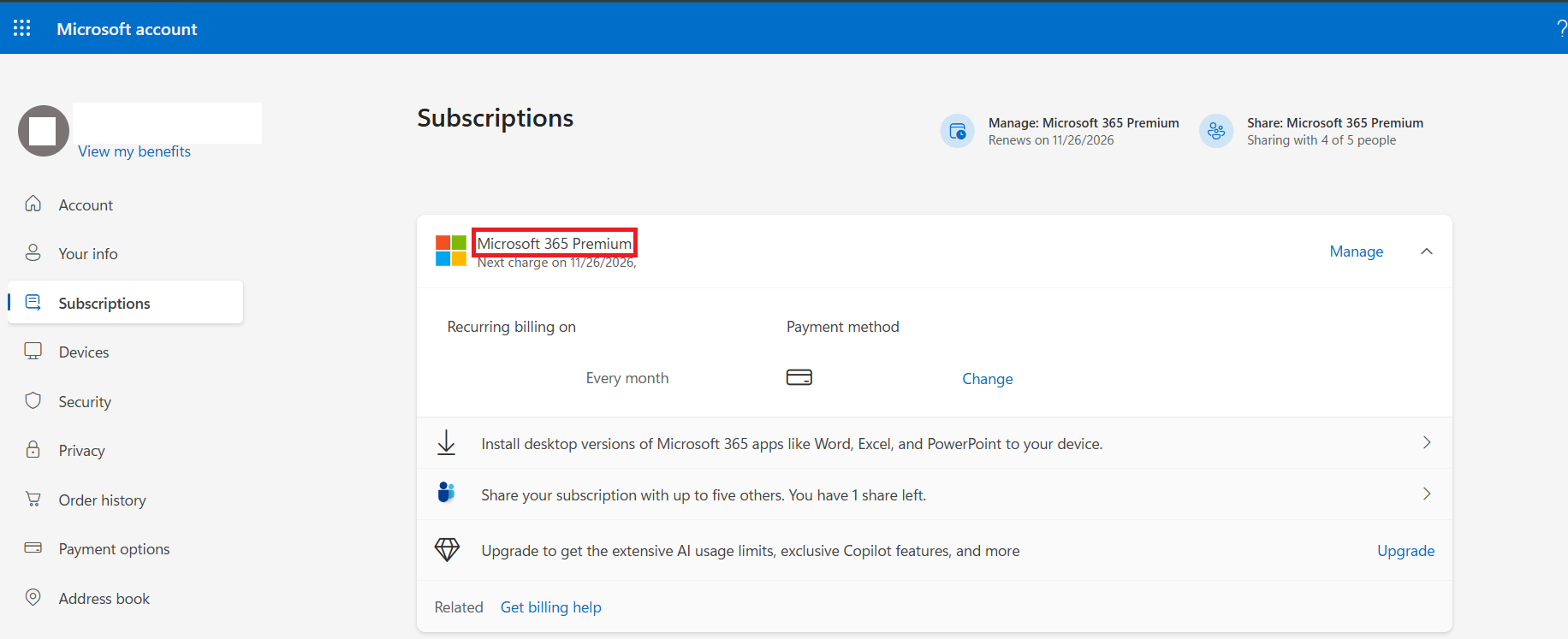
STEP 3: Your plan will be listed here.
Common Copilot Access Problems
- The Copilot button may be missing if you are signed in with a different account or if your app is out of date.
- If you are signed in from a Family account, only the subscription owner gets the AI feature. Other members need their own Personal, Family, or Premium plan.
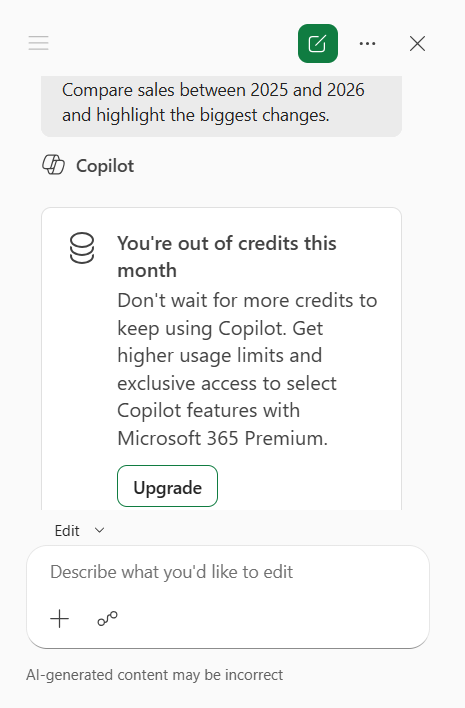
- If your Copilot stops working mid-month, it can be because you have used up your monthly AI credits.
- Free Copilot Chat does not search your mailbox, Teams chats, or SharePoint on its own. It only works with the web and files you add to the chat. You need a paid Microsoft 365 Copilot license for that.
FAQs
1. Is Copilot free with Office 365?
Some Microsoft 365 plans include Copilot features. Others require an additional license.
2. Does Microsoft 365 Family include Copilot?
Yes. The subscription owner can use included Copilot features. Other family members do not receive the same AI benefits through sharing.
3. Do businesses need to pay extra for Copilot?
Yes, businesses generally need an additional license for full Microsoft 365 Copilot features.
4. Can I use Copilot Chat without a paid Copilot license?
Yes. Eligible work or school accounts can use Copilot Chat without an additional Copilot license.
5. Why is Copilot missing from my Office apps?
Your plan may not include the feature. You may also need to check your account, app version, and license.

John Michaloudis is a former accountant and finance analyst at General Electric, a Microsoft MVP since 2020, an Amazon #1 bestselling author of 4 Microsoft Excel books and teacher of Microsoft Excel & Office over at his flagship MyExcelOnline Academy Online Course.

 30 Days - Full Access