 Free Practice Workbook
There is a lot of information available online that you may need in your spreadsheet. Instead of searching websites and copying information, you can use Copilot to bring web data directly into your workbook. In this article, you’ll learn how to use web data in Copilot for Excel and why it is useful.
Key Takeaways:
- Copilot can help work with information from the web.
- You can ask Copilot to find specific details.
- Web information can be added to your Excel analysis.
- Clear prompts can improve the results.
- Always verify important web data.
Table of Contents
Introduction to Web Data
What is Web Data in Excel?
Web data is any information that can be collected from online sources. This information can be anything ranging from:
- Market prices
- Financial data
- Weather reports
- Production information
Instead of manually copying and pasting data from the internet, Excel can connect to a web page and bring that data into a table.
What Are the Benefits of Using Web Data?
Using web data with Copilot can reduce the amount of manual research required when working with Excel.
For example, if you have a list of 100 companies, manually searching for information about each company can take a lot of time. Copilot can help you structure the task and organize the results in your workbook. This can save time when working with large amounts of information from different online sources.
How to Use Web Data in Copilot for Excel
Step-by-Step Guide
STEP 1: Go to the Home tab.

STEP 2: Select the Copilot button.

STEP 3: In the Copilot pane, type the prompt:
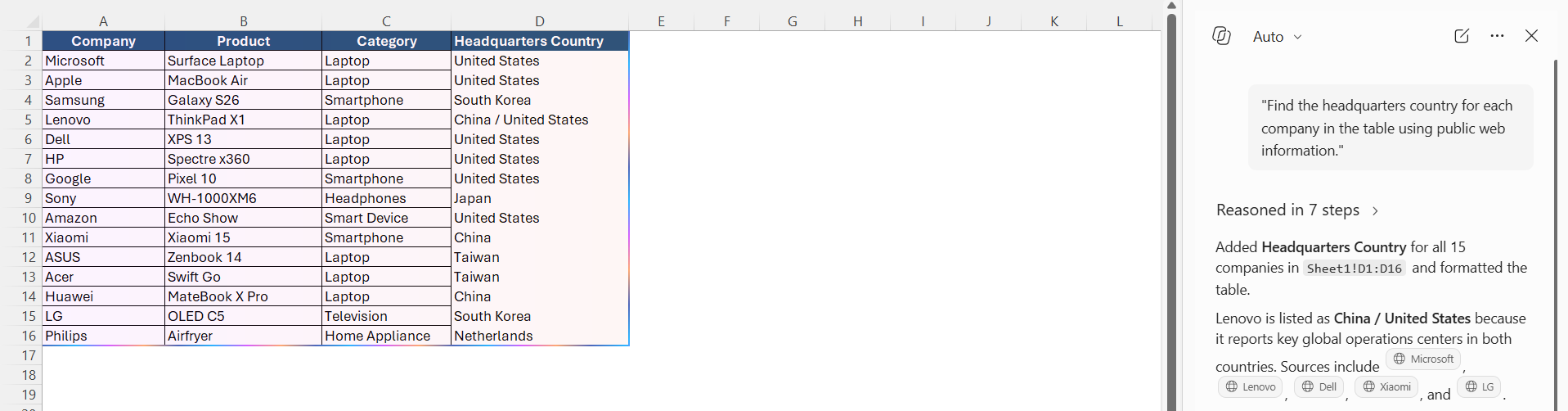
“Find the headquarters country for each company in the table using public web information.”
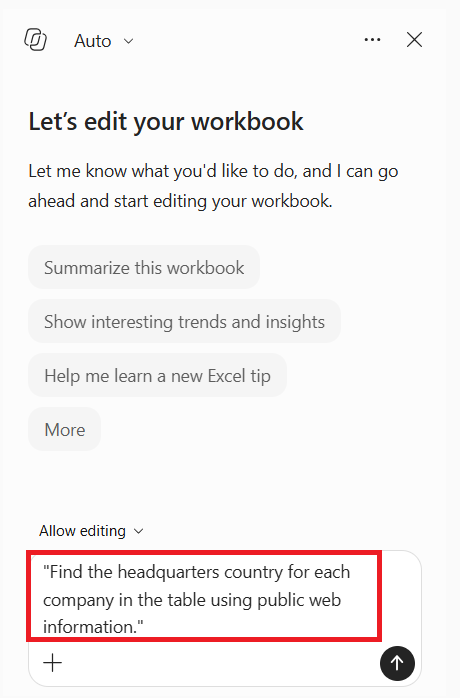
Copilot can retrieve this information from online resources.
STEP 4: After getting the information you need, make sure that the results obtained by Copilot are correct.
Examples of Web Data Prompts
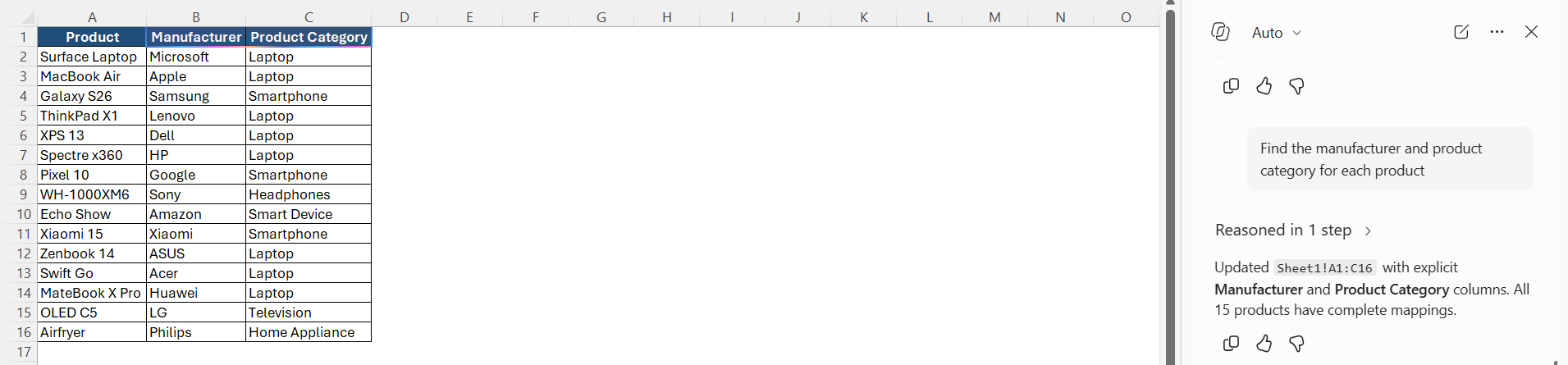
- Find Product Information – “Find the manufacturer and product category for each product.”
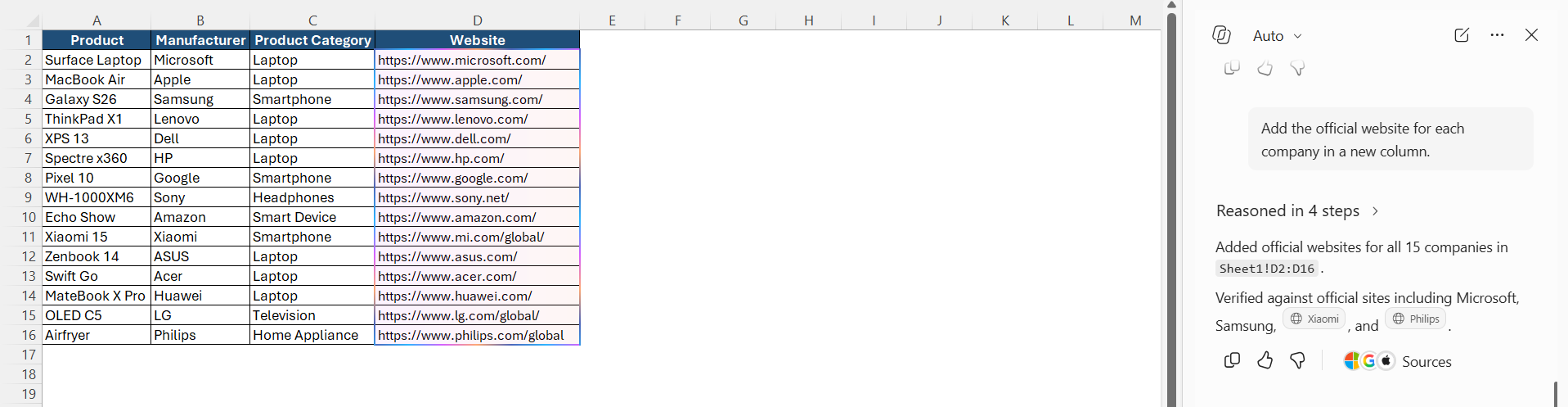
- Find Website Information – “Add the official website for each company in a new column.”
- Compare Information – “Use publicly available information to compare these companies based on their industry and headquarters country.”
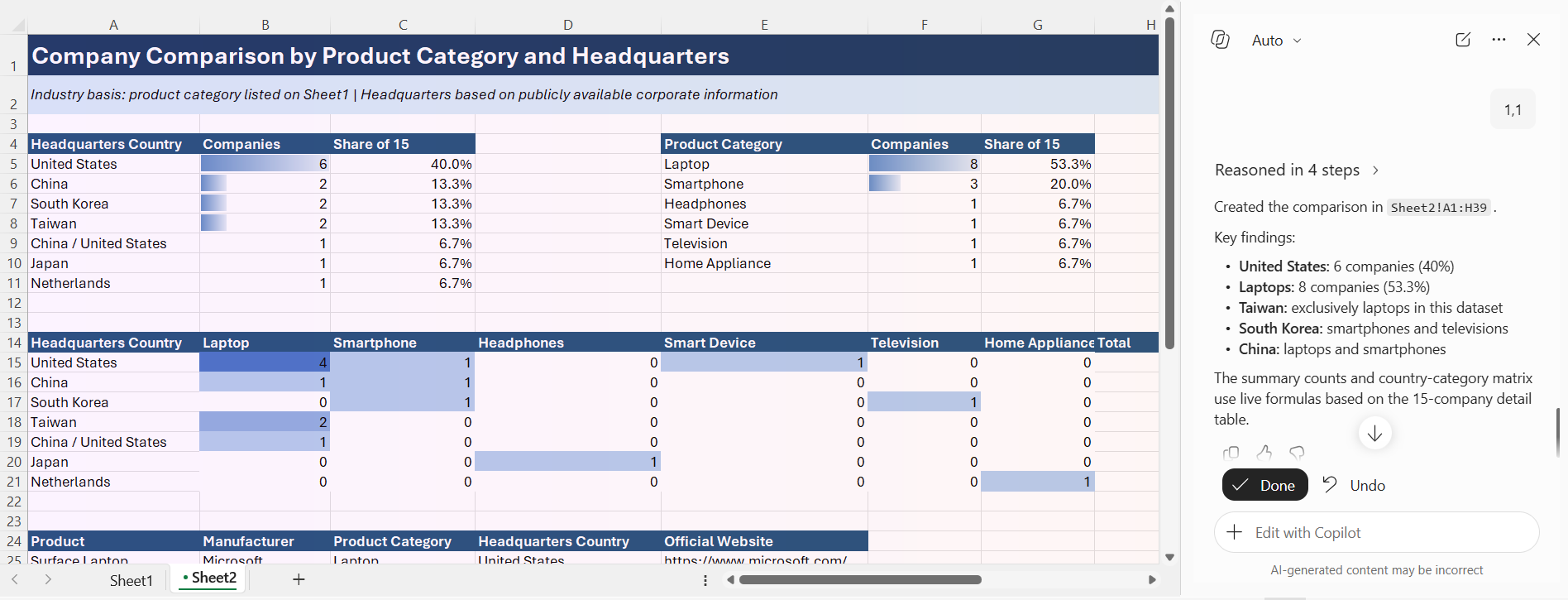
- Organize Web Data – “Create a new column for industry and classify each company based on publicly available information.
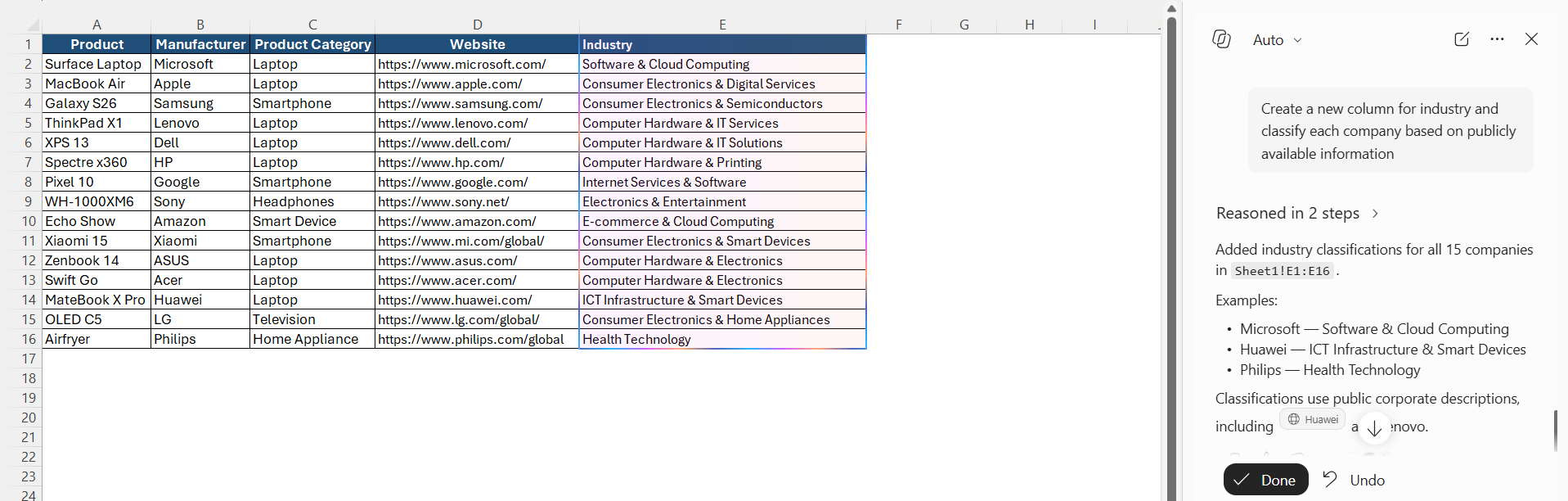
- Summarize Information – “Summarize the web-based information for each company in one sentence.”
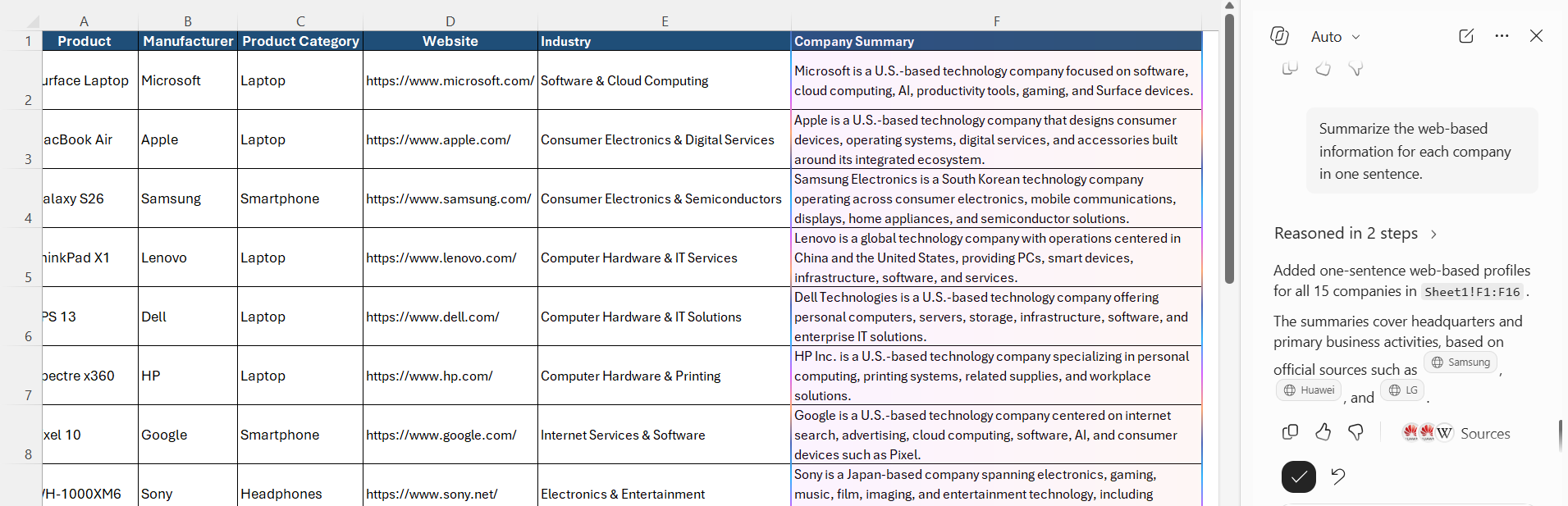
Tips for Using Web Data with Copilot
- Be specific about the information you need.
- Mention the columns Copilot should use.
- Ask Copilot to create new columns instead of changing existing data.
- Check dates when working with current information.
- Verify important information from the original website.
- Review prices and currency before using them.
- Do not assume that web information is always current.
- Check Copilot’s suggested changes before applying them.
FAQs
Can Copilot in Excel access web data?
Copilot can work with web-based information when the relevant web-connected capabilities are available in your Microsoft 365 environment.
Can Copilot add web data to an Excel table?
You can ask Copilot to create columns and organize information based on the data it can access.
Can Copilot find current prices from the web?
You can ask Copilot to find current or publicly available prices, but you should verify prices because they can change frequently.
Should I verify data provided by Copilot?
Yes. Review important information against the original source before using it in reports or business decisions.
Can I use web data for Excel analysis?
Yes. Web-based information can be used alongside your existing worksheet data when the relevant Copilot capabilities are available.

John Michaloudis is a former accountant and finance analyst at General Electric, a Microsoft MVP since 2020, an Amazon #1 bestselling author of 4 Microsoft Excel books and teacher of Microsoft Excel & Office over at his flagship MyExcelOnline Academy Online Course.

 30 Days - Full Access









