Microsoft Copilot uses large language models (LLMs) to understand the question in the prompt and generate a response accordingly. Copilot can use models from OpenAI, Anthropic, and Microsoft; it does not rely on a single LLM. In this article, you will learn what LLM does Copilot use.
Key Takeaways:
- Microsoft Copilot uses models from OpenAI, Anthropic, and Microsoft.
- LLM stands for Large Language Model.
- GPT and Claude models are available in supported Copilot experiences.
- You can check the model name in the Copilot panel.
- Auto lets Copilot select a suitable model for your task.
Table of Contents
Introduction to LLM
What is an LLM?
LLM stands for Large Language Model. It is an AI model trained to understand and generate human language. It processes the instructions provided by you and generates a response based on the available context. It can answer questions, summarize data, highlight outliers, explain formulas, and assist in other data analysis tasks.
How to Check Which LLM Copilot Uses
STEP 1: Open a Microsoft application such as Excel or Word.
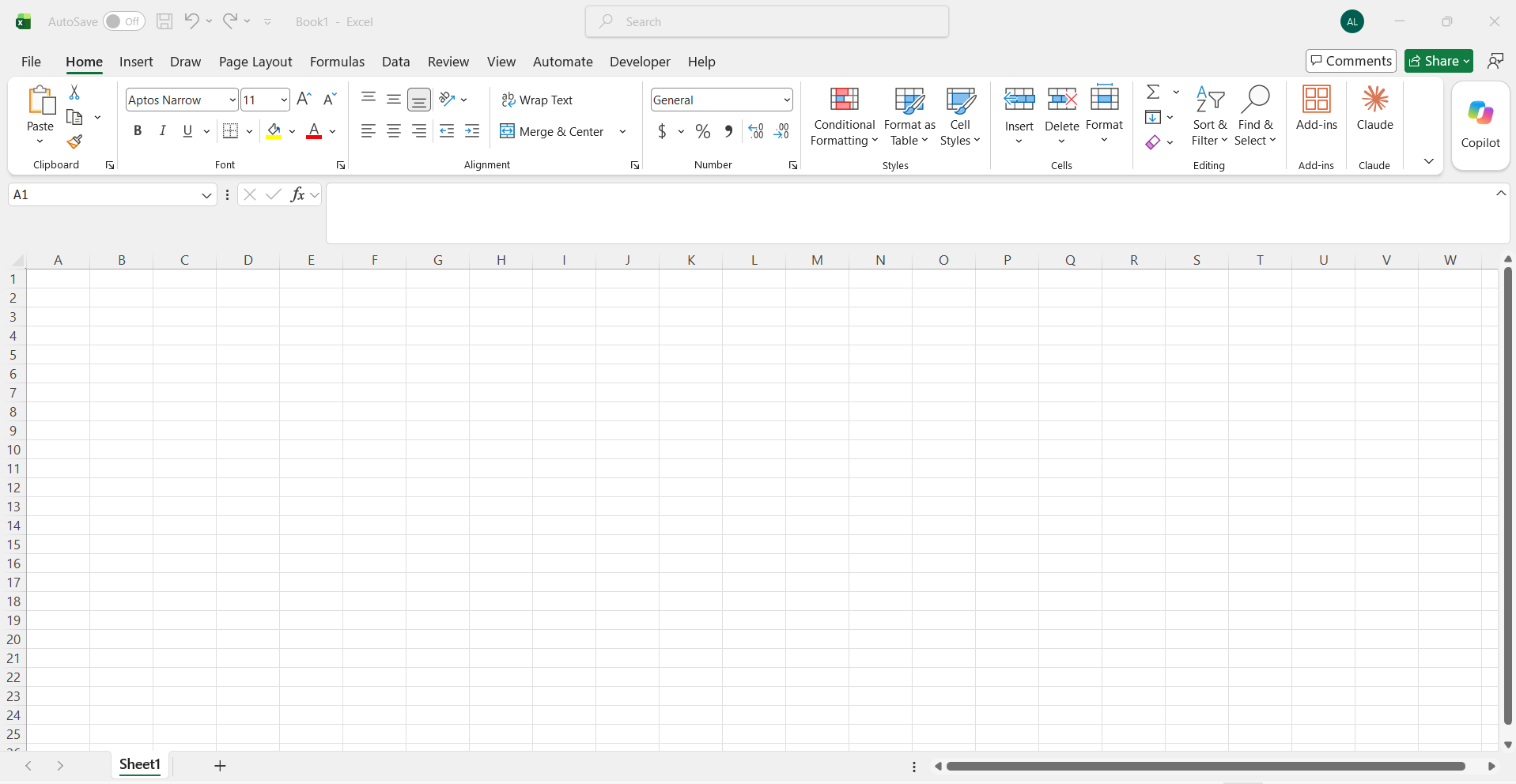
STEP 2: Click on the Copilot button.

STEP 3: In the Copilot panel, go to the top right corner. You will find the model name written that is being used.
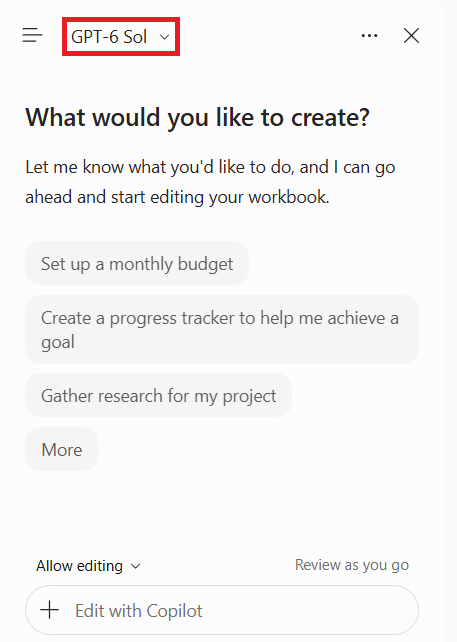
STEP 4: Click on the arrow to change it.
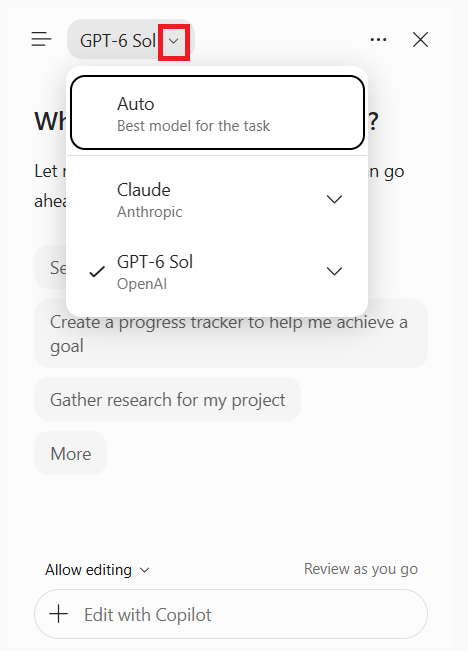
You can also click on the Auto option if you are not sure which model is suitable for your analysis.
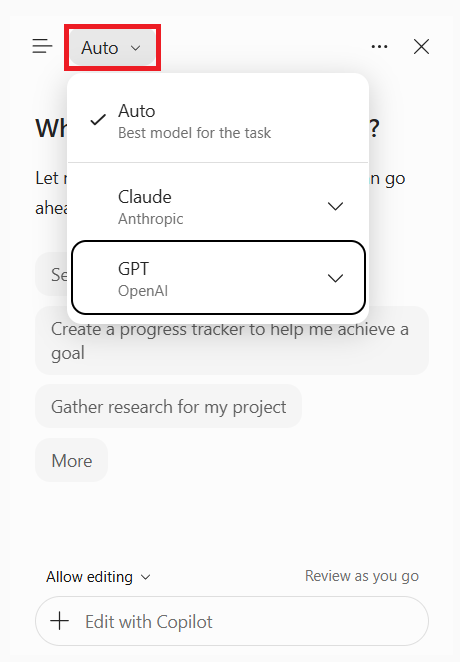
What LLM Does Copilot Use?
Microsoft Copilot uses different AI models depending on the product, task, and available configuration. According to Microsoft’s documentation, these include models from:
- OpenAI
- Anthropic
- Microsoft
1. OpenAI GPT Models
OpenAI GPT models are among the main models used in Microsoft Copilot. They help Copilot understand instructions, generate responses, summarize information, and perform complex tasks.
Microsoft announced the addition of GPT-6 Sol to the supported Microsoft 365 Copilot experiences in September 2026.
2. Anthropic Claude Models
Microsoft also supports models created by Anthropic. These models are useful for writing, research, reasoning, and performing complex tasks.
3. Microsoft Models
Microsoft builds Copilot and integrates these models into its products.
Tips & Tricks
- Use Auto: Let Copilot select a suitable model for your task.
- Check the model: Review the selected model before starting your analysis.
- Write clear prompts: Give specific instructions to get more relevant responses.
- Compare results: Try different available models for complex tasks.
- Verify the output: Check facts, formulas, and calculations before using the results.
FAQs
1. What LLM does Copilot use?
Microsoft Copilot uses large language models (LLMs) to understand the question in the prompt. The models are from OpenAI, Anthropic, and Microsoft.
2. Does Microsoft Copilot use GPT?
Yes, Copilot uses OpenAI GPT models as an LLM.
3. Does Microsoft Copilot use Claude?
Yes, Claude models are available in selected Copilot experiences.
4. Can I change the LLM in Copilot?
Yes, you can easily change the LLM used by Copilot. Also, if you are not sure which model to use, you can select Auto, and Copilot will make that decision for you.
5. What does Auto mean in Copilot?
When you are unsure which model to use. You can opt for Auto, which allows Copilot to select a suitable model.

John Michaloudis is a former accountant and finance analyst at General Electric, a Microsoft MVP since 2020, an Amazon #1 bestselling author of 4 Microsoft Excel books and teacher of Microsoft Excel & Office over at his flagship MyExcelOnline Academy Online Course.

 30 Days - Full Access