Microsoft Copilot is a useful tool that can help you complete everyday tasks in less time. It can be used in various Microsoft applications like Word, Excel, PowerPoint, Outlook, and Teams. You can use Copilot to write documents, summarize emails, analyze Excel data, create presentations, and manage meetings. In this article, you will learn about the best Microsoft Copilot use cases and how they can help with different tasks.
Key Takeaways:
- Copilot helps analyze data and create formulas in Excel.
- You can use Copilot to clean messy data.
- Copilot can draft and summarize emails in Outlook.
- You can create PowerPoint presentations with Copilot.
- Copilot helps draft and edit documents in Word.
Table of Contents
Introduction to Copilot in Excel
What is Copilot in Excel?
Copilot is an AI assistant available in Microsoft Excel. It is useful when you don’t know the syntax of a complex Excel formula. Instead of writing a nested IF formula yourself, you describe the result you want. Copilot will writes the formula for you.
You can type simple commands like:
- Calculate total sales of the product by region.
- Create a chart that shows the monthly revenue.
- Highlight duplicate customers in the data.
- Highlight the top 10 highest values.
Requirements to Use Copilot in Excel
- Microsoft Excel (Microsoft 365 version)
- A Microsoft account
- A subscription that includes Copilot features
- An internet connection
- The latest version of Excel
7 Best Microsoft Copilot Use Cases
1. Analyze Data in Excel
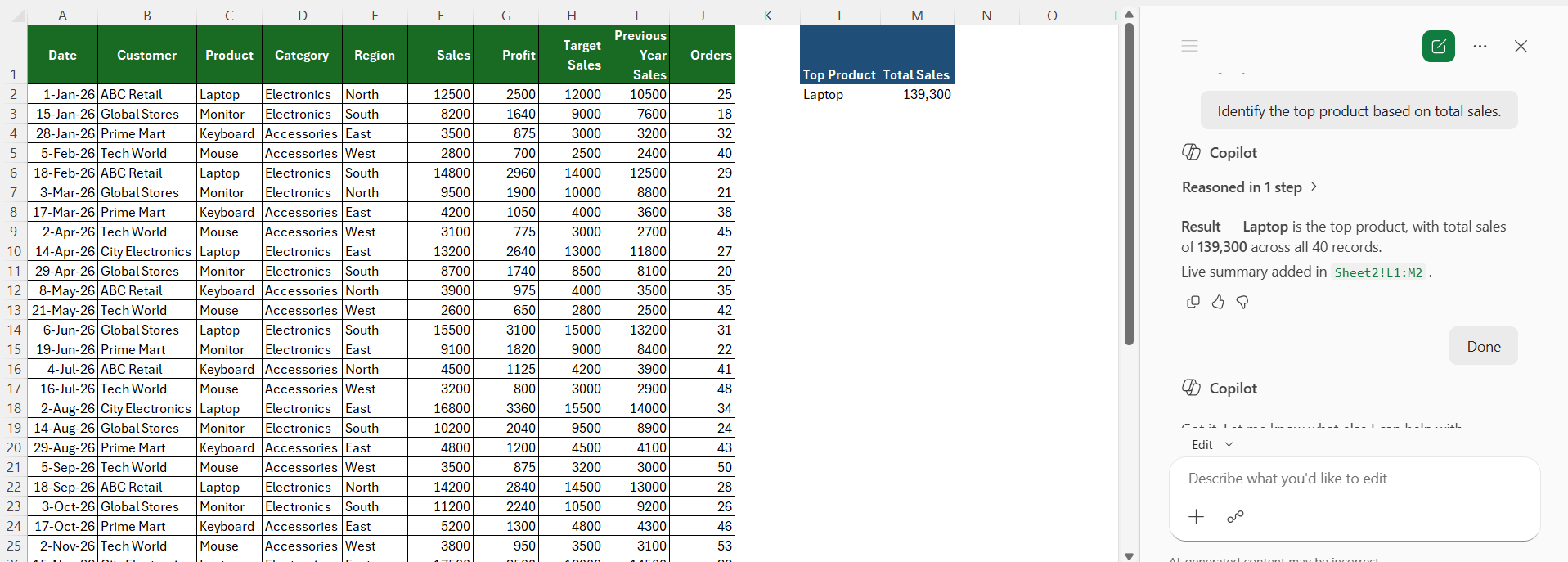
Microsoft Copilot can be used to analyze large datasets and find useful information.
“Identify the top product based on total sales.”
2. Create Excel Formulas
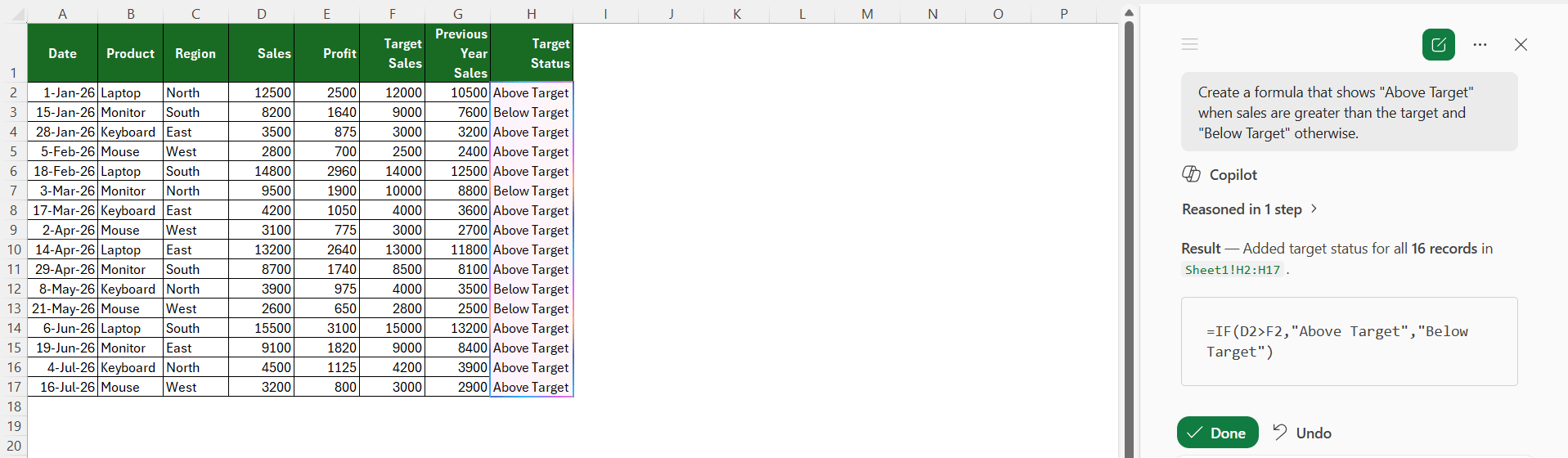
You can use Copilot to create Excel formulas based on your requirements. This is an important feature that can be used when you don’t know how to write a complex formula.
“Create a formula that marks transactions where sales are greater than the target as “Above Target” and “Below Target” otherwise.”
3. Clean Messy Data in Excel
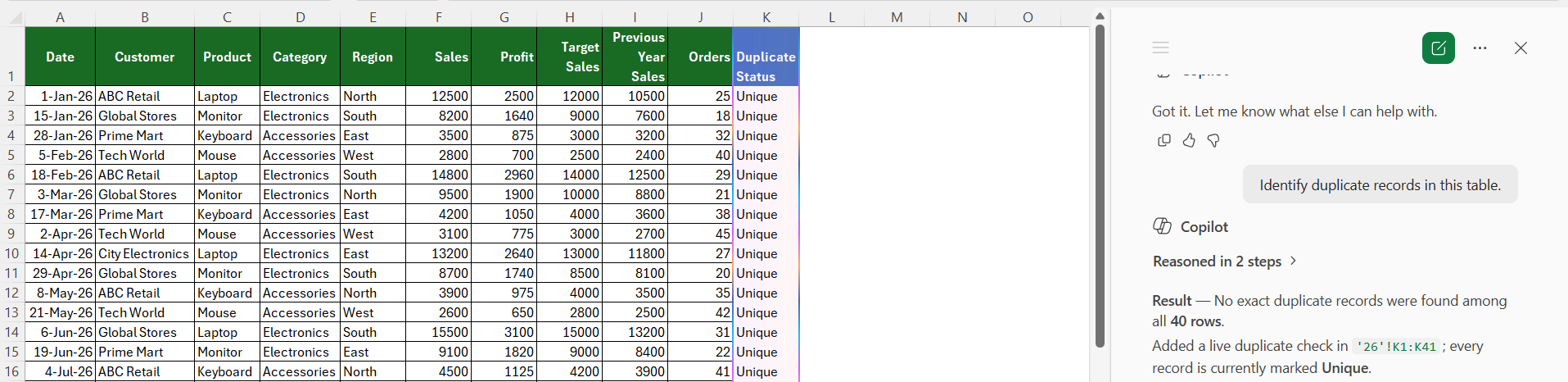
Working with inconsistent data can take a lot of time. Copilot can help identify common data issues and suggest ways to clean the dataset. You can use it to find duplicate records.
4. Draft Emails in Outlook
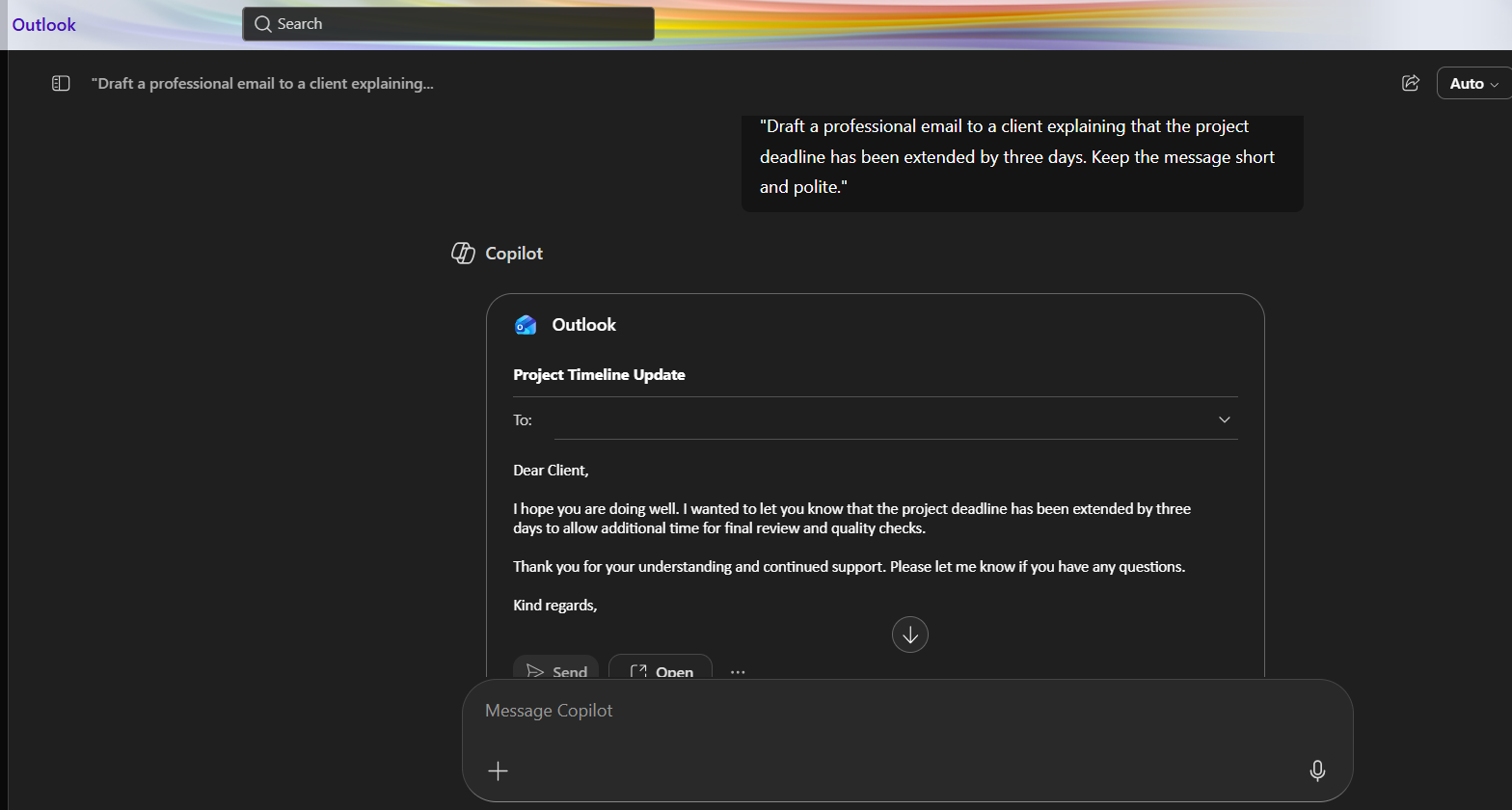
Copilot can be useful when you want to draft an email based on your instructions.
“Draft a professional email to a client explaining that the project deadline has been extended by three days. Keep the message short and polite.”
5. Summarize Email Threads
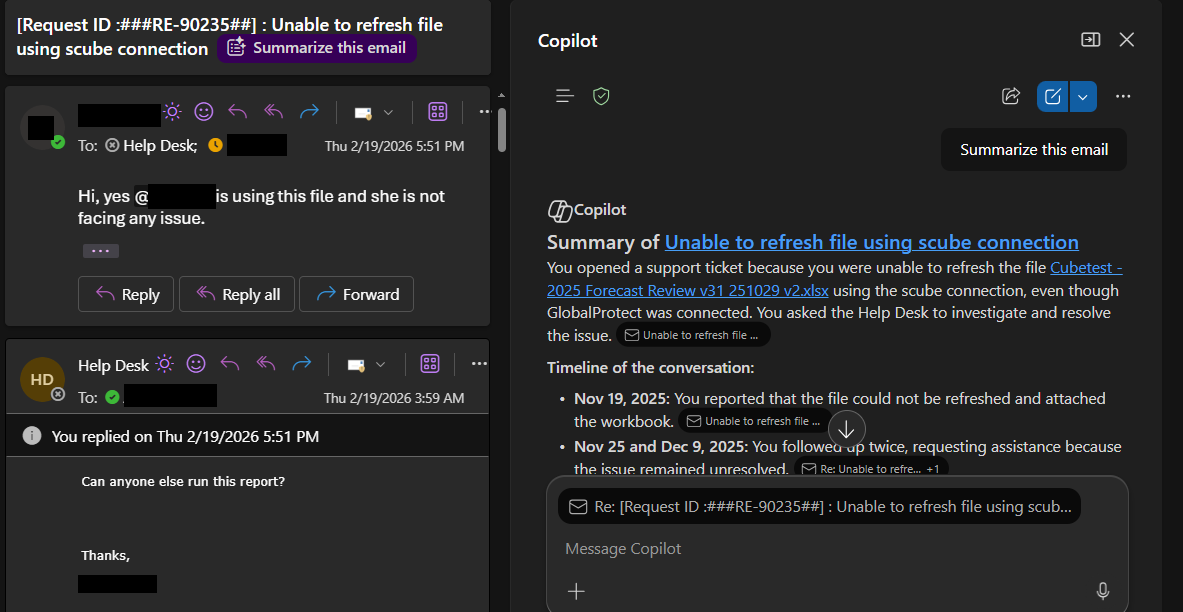
You can use Copilot to summarize long email conversations that often contain several replies and questions.
“Summarize this email conversation and list down the important points.”
6. Create PowerPoint Presentations
Copilot can be used to create a PowerPoint presentation based on the description provided or an attached source file.
“Create a sales pitch presentation for a tech startup called Infotech to impress potential investors and secure investments.”

7. Draft and Edit Documents in Word
Copilot in Word can help you create new documents and revise existing content. Use it to prepare reports, proposals, meeting notes, business letters, and project plans.

FAQs
1. What is Microsoft Copilot?
Microsoft Copilot is an AI assistant available in various Microsoft applications. It can be used to complete tasks using simple prompts.
2. Can Copilot analyze data in Excel?
Yes, Copilot can analyze data, clean messy data, find trends, and create formulas.
3. Can Copilot help write emails?
Yes, Copilot is a very useful tool in Outlook that can be used to draft and summarize emails in Outlook.
4. Can Copilot create PowerPoint presentations?
Copilot can be used to create presentations from prompts and supported source files.
5. Do I need a subscription to use Copilot?
Some features of Microsoft Copilot require an eligible Microsoft 365 subscription.

John Michaloudis is a former accountant and finance analyst at General Electric, a Microsoft MVP since 2020, an Amazon #1 bestselling author of 4 Microsoft Excel books and teacher of Microsoft Excel & Office over at his flagship MyExcelOnline Academy Online Course.

 30 Days - Full Access