 Free Practice Workbook
When working with Excel, I often find myself dealing with different types of numbers like decimals, fractions, percentages, and whole numbers. Understanding what a whole number is and how to work with them in Excel is important. It is useful when you’re analyzing data that doesn’t involve fractions or decimals. In this article, you will learn what a whole number is.
Key Takeaways:
- Whole numbers in Excel are integers starting from 0.
- The ROUND function rounds numbers to a set number of decimal places.
- ROUNDUP always rounds a number up.
- ROUNDDOWN always rounds a number down.
- INT and TRUNC help remove decimal values from numbers.
Table of Contents
Rounding Numbers in Excel
What is Rounding in Excel?
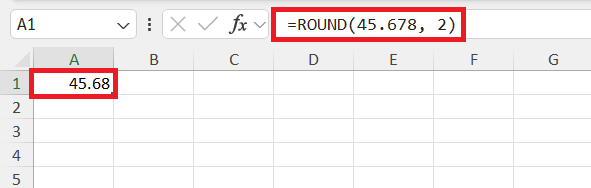
Rounding is the process of changing a number to a simpler value. It is particularly useful when we want to simplify data for better presentation. For example, 45.678 rounded to two decimal places becomes 45.68.
Types of Rounding Methods
- Round Up: This means increasing a number to the next whole number or a higher value. For example, 4.2 becomes 5.
- Round Down: This means reducing a number to the lower whole number. For example, 4.8 becomes 4.
- Rounding to a Decimal Place: This means keeping a set number of digits after the decimal point. For example, 4.567 rounded to two decimal places becomes 4.57.
How to Round to Whole Numbers
The ROUND Function
The ROUND function can be used to round a number, based on the number of decimal points you provide.
For example, you can use this formula to round 45.678 to two decimal places:
INT and TRUNC Functions
For cases where you need the whole number part without the fuss of decimals, you can turn to the trusty INT and TRUNC functions, which are like the straight-edge cutters in your rounding toolkit. While both of these functions can appear to deliver the same results with positive numbers, they differ slightly when dealing with the pesky negative ones.
With the INT function, it always rounds down to the nearest integer. Think of it as the function that never overestimates—it always leans towards zero. =INT(3.7) would give us 3,
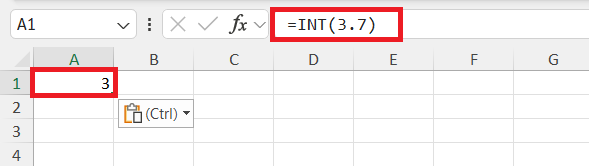
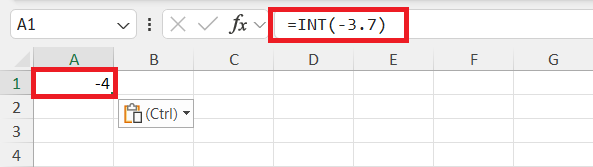
but with =INT(-3.7), we get -4 because the function pushes downwards on the number line.
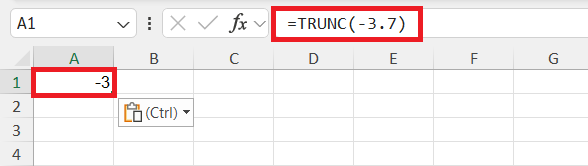
The TRUNC function in Excel removes the decimal part of a number without rounding it. You can also choose how many decimal places to keep.
Advanced Rounding Techniques
Excel also has other rounding functions for different needs, such as ROUNDUP, ROUNDDOWN, MROUND, CEILING, and FLOOR.
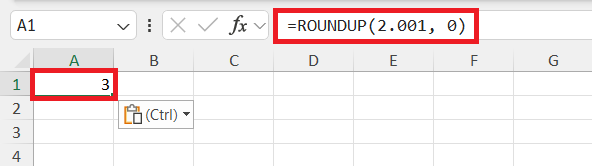
The ROUNDUP function is used when you want to round a number up, no matter what the decimal value is. For example, 2.001 becomes 3 when rounded to zero decimal places.
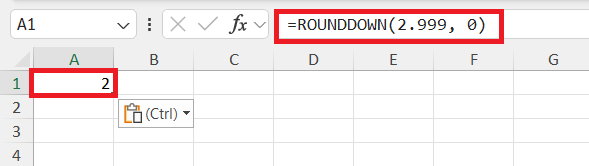
The ROUNDDOWN function, on the other hand, rounds a number down.
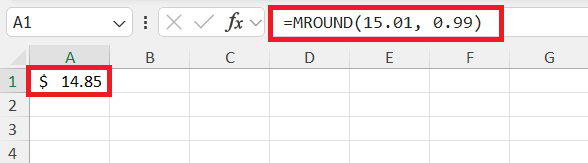
The MROUND function rounds a number to the nearest multiple you choose.
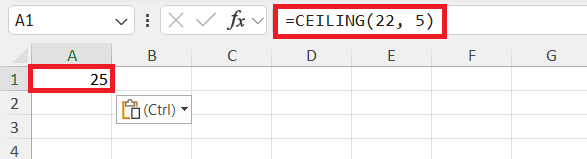
CEILING rounds a number up to the nearest multiple.
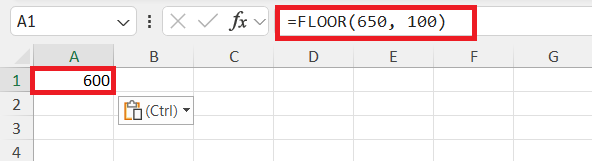
FLOOR rounds a number down to the nearest multiple.
FAQs
What is a whole number?
A whole number is any non-negative integer. It includes the positive integers starting from 0 to infinity. They do not contain fractions or decimals.
How to choose the correct rounding function for my needs?
Choose the correct rounding function in Excel by considering the context and goal of your calculations:
- Use ROUND to adjust to a specific decimal place
- Use ROUNDUP to round any decimal up
- Use ROUNDDOWN for rounding down
- Use MROUND to round to a specified multiple.
How to round a number in Excel?
You can use the ROUND function to round a number.
What does the INT function do?
The INT function rounds a number down to the nearest whole number.
What does the TRUNC function do?
The TRUNC function removes the decimal part of a number without rounding.

John Michaloudis is a former accountant and finance analyst at General Electric, a Microsoft MVP since 2020, an Amazon #1 bestselling author of 4 Microsoft Excel books and teacher of Microsoft Excel & Office over at his flagship MyExcelOnline Academy Online Course.

 30 Days - Full Access









