 Free Practice Workbook
Microsoft Copilot can help users work with data to create or edit workbooks, analyze information, write formulas, etc. Power Query, on the other hand, is designed to import, clean, transform, and combine data. This raises an important question: Can Copilot use Power Query in Excel?
In this article, you will learn what Copilot can and cannot do with Power Query in Excel.
Key Takeaways:
- Power Query imports and transforms data.
- Copilot helps analyze Excel data.
- Copilot does not replace Power Query.
- Power Query handles merge and append tasks.
- You can use Copilot with Power Query data.
Table of Contents
What is Power Query in Excel?
Power Query is a data transformation tool built into Excel. It allows you to import data from different sources and transform it before loading it into a worksheet or Data Model. For example, you can use Power Query to:
- Import data from multiple files.
- Remove unnecessary columns.
- Filter rows.
- Change data types.
- Remove duplicates.
- Split columns.
- Merge queries.
- Append queries.
- Group data.
- Add custom columns.
- Refresh imported data.
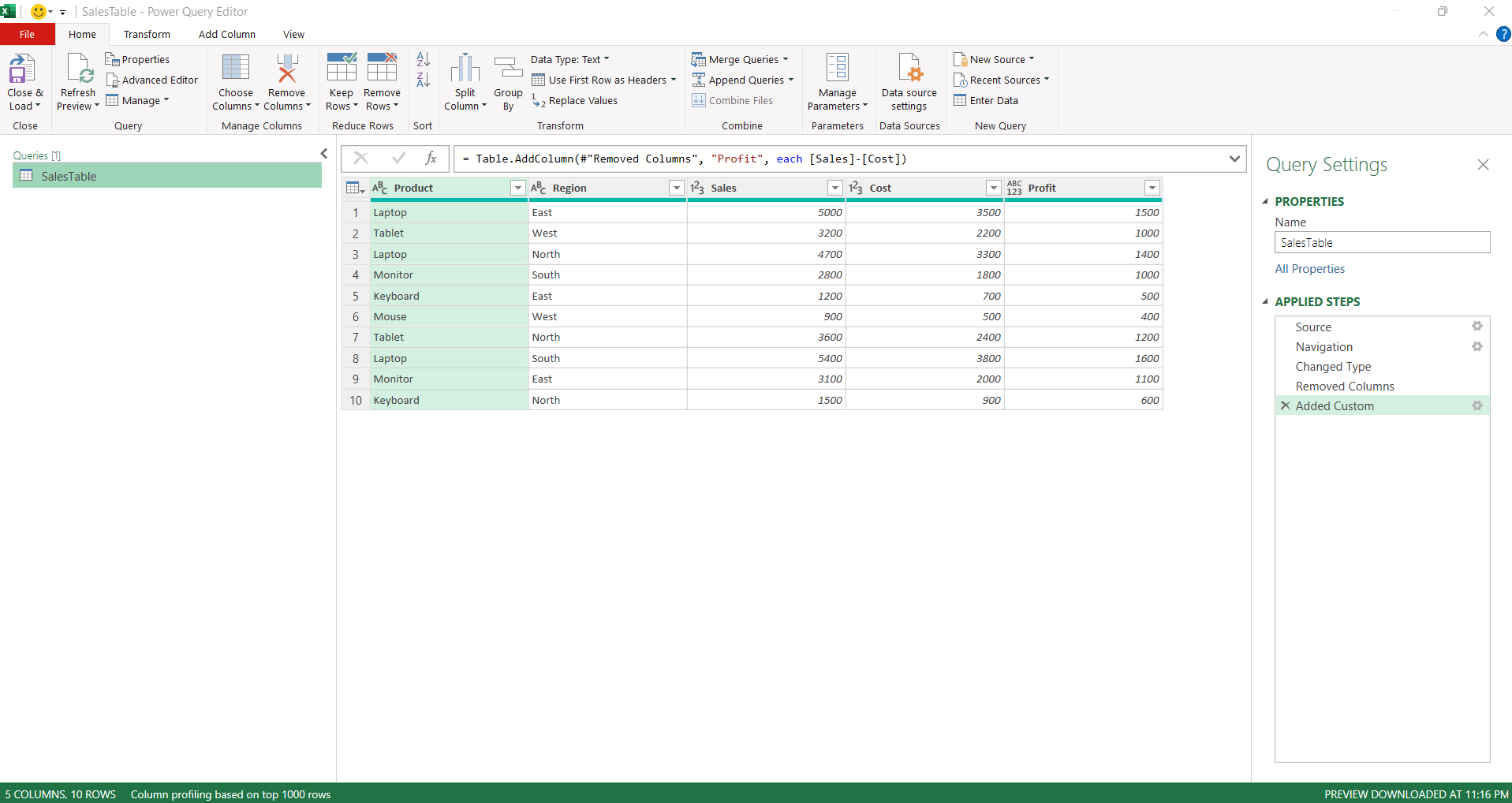
Power Query will record each transformation as a step, and you can edit or view them in Power Query Editor.
Can Copilot Use Power Query in Excel?
You can use Power Query to import data from different sources, then use Copilot to work with the imported data. So, Copilot cannot be used as a replacement for Power Query. Copilot can execute tasks like editing worksheets, generating and transforming data, sorting, filtering, creating formulas, generating charts and PivotTables, and analyzing data. Whereas Power Query has its own separate environment and commands for creating and editing queries. Microsoft documents these operations through the Power Query Editor rather than through Copilot.
Copilot = AI assistance for Excel tasks and analysis
Power Query = data import and transformation tool
Can Copilot Create a Power Query?
Copilot can generate formulas and perform many Excel editing tasks, but Microsoft documents Power Query Editor as the environment for creating queries. You can create a query from imported data or start with a blank query using the Power Query commands.
To create a Power Query,
- Click on the Data tab
- Go to Get Data > Launch Power Query Editor
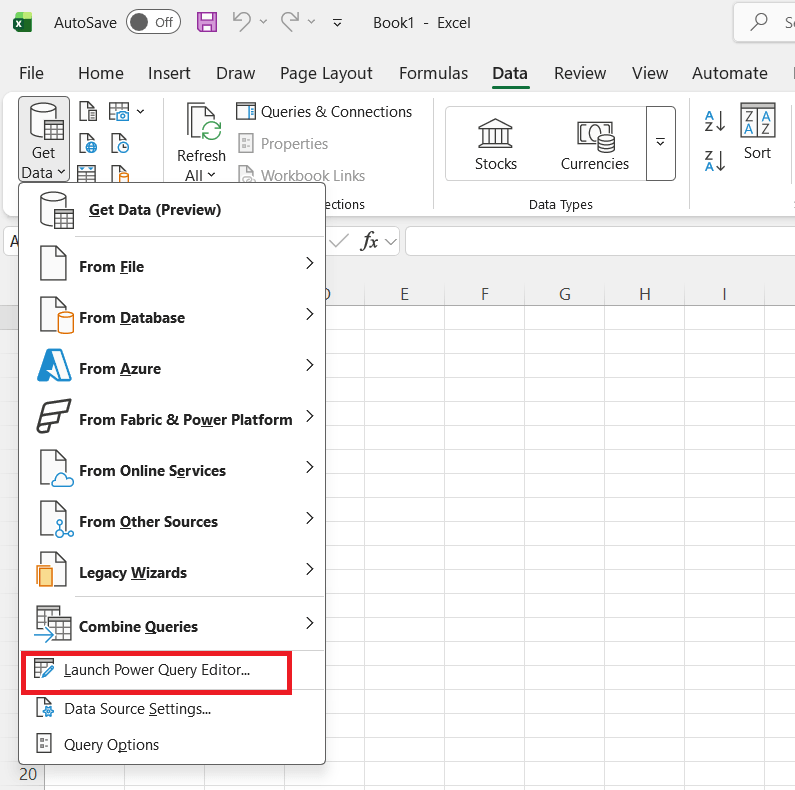
- Create and edit queries using the tools available
Can Copilot Edit an Existing Power Query?
Copilot can make direct changes to supported Excel workbook content, but Power Query query editing remains a Power Query task.
To edit an existing query, Microsoft provides the following workflow:
- Go to the Data tab
- Select Queries & Connections

- Select Queries > Click on Edit
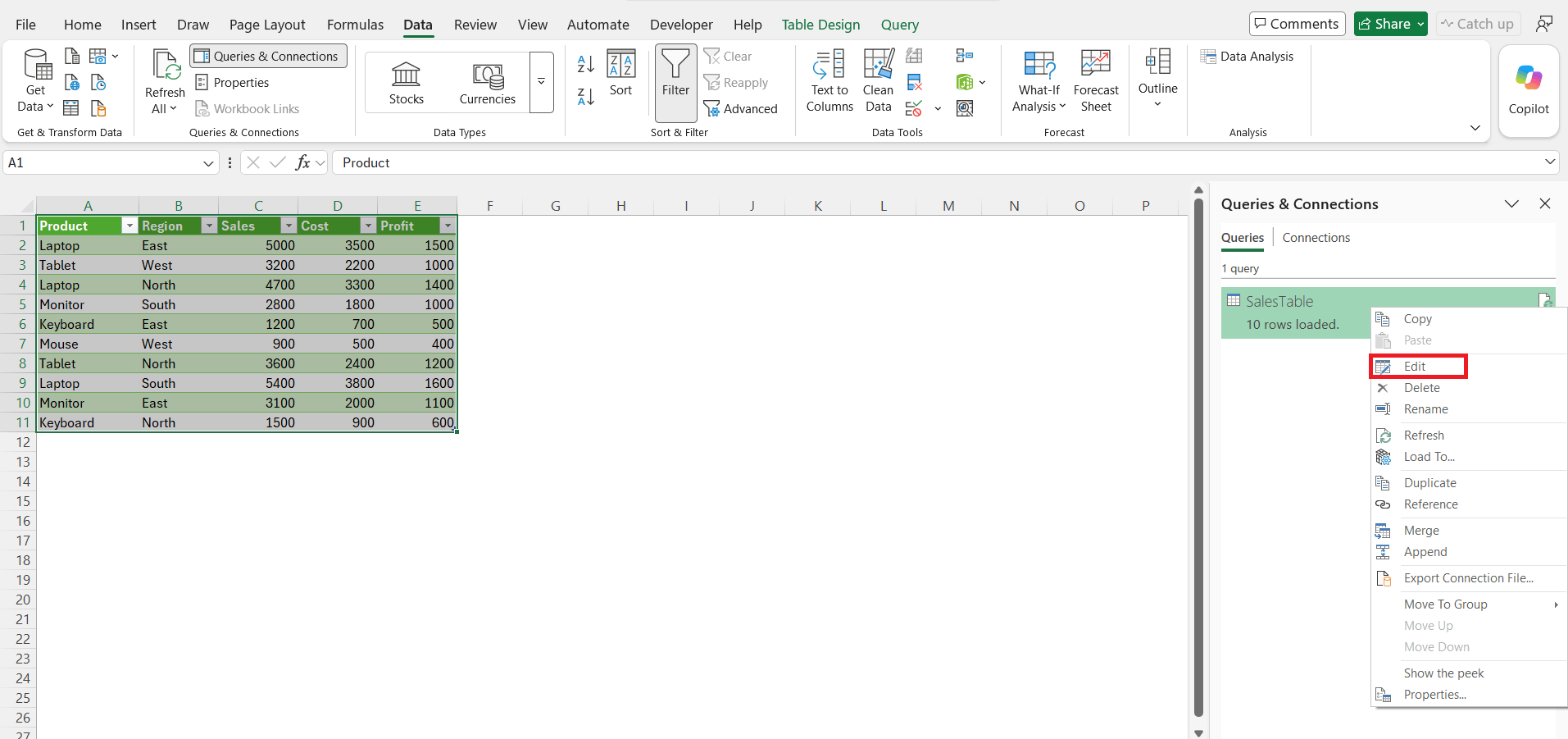
This opens the query in the Power Query Editor. You can edit the queries here.
Can Copilot Append Power Query Queries?
Suppose you want to append rows from multiple queries. For example:
- January Sales
- February Sales
- March Sales
can be appended into one table containing all rows.
Power Query matches columns based on column names rather than their position.
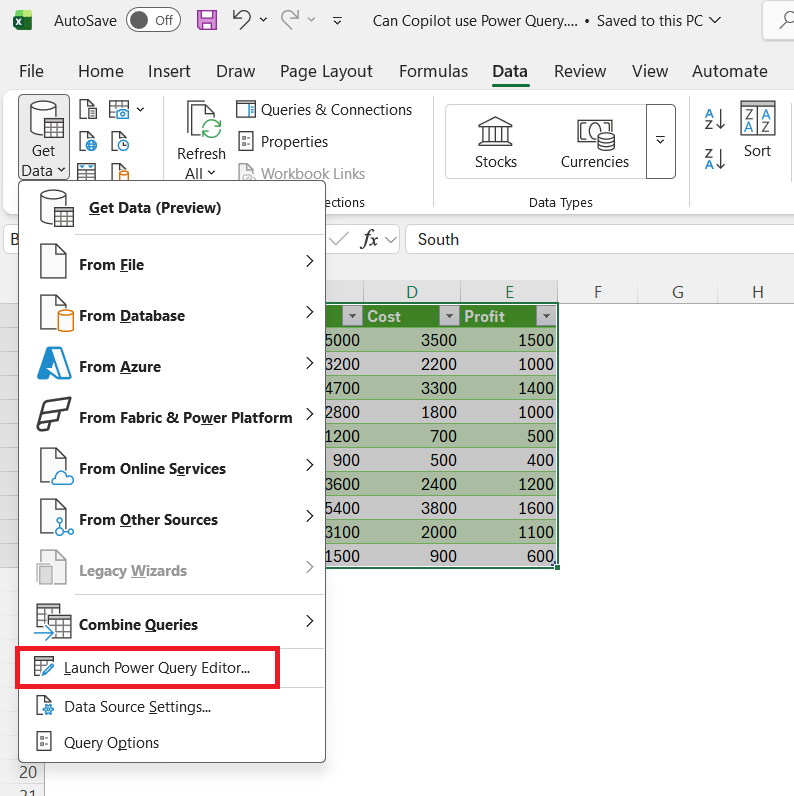

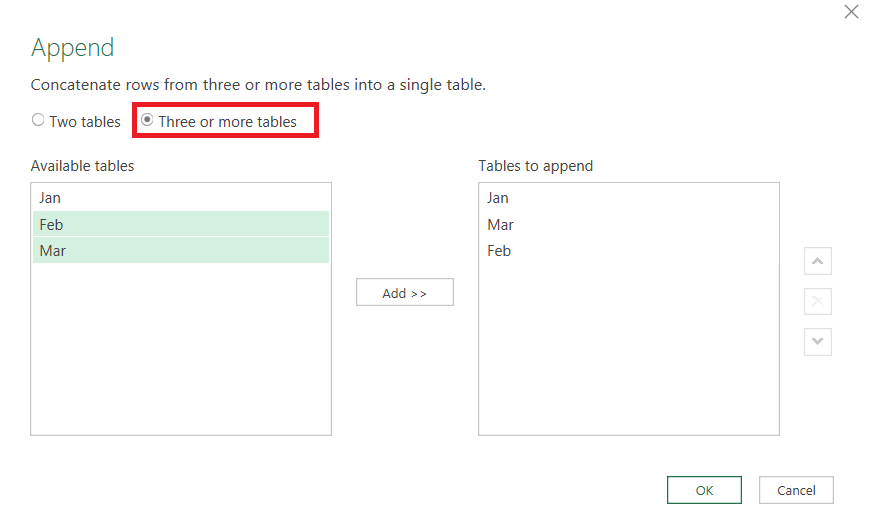
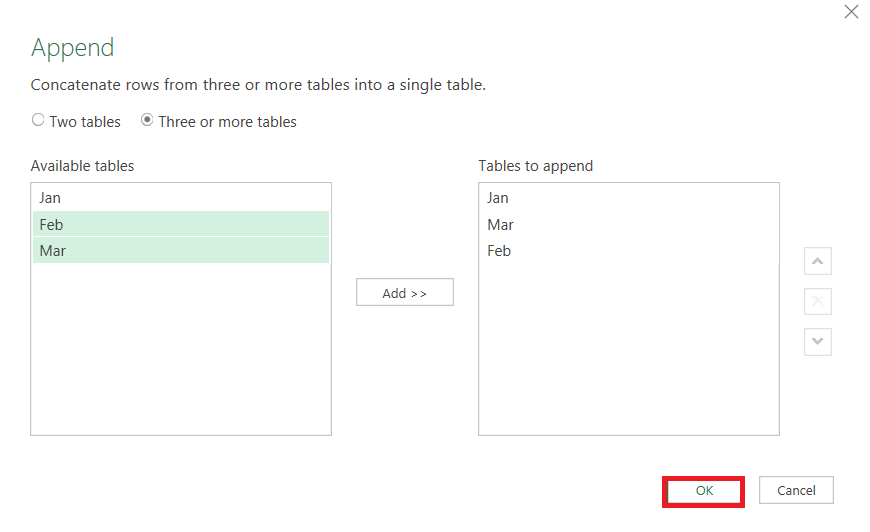
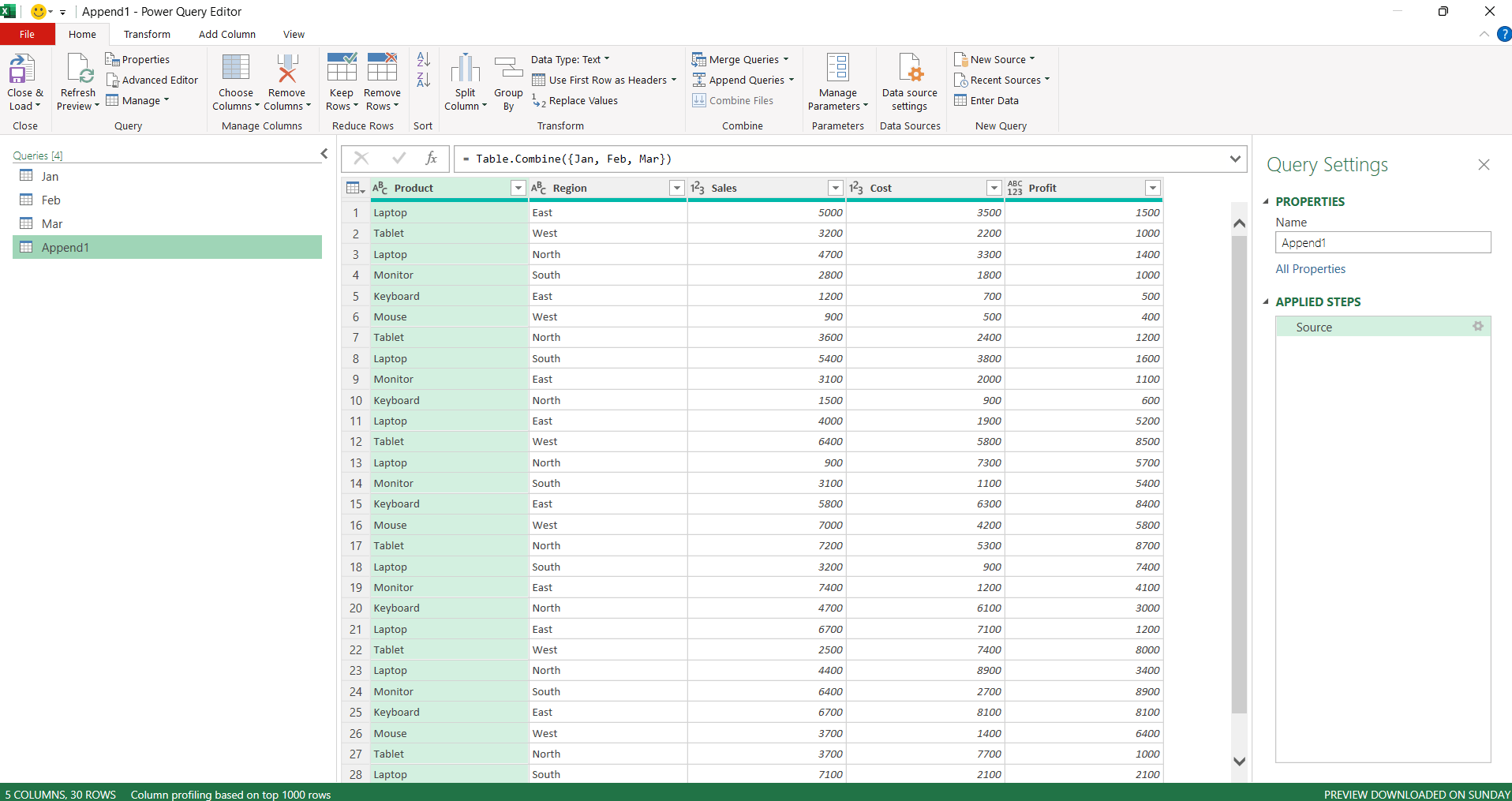

Copilot can help analyze the resulting combined data, but the actual Power Query append operation should be handled through Power Query.
Copilot vs Power Query
| Task | Copilot in Excel | Power Query |
|---|---|---|
| Analyze Excel data | Yes | Limited |
| Generate formulas | Yes | Not its main purpose |
| Find trends and outliers | Yes | Not its main purpose |
| Import external data | Not a replacement | Yes |
| Clean and transform data | Can assist with Excel data | Yes |
| Merge queries | Not a replacement | Yes |
| Append queries | Not a replacement | Yes |
| Create custom M transformations | Can help explain logic | Yes |
| Refresh queries | Not a replacement | Yes |
| Manage query connections | No | Yes |
| Load data to worksheet/Data Model | No replacement | Yes |
FAQs
1. Can Copilot use Power Query in Excel?
Copilot can work with data prepared by Power Query.
2. Can Copilot create a Power Query?
No. Use Power Query Editor to create queries.
3. Can Copilot edit Power Query?
No. Edit queries in Power Query Editor.
4. Can Copilot append Power Query queries?
No. Use Power Query to append queries.
5. Can Copilot analyze Power Query data?
Yes. Copilot can analyze data loaded by Power Query.

John Michaloudis is a former accountant and finance analyst at General Electric, a Microsoft MVP since 2020, an Amazon #1 bestselling author of 4 Microsoft Excel books and teacher of Microsoft Excel & Office over at his flagship MyExcelOnline Academy Online Course.

 30 Days - Full Access









