Copilot is an AI-powered assistant that is built into Excel. It can be used to analyse data using simple prompts. However, you need a Microsoft 365 subscription to access it. While Copilot offers several benefits, the important question is:
Is Copilot in Excel worth it?
In this article, you will learn whether Copilot in Excel is worth using and who can benefit from it.
Key Takeaways:
- Copilot helps users complete Excel tasks faster using AI.
- It can generate formulas, charts, and summaries from simple prompts.
- Copilot is useful for beginners and non-technical users.
- Results should always be reviewed for accuracy.
- Its value depends on how often you use Excel and work with data.
Table of Contents
What is Copilot in Excel?
Microsoft Copilot is an AI-powered assistant developed by Microsoft that helps users complete tasks faster and more easily. It works across Microsoft applications like Microsoft Excel, Microsoft Word, Microsoft PowerPoint, and Microsoft Outlook.
Copilot uses artificial intelligence to understand simple text commands and perform tasks automatically. Users can ask Copilot to create formulas, summarize documents, generate charts, write emails, analyze data, and much more.
Benefits vs Limitations
Benefits of Using Copilot in Excel
- Copilot can complete tasks in seconds that would take us several minutes.
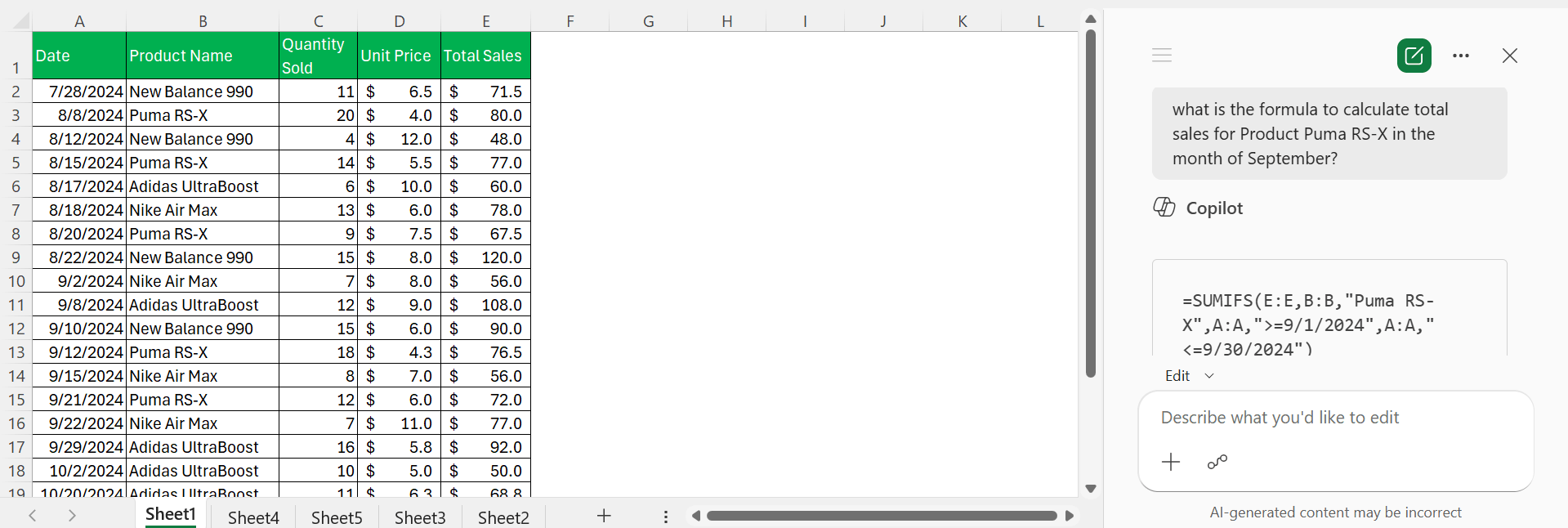
- If you are not good with formulas, you can explain to Copilot what you need in simple sentences. It will suggest formulas based on the instructions. For example, you can ask Copilot to write a formula to calculate the total sales for a product in a particular month.
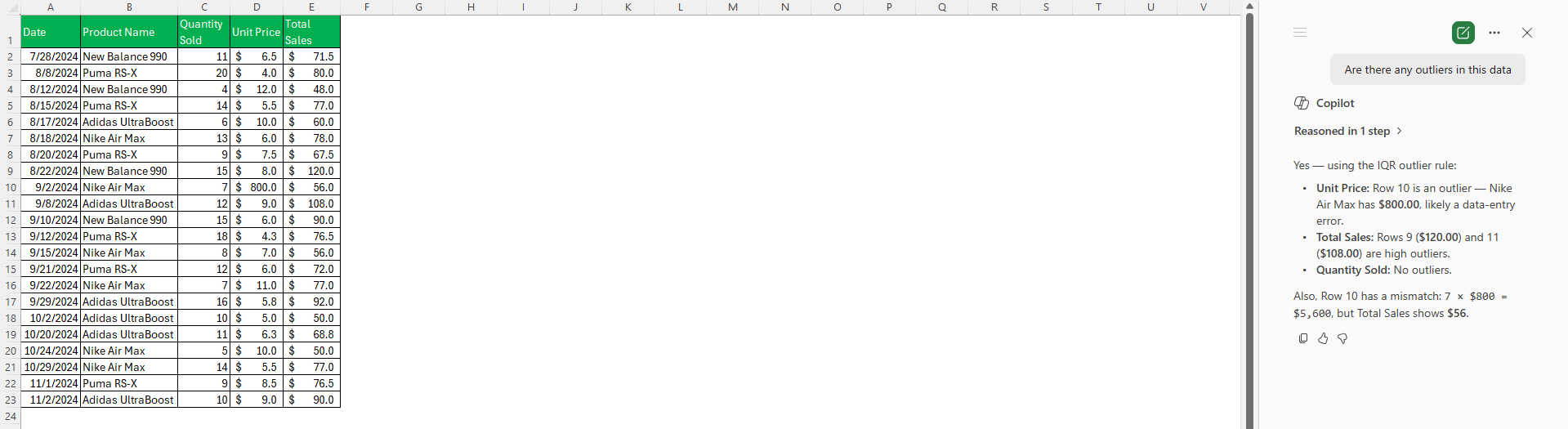
- It can spot patterns and outliers within your data.
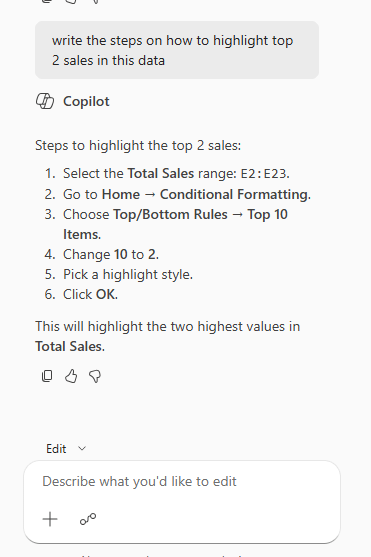
- Copilot provides guidance and suggestions that can be helpful for new users. For example, users can ask Copilot to list the steps on how to highlight top 2 sales in a data.
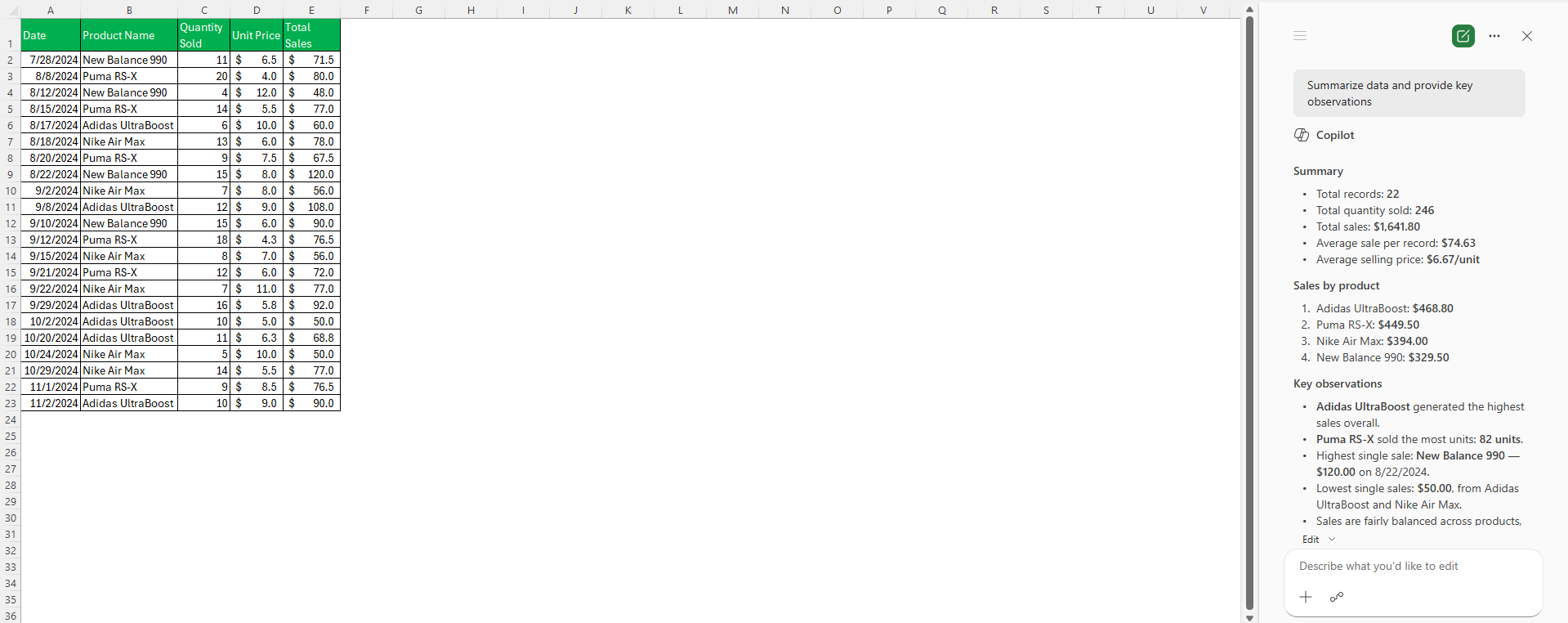
- Copilot can summarize data and provide key observations that can be missed otherwise.
Limitations of Copilot in Excel
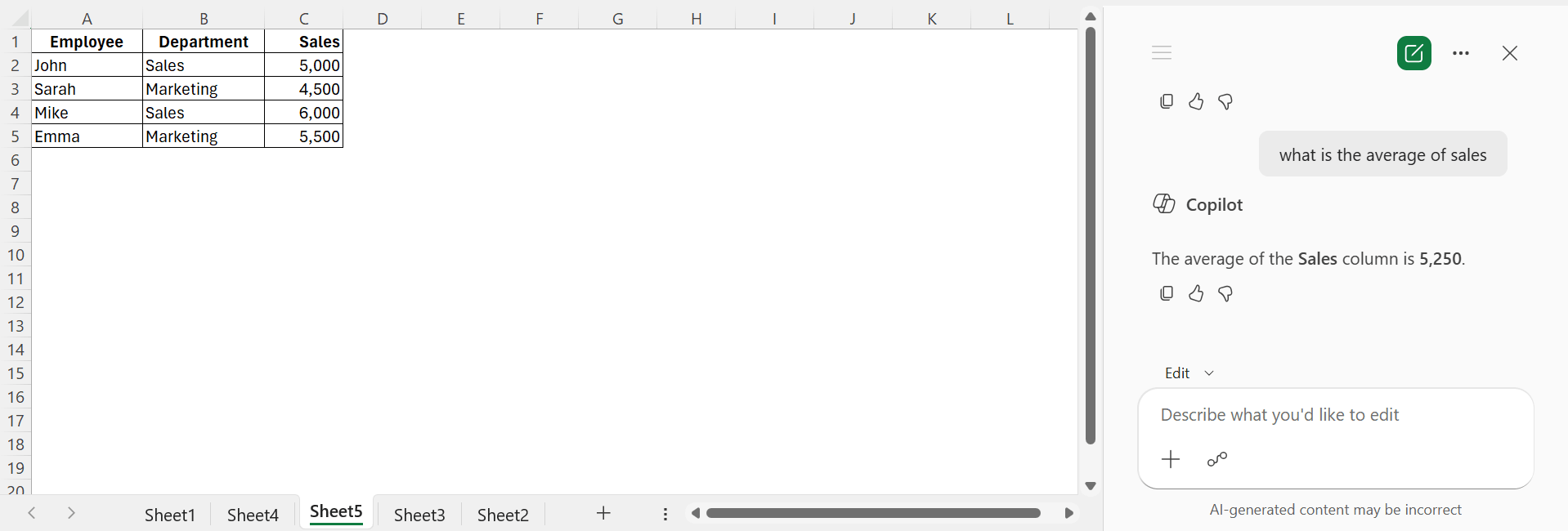
- Copilot can occasionally generate incorrect formulas or interpretations. In the example below, Copilot is asked to return the average sales for the Sales department. Since, the prompt is not clear enough, Copilot has returned an incorrect formula.
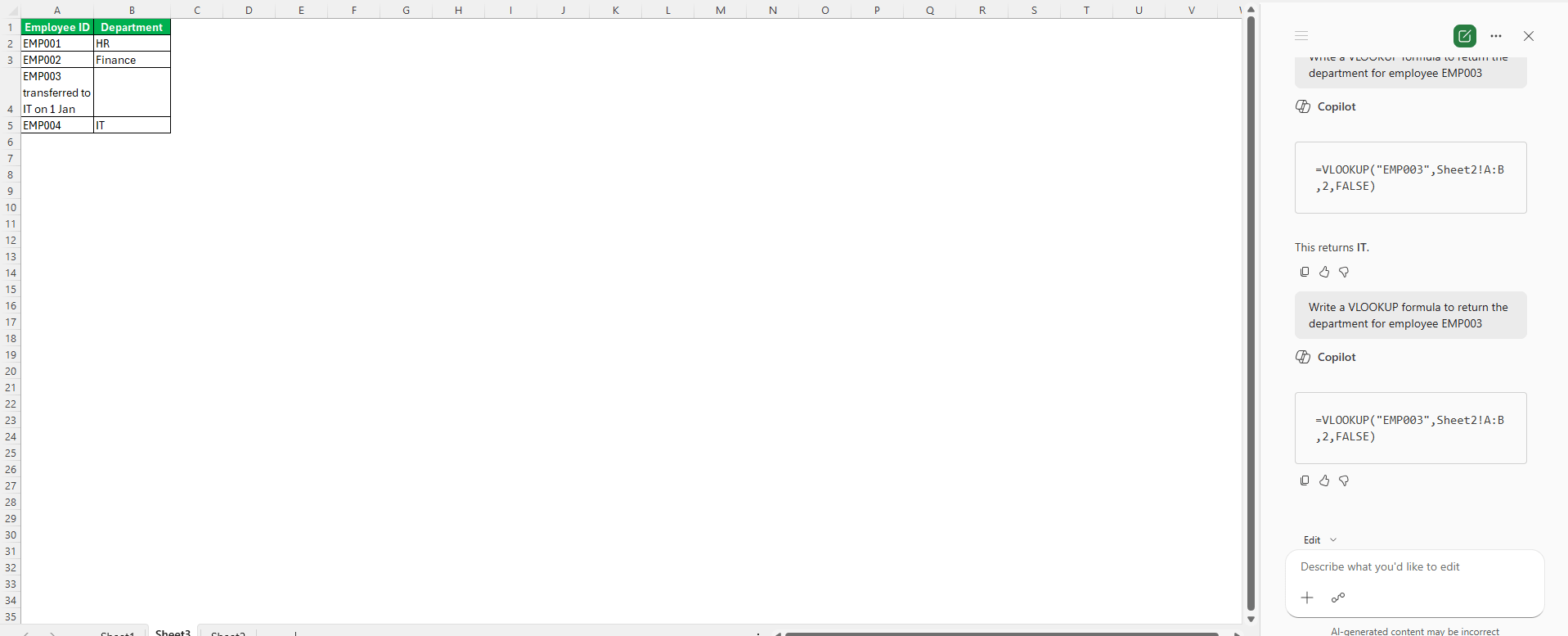
- If the data is not structured properly, Copilot may not produce reliable results. For example, even though the formula provided by Copilot is correct, you may not get the correct result. This is because the data is not structured properly.
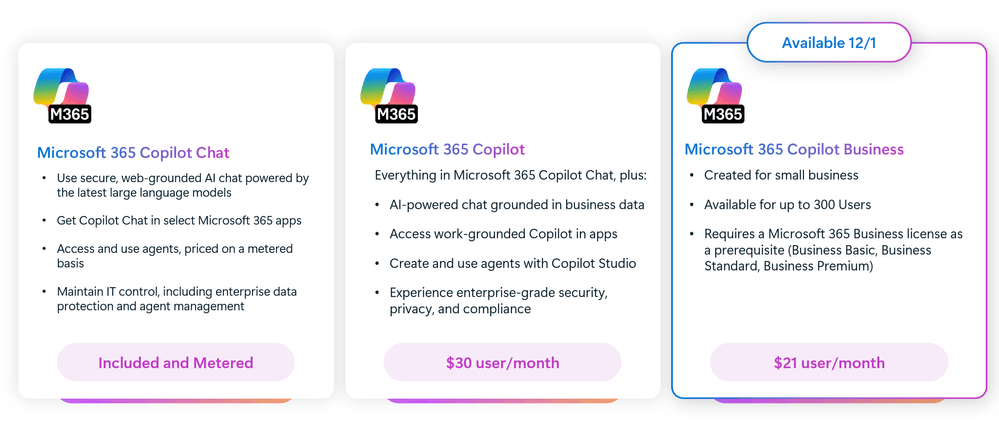
- Copilot is not included in every Microsoft 365 plan. Some users may need an additional subscription, which increases the overall cost.
- Advanced users working with complex models, Power Query, VBA, or highly customized spreadsheets may find that Copilot cannot fully replace manual work. To import data from multiple folders, you have to use Power Query; Copilot will not be able to accomplish this task.
Who Should Use Copilot in Excel?
- Beginners learning Excel.
- Business professionals who work with reports.
- Sales and marketing teams are analyzing performance data.
- Managers who need quick summaries and insights.
- Users who want to reduce repetitive Excel tasks.
Is Copilot in Excel Worth It?
If you spend a lot of time creating formulas, analyzing data, or preparing reports, Copilot can improve productivity and reduce manual work. It is particularly valuable for users who are not Excel experts but still need meaningful insights from their data.
However, experienced Excel users may find that they can perform some tasks just as quickly without AI assistance. The value of Copilot largely depends on how often you use Excel and the type of work you perform.
If your goal is to save time on everyday spreadsheet tasks, Copilot can be a worthwhile addition.
FAQs
1. What is Copilot in Excel?
Copilot is an AI assistant that helps users analyze data and perform Excel tasks.
2. Do I need a Microsoft 365 subscription to use Copilot?
Yes, Copilot requires an eligible Microsoft 365 subscription.
3. Can Copilot create Excel formulas?
Yes, it can generate formulas based on your instructions.
4. Is Copilot accurate all the time?
No, you should always review its suggestions and results.
5. Who benefits most from Copilot in Excel?
Beginners, business professionals, managers, and users who work with spreadsheets regularly.

John Michaloudis is a former accountant and finance analyst at General Electric, a Microsoft MVP since 2020, an Amazon #1 bestselling author of 4 Microsoft Excel books and teacher of Microsoft Excel & Office over at his flagship MyExcelOnline Academy Online Course.

 30 Days - Full Access









