Microsoft Copilot and ChatGPT can help you work with Excel. Microsoft Copilot works directly inside the Microsoft 365 apps, and ChatGPT works as a separate AI assistant. They can write formulas for you and analyse data. In this article, you will learn the difference: Microsoft Copilot vs ChatGPT.
Key Takeaways:
- Copilot works directly inside Excel.
- ChatGPT can help create and explain formulas.
- Copilot supports Power Query and PivotTables.
- ChatGPT is useful for complex Excel problems.
- Both tools can save time when working with Excel.
Table of Contents
Introduction
What is Microsoft Copilot for Excel?
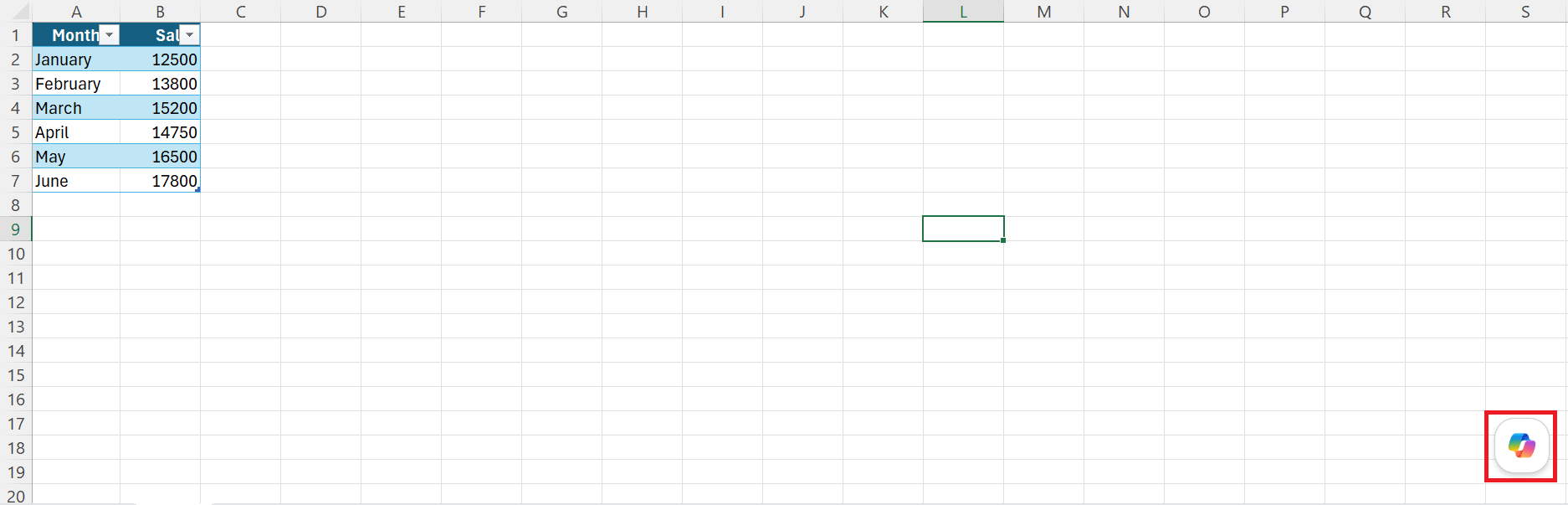
Microsoft Copilot is Microsoft’s AI assistant. It is built into Microsoft 365 and can work with Excel. Using Copilot is super easy; just follow the steps below:
- Click on the Copilot button.
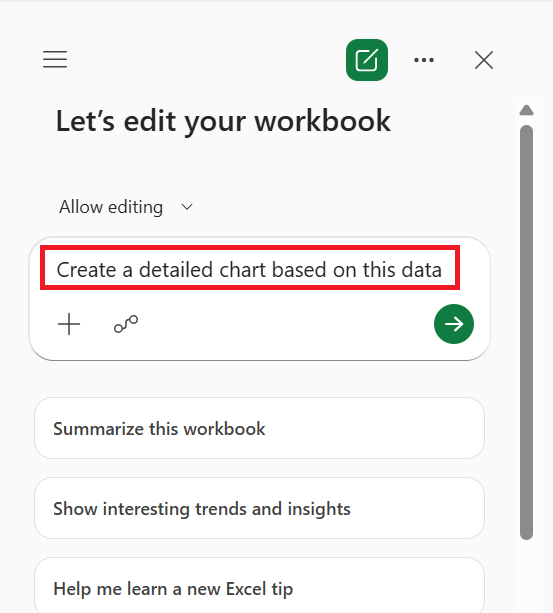
- In the chat panel, type the prompt
- Copilot performs the task
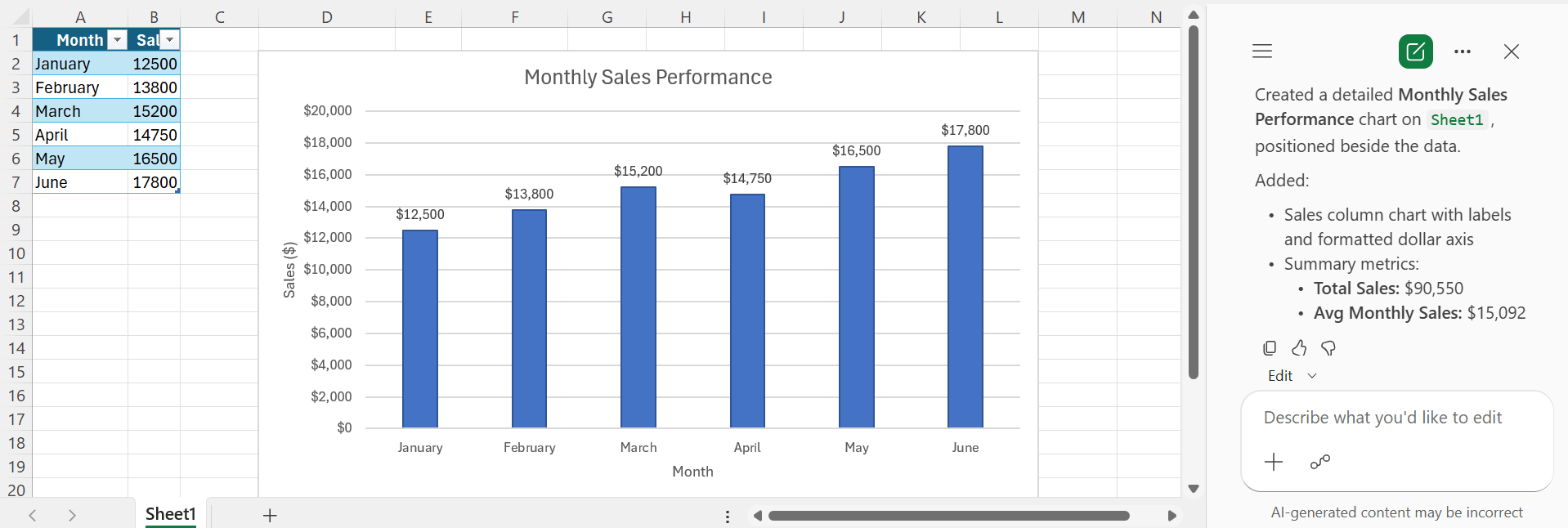
You can use Copilot to ask questions about your workbook. It can help analyze data, find trends, create formulas, and summarize information.
What is ChatGPT for Excel?
ChatGPT is an AI assistant that can help with many Excel tasks. You can ask Excel to write formulas, explain functions, and troubleshoot errors.
You can also upload the Excel workbook and write the prompt in ChatGPT:
Write an Excel formula to return the sales amount for the latest date.
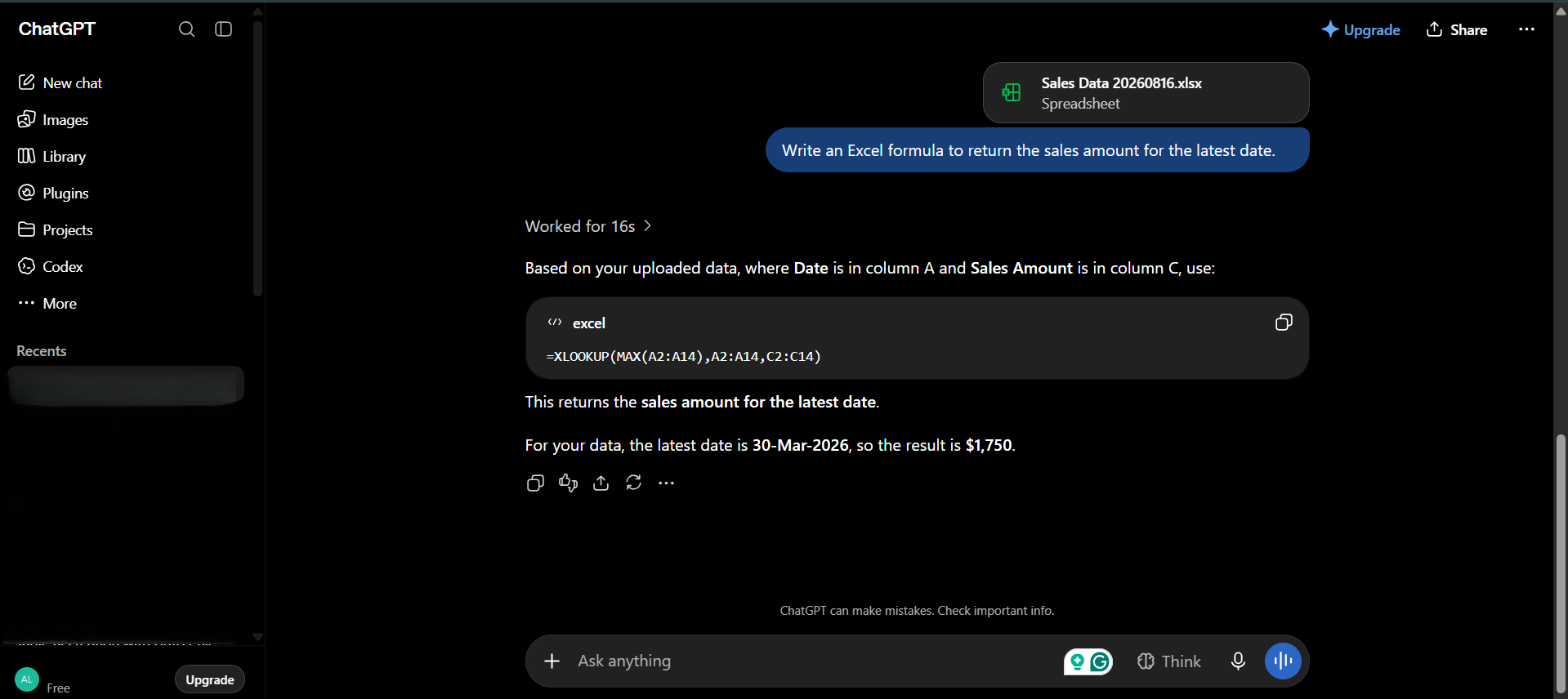
It will return the formula.
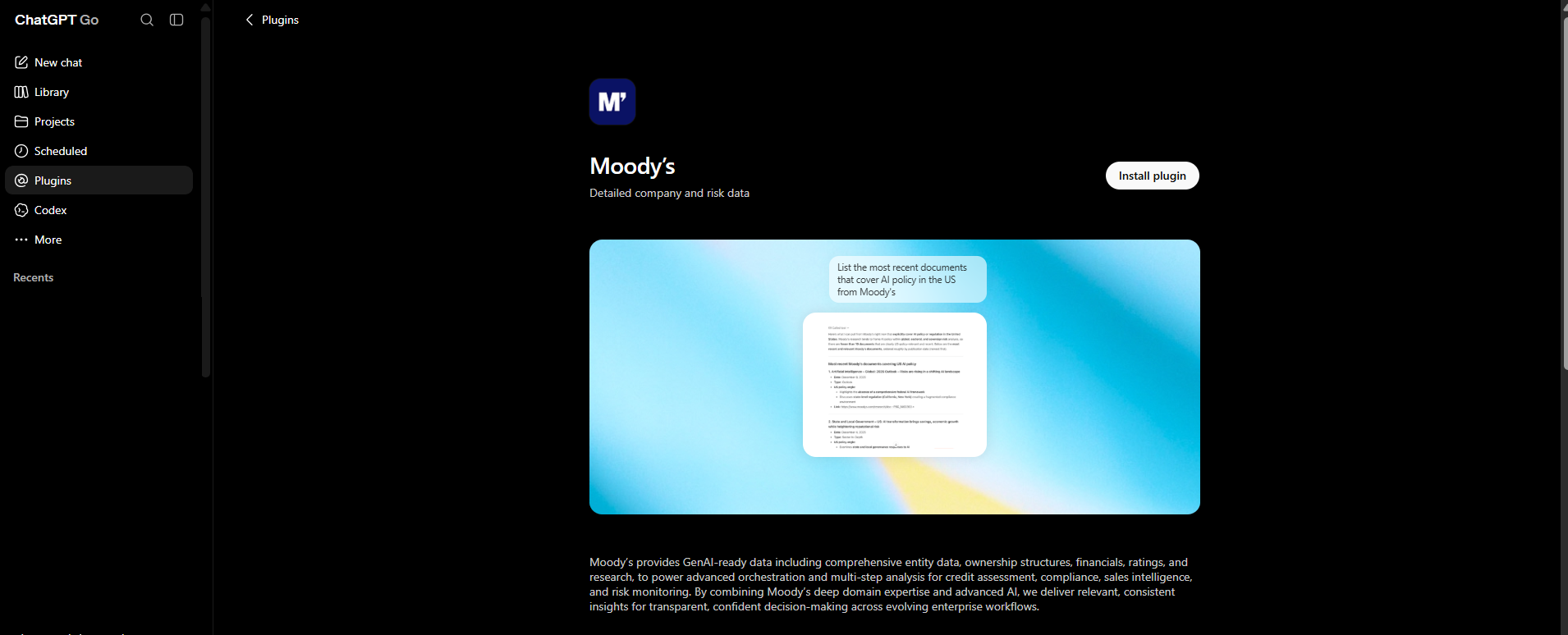
ChatGPT for Excel also connects to financial data providers such as Moody’s, S&P Global, and Dow Jones. This is useful for analysts who need live market data inside a model.
Feature Comparison
- Copilot is built directly into Excel. ChatGPT for Excel works through a sidebar add-in.
- Copilot supports PivotTables and Power Query. ChatGPT for Excel does not support them yet.
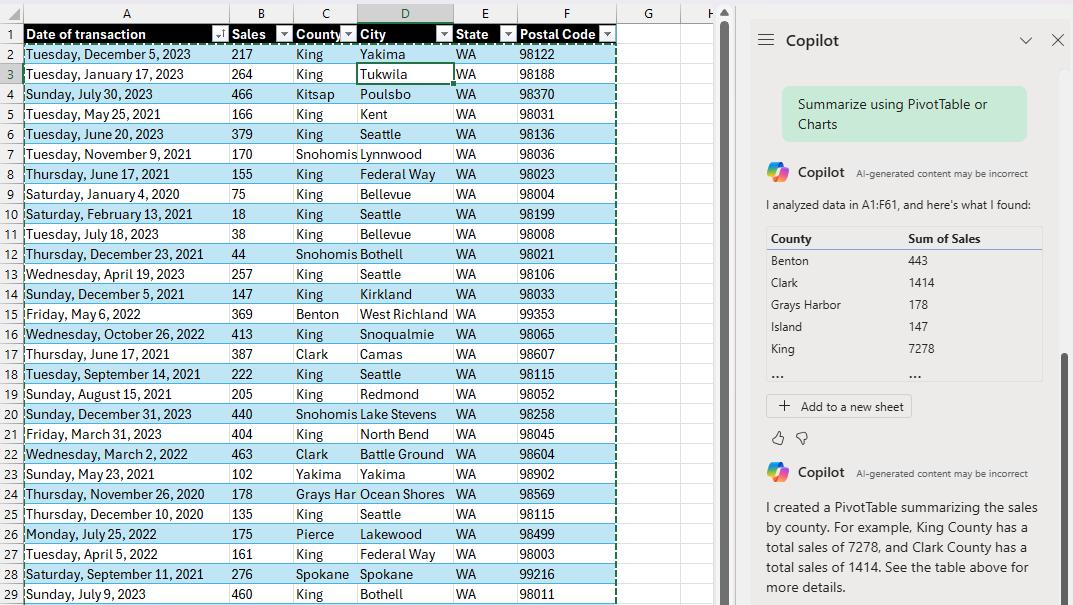
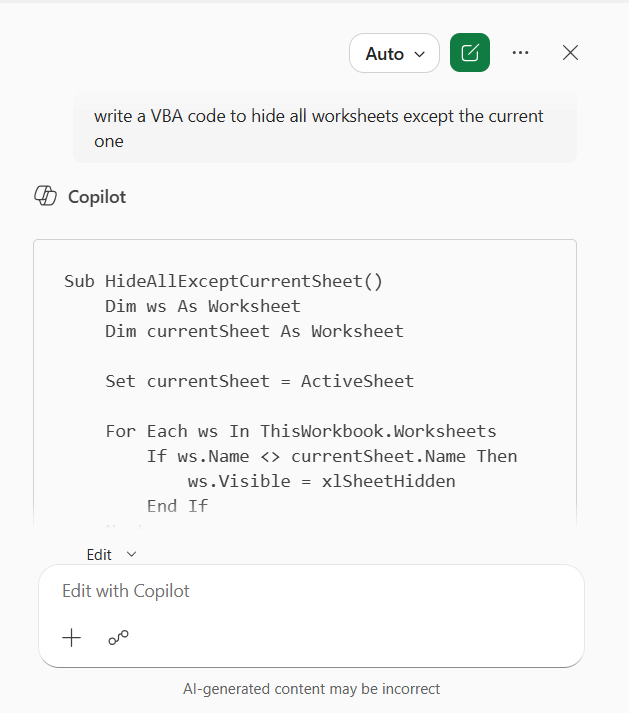
- Copilot supports Office Scripts and VBA. ChatGPT for Excel does not support them yet.
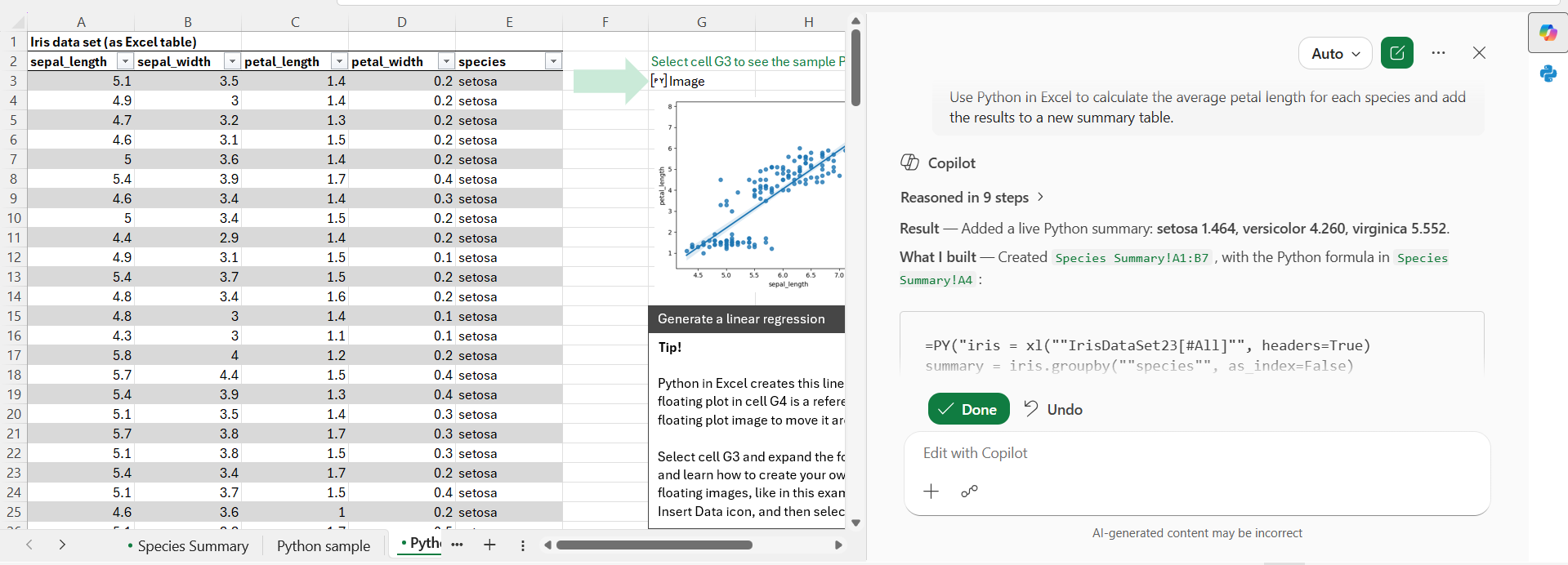
- Copilot supports Python for in-sheet analysis. ChatGPT for Excel does not support Python in Excel.
- Copilot has limited financial data partnerships. ChatGPT for Excel works with data from Moody’s, S&P Global, Dow Jones, and other providers.
- Copilot asks for permission before making changes. ChatGPT for Excel shows the changes and asks for permission before editing.
- Copilot offers GPT and Claude models that users can select. ChatGPT for Excel uses GPT-5.4 and newer models.
- Copilot requires a Microsoft 365 Copilot license. ChatGPT for Excel is available with paid ChatGPT plans in supported regions.
Microsoft Copilot vs ChatGPT: Which One is Better?
Microsoft Copilot and ChatGPT are both useful Excel tools.
- Microsoft Copilot is better for working directly inside Excel and getting quick help with your workbook.
- ChatGPT is better for learning Excel, solving complex problems, creating formulas, and getting detailed explanations.
FAQs
1. Which is better for Excel, Copilot or ChatGPT?
It depends on your needs. Copilot is better for working inside Excel. ChatGPT is better for detailed help and explanations.
2. Can Copilot create Excel formulas?
Yes. Copilot can create and explain Excel formulas.
3. Can ChatGPT analyze Excel files?
Yes. You can upload an Excel file and ask ChatGPT to analyze the data.
4. Does Copilot support Power Query?
Yes. Copilot supports Power Query and PivotTables.
5. Which tool is better for learning Excel?
ChatGPT is a good choice for learning Excel. It can explain formulas and functions in simple steps.

John Michaloudis is a former accountant and finance analyst at General Electric, a Microsoft MVP since 2020, an Amazon #1 bestselling author of 4 Microsoft Excel books and teacher of Microsoft Excel & Office over at his flagship MyExcelOnline Academy Online Course.

 30 Days - Full Access









