 Free Practice Workbook
Accountants and finance teams work with large amounts of financial data, which can be easily analysed using Microsoft Copilot. It can help reduce the time spent on many tasks. In this article, you will learn some of the best Copilot prompts for accountants and finance teams.
Key Takeaways:
- Copilot can help analyze financial data.
- You can use prompts to create formulas and reports.
- Copilot can compare budgets and actual expenses.
- Finance teams can use prompts to find trends and unusual transactions.
- Always review Copilot results before using them.
Table of Contents
Why Use Copilot in Excel for Finance?
Finance teams work with large volumes of data that require accuracy and quick analysis. Copilot can help by:
- Identifying financial trends and anomalies
- Creating formulas automatically
- Summarizing reports
- Building charts and visualizations
- Comparing budgets and actual results
- Forecasting future performance
- Pointing out the outstanding balances and risks
Instead of manually writing formulas or analyzing rows of data, users can describe what they want in plain language.
11 Copilot Prompts for Accountants & Finance Teams
1. Budget vs Actual Analysis
One of the most common finance tasks is comparing actual spending against planned budgets. You can use this prompt:
“Compare Actual Expenses with Budgeted Expenses and show all categories where spending exceeded the budget.”
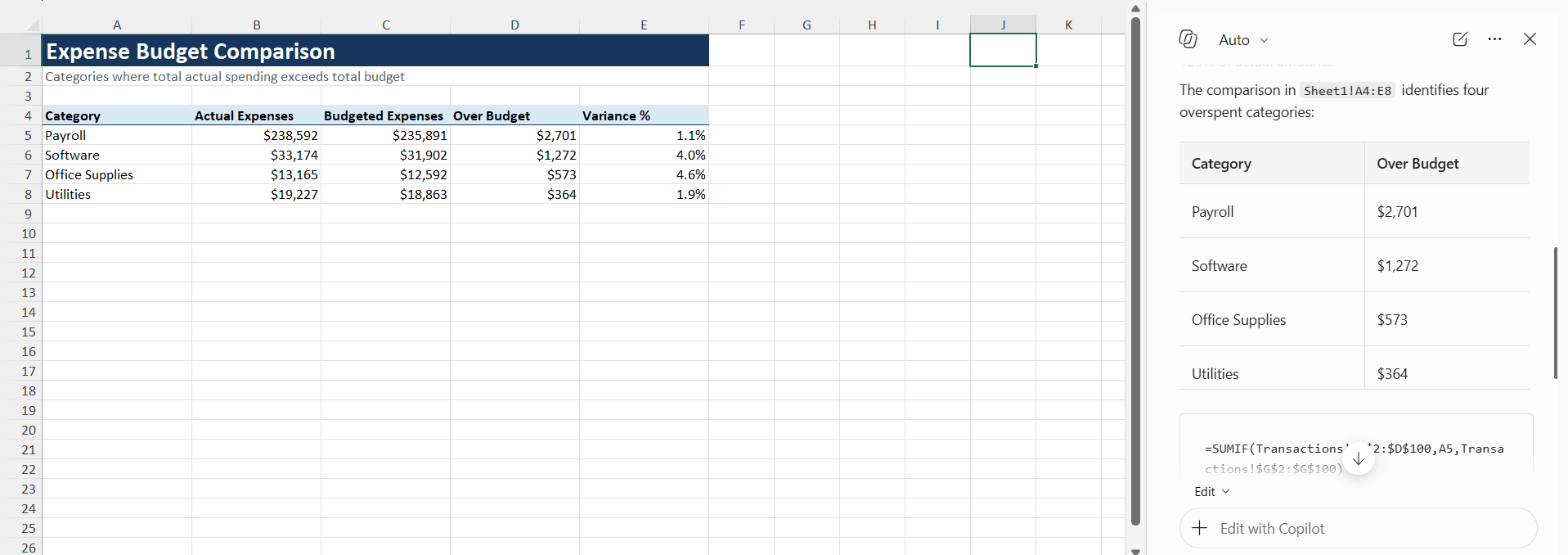
This can help finance teams quickly identify areas where spending is higher than planned and may require further review.
2. Financial Trend Analysis
Finance teams regularly monitor revenue, expenses, profit, and cash flow trends. The prompt will be:
“Analyze monthly revenue trends and identify periods of growth or decline.”
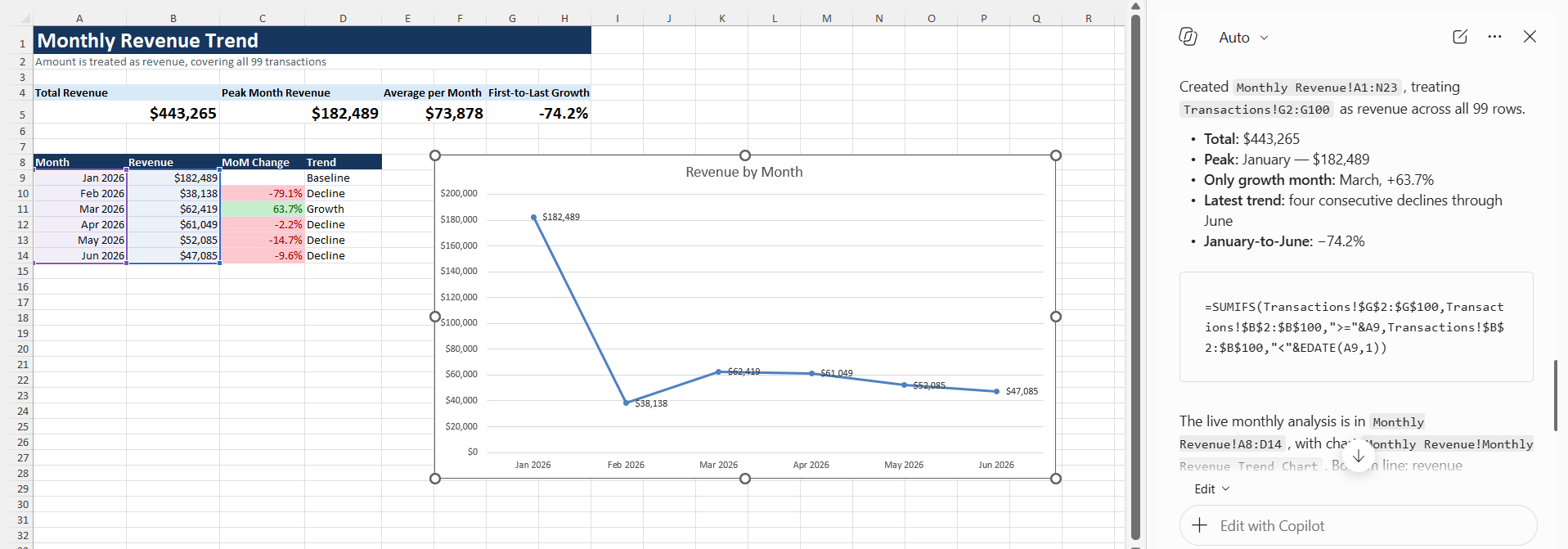
This can help users find changes in financial performance without manually reviewing each month.
3. Expense Categorization
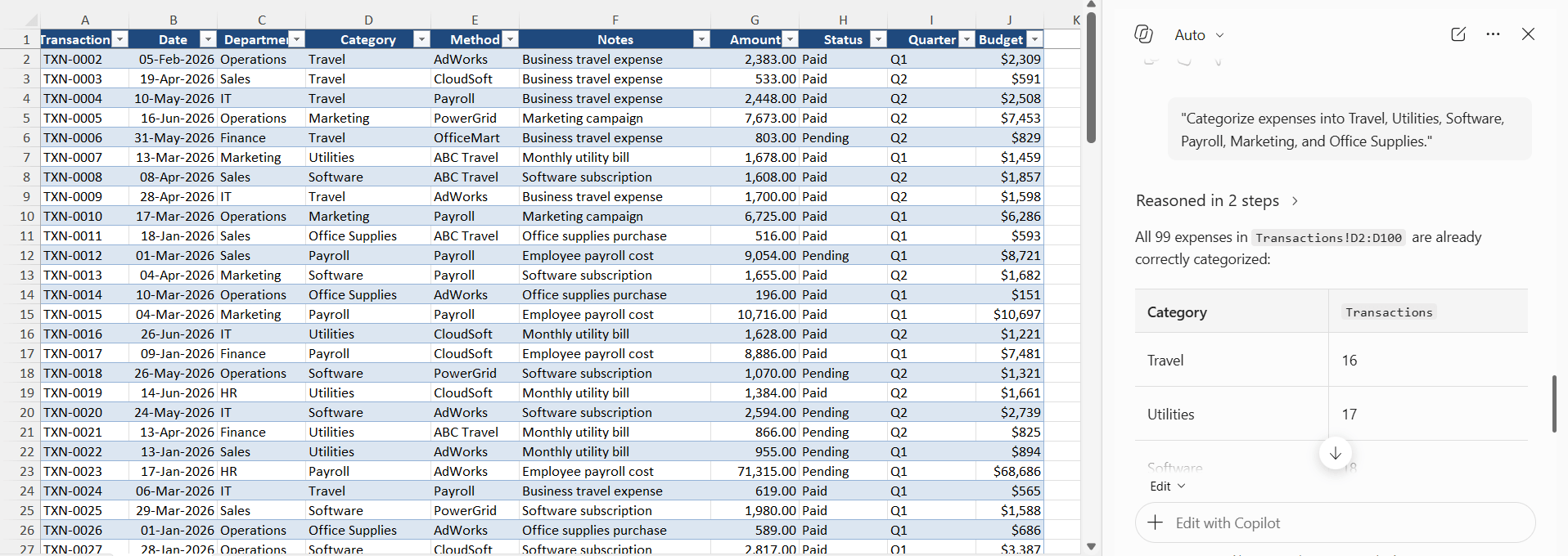
Large expense reports often contain hundreds or thousands of transactions.
Prompt:
“Categorize expenses into Travel, Utilities, Software, Payroll, Marketing, and Office Supplies.”
4. Accounts Receivable Review
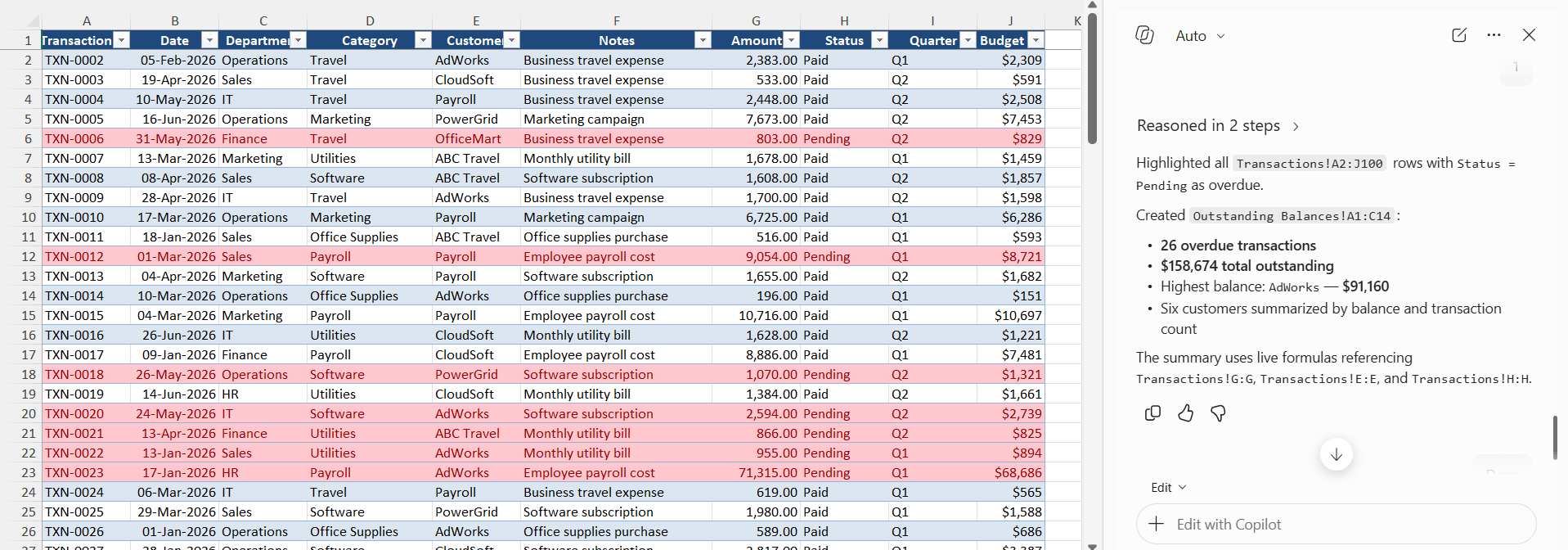
Monitoring unpaid invoices is important for maintaining cash flow. You can use this prompt:
“Highlight overdue invoices and summarize outstanding balances by customer.”
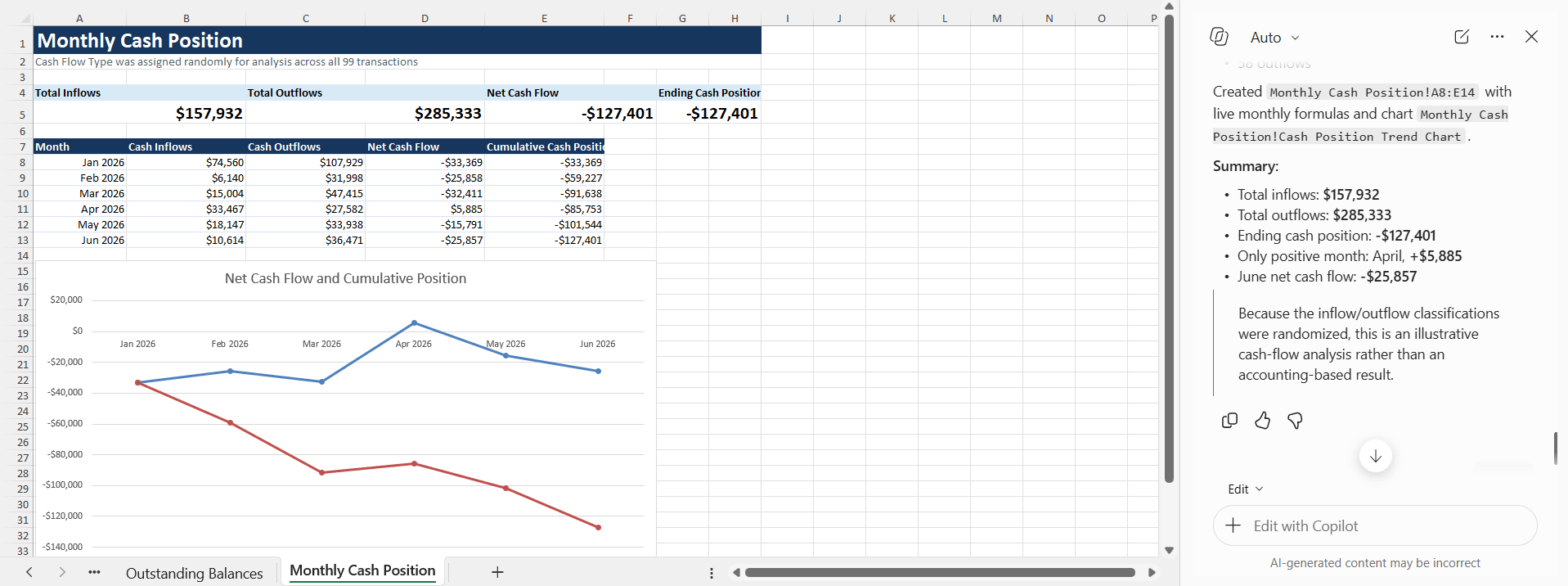
5. Cash Flow Analysis
Cash flow analysis can be used to evaluate incoming and outgoing cash flow in the business.
“Analyze cash inflows and outflows and summarize the cash position by month.”
6. Forecast Future Revenue
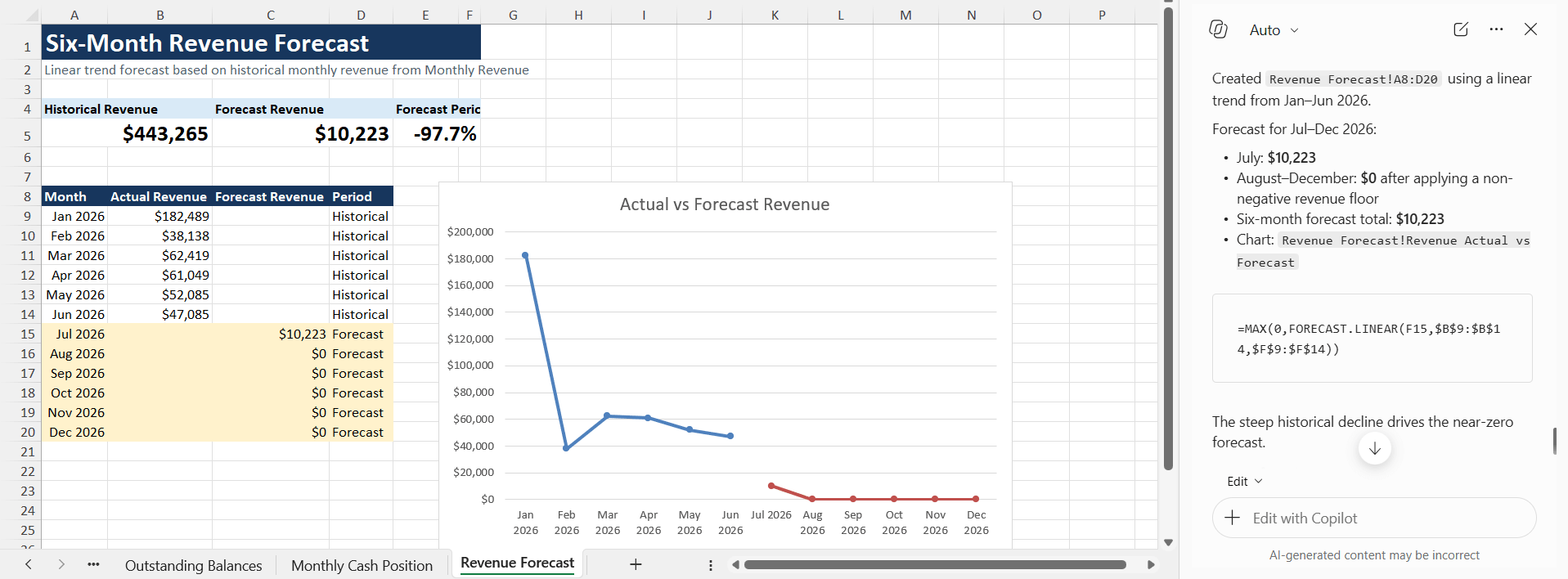
Forecasting is an important responsibility for finance teams. You can use this prompt:
“Forecast revenue for the next six months using historical sales data.”
7. Detect Unusual Transactions
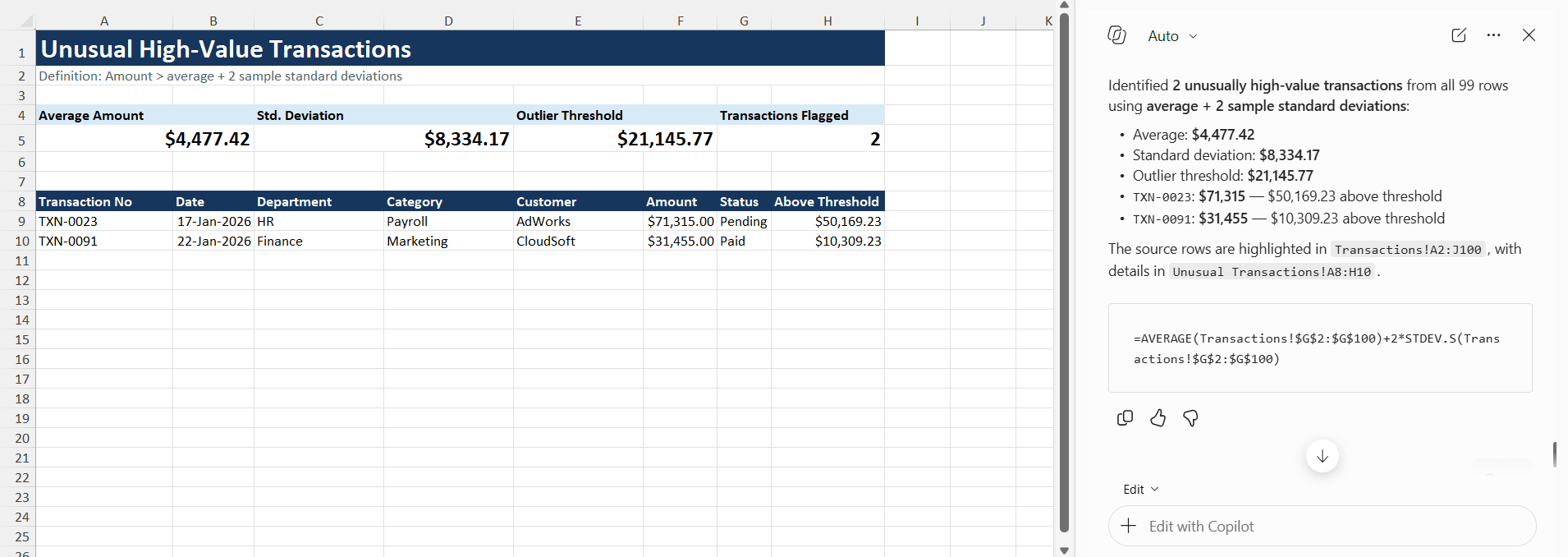
Auditors and accountants often need to review transactions that stand out. You can use this prompt:
“Find unusual transactions that are significantly higher than the average transaction value.”
8. Profitability Analysis
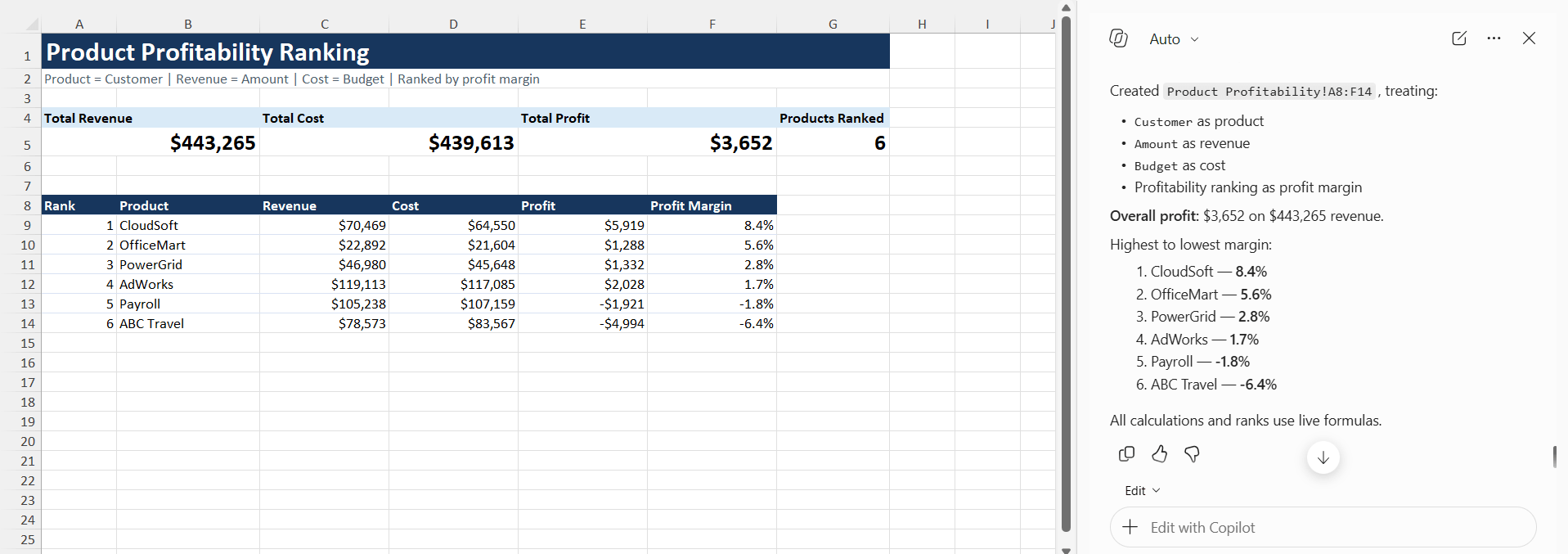
Companies frequently evaluate which products, services, or customers generate the most profit.
“Calculate profit margins and rank products from highest to lowest profitability.”
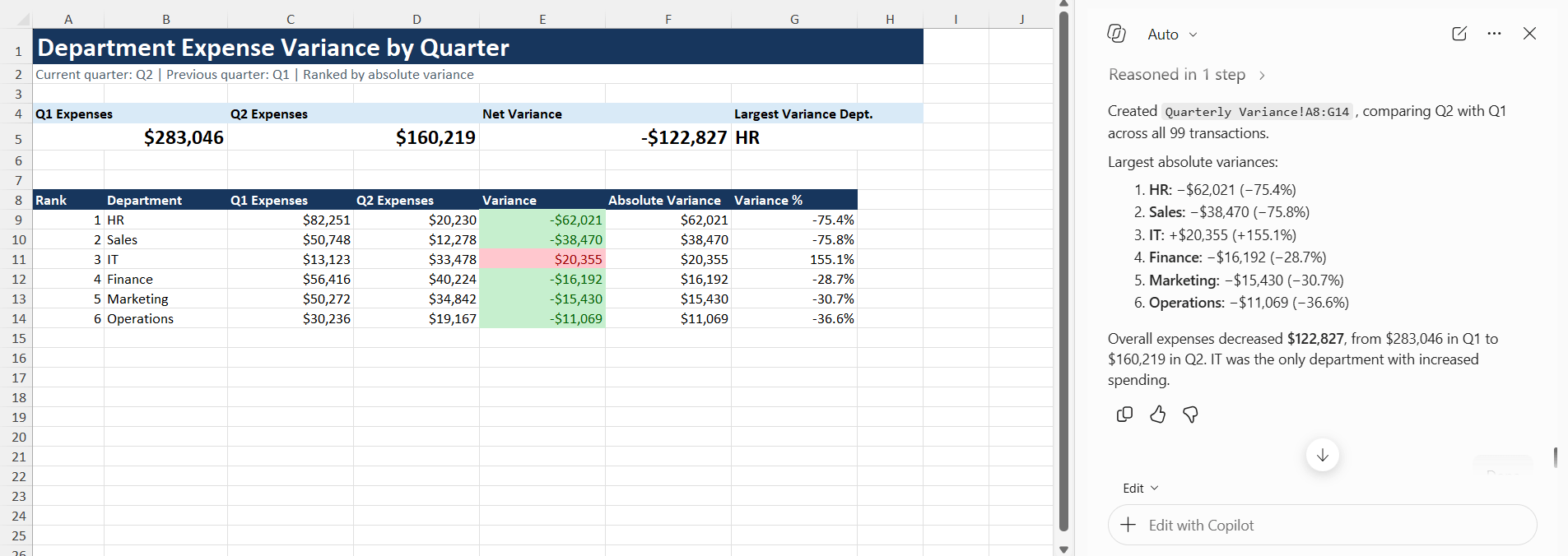
9. Variance Investigation
Finance teams often need explanations for unexpected results.
“Identify departments with the largest variance between current and previous quarter expenses.”
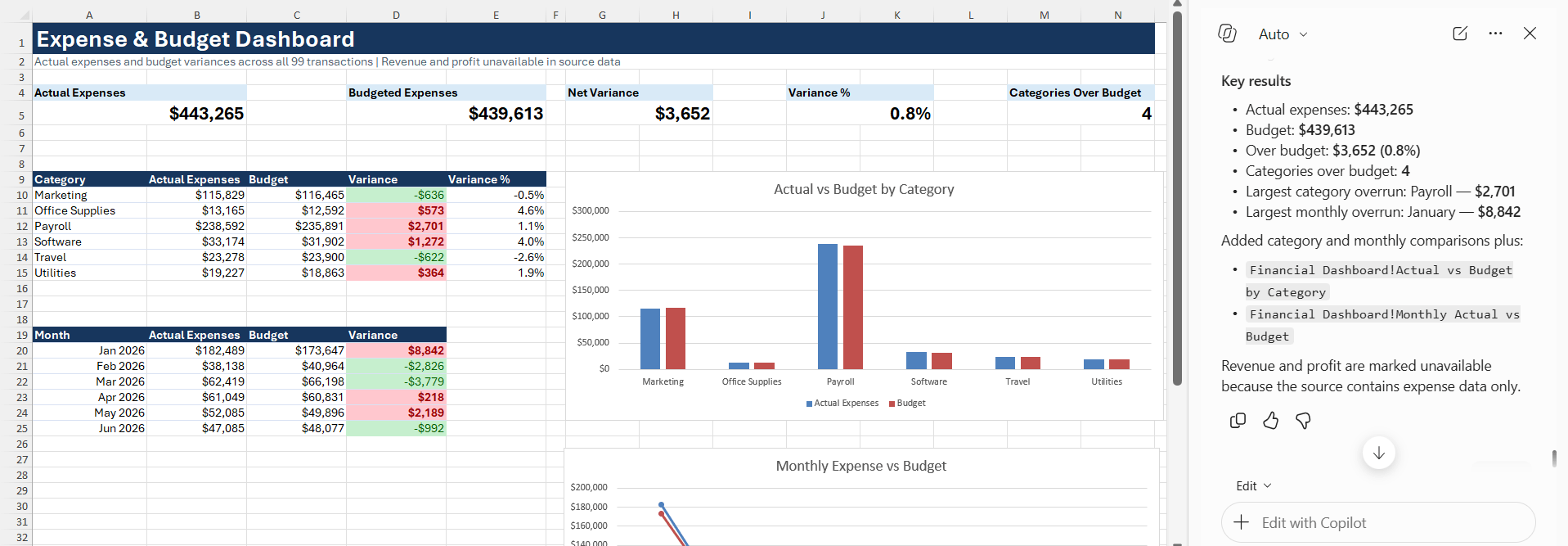
10. Financial Dashboard Creation
Creating management reports can take significant time.
“Create a financial dashboard showing revenue, expenses, profit, and budget variances.”
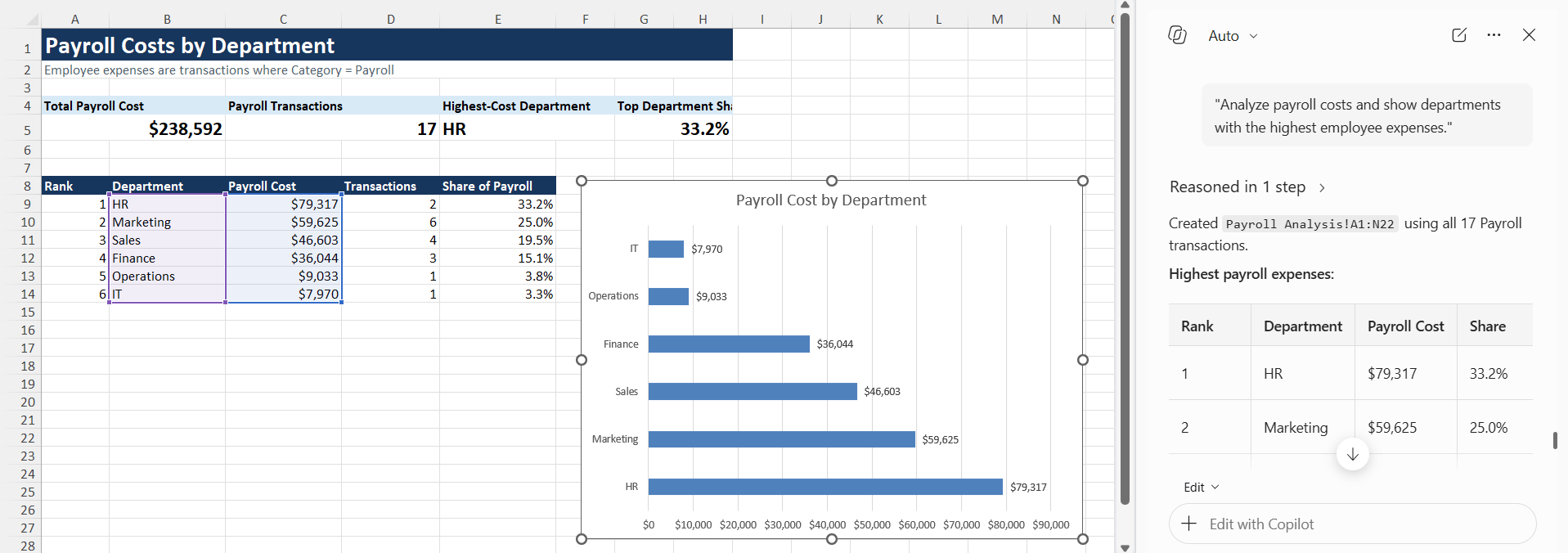
11. Payroll Analysis
Payroll often represents one of the largest business expenses.
Prompt:
“Analyze payroll costs and show departments with the highest employee expenses.”
FAQs
1. How can Copilot help accountants in Excel?
Copilot can help accountants analyze financial data, create formulas, summarize reports, and spot trends or unusual transactions.
2. What are the best Copilot prompts for finance teams?
Useful prompts include budget analysis, expense categorization, cash flow analysis, revenue forecasting, profitability analysis, and variance analysis.
3. Can Copilot analyze financial trends?
Yes. You can ask Copilot to analyze revenue, expenses, profit, cash flow, and other financial trends over a specific period.
4. Can Copilot help with budget vs actual analysis?
Copilot can easily be used to compare the budgeted and actual amounts. It can also identify the categories where spending is above the budget.
5. Should I verify Copilot’s financial results?
Yes, you should always check the formulas or results generated by Copilot.

John Michaloudis is a former accountant and finance analyst at General Electric, a Microsoft MVP since 2020, an Amazon #1 bestselling author of 4 Microsoft Excel books and teacher of Microsoft Excel & Office over at his flagship MyExcelOnline Academy Online Course.

 30 Days - Full Access









