 Free Practice Workbook
Microsoft Copilot in Excel is designed to help users analyze data, create formulas, summarize information, and generate insights through natural language prompts. But many users find that some Copilot features are unavailable when the workbook isn’t autosaved. In this article, you will learn the answer to the question: “Does Copilot Requires OneDrive or AutoSave?”
Key Takeaways:
- Copilot works best with files saved to OneDrive or SharePoint.
- AutoSave should be turned on for Copilot.
- Local files may have limited Copilot features.
- AutoSave saves workbook changes automatically.
- Always review Copilot’s results before using them.
Table of Contents
Why Does Copilot Requires OneDrive?
Excel workbook with Copilot needs to be saved in OneDrive rather than in local files.
- When you save a file to OneDrive or SharePoint, Excel can provide Copilot features.
- If a workbook is stored only on your local drive, Copilot may not activate or may display a message asking you to save the file online.
Local file:
C:\Users\User\Documents\Sales.xlsx
Cloud file:
OneDrive > Excel Files > Sales.xlsx
Does Copilot Requires AutoSave?
Yes, AutoSave should be turned on when using Copilot in Excel.
AutoSave continuously saves changes to your workbook. This is important because Copilot may make changes directly to the workbook.
If AutoSave is turned off, some Copilot features may not work as expected. Saving the workbook to OneDrive or SharePoint also makes it easier for AutoSave to work.
How to Turn On AutoSave
To turn on AutoSave, follow these steps:
STEP 1: Open your Excel workbook.
STEP 2: Look for the AutoSave switch at the top-left of the Excel window.
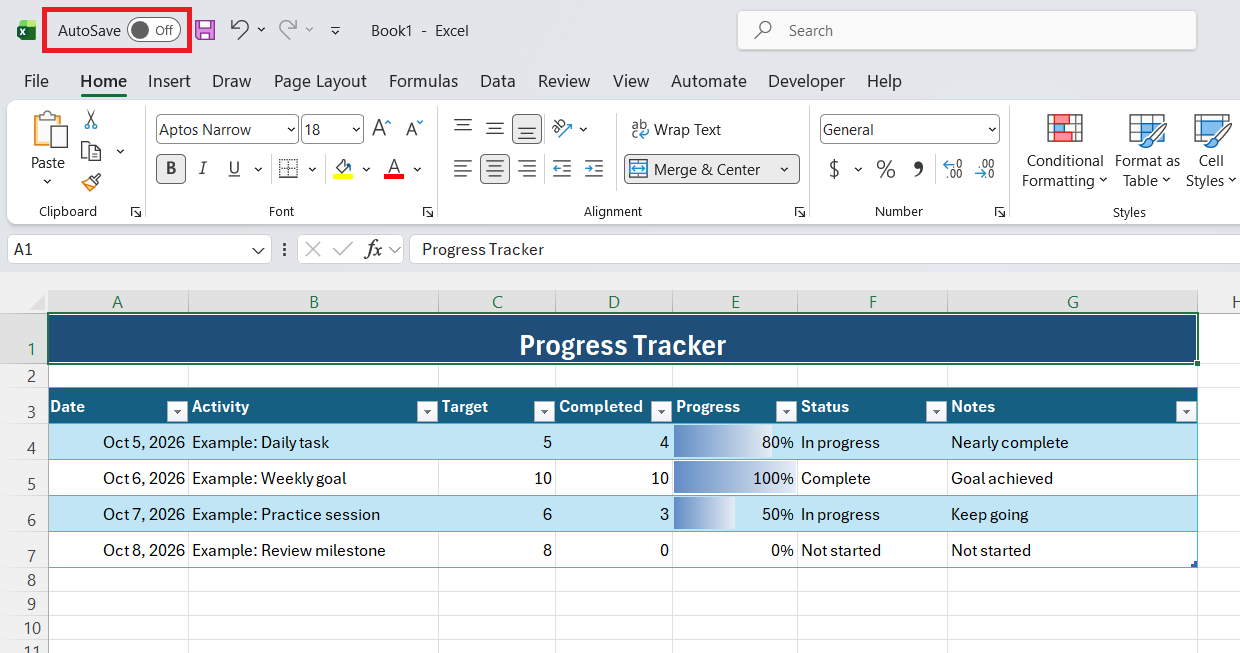
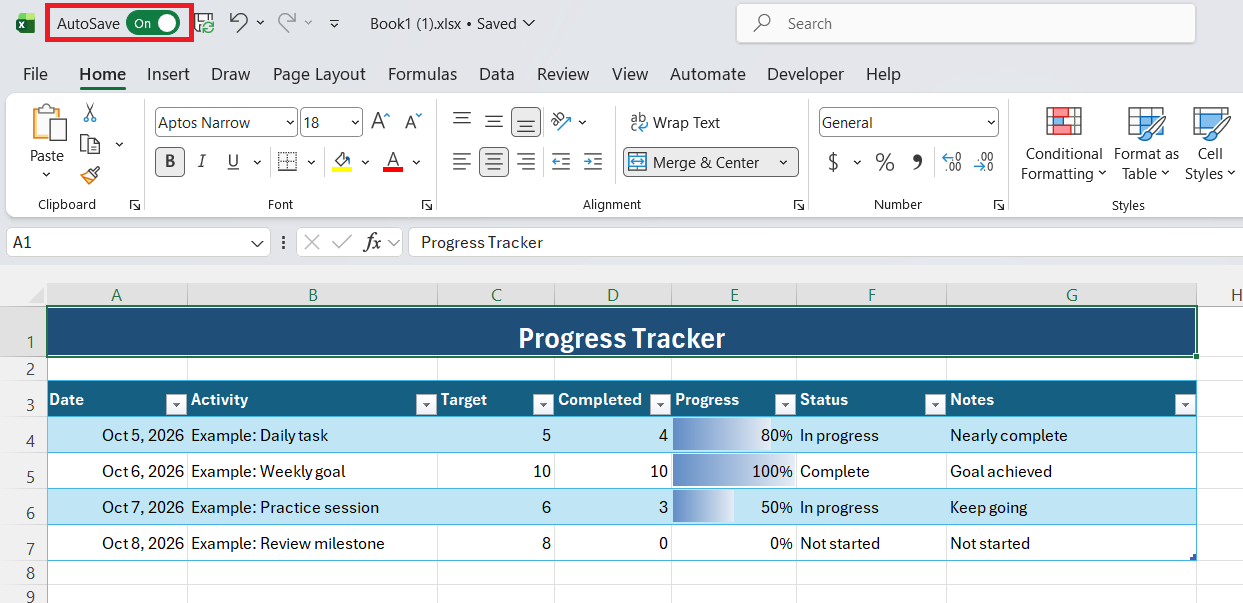
STEP 3: Turn AutoSave on.
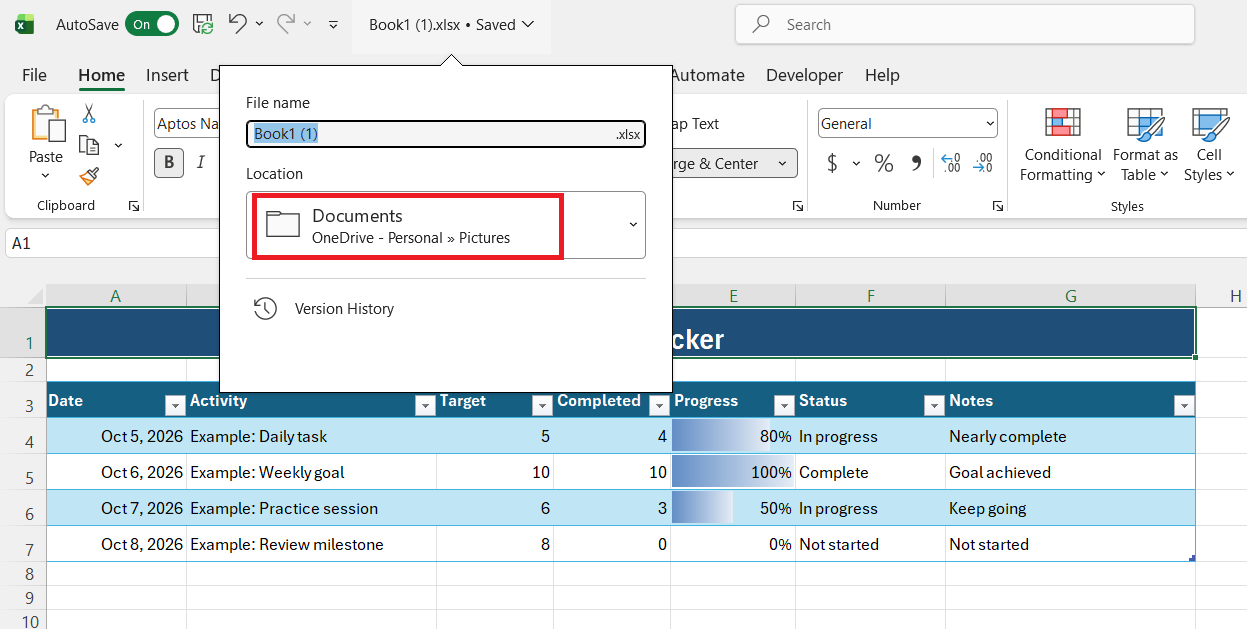
STEP 4: Make sure the workbook is saved to OneDrive or SharePoint.
Once AutoSave is enabled, Excel will automatically save your changes while you work.
Tips & Tricks:
- Save Copilot workbooks to OneDrive or SharePoint.
- Keep AutoSave turned on.
- Use clear column headers and Excel Tables for your data.
- Keep your Excel application updated.
- Review Copilot’s output before using it.
- Save a backup copy before making major changes.
FAQs
Does Copilot in Excel require OneDrive?
Yes, the workbook should be saved to OneDrive or SharePoint for Copilot features.
Does Copilot require AutoSave?
Yes, AutoSave should be turned on when using Copilot in Excel.
Can I use Copilot with a local Excel file?
Some Copilot features may not work with locally saved files.
How do I turn on AutoSave in Excel?
Turn on the AutoSave switch at the top-left of the Excel window.
Why is Copilot not working in my workbook?
Check that the file is saved to OneDrive or SharePoint and that AutoSave is turned on.

John Michaloudis is a former accountant and finance analyst at General Electric, a Microsoft MVP since 2020, an Amazon #1 bestselling author of 4 Microsoft Excel books and teacher of Microsoft Excel & Office over at his flagship MyExcelOnline Academy Online Course.

 30 Days - Full Access









