 Free Practice Workbook
Microsoft Excel relies on formulas and functions to analyze data and perform tasks. Copilot is a tool in Excel that helps you to accomplish tasks by writing prompts in simple language. This raises an important question: Should you use Copilot or traditional Excel functions?
In this article, you will learn all about Copilot vs Excel functions.
Key takeaways:
- Excel functions use formulas to perform calculations and analyze data.
- Copilot lets you complete tasks using simple natural language prompts.
- Copilot can generate formulas, charts, and insights automatically.
- Excel functions provide more control, accuracy, and consistency.
- Using Copilot and Excel functions together can improve productivity.
Table of Contents
Introduction to Copilot and Excel function
What Are Excel Functions?
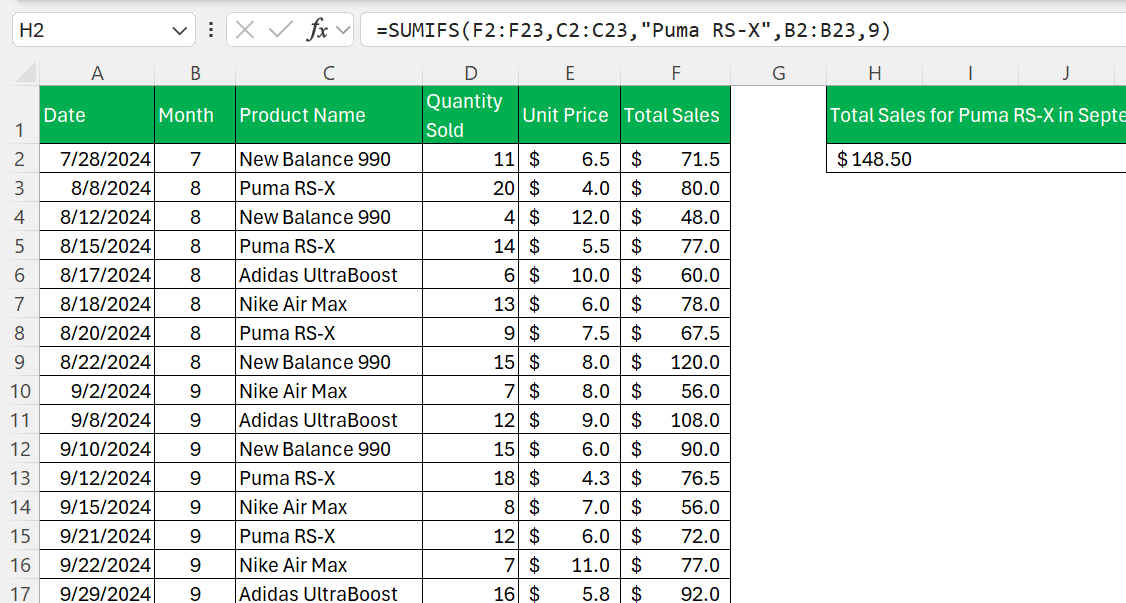
Excel functions are built-in formulas designed to perform specific calculations and data operations. Users enter these functions directly into cells.
For example, you can use the SUMIF function to calculate the total monthly sales for a specific product.
What is Microsoft Copilot?
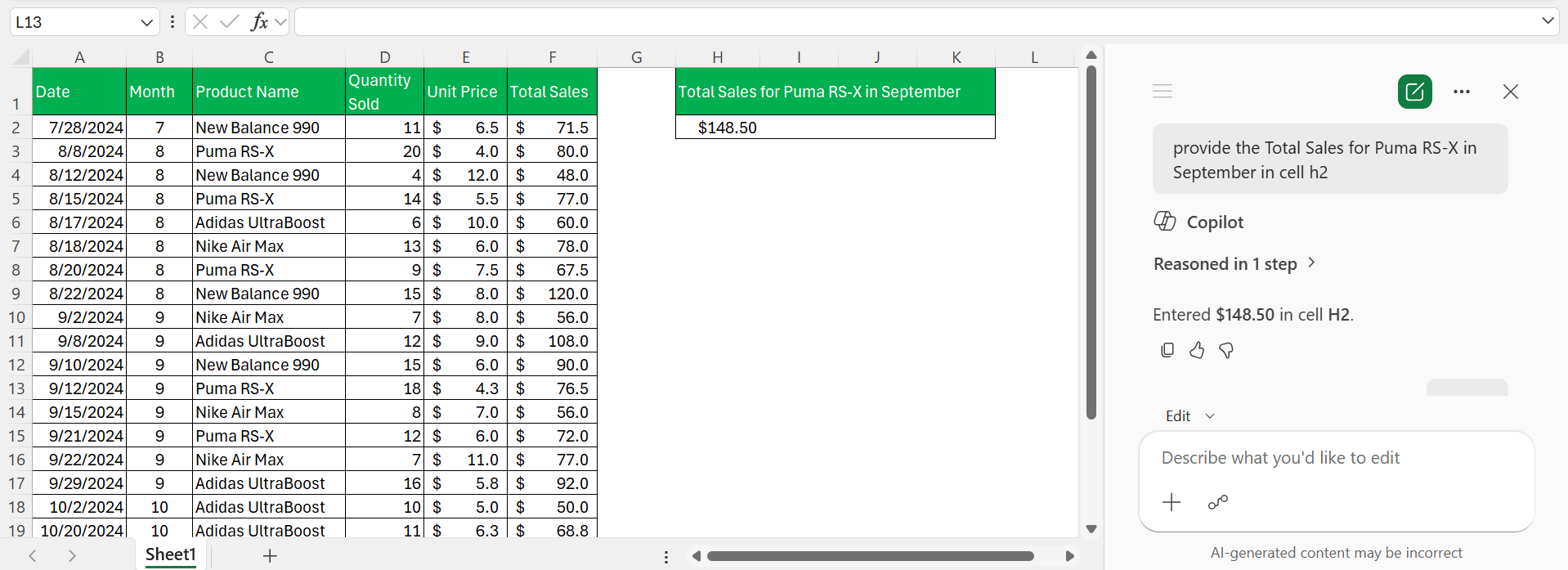
Microsoft Copilot is an AI-assisted tool integrated directly into Excel. It allows you to write the task in simple language instead of typing complex formulas. This makes Excel more accessible to users who may not be familiar with advanced functions and formulas.
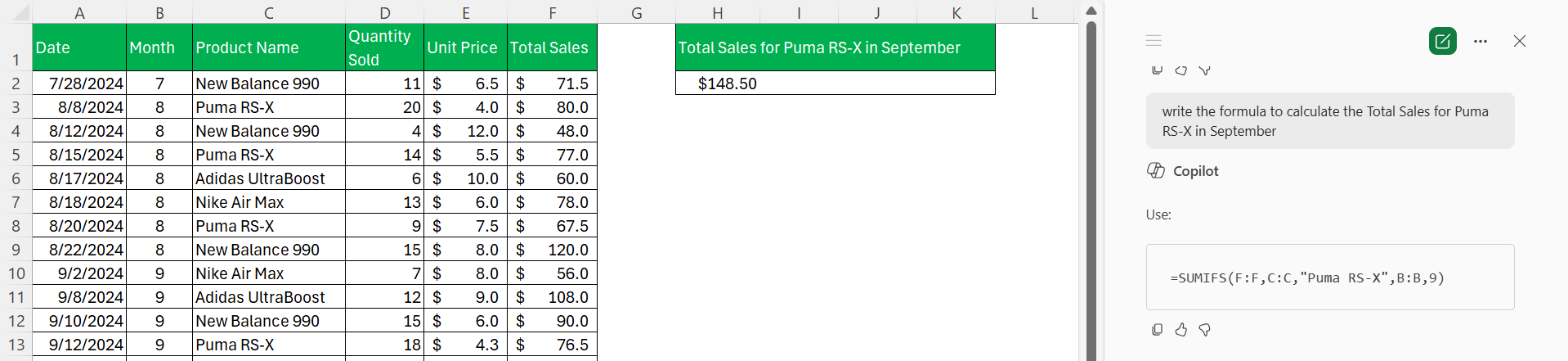
For example, to get the total monthly sales for a particular product, you can type:
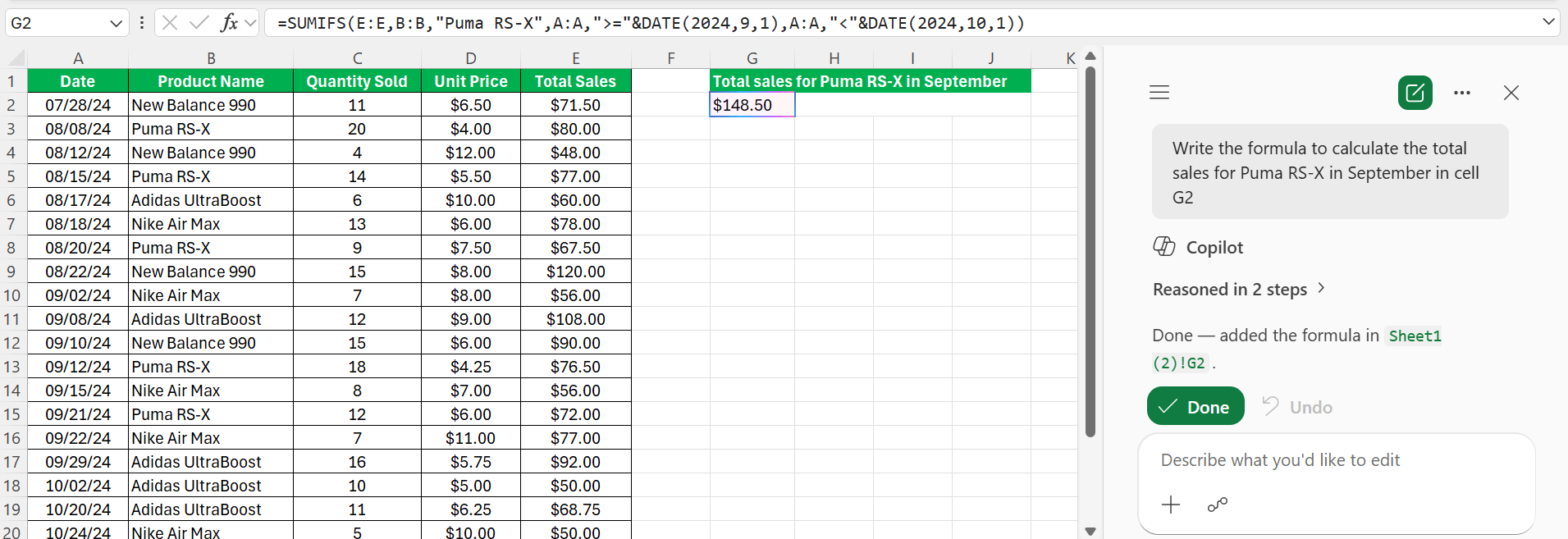
Copilot analyzes the data and generates the required formula. It can also explain formulas, summarize data, and help users understand trends within a worksheet.
Advantages of using Copilot and Excel functions
Advantages of Copilot
- Users can write the command in simple language. No need to write complex formulas.
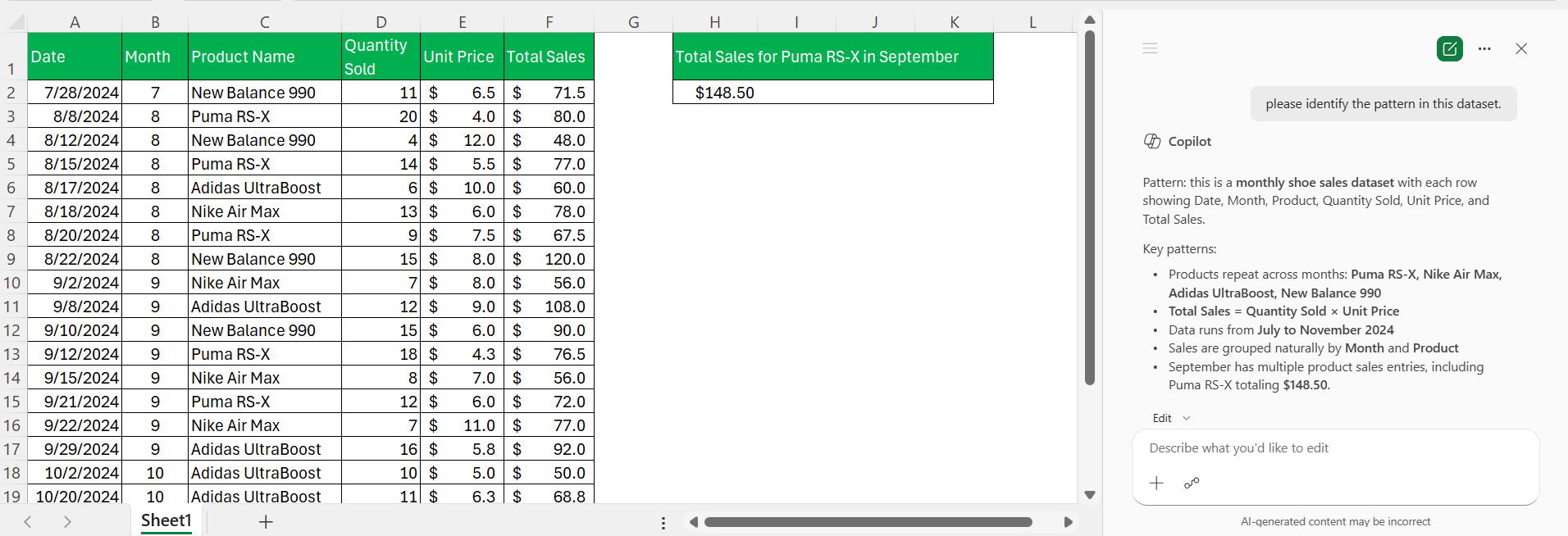
- Copilot can quickly identify trends, outliers, and patterns in large datasets.
- Copilot can suggest formulas that you can use.
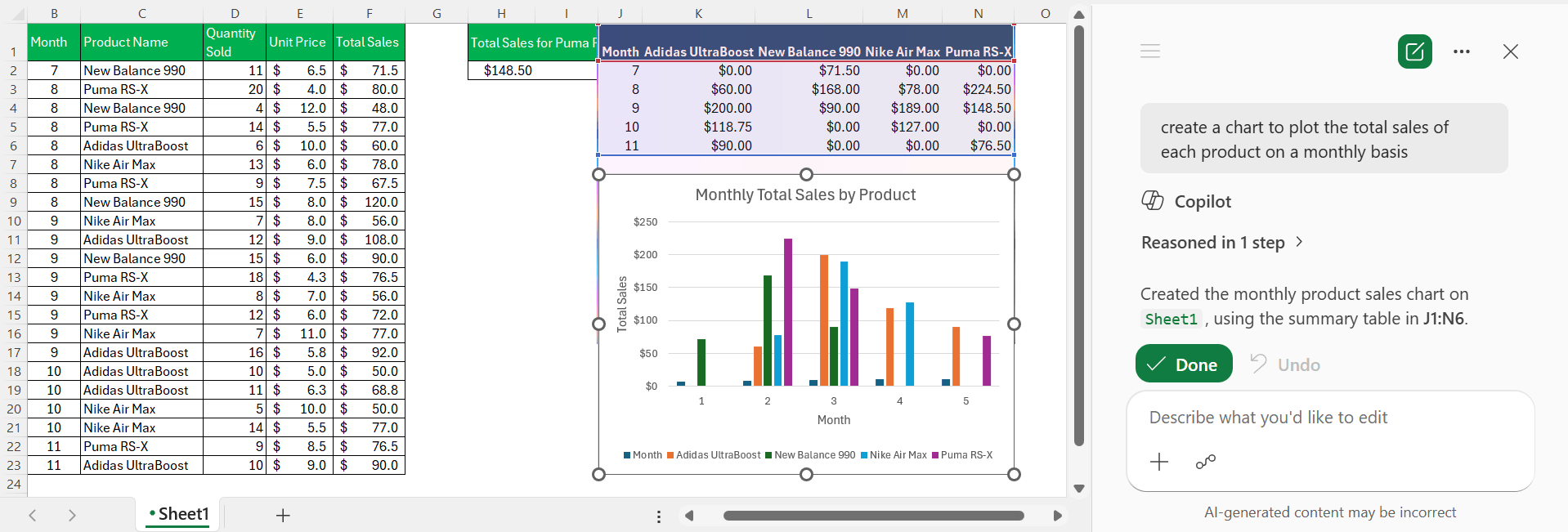
- Copilot can automatically create charts and pivot tables based on your data.
Advantages of Excel Functions
- Function performs the exact task. There is no need to depend on the interpretation of a prompt.
- You can review the exact formula that is being used.
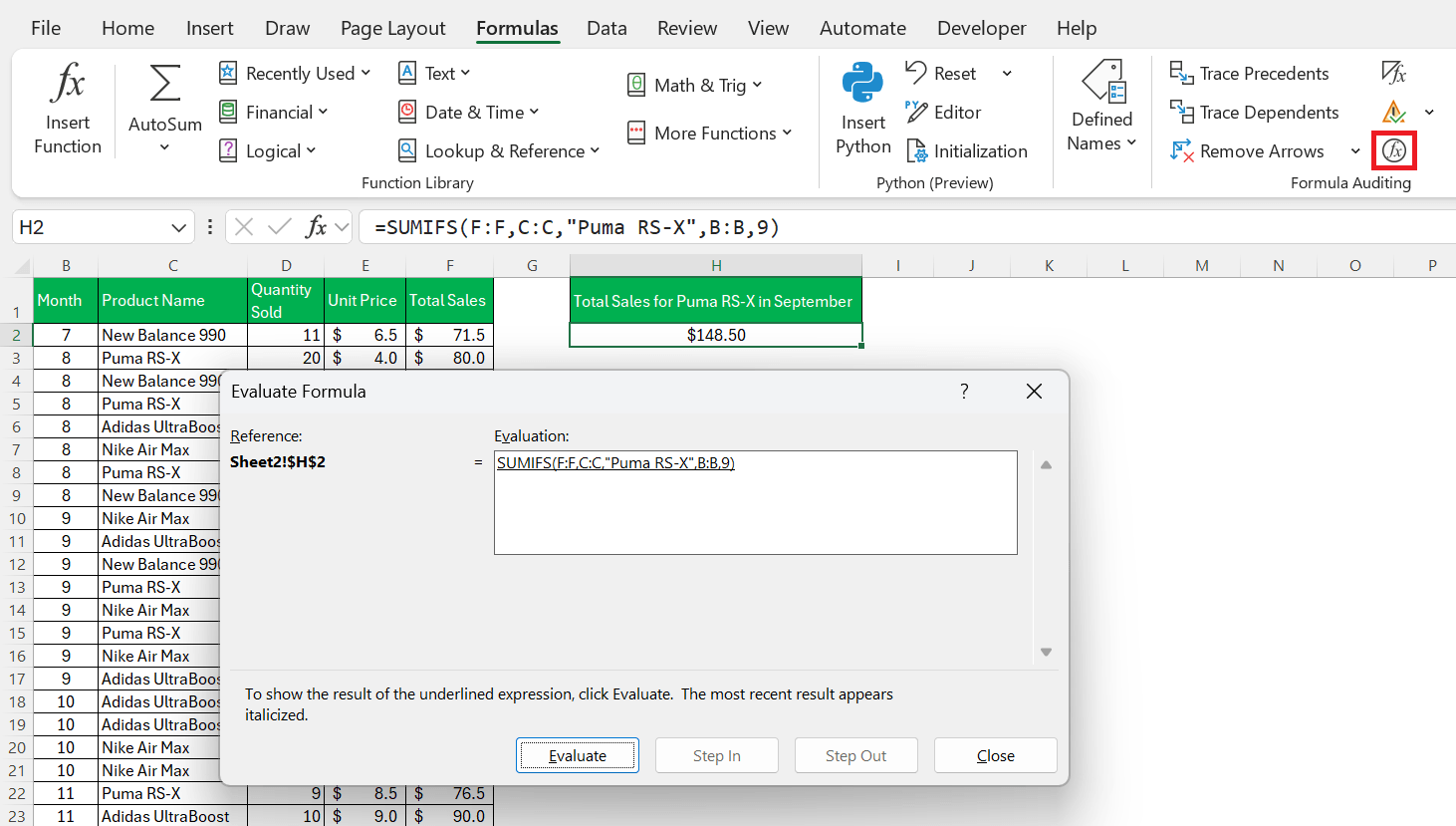
- A formula produces the same output every time the data remains unchanged.
- Excel functions work on all versions of Excel. While Copilot requires a compatible Microsoft 365 subscription.
Copilot vs Excel Functions: Key Differences
- Copilot lets you use simple prompts, while Excel Functions require you to enter formulas manually.
- Copilot is beginner-friendly and easy to use, whereas Excel Functions require knowledge of formula syntax.
- Copilot’s results depend on how clearly the prompt is written, while Excel Functions provide highly accurate results.
- Copilot can quickly perform complex tasks, while Excel Functions are fast once you know the correct formula to use.
- Copilot offers limited customization based on AI interpretation, whereas Excel Functions give you complete control over calculations.
- Copilot may produce different results if the prompt changes, while Excel Functions generate the same result every time under the same conditions.
- Copilot may not always show the logic behind its results, while Excel Functions make the calculation logic fully visible.
- Copilot is ideal for quick analysis and insights, while Excel Functions are better suited for detailed calculations and structured data processing.
FAQs
1. What is the difference between Copilot and Excel functions?
Copilot uses AI-powered prompts to help users complete tasks in Excel using natural language. Excel functions, on the other hand, rely on formulas and predefined calculations to analyze data and perform specific operations.
2. Can Copilot create Excel formulas?
Yes, Copilot can generate formulas based on your instructions.
3. Which is more accurate, Copilot or Excel functions?
Excel functions are generally more accurate and predictable.
4. Do I need Copilot to use Excel functions?
No, Excel functions work independently without Copilot.
5. Can Copilot create charts and pivot tables?
Yes, Copilot can automatically create charts, pivot tables, and summaries from your data.

John Michaloudis is a former accountant and finance analyst at General Electric, a Microsoft MVP since 2020, an Amazon #1 bestselling author of 4 Microsoft Excel books and teacher of Microsoft Excel & Office over at his flagship MyExcelOnline Academy Online Course.

 30 Days - Full Access









